Jan 16, 2026

Pawel Gola
Framer & Webflow Expert
The web design landscape is undergoing a major transformation as we approach 2026. Designers and businesses are increasingly turning to the one page template for its ability to deliver fast, engaging, and streamlined digital experiences.
With next-generation expectations rising, choosing the right template can make or break a project. This article highlights seven of the most stunning and innovative one page templates, carefully curated for standout websites in 2026.
Explore unique features, pricing, use cases, and honest pros and cons for each pick. Whether you are a designer, entrepreneur, or business owner, discover which template will help you launch a memorable, high-performing website this year.
Why One Page Templates Are Dominating in 2026
The digital landscape in 2026 is shaped by speed, clarity, and seamless user experiences. As browsing habits evolve, the one page template has surged in popularity, redefining how designers, brands, and entrepreneurs showcase ideas online.
The Rise of One Page Websites
Concise digital experiences are now in demand. Users expect to find what they need quickly, especially on mobile devices. One page template solutions deliver all essential information in a single, streamlined scroll.
Startups, event organizers, and portfolio creators have embraced this trend. For example, in 2025 and 2026, several high-profile product launches and creative portfolios used one page template designs to capture attention and boost engagement.
Industry studies indicate that one page websites often achieve higher conversion rates compared to multi-page sites. This is thanks to their focused structure and minimal navigation, which keeps visitors on track.
Key Benefits for Businesses and Creators
A one page template offers simplified navigation, reducing friction for visitors. This leads to higher engagement and lower bounce rates, as users are guided through a cohesive story. Businesses benefit from faster development cycles and easy maintenance, making it efficient to update content or refresh designs.
Storytelling becomes more powerful, with visual flow guiding the user from start to finish. SEO performance is often stronger as well, since a one page template can deliver focused content and improved load speed. For a deeper exploration of these advantages, see the Benefits of One-Page Websites.
Design Trends Shaping 2026 Templates
In 2026, one page template design is influenced by bold typography, immersive visuals, and interactive micro-interactions. AI-driven personalization tailors content to individual users, while advanced animations add depth.
Accessibility and inclusivity are now standard, ensuring every visitor can engage with the site. Integration with no-code and low-code platforms empowers creators to build stunning pages without technical barriers.
Modern one page template layouts use dynamic content blocks and modular UI kits, supporting endless customization. This flexibility allows brands and creators to stand out in a crowded digital space.
What to Look for in a 2026-Ready One Page Template
Selecting a one page template for 2026 means prioritizing responsive, mobile-optimized layouts. Compatibility with popular CMS platforms ensures content updates are simple and efficient.
Look for SEO-friendly architecture and clean code for optimal search visibility. Customization should be intuitive, even for those without coding skills. Reliable support, detailed documentation, and regular template updates are also crucial.
A well-chosen one page template makes launching and maintaining standout websites straightforward, future-proofing your online presence for years to come.
7 Stunning One Page Template Picks for 2026 Websites
Selecting the right one page template can make or break your website’s launch in 2026. With the digital landscape more competitive than ever, choosing a template that aligns with your goals, brand, and audience is critical. Below, you’ll find a curated list of seven standout options, each offering unique features, design philosophies, and use cases.
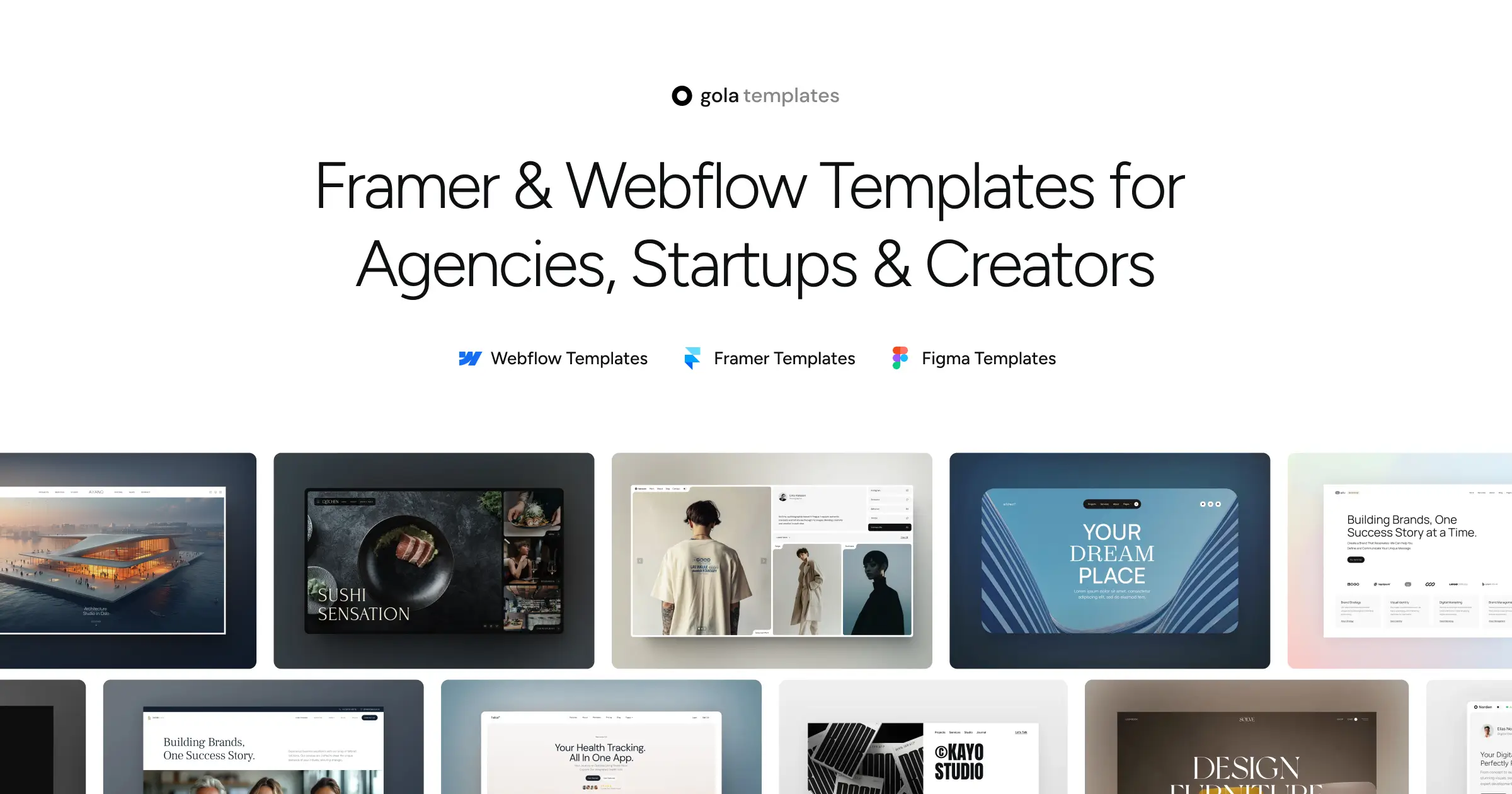
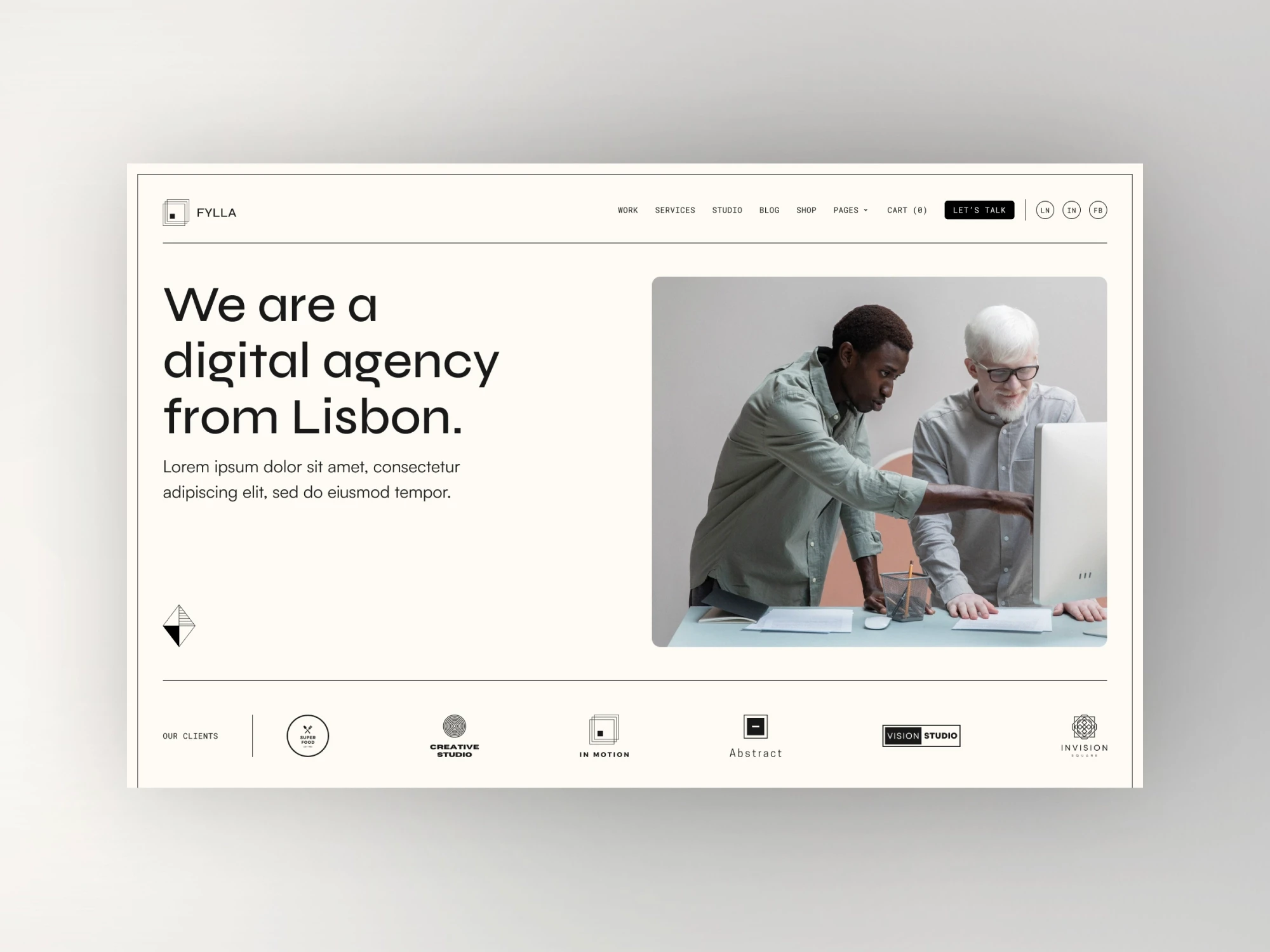
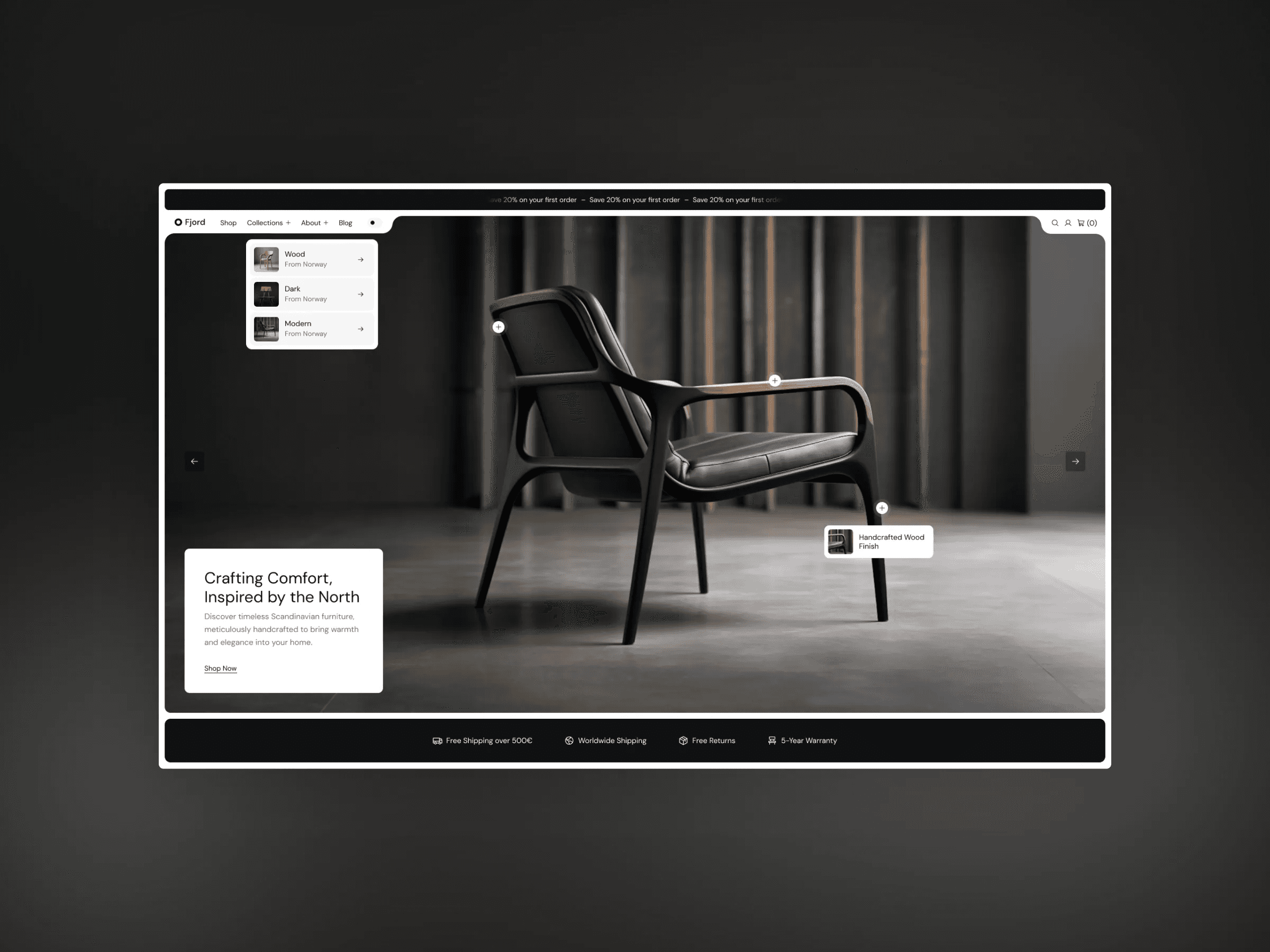
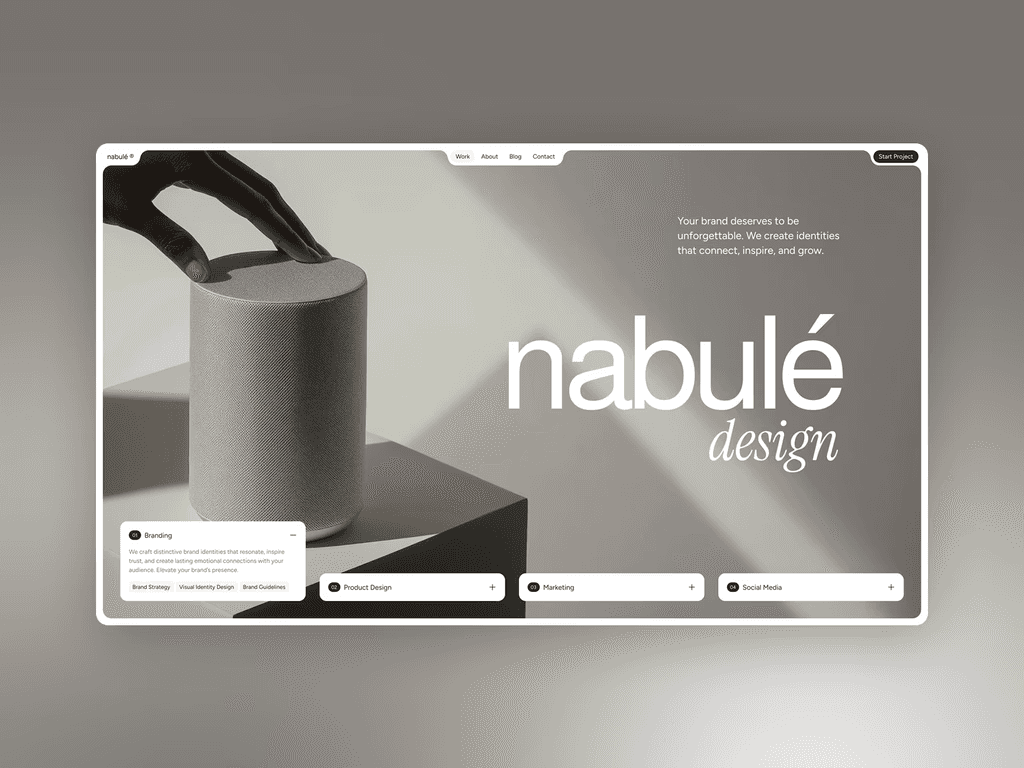
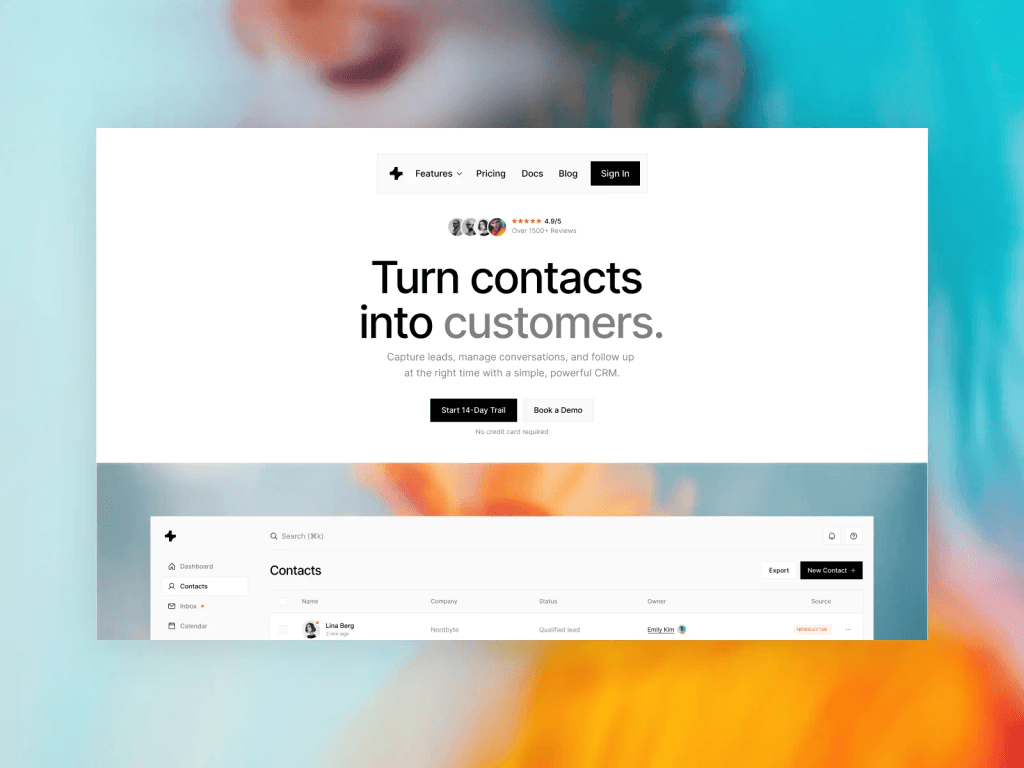
Gola Templates – Framer & Webflow One Page Collection
If you are seeking a premium one page template collection that delivers both flexibility and visual impact, Gola Templates is a top contender for 2026. With individual templates priced between $79 and $99, or an All Access Pass granting lifetime updates and unlimited commercial use, Gola Templates is trusted by more than 17,000 users globally.
Core Features:
Pixel-perfect layouts and modular UI blocks.
No-code editing for Framer and Webflow.
Smart CMS integration and fully responsive design.
Editable Figma files for design customization.
Key Benefits:
Lightning-fast performance and modern aesthetics.
Free lifetime updates and premium email support.
Unlimited flexibility for freelancers, agencies, and startups.
Ideal Use Cases:
Portfolios, agency websites, SaaS launches, and landing pages.
Unique Selling Points:
All-in-one bundle for unlimited projects.
Commercial license included.
Trusted by creative professionals worldwide.
Pros:
Superior design quality.
Unlimited commercial projects.
Seamless updates.
Cons:
Premium pricing.
Limited to Framer, Webflow, or Figma platforms.
For those focusing on portfolio sites, the Best portfolio Framer templates resource provides even more inspiration for building standout one page template experiences.
Wix – Coming Soon Landing Page
Wix’s Coming Soon Landing Page is ideal for quick project launches and pre-release announcements. The template is free with Wix branding, while premium plans starting at $16 per month unlock custom domains and advanced options.
Core Features:
Countdown timer and email subscription forms.
Social media integrations.
Drag-and-drop editor for easy customization.
Key Benefits:
Enables rapid deployment of a one page template for teasers and campaigns.
Built-in marketing tools streamline lead capture.
Scales seamlessly within the Wix ecosystem.
Ideal Use Cases:
Pre-launch campaigns, product teasers, event notifications.
Unique Selling Points:
AI-powered builder for intuitive editing.
Mobile-ready layouts.
Robust support and documentation.
Pros:
Fast setup process.
Scalable features.
Strong support network.
Cons:
Customization limited to Wix’s platform.
Subscription required for advanced features.
If you need to launch a one page template quickly for an upcoming event or product, this Wix template is a reliable, user-friendly choice.
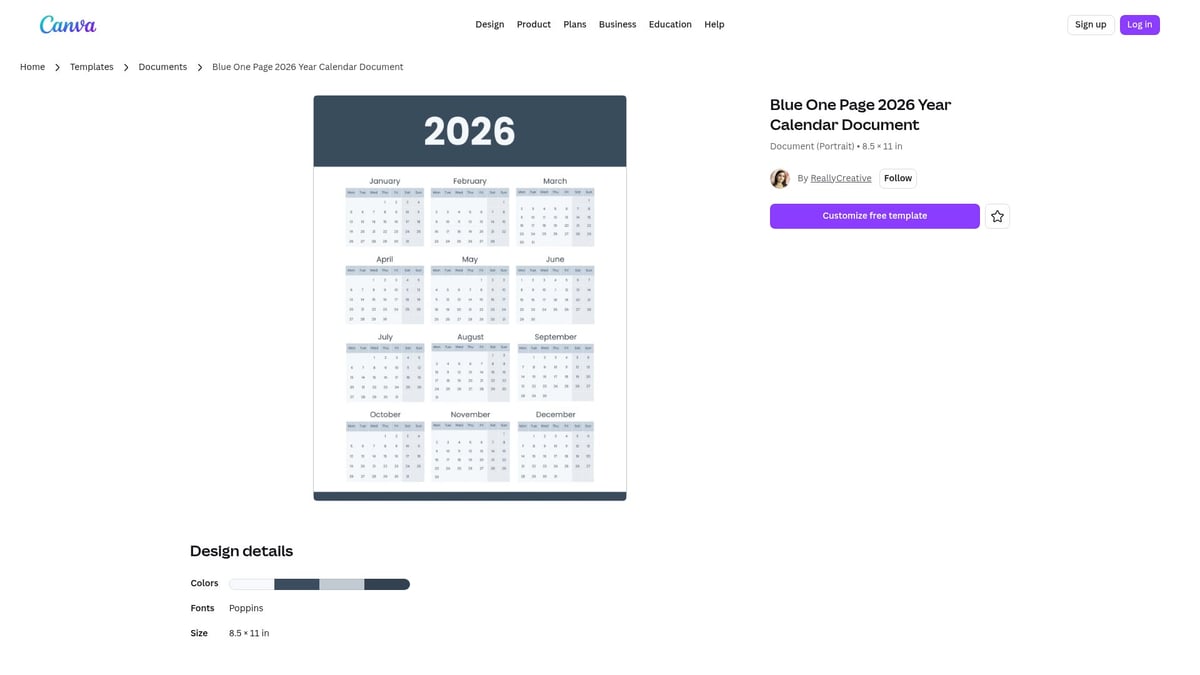
Canva – Blue One Page 2026 Year Calendar Document
The Blue One Page 2026 Year Calendar from Canva is an excellent one page template for professionals and organizations needing a visual annual overview. Free with a Canva account, it offers easy editing and high-quality exports.
Core Features:
Drag-and-drop customization.
Editable color schemes and layouts.
Export options for PDF and PNG.
Key Benefits:
Visual clarity for planning and scheduling.
Effortless sharing via print or digital formats.
No design experience required thanks to intuitive UI.
Ideal Use Cases:
Calendars, schedules, event planning, printable downloads.
Unique Selling Points:
Extensive template library.
Instant customization.
Free access for all Canva users.
Pros:
High-quality exports.
User-friendly interface.
Versatile for personal or business use.
Cons:
Limited interactivity.
Best for static content.
Canva account required.
This one page template is well-suited for teams, educators, and businesses that need a clean, printable overview for the year.
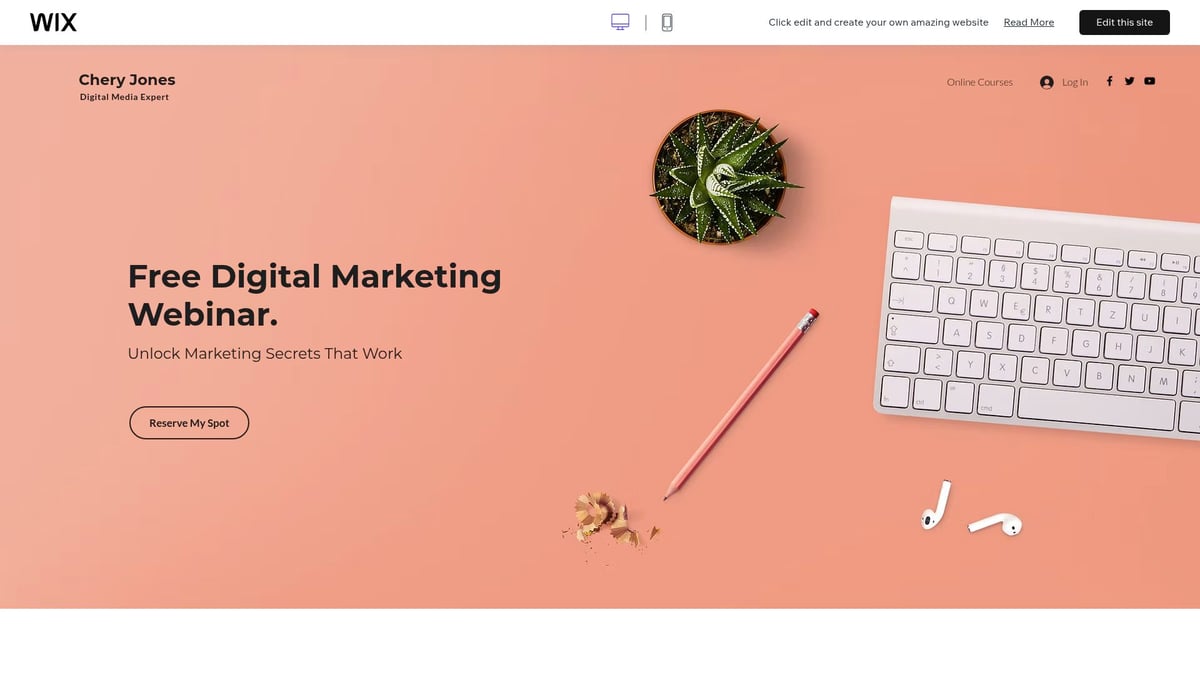
Wix – Webinar Landing Page
For event organizers and marketers, the Wix Webinar Landing Page provides a dynamic one page template optimized for engagement and lead capture. Free with Wix branding, premium plans unlock full customization.
Core Features:
Bold, colorful layout with customizable sections.
Integrated registration forms and analytics.
Drag-and-drop content blocks.
Key Benefits:
Drives high event signups and participation.
Seamless integration with Wix marketing tools.
Mobile-optimized for all device types.
Ideal Use Cases:
Webinars, virtual events, workshops, live product demos.
Unique Selling Points:
Live form integration.
Real-time analytics tracking.
Easy content updates post-launch.
Pros:
Built-in forms for lead generation.
Powerful analytics.
Responsive design.
Cons:
Limited export options.
Dependent on Wix platform for hosting.
This one page template is perfect for businesses aiming to maximize attendance and track engagement for digital events.
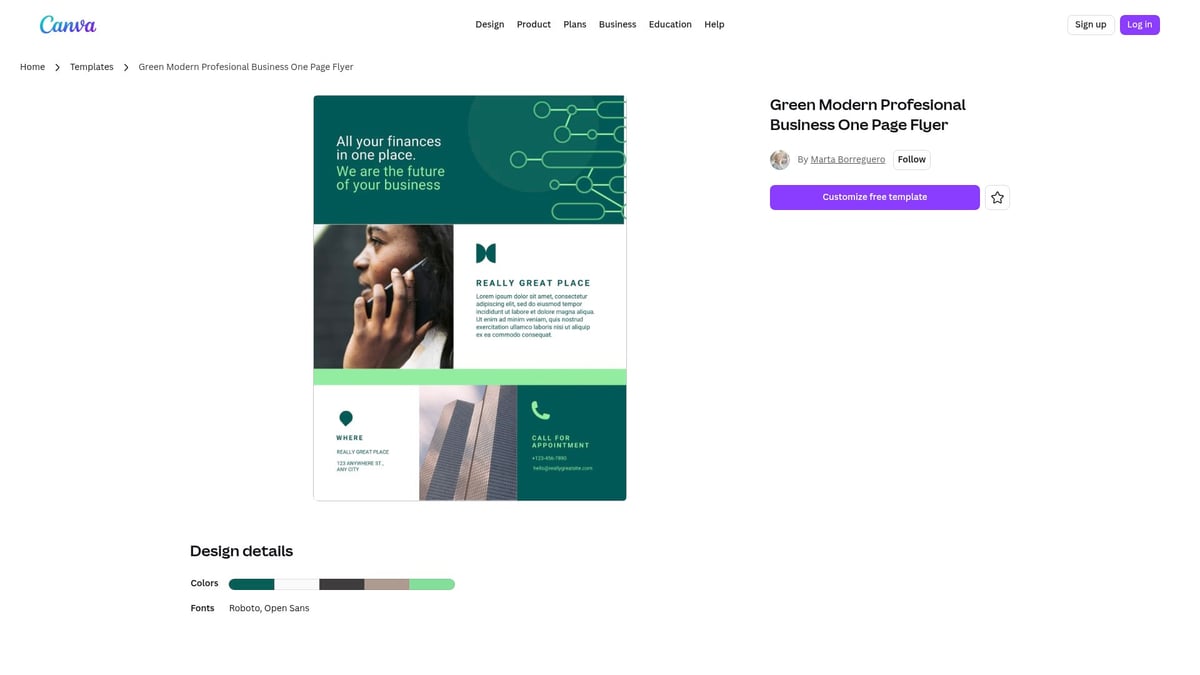
Canva – Green Modern Professional Business One Page Flyer
Canva’s Green Modern Professional Business One Page Flyer is a versatile one page template designed for rapid business overviews and digital brochures. Free to use, with Pro features for advanced customization.
Core Features:
Customizable business layouts.
Drag-and-drop design interface.
Export for print or digital sharing.
Key Benefits:
Professional branding with minimal effort.
Rapid editing for fast turnaround.
Suitable for a wide range of industries.
Ideal Use Cases:
Business overviews, service offerings, digital brochures.
Unique Selling Points:
Instant access to ready-to-use business graphics.
Flexible template structure.
Seamless sharing options.
Pros:
High-quality visuals.
Easy to edit and personalize.
Free access for Canva users.
Cons:
Not a full website.
Static (non-interactive) content.
Best suited for single-page flyers.
This one page template is a smart option for consultants, agencies, and marketers seeking a polished, shareable business summary.
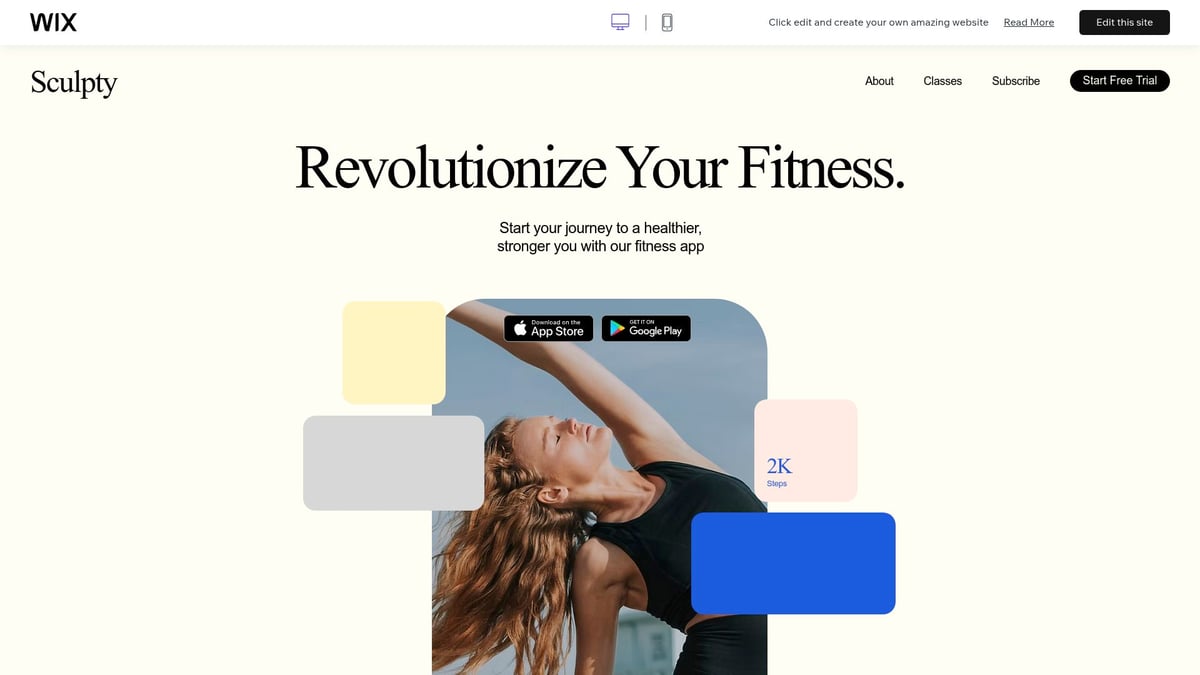
Wix – App Launch
The Wix App Launch template is crafted for startups and SaaS creators who want a conversion-focused one page template. It’s free with Wix branding, with premium options available for advanced features.
Core Features:
Feature highlight sections and customer testimonials.
Integrated subscription forms.
Mobile-first, responsive design.
Key Benefits:
Drives app downloads and user signups.
Showcases product features with clarity.
Collects user emails for future marketing.
Ideal Use Cases:
App launches, product showcases, startup landing pages.
Unique Selling Points:
Subscription integration for email collection.
Fast deployment with minimal setup.
Designed to maximize conversions.
Pros:
Optimized for action.
Easy customization.
Built-in marketing tools.
Cons:
Requires Wix ecosystem.
Monthly fees for advanced functionality.
This one page template is ideal for tech businesses and SaaS startups looking to create buzz and convert visitors into users.
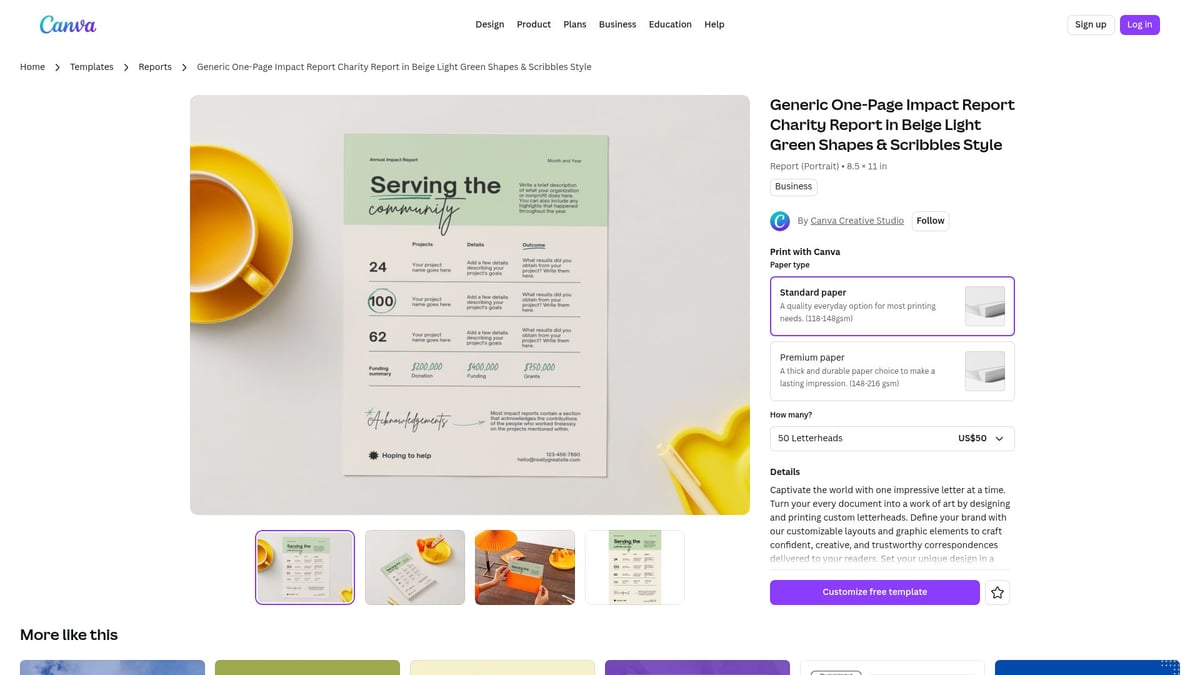
Canva – Generic One-Page Impact Report Charity Report in Beige Light Green Shapes & Scribbles Style
For nonprofits and organizations, Canva’s Generic One-Page Impact Report is a visually engaging one page template for sharing annual results. Free with a Canva account, it combines storytelling and data visualization.
Core Features:
Infographic elements for impactful storytelling.
Editable text and graphics.
Export options for print and digital sharing.
Key Benefits:
Engages donors and stakeholders with clear visuals.
Easy to customize and distribute.
Supports fundraising and transparency goals.
Ideal Use Cases:
Annual reports, impact summaries, fundraising collateral.
Unique Selling Points:
Standout design with modern color palette.
Instant online editing.
Printable and digital export flexibility.
Pros:
Free for Canva users.
Visually rich and professional.
Simple to update and reuse.
Cons:
Not interactive.
Suited for reports and documents, not full websites.
Canva account required.
This one page template empowers organizations to communicate results and inspire action in a single, concise page.
Summary Table: One Page Template Comparison
Template Name | Platform | Best For | Pricing | Standout Feature |
|---|---|---|---|---|
Gola Templates | Framer/Webflow | Agencies, SaaS, Portfolios | $79–$99 / All Access | Lifetime updates, modular blocks |
Wix Coming Soon | Wix | Pre-launch, Events | Free / $16+ monthly | Countdown, AI builder |
Canva Year Calendar | Canva | Schedules, Planners | Free / Pro | Printable, easy edits |
Wix Webinar | Wix | Webinars, Events | Free / Premium | Integrated forms, analytics |
Canva Business Flyer | Canva | Business overviews | Free / Pro | Versatile, business graphics |
Wix App Launch | Wix | App launches | Free / Premium | Conversion-focused, mobile-first |
Canva Impact Report | Canva | Nonprofits, Impact | Free / Pro | Infographic, storytelling |
Each one page template on this list addresses specific needs, from product launches to annual reporting. Consider your goals, audience, and platform preferences to select the best fit for your 2026 website.
How to Choose the Right One Page Template for Your Project
Selecting the right one page template is a crucial step for building a successful website in 2026. With so many innovative options on the market, making an informed choice means evaluating your project’s unique needs, your audience, and the features that matter most. Let’s break down how to approach this decision with confidence.
Assessing Your Website Goals and Audience
Start by clarifying the primary goal of your one page template. Is it to generate leads, showcase a portfolio, announce an event, or launch a product? Your objective will guide the layout and features you need.
Identify your target audience’s preferences and typical devices. For example, a creative portfolio may require bold visuals, while a SaaS landing page benefits from clear calls to action. Analyze competitors’ one page template choices for inspiration and assess which styles fit your brand identity.
Matching your template’s tone and design to your audience ensures a cohesive and engaging user experience. A thoughtful approach at this stage sets the stage for a high-performing website.
Evaluating Core Features and Customization Options
A great one page template should offer flexibility without complexity. Look for intuitive drag-and-drop editors or no-code solutions that simplify updates. Responsive design is essential, so test how templates perform across devices.
Consider CMS compatibility—Framer, Webflow, and Wix each offer different strengths. If you are torn between platforms, review a Framer vs Webflow platform comparison to pinpoint the best fit for your workflow.
Examine the available sections: does the template include testimonials, pricing tables, or contact forms? Modular UI blocks, like those in Gola Templates, provide adaptability for evolving needs. Choose a one page template that balances ease of use with the ability to make your site truly your own.
Pricing, Licensing, and Support Considerations
Template pricing models can vary significantly. Some require a one-time fee, while others use monthly subscriptions. Review each one page template’s license terms, especially if you plan to use it for multiple projects or clients.
Check for features such as commercial usage rights, free lifetime updates, and responsive support. For those on a budget, explore free one page Framer templates to access quality options without upfront costs.
Compare total costs carefully, factoring in the value of support and updates. A well-supported template can save time and resources in the long run, especially for agencies or freelancers managing several sites.
SEO, Performance, and Future-Proofing
A future-ready one page template should be built on clean, SEO-friendly code. Look for templates with optimized meta tags, rapid loading times, and mobile-first design. These features not only boost search rankings but also enhance user satisfaction.
Regular updates are key, ensuring your site adapts to evolving web standards. Consider scalability—will the template accommodate content growth or new features? Templates on platforms like Webflow and Framer often include robust SEO architecture and performance tools.
Prioritize a one page template that enables easy updates, fast performance, and ongoing compatibility with the latest web trends. This approach keeps your website relevant and competitive in the years ahead.
Best Practices for Launching a One Page Website in 2026
Launching a successful one page template in 2026 requires a strategic approach. With shifting user expectations and evolving design standards, following best practices is essential. Whether you are building for your brand or a client, these guidelines will help you create high-performing, visually engaging, and future-proof one page sites. For a deeper dive into the advantages and considerations, see this analysis of single-page websites.
Optimizing User Experience and Conversion
User experience is at the heart of every effective one page template. Begin by structuring your site with clear navigation, such as anchor links for seamless scrolling. Feature a compelling hero section that instantly communicates value. Place calls to action strategically, making it simple for visitors to engage.
Speed is crucial. Compress images and scripts to minimize load times. Always design mobile-first, ensuring your one page template adapts across all devices. Touch interactions, such as sticky CTA buttons, can significantly boost conversion rates. For example, an app launch template with persistent sign-up prompts can increase user engagement and drive more downloads.
Enhancing Visual Impact and Brand Identity
Visual storytelling sets your one page template apart. Use bold typography, high-contrast color schemes, and immersive imagery to capture attention. Consistency in branding—logo, palette, and fonts—builds trust and recognition.
Interactive elements, like hover effects and micro-animations, add depth without overwhelming users. Maintain white space to improve readability and visual flow. Stay updated with the latest web design trends for 2026 to ensure your site feels modern and relevant. Canva’s business flyers, for instance, demonstrate how maintaining a cohesive visual identity can elevate your brand’s presence.
Integrating Analytics and Marketing Tools
Tracking and marketing are essential for maximizing the impact of your one page template. Set up Google Analytics or use built-in analytics from your CMS to monitor user behavior. Integrate lead capture forms, newsletter signups, or chat widgets to drive conversions.
Enable social sharing and optimize link previews for broader reach. Run A/B tests on headlines and CTAs to refine messaging and boost results. Templates like Wix’s Webinar Landing Page offer built-in analytics and form integration, making these best practices easy to implement for any project.
Maintaining and Updating Your One Page Website
The longevity of your one page template depends on regular updates and maintenance. Choose templates with intuitive content management systems for easy edits. Schedule periodic design and content reviews to keep your site fresh and aligned with evolving trends.
Monitor site performance and gather user feedback to identify areas for improvement. Opt for templates that provide free lifetime updates and strong customer support. Gola Templates, for example, offers ongoing updates, ensuring your site remains secure and competitive as web standards evolve.
Share article

$249
$3601
All Access
Save with our all access bundle - get access to all premium Framer templates.
38
+
Framer Templates
51
+