
Jan 8, 2026

Pawel Gola
Framer & Webflow Expert
Imagine launching a website in 2026 that instantly captivates visitors and sets your brand apart. The secret? Choosing the right webflow templates. This guide introduces eight exceptional options, each designed to help you achieve a modern, high-performing, and visually stunning site.
Whether you run a startup, creative agency, or personal blog, you will find templates tailored to your industry and goals. We will explore their core features, pricing, ideal use cases, and highlight both pros and cons so you can make a confident decision.
Ready to transform your web presence? Let’s discover which template will elevate your site to new heights.
Why Choose Webflow Templates in 2026?
The landscape of web design is evolving rapidly, and choosing the right webflow templates can make all the difference for your site’s success in 2026. Let’s explore why these templates are leading the way in modern web development.
The Evolution of Web Design and Webflow’s Role
Web design has shifted toward intuitive no-code and low-code solutions, empowering more people to create high-quality websites without deep programming knowledge. Webflow leads this movement, offering a platform where designers and entrepreneurs can build professional sites efficiently. According to Webflow's Market Growth in 2025, the adoption of webflow templates has surged, reflecting strong market confidence. Webflow integrates the latest trends—responsive design, smooth animations, and adaptability—making it a go-to choice for rapid site launches. As businesses demand faster deployment and scalability, webflow templates have become a cornerstone of modern design.
Key Advantages of Using Webflow Templates
Webflow templates offer significant time savings through pre-built layouts and drag-and-drop functionality. Compared to traditional custom development, these templates are cost-effective and accessible. Their flexibility allows users to easily customize colors, fonts, and layouts to match their brand identity. Key features include built-in SEO optimization, advanced CMS options, and a supportive community. When stacked against competitors, webflow templates stand out for their streamlined creation process, responsive design, and robust resources, making them a smart choice for diverse industries.
Pre-built layouts for quick launches
Customization for unique branding
SEO and CMS integration
Active community support
Webflow templates simplify the journey from idea to live website.
How Templates Impact User Experience and Conversions
A well-designed webflow template directly enhances user experience and drives higher engagement. Templates are crafted for mobile responsiveness, ensuring your content looks great on any device. Fast loading times keep visitors engaged and reduce bounce rates. Many businesses have seen improved conversions after upgrading to high-quality webflow templates, thanks to better navigation, clear visual hierarchy, and accessible layouts. Features such as intuitive menus, clear calls-to-action, and compliance with accessibility standards all contribute to better outcomes for both users and site owners.
What to Look for in a 2026 Webflow Template
When evaluating webflow templates for 2026, prioritize modern aesthetics, performance, and scalability. Look for templates that are easy to customize and receive regular updates and support. Consider your industry’s specific needs—whether you need a portfolio, blog, or business site. Minimalist, clean, and conversion-oriented designs are trending, offering clarity and focus. Always check template documentation and community feedback before making a decision. These factors ensure your webflow templates not only look great but also support your long-term goals.
Modern, clean visuals
Regular updates and support
Scalability for future growth
Comprehensive documentation
Thoughtful selection leads to a professional, future-proof website.
8 Stunning Webflow Templates to Elevate Your Site in 2026
Selecting the right webflow templates can transform your digital presence in 2026. The following eight options are meticulously curated to meet diverse business needs, whether you're building a portfolio, launching a SaaS, or creating a blog. Each template is evaluated for design, usability, and performance, ensuring you find webflow templates that truly elevate your site.
Relume Website Cloneable (Free)
Relume Website Cloneable is among the top free webflow templates, offering a minimalist yet highly adaptable structure. It comes with essential pages like homepage, about, services, and contact, making it ideal for rapid prototyping.

Quick Facts Table:
Feature | Details |
|---|---|
Pricing | Free |
Core Features | Minimalist design, easy cloning |
Audience | Startups, agencies, freelancers |
Unique Points | Open-source, community-driven |
Startups and nonprofits often rely on this template to launch MVPs swiftly. Its clean UI/UX and zero cost barrier make it a favorite among webflow templates for early-stage projects.
Pros:
No cost, flexible customization, rapid deployment
Cons:
Limited advanced features, manual setup for complexity
This template stands out for its open-source ethos and strong community usage, making it a go-to for those seeking webflow templates with quick launch capability.
Aurora ($49)
Aurora is crafted for creatives who need webflow templates with a focus on elegance and usability. It features a portfolio grid, blog, and contact form for seamless navigation.
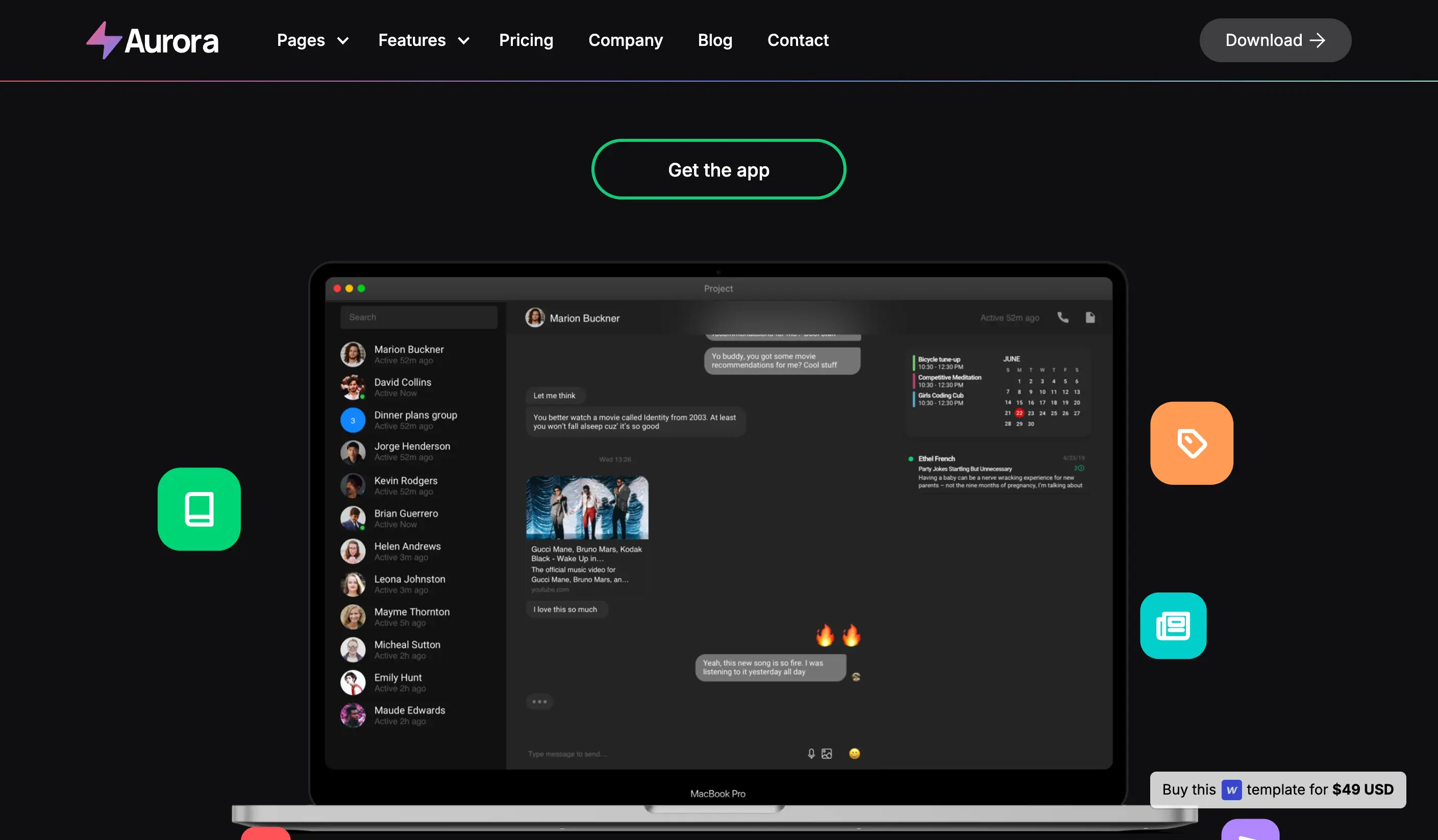
Key Features:
Minimalist portfolio grid
Mobile-optimized layouts
Effortless setup
Ideal For:
Designers
Photographers
Creative agencies
Pros:
Professional look, fast load times, clear navigation
Cons:
Lacks e-commerce, limited interactivity
Many creative professionals showcased on platforms like Creative Tim use Aurora to present their work. It’s one of the webflow templates that truly lets visuals take center stage while maintaining a modern, minimalist feel.
Techplus X ($79)
Techplus X is a multipurpose powerhouse among webflow templates, suited for tech startups and SaaS companies. It includes a robust homepage, services, e-commerce readiness, and customizable sections.
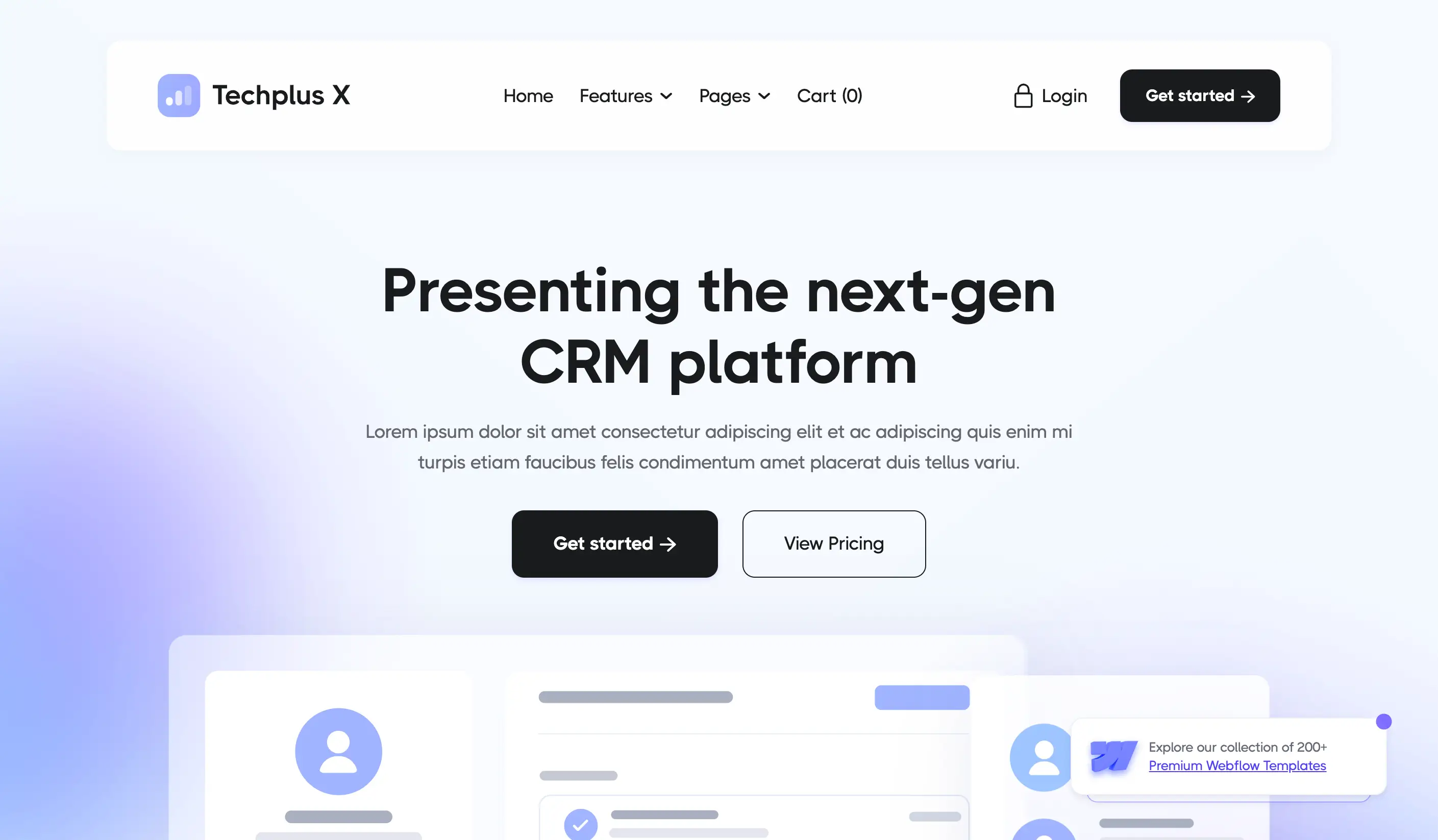
Features Table:
Techplus X | |
|---|---|
Pricing | $79 |
E-commerce | Ready |
Target | Tech, SaaS, Agencies |
Strength | Versatility, scalability |
This template’s modern design and conversion-focused structure help businesses launch products and landing pages with confidence. Its flexibility means webflow templates like Techplus X can adapt to complex business models.
Pros: Feature-rich, scalable, supports growth
Cons: Steeper learning curve, potential for slower speeds if overloaded
Techplus X is favored by SaaS firms for its comprehensive suite of features and clean, professional aesthetics.
Byrå ($79)
Byrå brings bold typography and a multi-purpose structure to webflow templates for agencies. It’s designed for those who value visual balance and functionality.

Core Features:
Strong typography
Hero section, about, services, contact
Multi-industry support
Best For:
Agencies, consultancies, creative studios
Byrå’s flexibility makes it a popular choice among webflow templates for branding and portfolio sites. Its professional aesthetic and customization options appeal to digital agencies aiming for a standout web presence.
Pros: Customizable, supports varied industries, visually appealing
Cons: May be complex for beginners, not built for heavy e-commerce
Agencies use Byrå to showcase portfolios and services with authority and style.
FolioSpec ($79)
FolioSpec is purpose-built for creative professionals who need webflow templates that prioritize visual storytelling. With a full-width portfolio grid, project pages, and testimonials, it creates a compelling showcase.
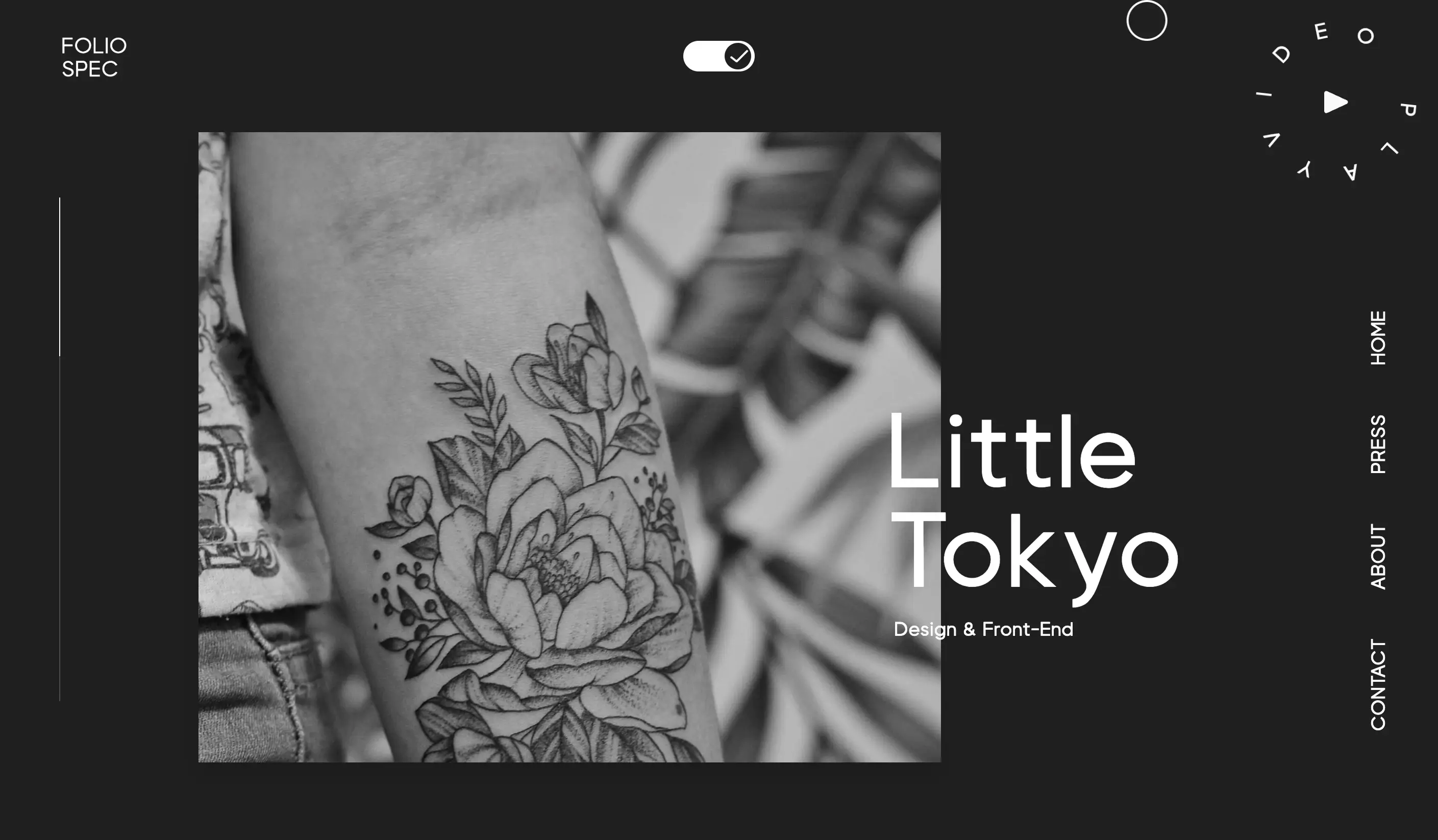
Highlights:
Flexible layouts
Strong visual impact
Easy content updates
Target Users:
Freelancers, artists, design studios
Pros: Elegant project presentation, simple to update
Cons: Limited for business use, fewer non-portfolio features
Photographers and illustrators frequently choose FolioSpec for its portfolio-centric approach. For a deeper dive into portfolio-ready webflow templates, the Portfolio Webflow templates guide offers valuable insights and more examples.
Indi Harris (Free)
Indi Harris stands out among free webflow templates for personal branding. Its one-page design, video galleries, and minimalist approach make it accessible for creatives and freelancers.
Template Overview:
One-page, full-width grid
Video galleries
Simple navigation
Who Should Use It:
Photographers, digital artists, personal brands
Pros: No cost, fast setup, ideal for portfolios
Cons: Not scalable for larger sites, limited features
Indi Harris is popular among those seeking webflow templates for personal portfolios, offering an elegant and efficient solution for creative self-promotion.
VictorFlow UIUXer ($49)
VictorFlow UIUXer is tailored for UX/UI designers who require webflow templates with detailed project case studies and clean layouts.
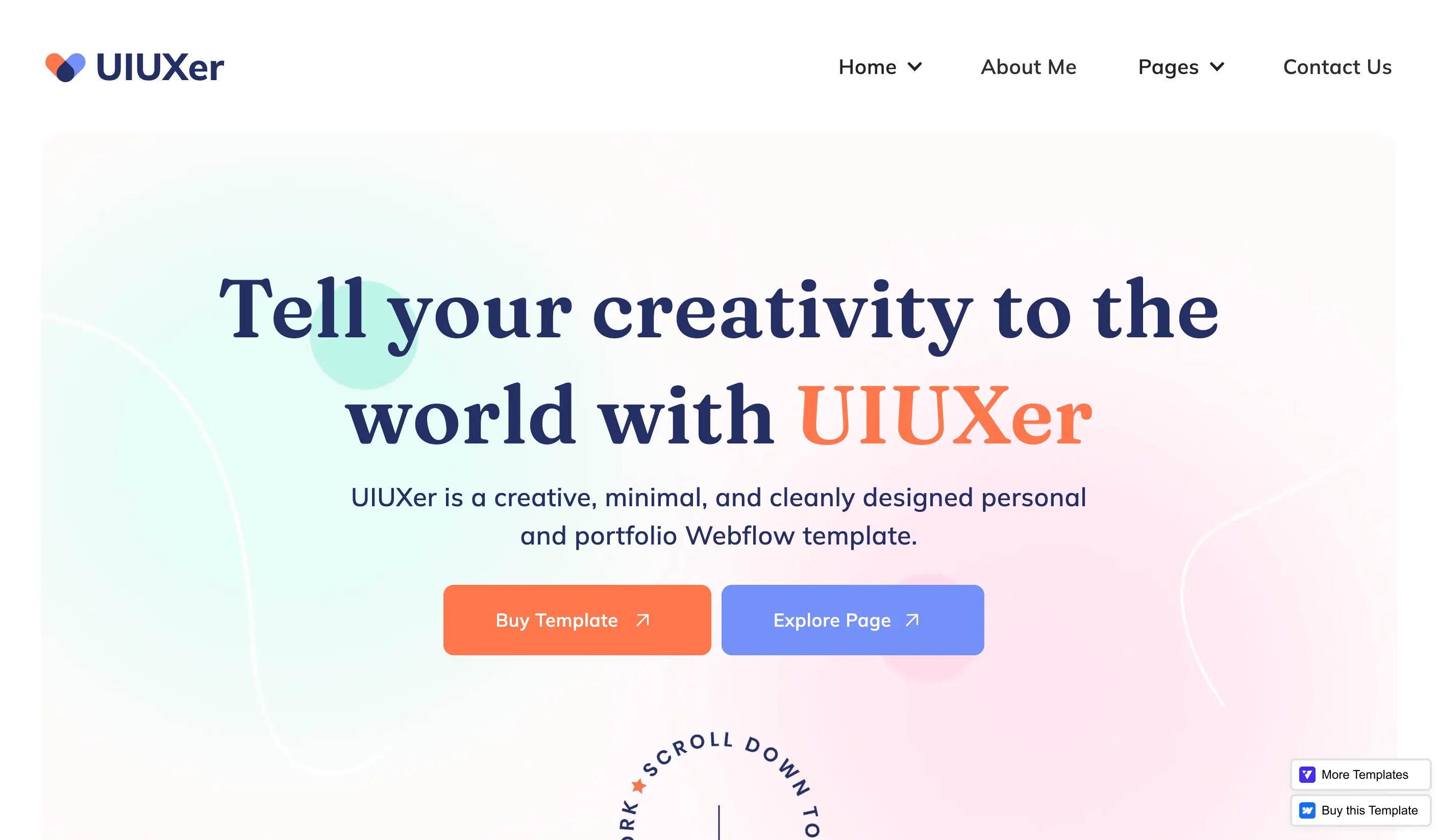
Key Features:
Portfolio and case study layouts
Blog integration
Pixel-perfect design
Best For:
UX/UI designers, agencies, freelancers
Pros: Professional presentation, modern aesthetics, affordable
Cons: Less suited for non-design businesses, requires some Webflow expertise
This template is widely used by professionals to secure agency clients, making it a leading choice among webflow templates for design portfolios.
Salma ($99)
Salma is a premium option among webflow templates, designed for bloggers and content creators who want a visually rich, storytelling-focused site. Its creative layouts and CMS integration support multimedia content.
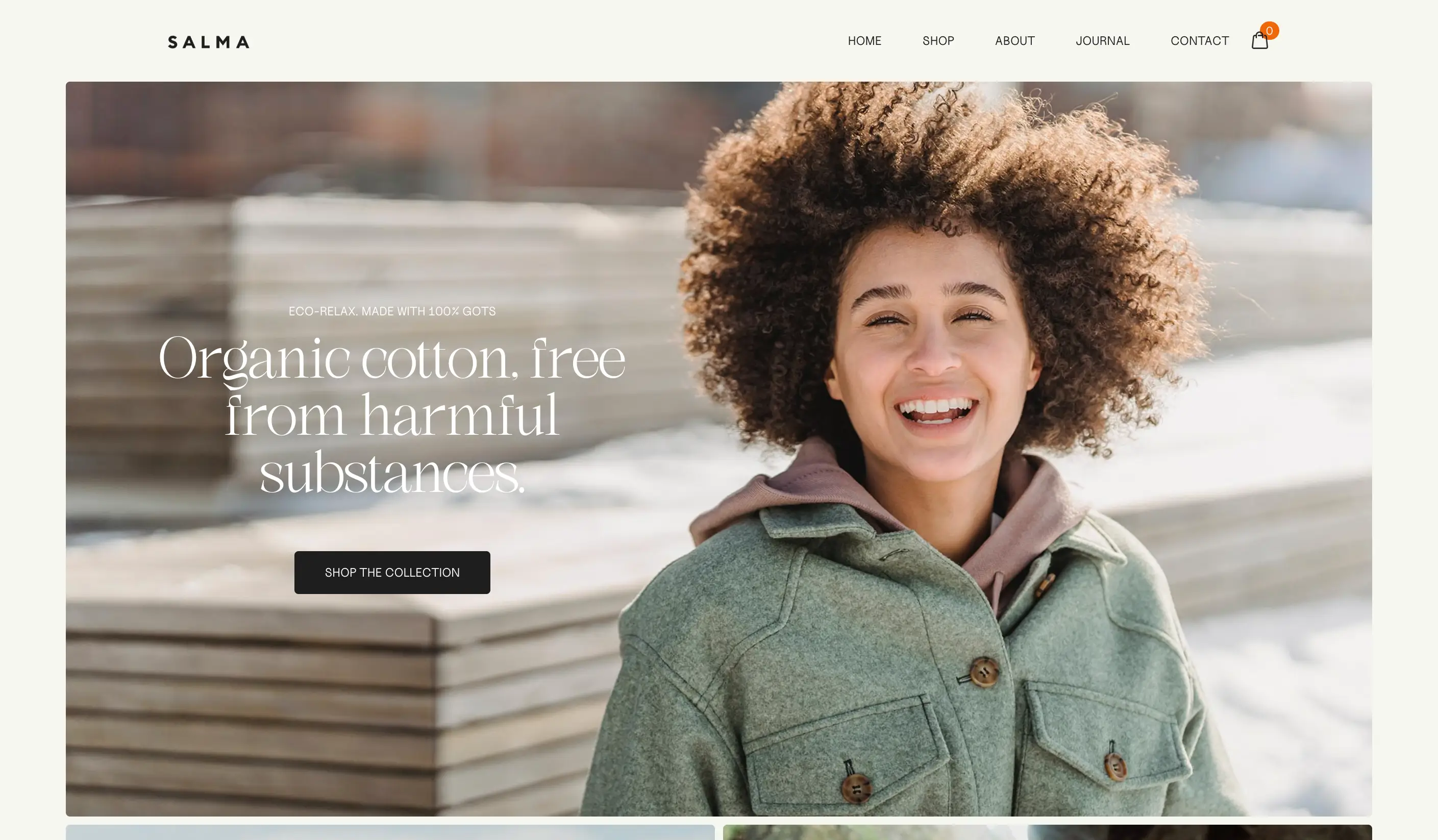
Feature Set:
Engaging blog layouts
CMS integration
Multimedia-ready
Ideal For:
Bloggers, influencers, creative businesses
Pros: Captivating visuals, robust CMS, responsive
Cons: Higher price, may be too design-centric for some
Beauty bloggers and lifestyle influencers choose Salma for its high-end look and seamless multimedia capabilities, making it one of the most visually impressive webflow templates available.
Each of these webflow templates is crafted to meet specific goals, from rapid MVP launches to immersive creative showcases. By matching your needs with the right template, you unlock the potential for a standout digital presence in 2026.
How to Select the Right Webflow Template for Your Needs
Choosing the perfect Webflow templates can feel overwhelming, but a strategic approach makes the process efficient and rewarding. By focusing on your goals, audience, feature requirements, and long-term value, you set the stage for a successful website launch in 2026.
Assessing Your Website Goals and Audience
Begin by clearly defining what you want your website to achieve. Is your main goal to display a portfolio, run a blog, launch an e-commerce store, or generate leads? Your objectives will shape which Webflow templates are most suitable for your project.
Next, identify your target audience and their expectations. For example, SaaS companies often need robust, conversion-focused templates, while creatives may prioritize visual storytelling. Exploring resources like the Best SaaS Webflow templates can help you see how template features align with specific industry needs.
By matching your goals and audience with the right Webflow templates, you ensure both user satisfaction and business alignment.
Comparing Features and Customization Options
Not all Webflow templates offer the same functionality. Before making a decision, review template demos and documentation to ensure they meet your must-have requirements.
Consider features such as:
Built-in CMS for dynamic content
E-commerce capabilities
Contact forms and newsletter integration
Animation and interaction options
If you plan to start a blog, browsing the Blog Webflow templates collection helps identify templates tailored for content creators. Always check for flexibility in branding, allowing you to adapt templates to your unique style.
A side-by-side comparison table can highlight differences and make your choice easier:
Template Feature | Essential for... | Customization Level |
|---|---|---|
CMS | Blogs, Portfolios | High |
E-commerce | Online Stores | Medium |
Animations | Creative Agencies | High |
Forms | Lead Gen, Contact | Medium |
Choosing Webflow templates with the right features ensures your site can grow and adapt over time.
Considering Performance, SEO, and Support
Performance and SEO are critical factors when selecting Webflow templates. Prioritize templates that are fully mobile responsive and optimized for fast loading speeds. These attributes directly impact user experience and search engine rankings.
Look for built-in SEO tools, such as customizable meta tags and structured data options. Reliable customer support and regular updates are equally important, as they keep your site secure and up to date. Webflow templates often include strong community resources, making troubleshooting and customization more accessible.
Selecting templates with solid technical foundations helps your website reach its full potential.
Budgeting and Long-Term Value
Budget plays a vital role in your template choice. Weigh the benefits of free versus premium Webflow templates by considering return on investment and time saved. Free templates are ideal for simple projects or rapid prototyping, while premium options often offer more features, support, and scalability.
Think beyond the initial purchase price. Consider ongoing maintenance, future updates, and the value of professional design. Many businesses find that investing in high-quality Webflow templates leads to better results and fewer headaches down the road.
Balancing cost with long-term value ensures your website remains effective and competitive as your needs evolve.
Webflow Template Trends to Watch in 2026
Staying ahead in web design means understanding the trends shaping webflow templates for 2026. Whether you run a portfolio, agency, or e-commerce site, knowing these trends will help you create a site that captivates visitors and drives results.
Minimalism and Clean Design
Minimalism continues to dominate webflow templates, reflecting a broader shift toward clarity and focus in web design. Templates like Aurora, Indi Harris, and Relume embody this trend with their uncluttered layouts, generous white space, and crisp typography.
This approach benefits users by delivering faster load times and seamless navigation. Clean interfaces also enhance mobile performance, which is crucial as more users browse on smartphones and tablets.
Many designers now favor minimalist webflow templates for portfolios and blogs. These templates allow content and visuals to shine without distractions. To explore more about the visual direction of 2026, see the insights from Web Design Trends 2026, which highlight the ongoing preference for simplicity.
Advanced Animations and Microinteractions
Another key trend in webflow templates for 2026 is the integration of advanced animations and microinteractions. Templates such as Techplus X and VictorFlow UIUXer leverage Webflow’s powerful animation tools to create interactive, memorable user experiences.
Animations guide users through content, draw attention to calls-to-action, and add a sense of professionalism. Microinteractions, like subtle hover effects and animated buttons, boost engagement by making websites feel more responsive and alive.
Well-executed animations in webflow templates can increase user retention and help brands stand out in a crowded digital landscape. For a deeper dive into how these trends are shaping modern sites, review the expert analysis on Web Design Trends for 2026.
Integration with AI and No-Code Tools
The rise of AI and no-code solutions is transforming how webflow templates function. In 2026, more templates offer seamless integration with AI-driven tools for marketing, analytics, and automation. This trend makes it easier for businesses to adapt quickly to changing needs.
SaaS-focused webflow templates increasingly support third-party integrations, allowing site owners to implement chatbots, personalized content, and automation with minimal effort. As a result, templates become more future-proof and versatile.
When choosing webflow templates, look for options that highlight compatibility with popular AI and no-code platforms. This ensures your website remains ahead of technology curves and can scale with your business.
Accessibility and Globalization
Accessibility is no longer optional for webflow templates in 2026. Designers prioritize WCAG compliance, ensuring sites are usable for everyone, including those with disabilities. Features like high-contrast colors, keyboard navigation, and alt text for images are now standard.
Globalization is also a growing focus. Many webflow templates provide built-in multilingual support, helping brands reach wider audiences across different regions. Inclusive design not only broadens your site’s reach, but also meets evolving legal requirements.
When selecting webflow templates, always check for accessibility features and support for multiple languages. These aspects improve user experience and help your site remain competitive in a global market.
Share article
$249
$3601
All Access
Save with our all access bundle - get access to all premium Framer templates.
38
+
Framer Templates
51
+