Jan 6, 2026

Pawel Gola
Framer & Webflow Expert
In 2026, businesses and creators are racing to launch visually stunning, high-converting websites that stand out in a crowded digital landscape. The figma website template is rapidly becoming the go-to solution, offering unmatched speed, flexibility, and professional results for modern web projects.
This article spotlights the eight best figma website template picks for building standout sites in 2026. Discover the unique advantages of using Figma templates, learn what to look for when choosing one, and explore in-depth reviews of the top selections to help you achieve your web design goals.
Why Choose Figma Website Templates for 2026?
In 2026, the web design landscape is rapidly evolving. Teams and individuals are seeking innovative solutions that blend speed, collaboration, and professional quality. The figma website template has become a cornerstone for modern web projects, offering a unique combination of efficiency and creative control.
The Rise of Figma as a Web Design Powerhouse
Figma’s influence in the design community has surged over the past few years. Its cloud-based platform enables real-time collaboration, allowing multiple designers and stakeholders to work together seamlessly. Agencies, startups, and large enterprises have widely adopted Figma for its flexibility and integration with modern workflows.
The figma website template ecosystem has grown in tandem, making it easier than ever to jumpstart projects with professional, ready-made layouts. As a result, design teams can iterate faster, maintain alignment, and keep projects moving forward efficiently.
Benefits of Using Website Templates in Figma
Using a figma website template drastically reduces the time required to design and launch a site. These templates are crafted by top designers, ensuring pixel-perfect layouts and a polished look from the start.
With Figma’s intuitive editing tools, teams can easily customize templates to fit their brand, speeding up both design and development. For those seeking inspiration or a starting point, curated collections like the Figma website templates collection provide a wide variety of options tailored for different industries and needs.
Key Features of Top Figma Website Templates
When evaluating a figma website template, it is important to look for essential features that streamline workflow and support scalability. Leading templates typically include:
Feature | Benefit |
|---|---|
Responsive grids | Mobile-ready, adaptive layouts |
Pre-built sections | Quick assembly of key pages |
Development assets | Smooth handoff to developers |
Customizable components | Easy brand adaptation |
These features ensure that each figma website template delivers both versatility and consistency, supporting projects from concept to launch.
How Figma Templates Enhance Productivity and Creativity
A figma website template empowers designers to explore creative ideas without starting from scratch. Customization is straightforward, thanks to Figma’s drag-and-drop functionality and version control.
Teams can experiment with different styles, layouts, and color palettes, all while maintaining a cohesive design system. The global Figma community shares frequent updates and resources, ensuring that templates remain current and adaptable for new design trends.
Statistics on Figma Adoption and Template Usage
Recent data highlights Figma’s explosive growth. According to industry reports, Figma’s user base expanded significantly in 2024, reflecting widespread trust in its platform. Top figma website template downloads have exceeded 100,000 in the past year, illustrating their popularity among designers and agencies.
This momentum signals that choosing a figma website template is not just a trend, but a proven strategy for building standout websites in 2026.
How to Select the Best Figma Website Templates
Choosing the right figma website template can make or break your web project. With hundreds of options available, a clear selection process is essential for both speed and quality. Let’s break down what to look for, how to compare options, and the best ways to avoid common mistakes.
Essential Criteria for Evaluation
Start by evaluating the design quality of each figma website template. Look for crisp layouts, readable typography, and a harmonious color palette. Make sure the template offers flexibility, with modular components and scalable sections that can adapt to your needs.
Check for compatibility across devices. Responsive grids and export options for developers are crucial. Always ensure the template supports easy customization, so your brand’s personality shines through.
Visual appeal and modern design
Modular, customizable components
Responsive layouts for all devices
Comparing Free vs. Premium Figma Templates
Both free and premium figma website template options offer unique benefits. Free templates are great for simple projects or quick prototypes, while premium ones often include extra pages, assets, and dedicated support.
Here’s a quick comparison:
Feature | Free Templates | Premium Templates |
|---|---|---|
Pages/Sections | Limited | Extensive |
Assets | Basic | Advanced |
Support | Community-based | Direct from creators |
Updates | Occasional | Regular |
For more inspiration, explore the popular website templates overview to see which designs are trending right now.
Assessing Template Features for Different Use Cases
Match your chosen figma website template to your project’s goals. Business and SaaS sites may need pricing tables and testimonials, while portfolios require case study layouts. E-commerce templates should include product grids and checkout flows.
Look for niche-specific UI kits. For instance, a portfolio template with detailed project galleries is ideal for creatives, while a SaaS template with onboarding sections suits startups. Assess if the template includes what you need before you commit.
User Ratings, Community Support, and Updates
A figma website template with high download counts and positive user ratings is more likely to deliver consistent quality. Check for active comment sections, as community feedback often points out strengths and weaknesses.
Templates with regular updates stay relevant as web design trends evolve. Opt for options with strong community support for faster troubleshooting and shared best practices.
Avoiding Common Pitfalls When Choosing Templates
Be cautious of outdated figma website template designs. A lack of responsiveness or poor documentation can slow your workflow. Limited customization options may restrict your creativity.
Use Figma’s preview and community comments to vet each template. Always check for recent updates and confirm that the template aligns with your project’s requirements before you download.
8 Best Figma Website Template Picks for Stunning Sites 2026
In 2026, designers and businesses alike are searching for the perfect figma website template to create high-impact, visually stunning sites with minimal effort. The Figma Community is thriving, offering a wealth of free resources crafted for agencies, SaaS, e-commerce, portfolios, and more. Each template below has been selected for its modern aesthetics, robust features, and proven popularity. Let’s explore the top 8 picks that will help you stand out in a competitive digital landscape.
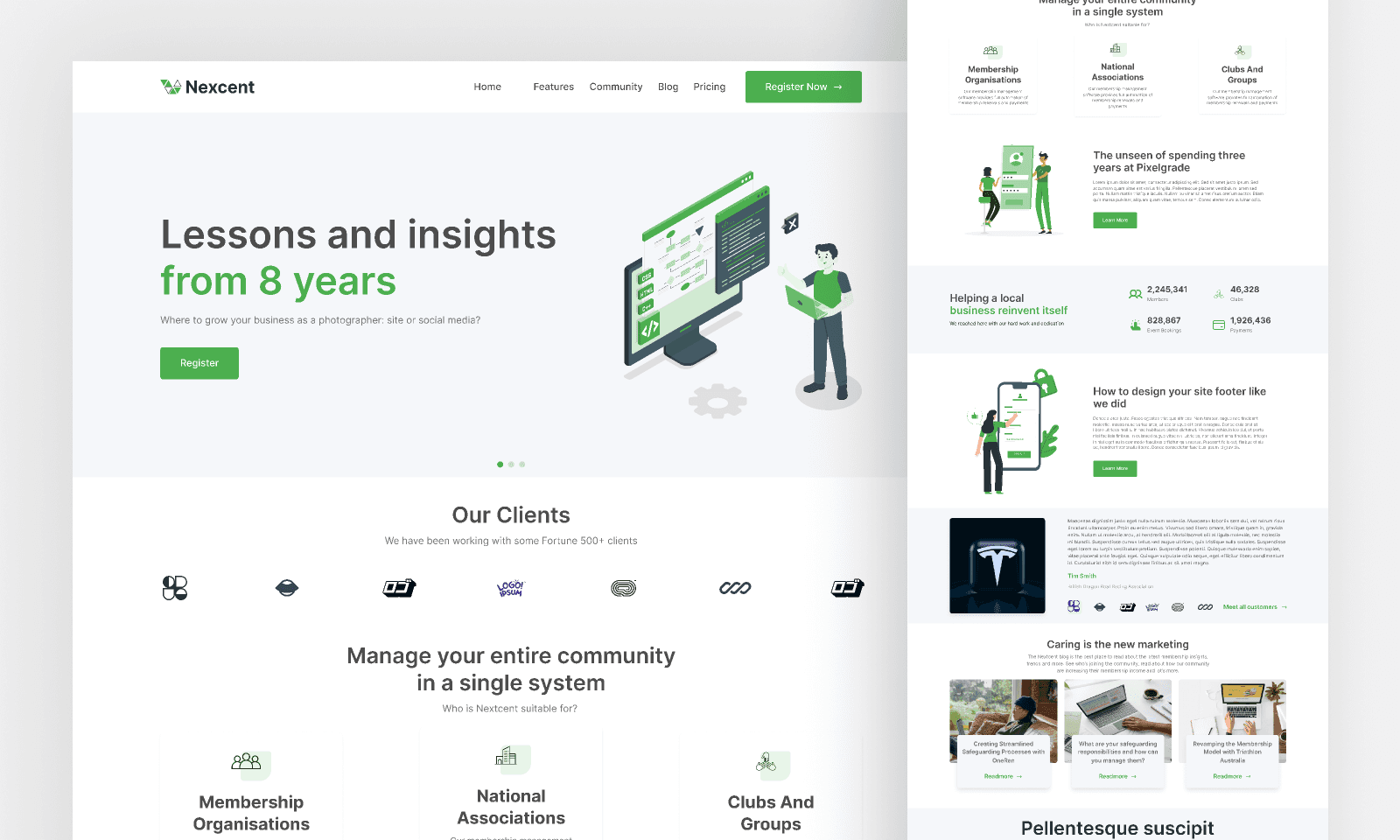
1. Minimal Landing Page Design | Website Home Page Design | Agency Website UI Design
If you need a figma website template that is both simple and striking, this minimal landing page design is a top choice. Its clean layout focuses attention on your core message, making it ideal for agencies and startups looking for a fast, professional web presence.
Pricing: Free
Core Features: Minimalist grids, agency-focused sections, mobile responsiveness
Key Benefits: Effortless customization, modern style, seamless branding
Target Audience: Agencies, freelancers, SaaS startups
Pros:
High-quality visuals with pixel-perfect details
Simple to edit and brand
Backed by strong community engagement (2.4k likes, 186k downloads)
Cons:
Limited advanced components
Best for straightforward, content-focused sites
This figma website template is especially popular among agencies that need a polished site without unnecessary complexity. With its streamlined sections and intuitive structure, you can launch a professional online presence quickly.
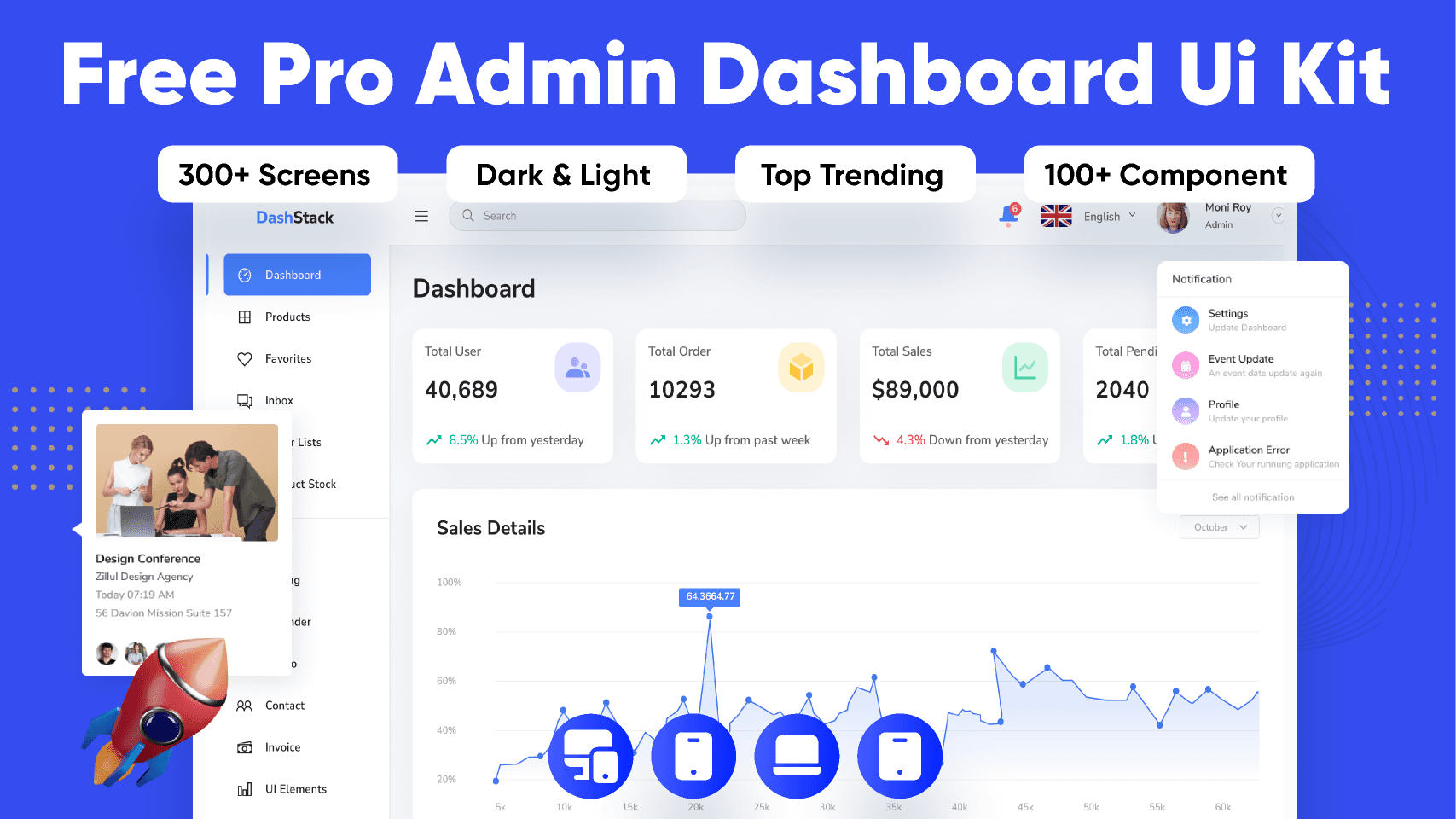
2. DashStack - Free Admin Dashboard UI Kit
For those building dashboards or SaaS platforms, DashStack is a standout figma website template. It offers a full suite of admin components, charts, tables, and analytics-ready pages designed for productivity.
Pricing: Free
Core Features: Modular dashboard layouts, interactive charts, analytics and reporting pages
Key Benefits: Ready for SaaS handoff, highly organized, developer-friendly
Target Audience: SaaS providers, analytics teams, enterprise app designers
Pros:
3.9k likes and 166k downloads signal broad adoption
Modular, scalable design for complex data needs
Easy to integrate with development workflows
Cons:
Focused on dashboards, not suitable for marketing or content-rich sites
DashStack is a go-to figma website template for internal tools and product dashboards, providing a clear structure that accelerates both design and development.
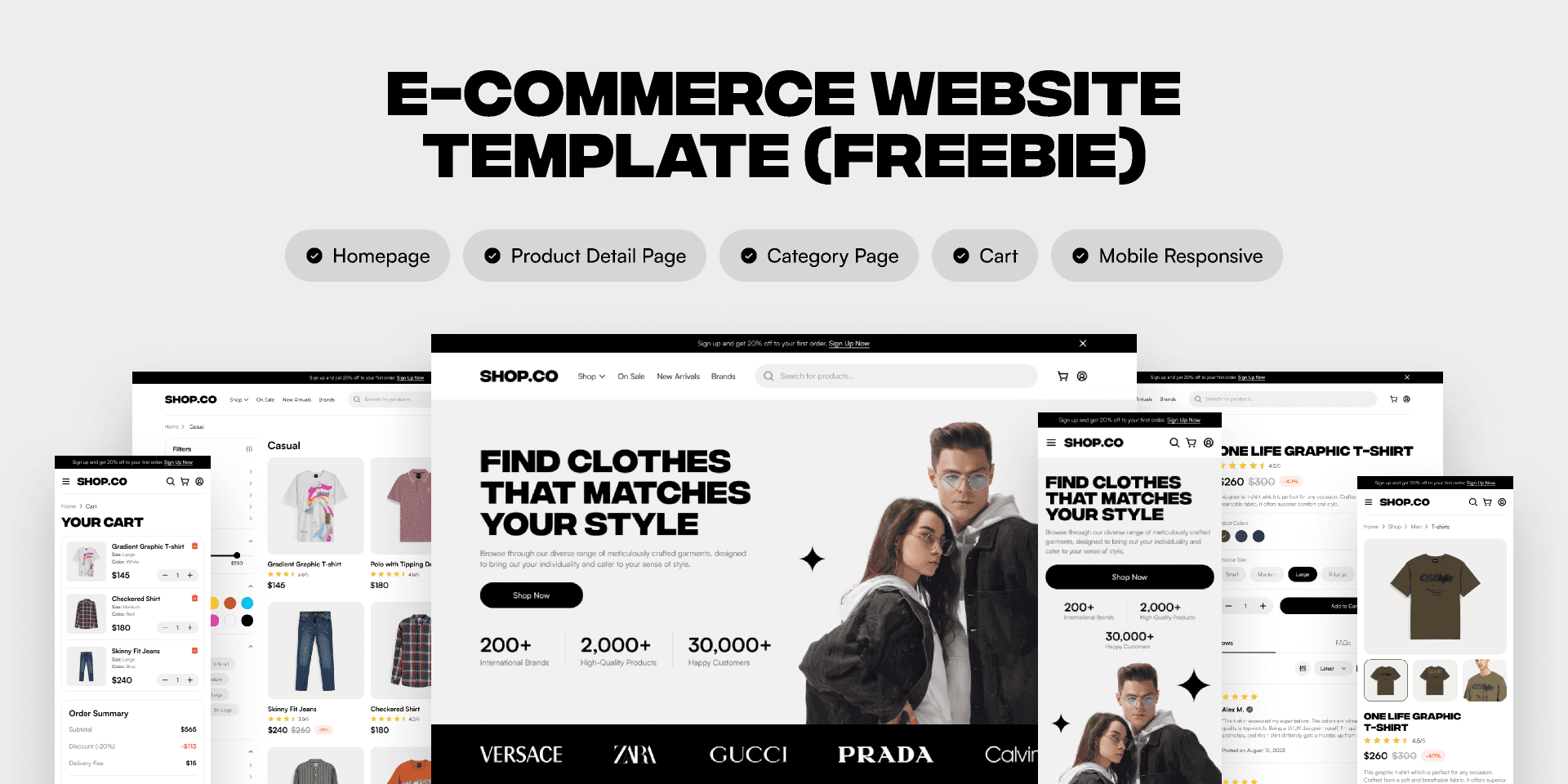
3. E-commerce Website Template (Freebie)
Launching an online store? This e-commerce figma website template provides everything needed for a modern retail experience, from product grids to smooth checkout flows.
Pricing: Free
Core Features: Product listings, shopping cart, checkout, responsive design
Key Benefits: Quick setup for new stores, intuitive UX, scalable for growth
Target Audience: Online retailers, small businesses, e-commerce startups
Pros:
2.8k likes, 127k downloads verify its popularity
Covers all essential e-commerce interactions
Designed for fast customization and branding
Cons:
May require adjustments for highly unique brands
Limited to standard e-commerce features
This figma website template is perfect for those seeking a turnkey solution for digital retail, supporting a frictionless shopping experience.
4. Positivus Landing Page Design
Positivus delivers a vibrant, conversion-focused figma website template for product launches, SaaS, and agency campaigns. Its bold typography and visually engaging sections are crafted to maximize impact.
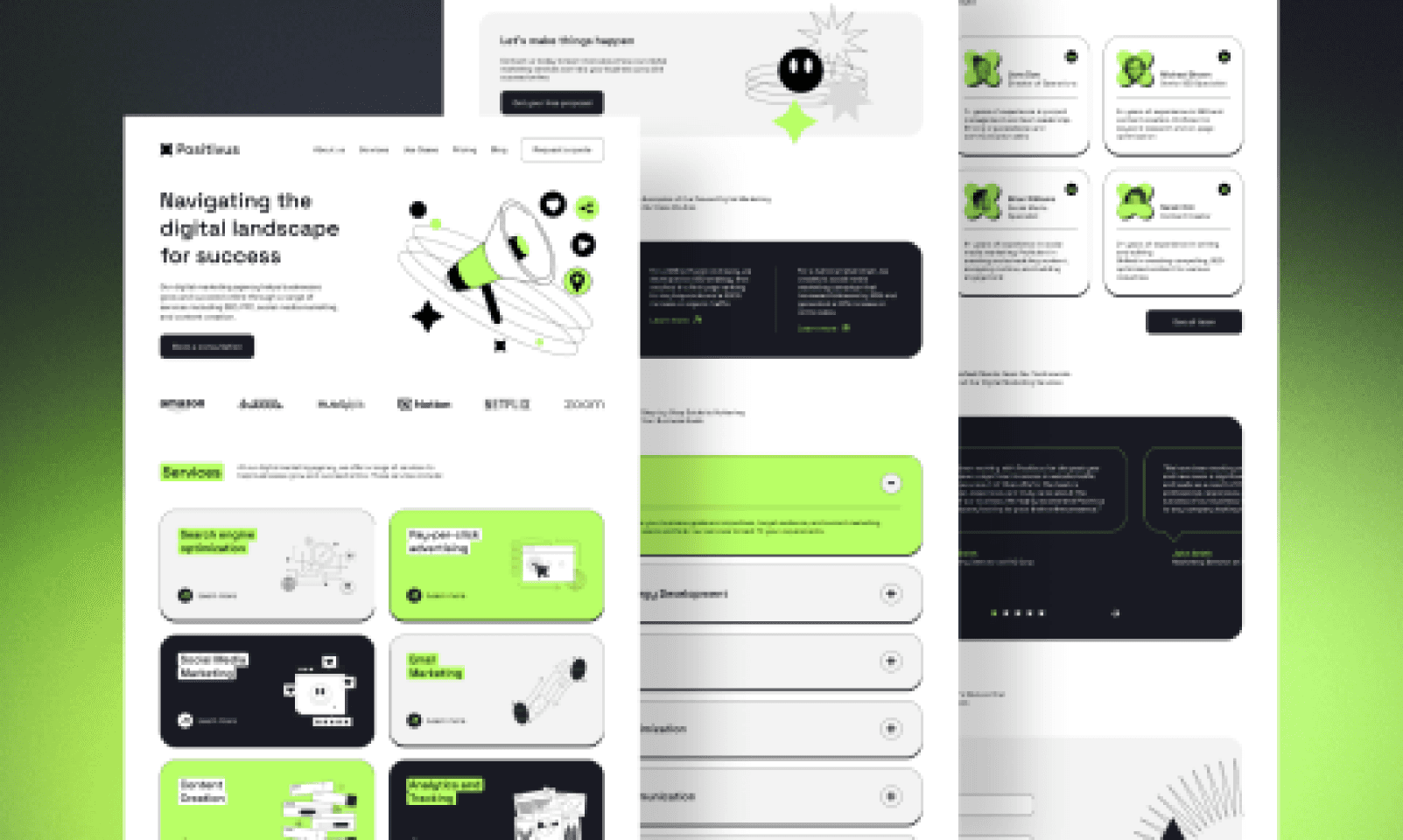
Pricing: Free
Core Features: Striking hero sections, testimonial blocks, prominent calls-to-action
Key Benefits: High conversion potential, adaptable to many industries, easy to edit
Target Audience: SaaS companies, digital agencies, product launches
Pros:
3.1k likes and 134k downloads reflect community trust
Stylish, modern design with clear messaging
Versatile for multiple business types
Cons:
Single-page format may not suit larger sites
Limited inner page options
Positivus stands out as a figma website template for those who want to make a bold first impression and drive user action.
5. MNTN - Landing Page
MNTN is a sleek figma website template designed for startups and tech products. Its elegant hero section, feature highlights, and testimonial layouts provide a strong foundation for company websites.
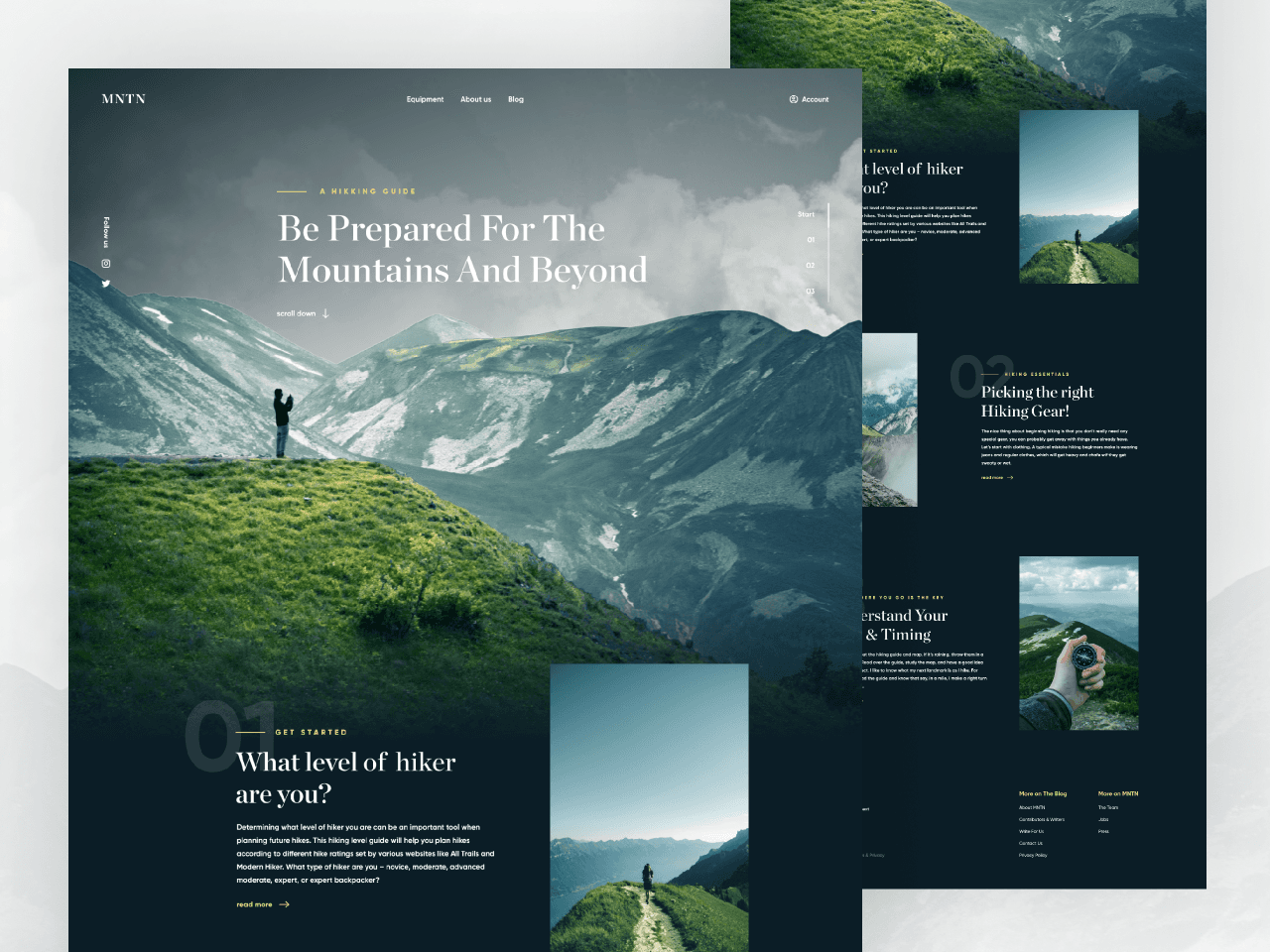
Pricing: Free
Core Features: Responsive hero, feature grids, client testimonials, clean layout
Key Benefits: Ideal for new ventures, easy section rearrangement, modern look
Target Audience: Startups, SaaS, digital agencies
Pros:
2.4k likes, 77.2k downloads show widespread use
Adaptable for different product types
Intuitive editing and customization
Cons:
Fewer pre-built inner pages
Primarily focused on landing page structure
For startups seeking a flexible figma website template with a sharp, contemporary aesthetic, MNTN is a reliable choice.
6. Travel Website Landing Page
This travel-focused figma website template captures the spirit of adventure with visually rich sections for destinations, bookings, and travel stories. It is tailored for agencies and bloggers in the travel industry.
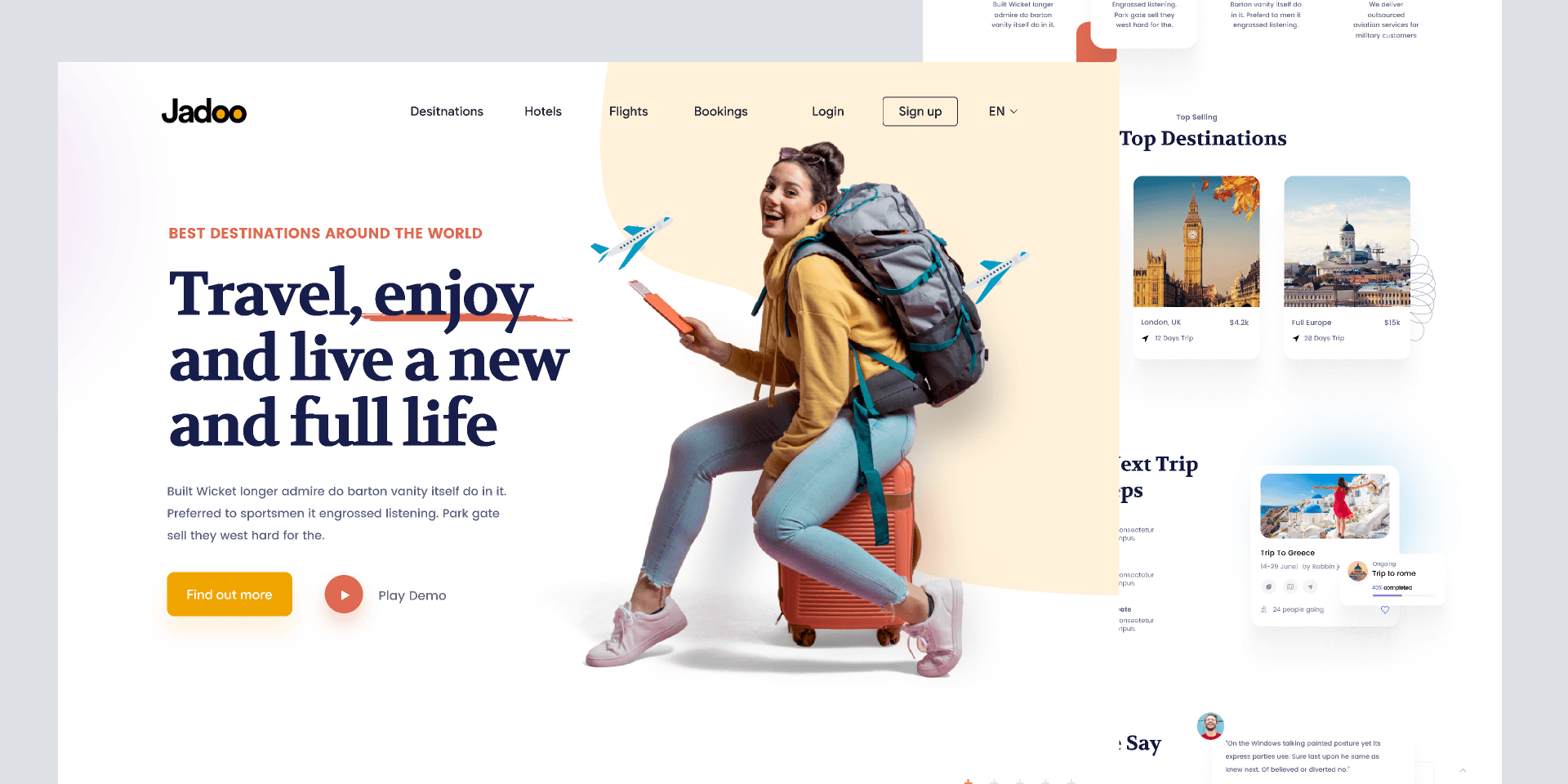
Pricing: Free
Core Features: Destination galleries, booking forms, immersive visuals
Key Benefits: Niche-specific design, engaging imagery, fast to launch
Target Audience: Travel agencies, tour operators, travel bloggers
Pros:
1.1k likes, 68.3k downloads highlight its appeal
Purpose-built for travel needs
Visually immersive and easy to personalize
Cons:
Niche focus limits broader use
May require tweaks for non-travel brands
If your project is in the travel sector, this figma website template offers a specialized foundation for a compelling online presence.
7. Portfolio Web Design
Portfolio Web Design is a go-to figma website template for creatives wishing to showcase their work. Its project galleries and case study layouts make it easy to build a professional portfolio.
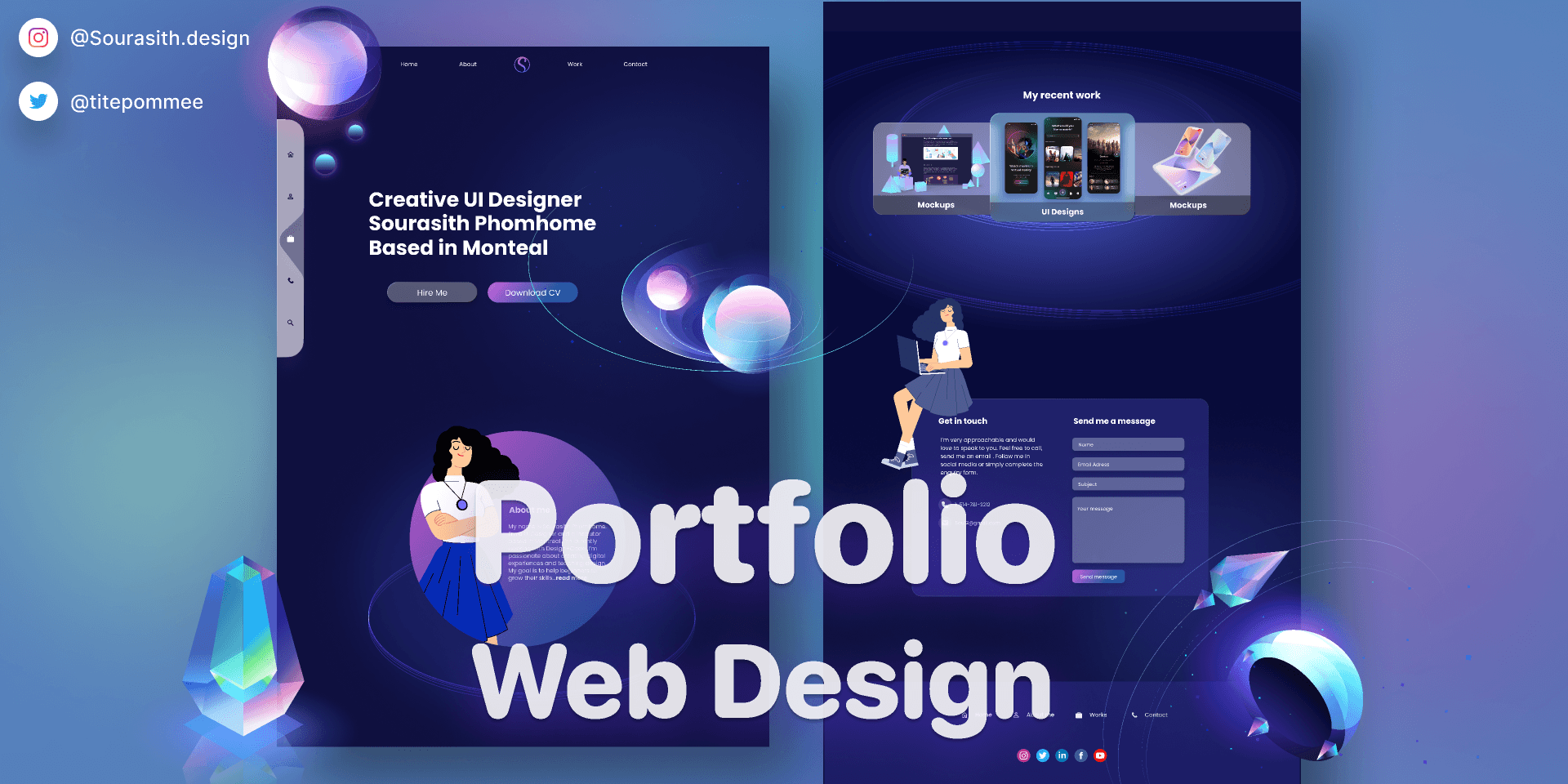
Pricing: Free
Core Features: Project showcases, case study pages, about and contact sections
Key Benefits: Highlights creative work, easy to tailor, supports career growth
Target Audience: Designers, photographers, creative freelancers
Pros:
1k likes and 25.5k downloads from the design community
Simple to customize and update
Clean, focused presentation
Cons:
Lacks built-in e-commerce or blog tools
Best for visual portfolios
For personal branding and creative showcases, this figma website template is both functional and elegant.
8. Whitepace - SaaS Landing Page
Whitepace is a SaaS-oriented figma website template built for high conversion and clarity. Its pricing tables, onboarding sections, and feature highlights serve tech startups and app launches.
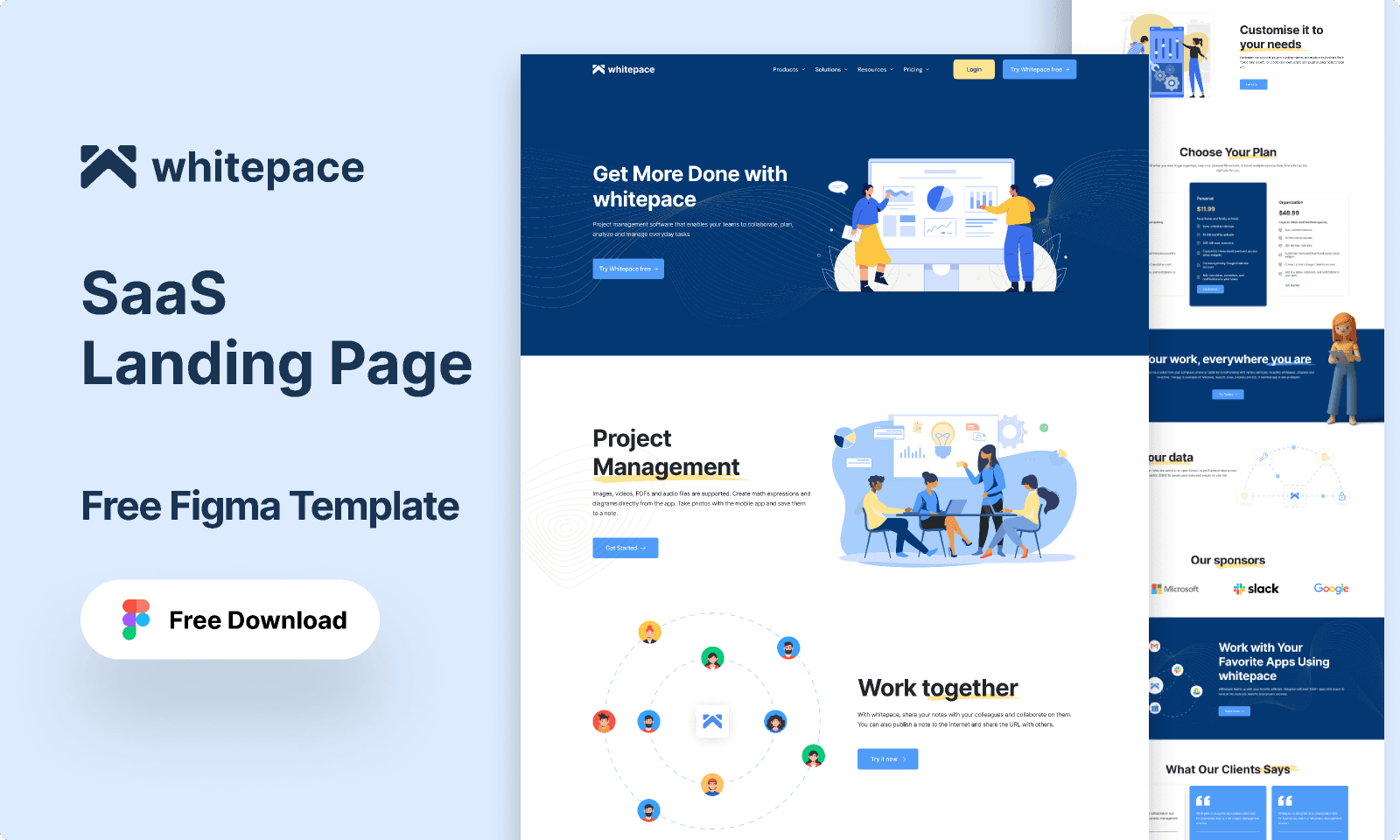
Pricing: Free
Core Features: SaaS-specific blocks, pricing comparisons, onboarding flows
Key Benefits: Conversion-optimized, easy to adapt, clear information hierarchy
Target Audience: SaaS startups, tech companies, digital products
Pros:
1.7k likes, 98.7k downloads showcase strong adoption
Well-structured for lead generation
Focused on SaaS marketing needs
Cons:
Geared mainly toward SaaS businesses
Less flexibility for other industries
For SaaS founders and tech marketers, this figma website template is an efficient way to launch a results-driven landing page.
Quick Comparison Table
Template Name | Target Use | Pricing | Community Likes | Downloads | Best For |
|---|---|---|---|---|---|
Minimal Landing Page Design | Agency, SaaS | Free | 2.4k | 186k | Agencies, Startups |
DashStack | Dashboards | Free | 3.9k | 166k | SaaS, Analytics |
E-commerce Website Template | Online Store | Free | 2.8k | 127k | Retail, E-commerce |
Positivus Landing Page | SaaS, Agency | Free | 3.1k | 134k | SaaS, Product Launch |
MNTN Landing Page | Startup | Free | 2.4k | 77.2k | Startups, Tech |
Travel Website Landing Page | Travel | Free | 1.1k | 68.3k | Travel Brands |
Portfolio Web Design | Portfolio | Free | 1k | 25.5k | Creatives |
Whitepace SaaS Landing Page | SaaS | Free | 1.7k | 98.7k | SaaS, Tech |
Each figma website template listed here is backed by thousands of downloads and active community feedback. This surge in adoption reflects the broader trend of Figma’s growth, as highlighted in Figma's 2025 User Growth Statistics, which underscores why these templates are not only trendy but also reliable for future-ready web projects.
Advanced Tips for Customizing Figma Website Templates
Unlocking the full potential of any figma website template requires more than just basic editing. With the right strategies, you can transform a standard template into a high-impact, branded experience. Explore these advanced tips to streamline your workflow, boost creativity, and ensure your website stands out in 2026.
Making the Most of Figma’s Editing Tools
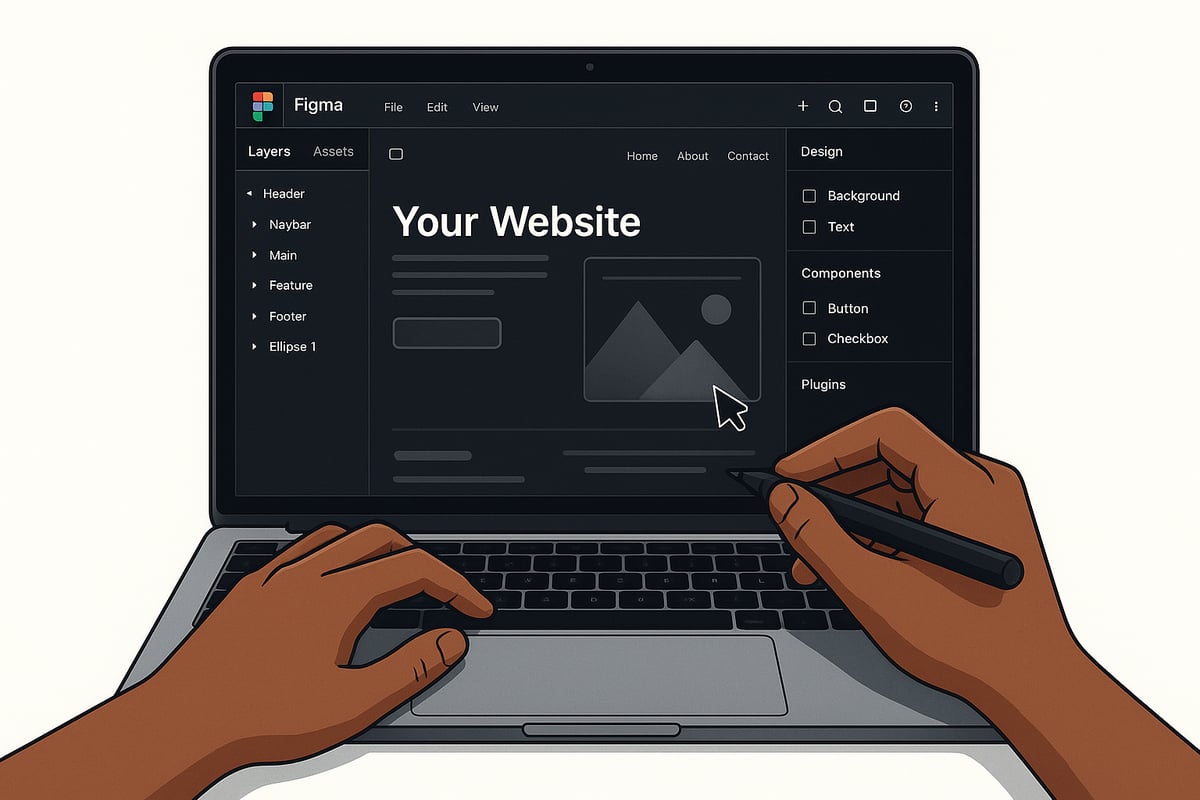
Mastering Figma’s core features is the first step toward customizing any figma website template. Use the layer system to organize elements clearly, allowing for quick edits and version control. Components and variants make it easy to reuse design elements across the site, ensuring consistency and saving time.
Leverage auto-layout to create responsive designs that adjust smoothly for different devices. Constraints let you define how elements behave during resizing, so your figma website template looks polished on any screen. For example, swapping out color styles and typography settings can instantly align a template with your brand standards.
If you want to stay ahead with the latest design innovations, explore how Figma's AI Tools and Revenue Growth are shaping the future of web design workflows.
Integrating Third-Party Plugins and Assets
Enhance your figma website template by integrating powerful third-party plugins. Popular plugins like “UI Dux” provide fresh icon sets, while “Blocks Wireframe” adds ready-to-use UI blocks for rapid prototyping. Add-ons for stock images and illustrations speed up content creation without sacrificing quality.
Here are some plugin categories worth exploring:
Icon libraries for diverse visual styles
Illustration packs to enrich template visuals
Accessibility tools for better user experience
Using plugins also makes it simple to import device mockups or automate repetitive tasks. This approach helps you expand the creative possibilities of any figma website template while maintaining efficiency.
Optimizing for SEO and Accessibility
A high-performing figma website template should be optimized for both SEO and accessibility. Structure your layouts using semantic sections, such as header, main, and footer, to help search engines understand your content hierarchy. Always add descriptive alt text to images and icons.
To check color contrast and keyboard navigation, use Figma’s accessibility plugins. This ensures your site meets modern compliance standards and delivers a better experience for all users. Consider this quick checklist:
SEO/Accessibility Task | Figma Tool/Plugin Example |
|---|---|
Semantic sections | Manual layout organization |
Alt text for images | Accessibility plugins |
Color contrast checks | Stark, Able |
With these optimizations, your figma website template will be ready for both users and search engines.
Preparing Templates for Developer Handoff
Seamless collaboration with developers is crucial. With a figma website template, always annotate components and layouts to clarify functionality. Figma’s Dev Mode makes it easy to export assets in SVG, CSS, or Tailwind formats.
Here’s an example of annotating a button for handoff:
Clear documentation and organized layers reduce confusion and speed up the development process. Sharing a well-prepared figma website template ensures your vision is accurately translated into code.
Maintaining Consistency Across Projects
Building a design system from your favorite figma website template promotes brand consistency. Create shared libraries for typography, colors, and components, so every project starts with a unified foundation.
Sync your design assets across teams using Figma’s team libraries. This practice minimizes errors, allows for rapid updates, and ensures all stakeholders are aligned. Over time, a reusable figma website template library streamlines your workflow and supports scalable growth.
Frequently Asked Questions About Figma Website Templates
Are Figma website templates compatible with all website builders?
Figma website template files can be exported or handed off to developers for use in popular website builders. Many templates include assets and guides for platforms like Webflow, WordPress, or React. Always check export options to ensure compatibility with your chosen builder.
Can I use free Figma templates for commercial projects?
Most Figma website template resources from the Figma Community allow commercial use, but review each template’s license before starting a project. Licensing terms are typically listed on the template page. When in doubt, contact the creator for clarification.
How do I update or modify a Figma template after downloading?
To customize a figma website template, first duplicate it to your drafts. Use Figma’s intuitive editing tools to adjust colors, typography, or layouts. If the original creator updates the template, you can manually incorporate new features or design improvements.
What are the limitations of Figma website templates?
While figma website template options are versatile, some may lack advanced features or unique branding elements. For highly specialized needs, consider starting from scratch or combining multiple templates. Templates may also require design knowledge for deeper customization.
Where can I find support or help for using Figma templates?
Support is available through Figma Community forums, template comment sections, and official documentation. As highlighted in the IDC Study on Software Design Workforce Expansion, Figma’s user base is growing, which means more active discussions and help resources for template users.
Share article

$249
$3601
All Access
Save with our all access bundle - get access to all premium Framer templates.
38
+
Framer Templates
51
+