Feb 22, 2026

Pawel Gola
Framer & Webflow Expert
Creating a professional website doesn’t have to be complicated or expensive. Whether you're a business owner, freelancer, or creative professional, choosing the right website template can save you time, effort, and money. This article highlights 14 website templates available on the Framer Marketplace, tailored for various needs like portfolios, e-commerce, and agency sites.
Each template offers:
Responsive layouts for desktop, tablet, and mobile devices.
No-code customization with drag-and-drop editors.
SEO-friendly features to improve search visibility.
CMS integration for easy content management.
Here’s a quick look at some standout templates:
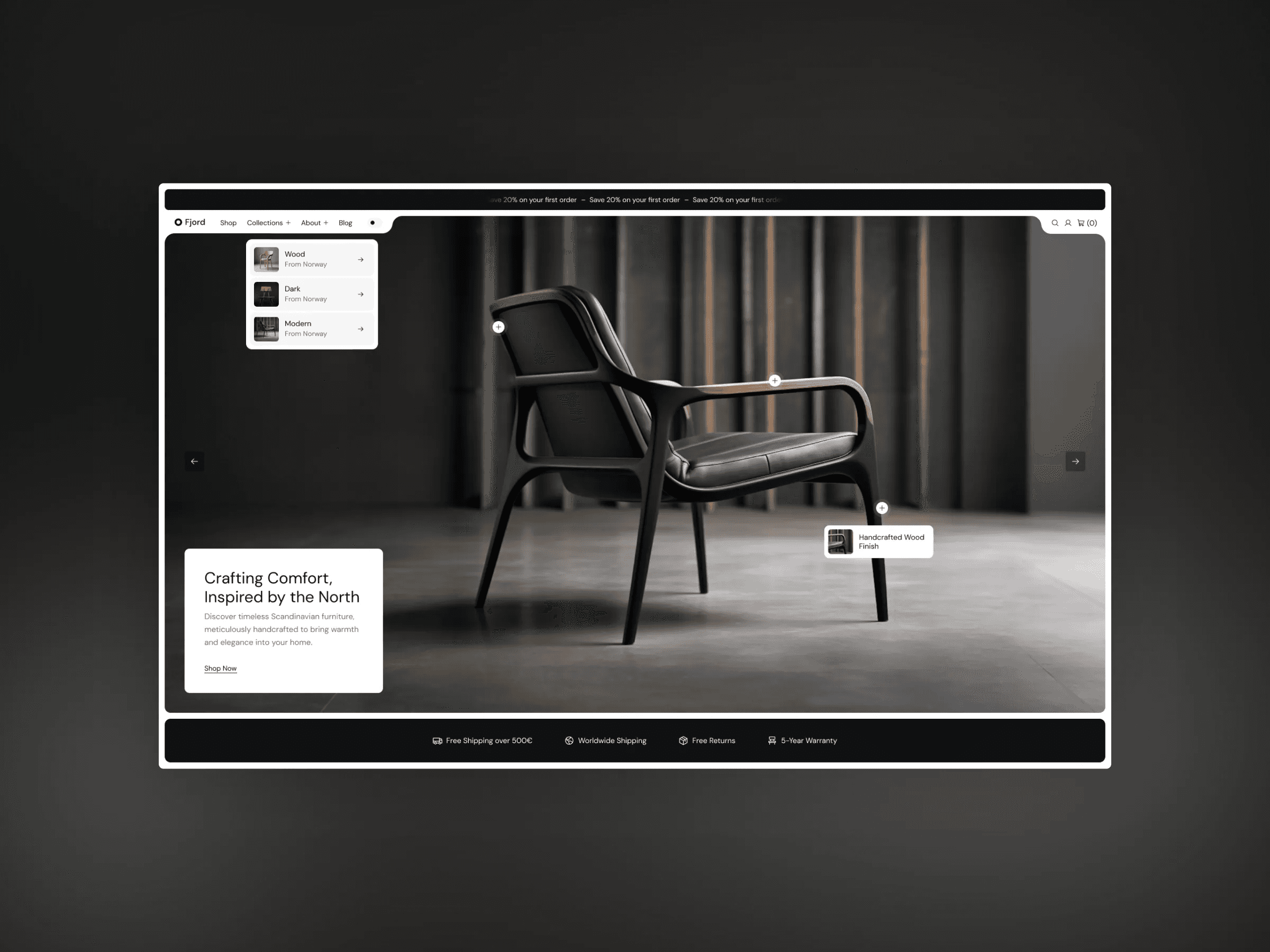
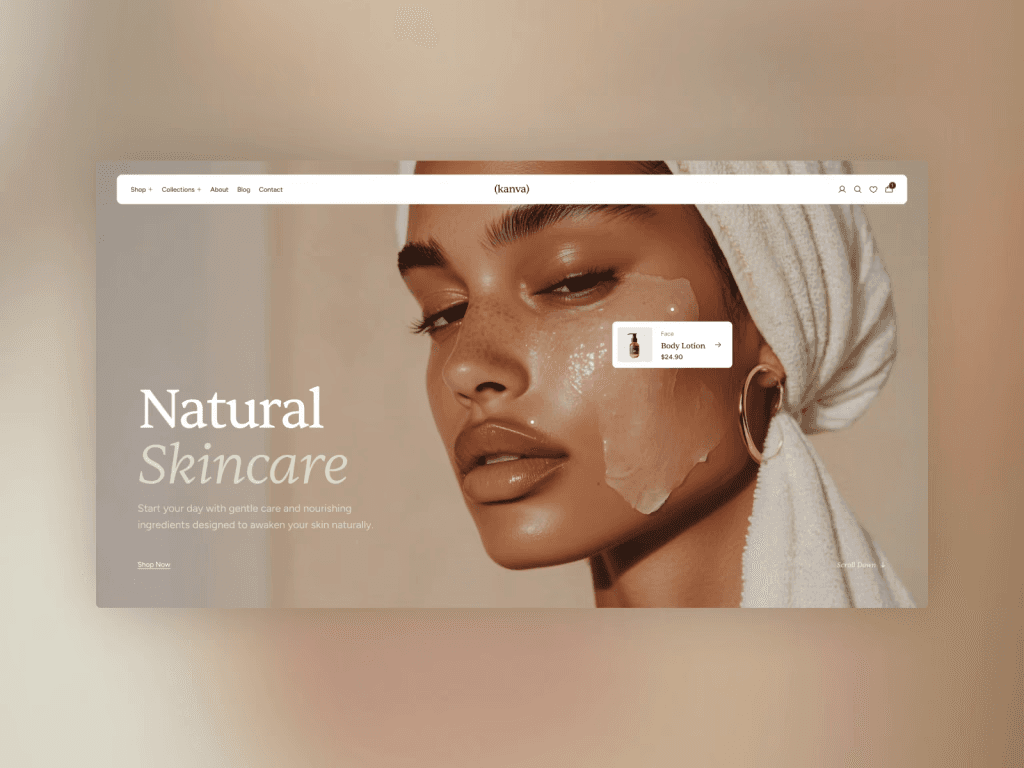
Kanva ($99): Designed for fashion and lifestyle e-commerce.
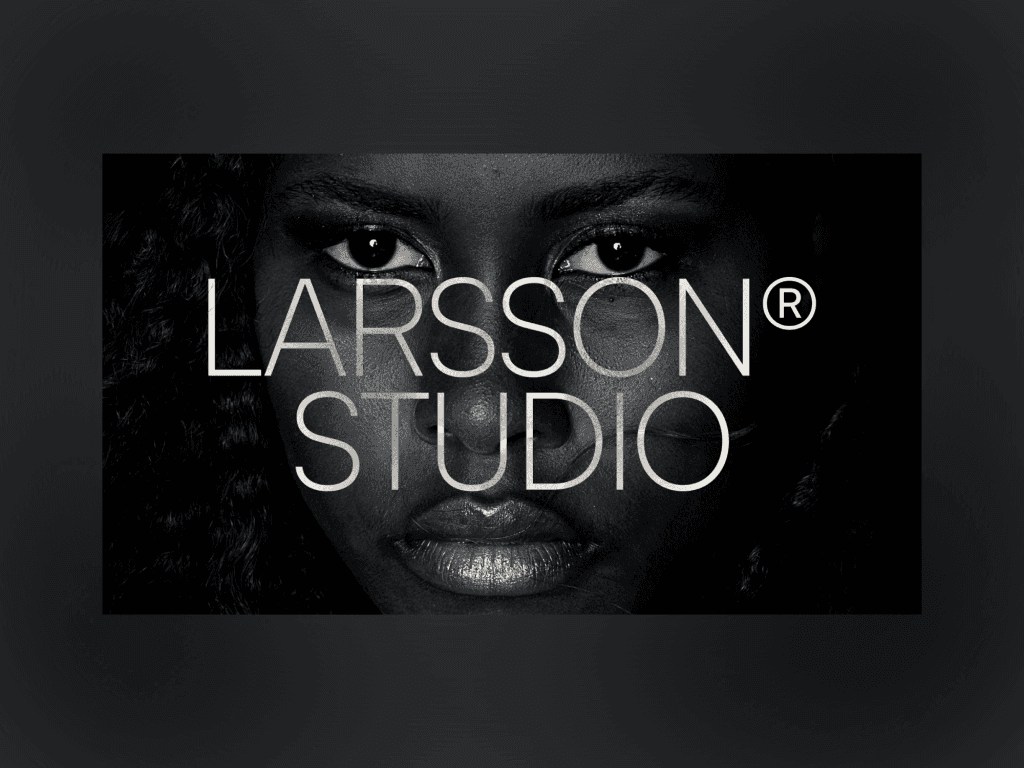
Palmer (Free): Perfect for portfolios with a sleek, dark aesthetic.
Effica ($99): Tailored for agencies with conversion-focused design.
Pearl (Free): A versatile option for startups and freelancers.
For a detailed breakdown of features and pricing, read on to find the best fit for your project.
1. Kanva Template
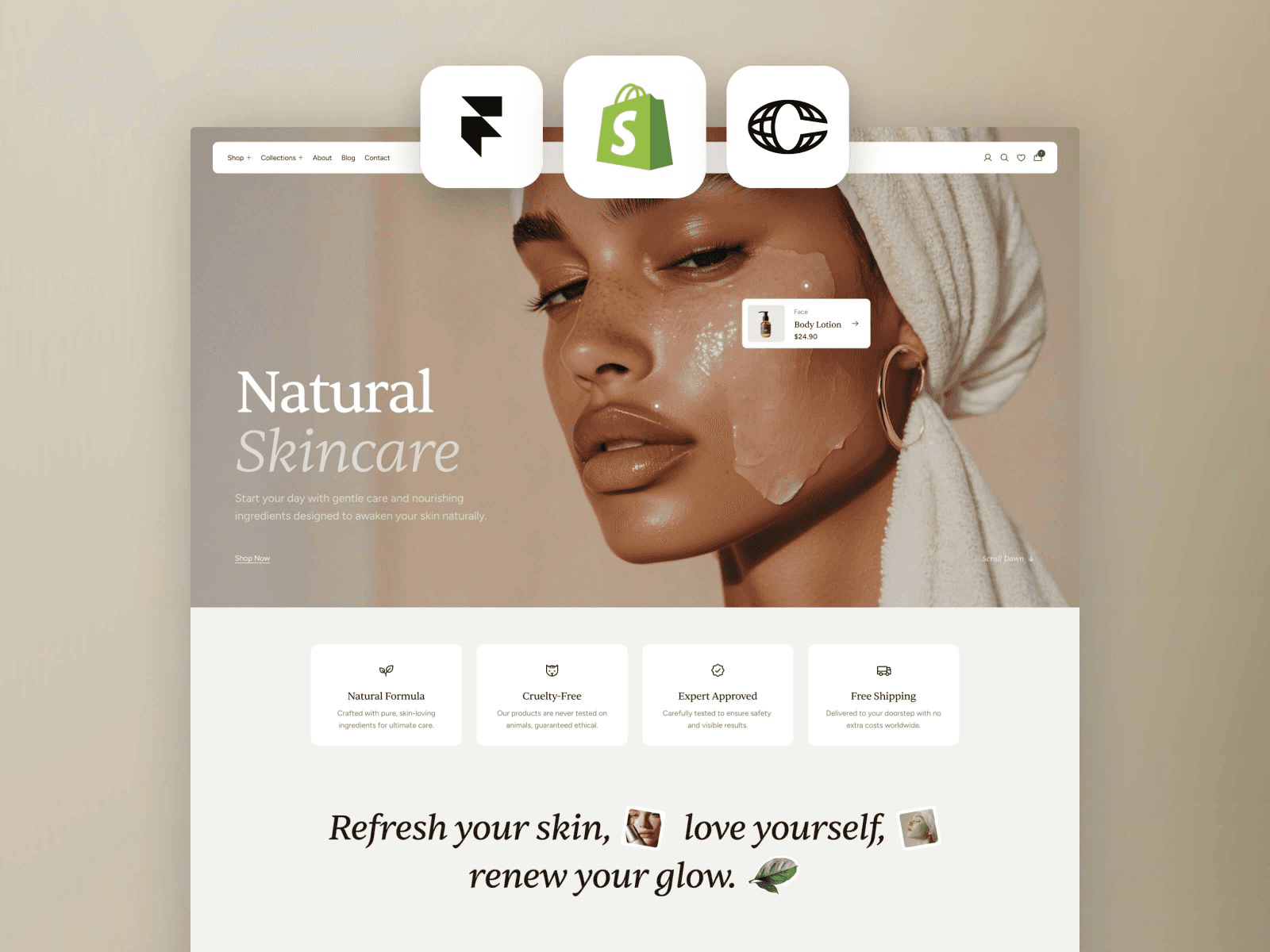
Kanva is a premium e-commerce template tailored for fashion and lifestyle brands aiming to set up a polished, sales-ready site - no coding required. At just $99, it offers a sleek design that emphasizes your products while maintaining the sophistication of a custom-built website.
Responsive Design
Kanva adapts effortlessly to any device, thanks to its visual breakpoints. Whether your customers are browsing on a desktop, tablet, or smartphone, the layout adjusts automatically. From product galleries to checkout pages, everything is optimized for a smooth experience. This mobile-first approach ensures users can shop conveniently, whether they’re at their desk or on the go.
CMS Integration
With Framer’s built-in CMS, Kanva simplifies content management using "collections." This feature makes it easy to handle products, blogs, and portfolios in one place. For instance, when you add a new product, it updates across your site automatically - no need for manual tweaks.
No-Code Customization
Kanva’s drag-and-drop editor puts design control in your hands. You can easily tweak typography, colors, and layouts in real-time. Want to swap out a hero image, adjust button colors, or rearrange product sections? It’s all possible through the intuitive visual editor. Plus, the template is structured to help your site perform well in search engines.
SEO-Ready Structure
Kanva is built with SEO in mind. Features like optimized code, fast loading speeds, and built-in analytics not only improve search rankings but also help you monitor visitor behavior. This ensures your site doesn’t just look great - it actively drives traffic and sales.
2. Fabrica Template
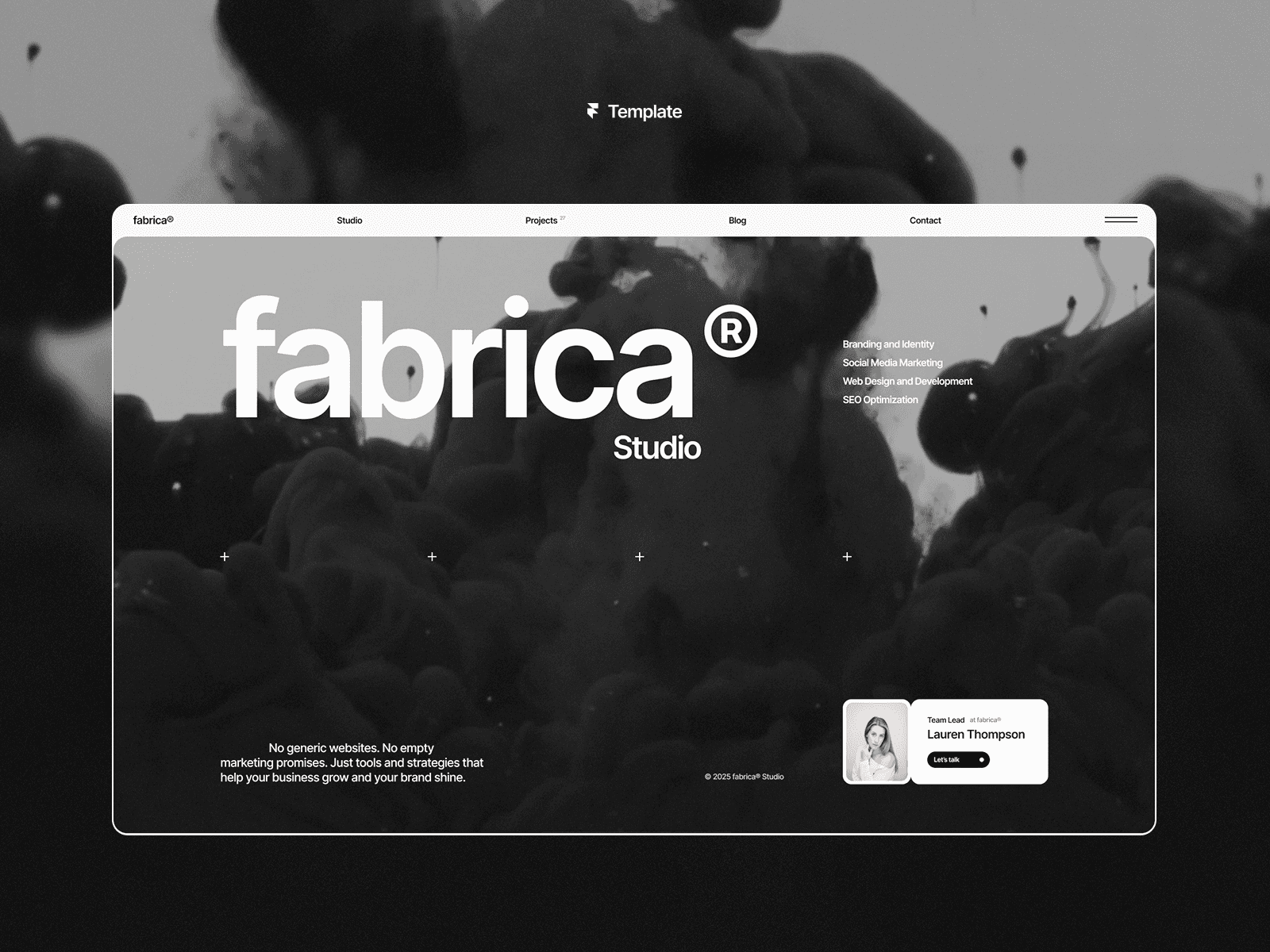
Fabrica is a sleek, monochrome template crafted for creative professionals and visual artists. For those seeking a more minimal agency and portfolio look, other options provide similar high-performance features. At $99, it combines a minimalist aesthetic with features designed for top-tier performance.
Responsive Design
Fabrica is built to adapt seamlessly across all devices. Thanks to its built-in breakpoints, your Aiko portfolio will look sharp and functional whether it’s viewed on a desktop, tablet, or smartphone. The fluid design ensures an engaging experience on any screen size, while also supporting mobile-first principles that enhance SEO.
CMS Integration
With Framer's CMS, Fabrica offers Project Styles and Layout Templates to maintain consistent formatting for all your content. Adding a new project or portfolio piece is straightforward, and the uniform design ensures your site looks cohesive. This integration works hand-in-hand with Framer's no-code capabilities, making updates effortless.
No-Code Customization
Fabrica provides creative flexibility through its drag-and-drop editor. You can tweak typography, adjust spacing, and reorganize image layouts without touching a single line of code. This ease of customization allows for frequent updates while improving your site's SEO. As WAYF Digital highlights:
"Site speed and technical excellence are core features of Framer, not afterthoughts."
SEO-Ready Structure
Fabrica is built on Framer's performance-driven platform, offering an SEO-friendly layout that prioritizes both usability and speed. Its high-contrast design not only grabs attention but also aligns with modern web standards. Paul Utr, Co-founder, Co-CEO, and Design Lead at WAYF, captures this balance well:
"Great design isn't just aesthetic - it's functional and drives results."
Up next, discover how the Palmer Template builds on this blend of performance and style.
3. Palmer Template
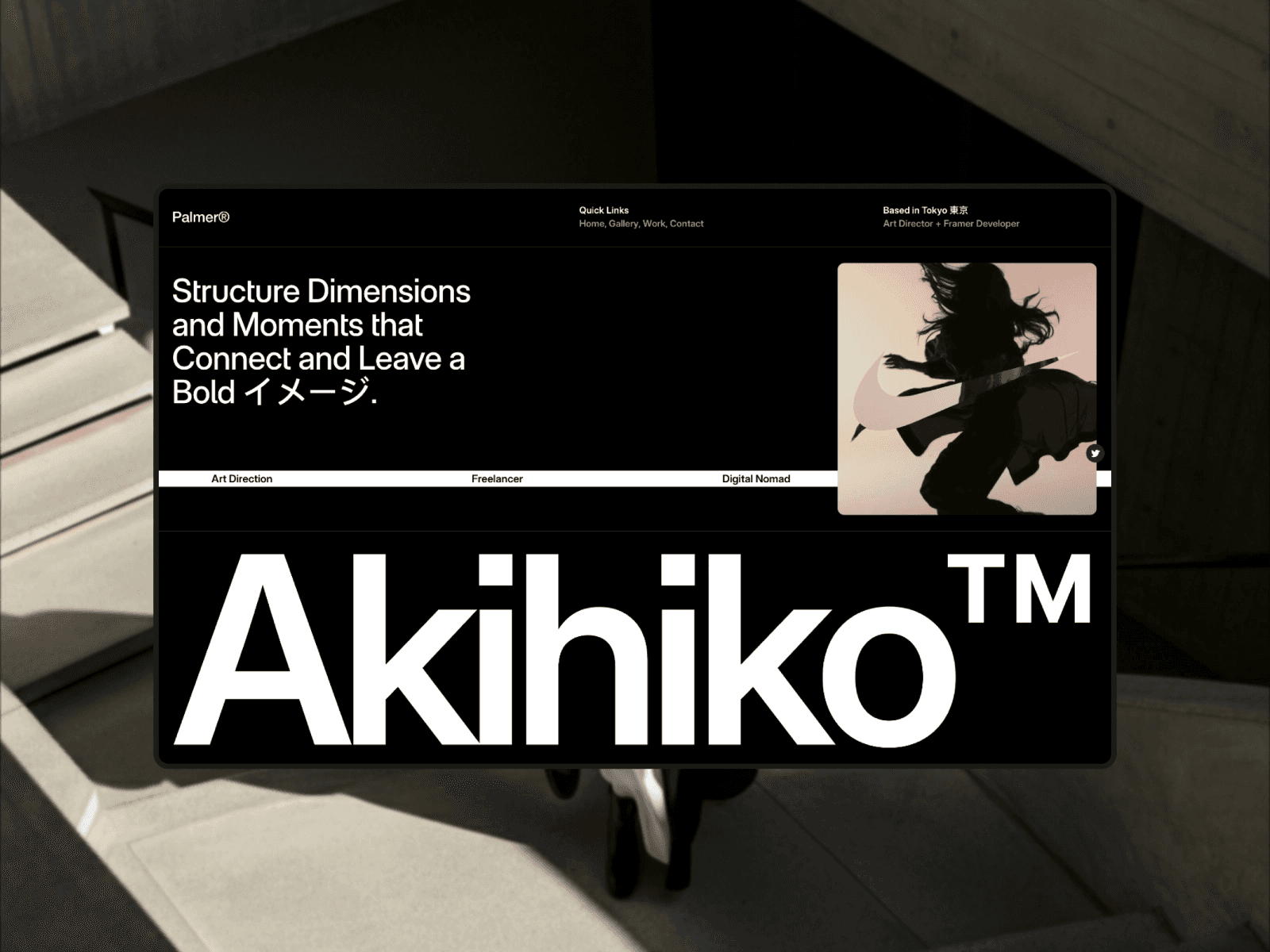
Palmer is a free portfolio template designed by Westhill Studio that brings a sleek, dark aesthetic to creative professionals. Built for Framer, it blends striking visuals with no-code tools, making it an ideal choice for designers, photographers, and digital studios who want to showcase their work without spending a penny.
Responsive Design
Palmer ensures your portfolio looks great on any device, thanks to Framer's breakpoint system. Whether someone views it on a desktop, tablet, or smartphone, the layout automatically adjusts for a seamless experience. Its component-based structure keeps design elements proportional and functional, offering a modular approach that stands out in responsive design.
No-Code Customization
With Framer's drag-and-drop editor, you can tweak every detail of the template. Modify typography, spacing, and branding effortlessly, while built-in motion effects and sticky scrolling add a layer of modern interactivity. Palmer includes seven pre-designed pages - Home, Work, Gallery, Contact, CMS-powered Work Single and Article Single pages, plus a 404 page - covering all the essentials for a polished portfolio.
CMS Integration
Framer CMS is built into Palmer, allowing you to update your portfolio effortlessly as you add new projects. This feature keeps your content fresh while maintaining a cohesive look across all pages.
SEO-Ready Structure
Palmer is built on Framer's optimized platform, offering automated SEO and built-in analytics. This ensures your portfolio not only performs well in search engine rankings but also provides a fast and smooth user experience.
Next, see how the Effica Template takes performance to the next level with its streamlined design.
4. Effica Template
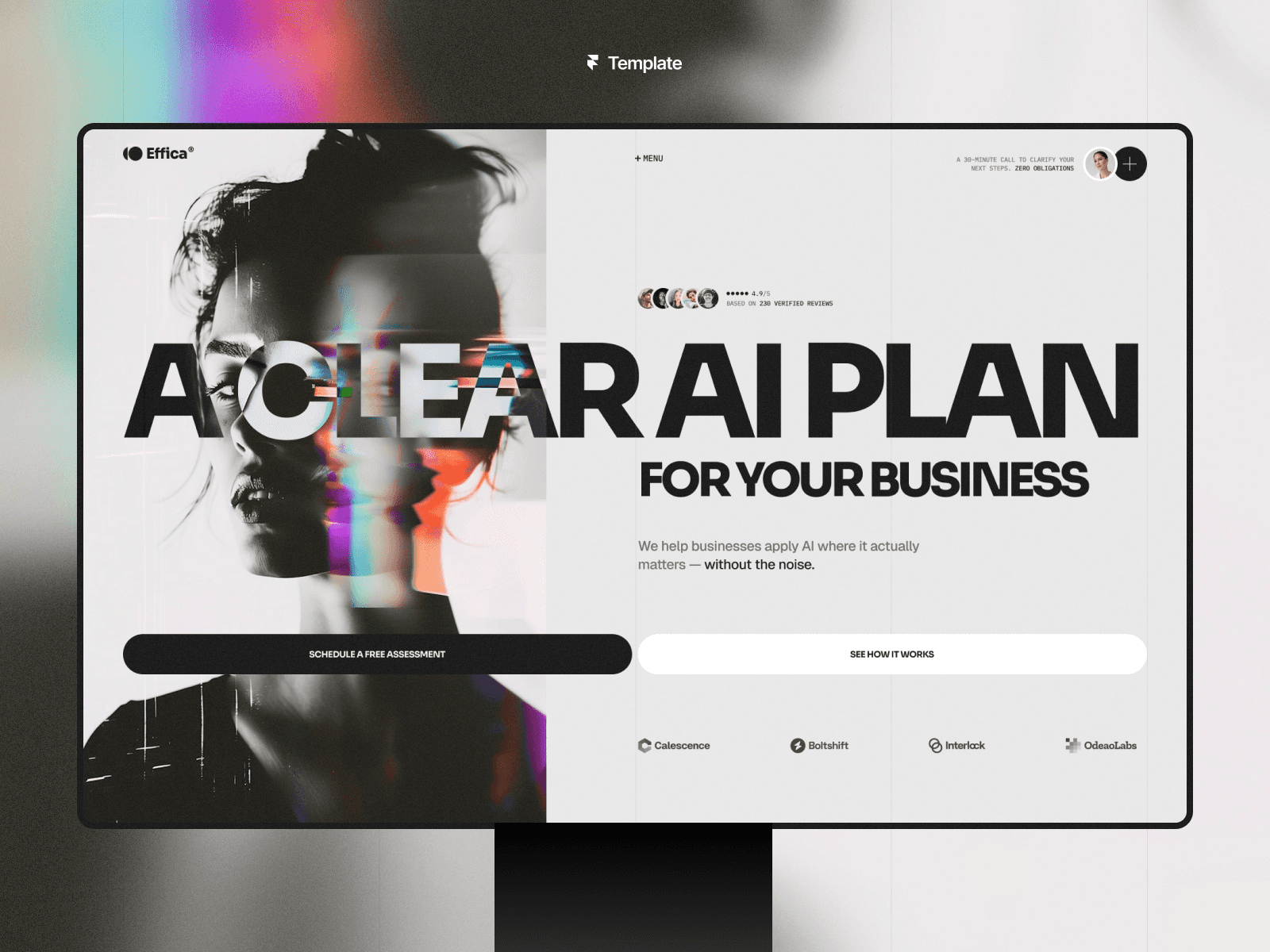
Effica is a premium template designed for Framer, tailored specifically for agencies and creative studios. It combines a sleek, professional aesthetic with a design that’s easy to adjust to your needs.
Responsive Design
Effica ensures your website looks great on any device, thanks to Framer's breakpoint system. Whether visitors are on a phone, tablet, or desktop, the site maintains its usability and visual appeal. Its built-in accessibility features also ensure an inclusive experience for all users.
No-Code Customization
Effica makes customization a breeze with its drag-and-drop editor. You can easily tweak images, adjust typography, fine-tune spacing, and align the branding to reflect your company’s identity. The template’s modular setup means you can rearrange sections and components however you like, giving you full control over the site’s layout without writing a single line of code.
SEO-Ready Structure
Effica comes equipped with tools to enhance your site’s visibility in search engines. You can optimize meta titles, descriptions, and alt tags directly within the template. These straightforward SEO features make it simple to set up your content for better rankings and improved discoverability.
Next, check out the Aperture Template for a design that’s perfect for photography-focused projects.
5. Aperture Template
Aperture is a Framer template designed to showcase visuals beautifully, making it ideal for photographers, creative portfolios, and image-focused websites. It combines sleek layouts with practical features to ensure your work takes center stage.
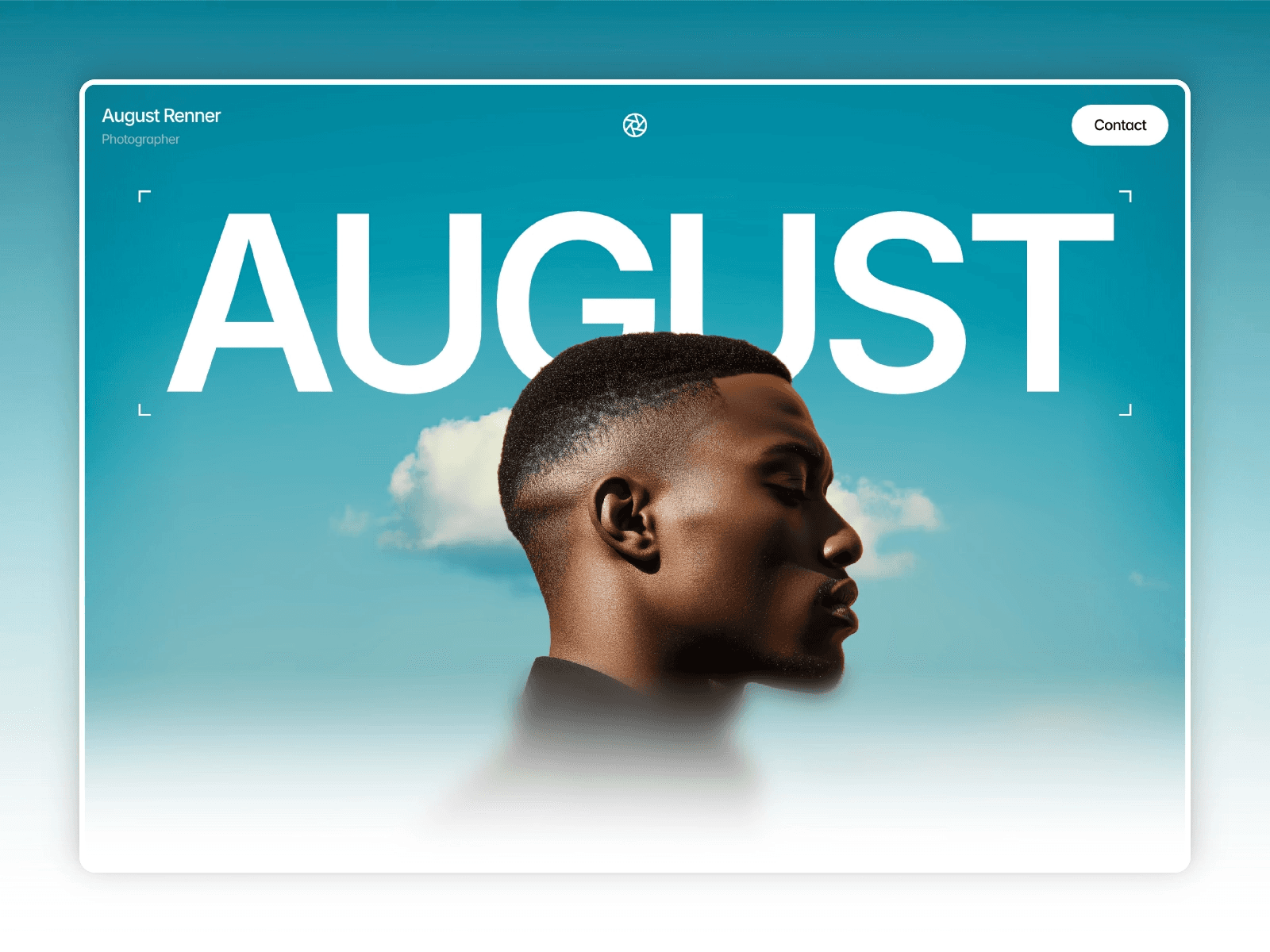
Responsive Design
Aperture ensures your visuals look stunning on any device. With retina-ready graphics, your images will maintain their sharpness and quality across both mobile and desktop screens.
Easy Customization Without Code
Adjust colors, fonts, and spacing effortlessly using global style variables - no coding skills required.
Built for SEO
Aperture includes structured data support, making it easier for search engines to interpret your content and enhance your online presence.
Next, check out the Viral Template for more design possibilities.
6. Viral Template
The Viral Template is a top-tier Framer design crafted for content creators, marketers, and businesses aiming to leave a strong impression online. It combines sleek features typically seen in the best Framer templates.
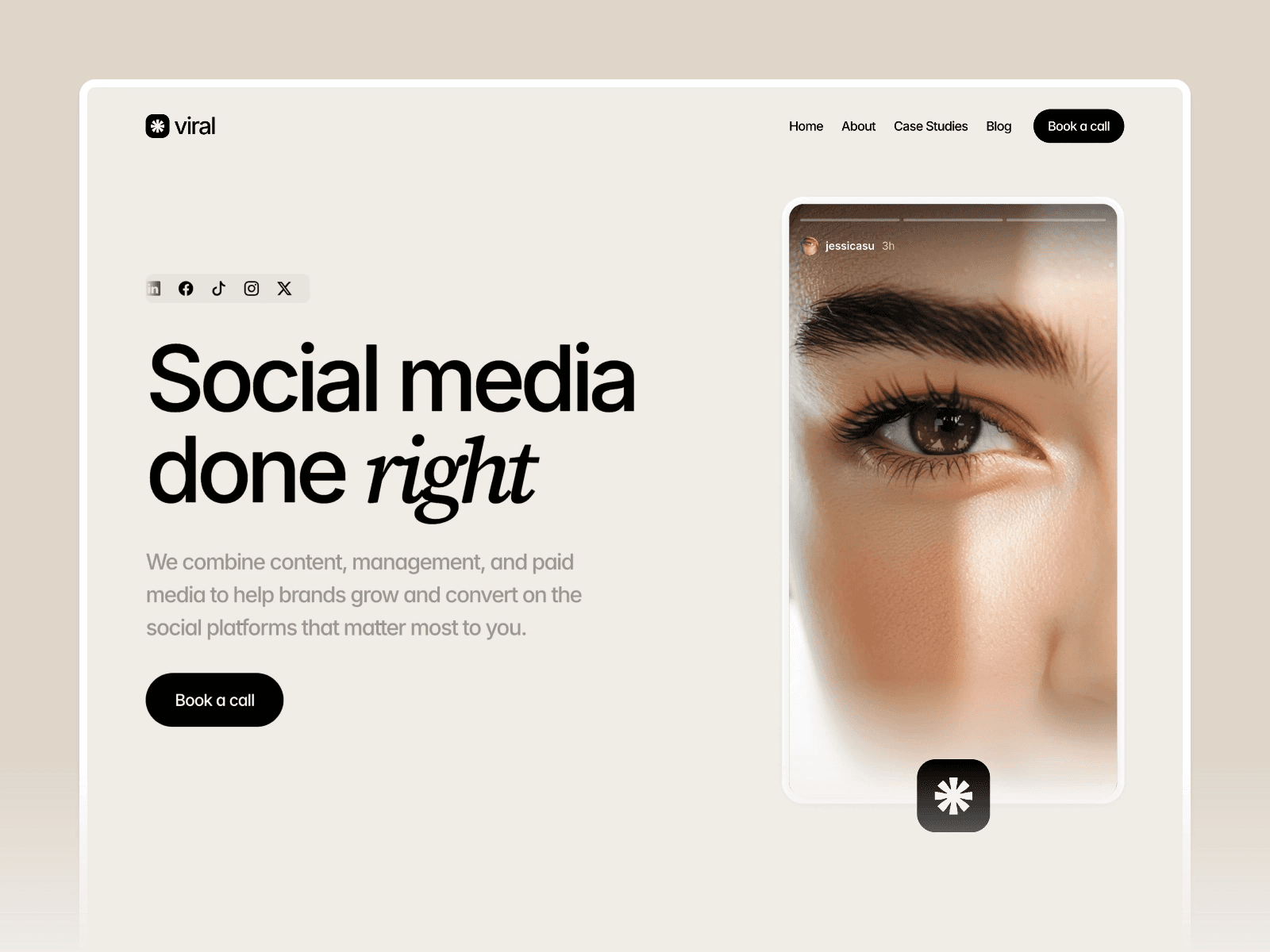
Responsive Design
Viral is built with a responsive design that ensures your website looks sharp and functions flawlessly on any device - whether it's a smartphone, tablet, or desktop.
CMS Integration
Easily manage updates for blog posts, portfolios, or product listings using Framer's user-friendly CMS. This is particularly useful for managing ecommerce Framer templates efficiently. It simplifies keeping your content fresh and organized.
SEO-Ready Structure
This template includes an SEO-friendly framework with semantic markup and structured data. These features help search engines understand your site better, potentially improving its visibility and search rankings.
No-Code Customization
Design your site without touching a single line of code. Adjust colors, fonts, and layouts effortlessly, giving you the freedom to create a polished and professional website.
Up next, explore the Claura Template for even more design possibilities.
7. Claura Template
The Claura Template stands out as a sleek option among Framer's website templates. It's perfect for professionals and businesses aiming for a refined online presence without dealing with complicated setups.
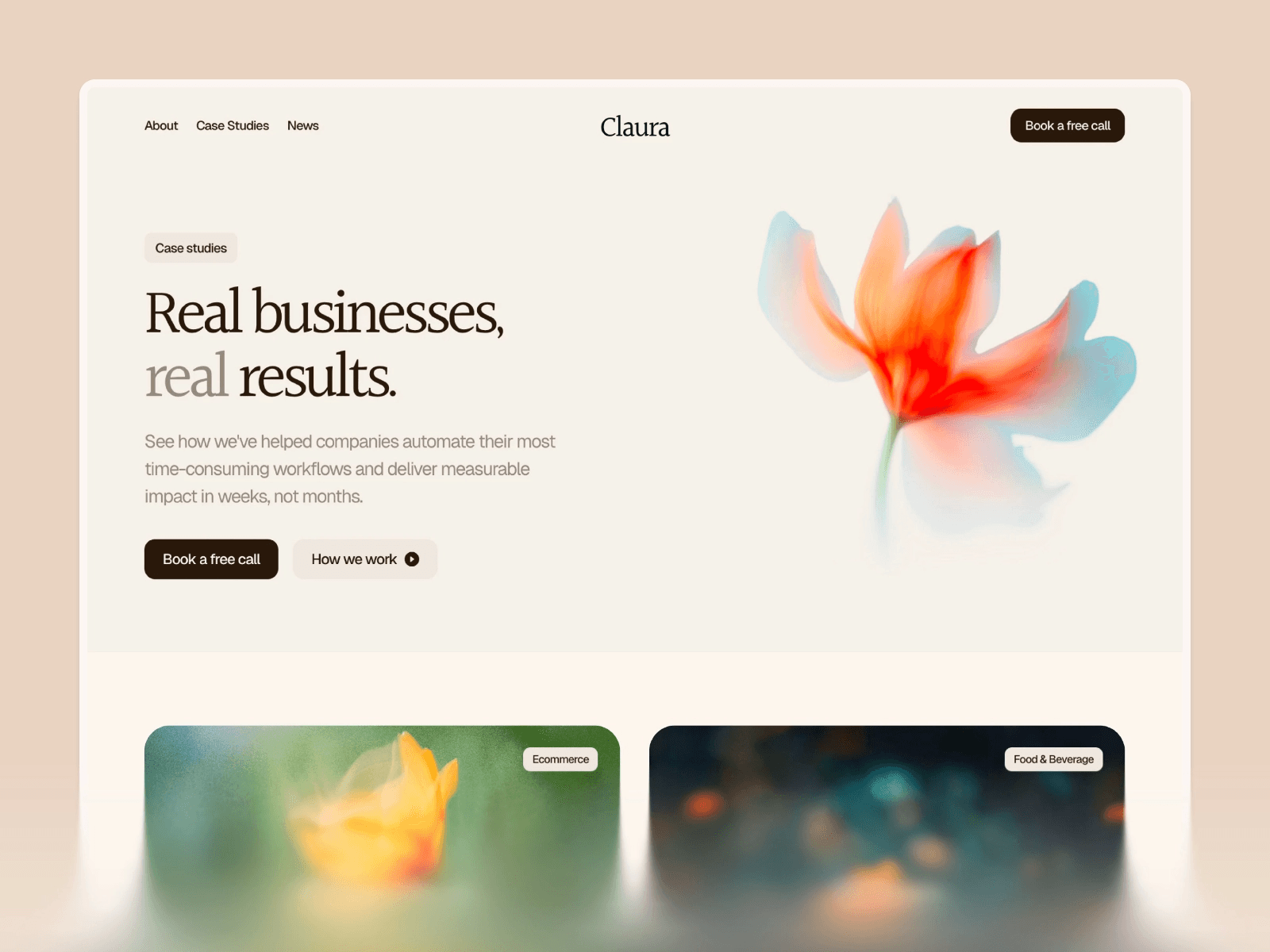
Responsive Design
Claura adjusts seamlessly to any screen size, whether it's a smartphone, tablet, or large desktop monitor. This ensures your website looks great and functions smoothly on all devices.
No-Code Customization
With Framer's drag-and-drop interface, Claura makes customization a breeze. You can tweak colors, typography, layouts, and other visual elements without needing to write a single line of code. The intuitive interface allows you to shape your website to match your vision quickly and easily.
SEO-Ready Structure
Claura is built with an SEO-friendly framework, helping search engines better understand and index your content. This feature can improve your site's visibility in search results, potentially attracting more organic traffic.
Next, take a look at the Porto Template.
8. Porto Template
The Porto Template stands out with its sleek, dark design, perfect for showcasing portfolios or agency websites. With 8 pre-designed pages - including Home, Work, Blog, Photography, and Contact - it provides everything you need to get started without spending a dime.
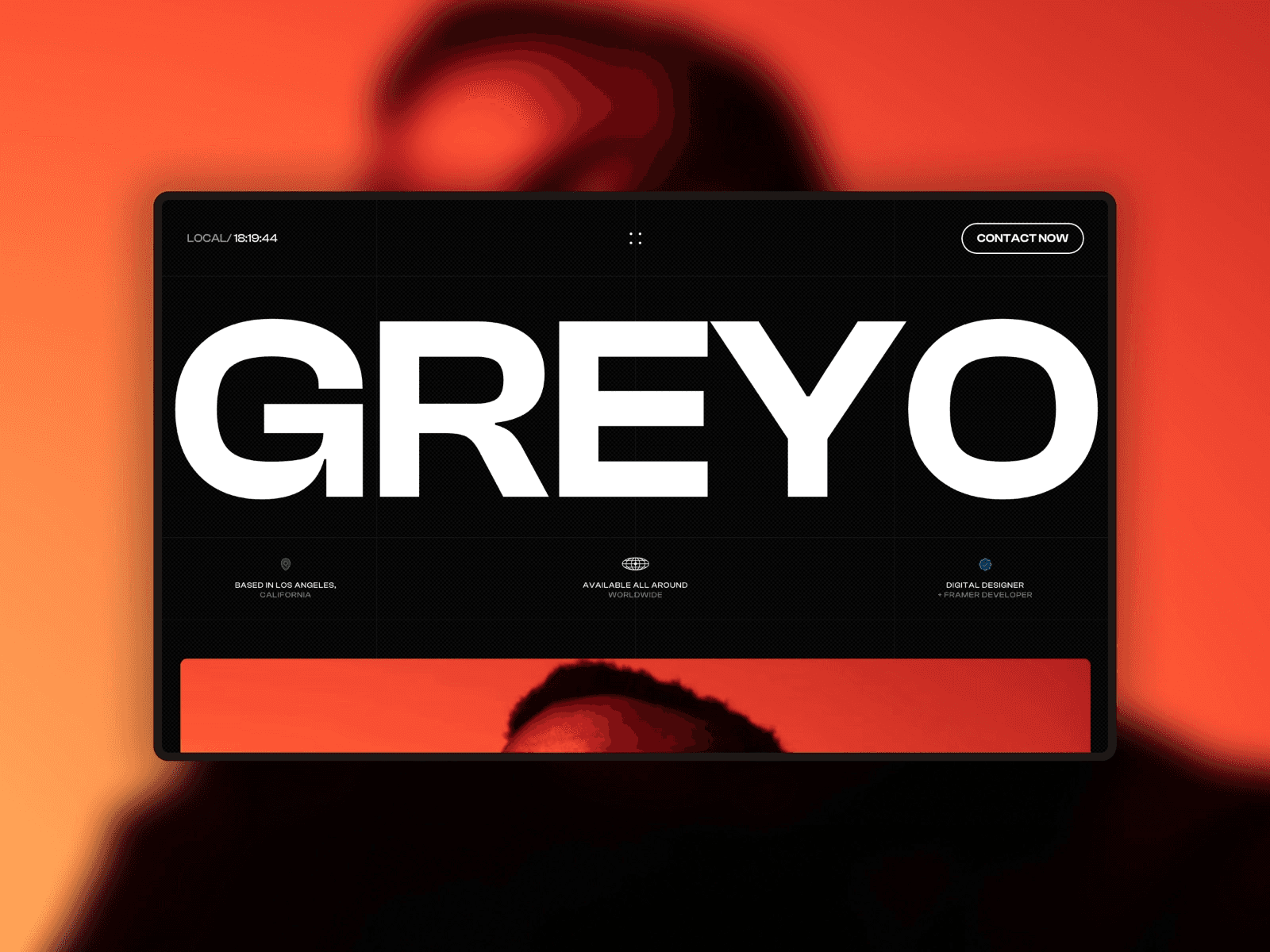
Responsive Design
Porto adapts effortlessly to any screen size, whether you're browsing on a phone, tablet, or desktop. Its dark aesthetic remains sharp and consistent across all devices, offering a polished user experience.
CMS Integration
Managing content is straightforward with Porto's built-in CMS. You can easily update blog posts, portfolios, and galleries - no coding skills required.
SEO-Ready Structure
Porto is built with structured data, making it easier for search engines to understand your content and improve your site's visibility.
No-Code Customization
With Framer's visual editor, you can tweak Porto's global styles to match your vision. Adjust colors, fonts, layouts, and even interactive elements like overlays and sticky scrolling - all without writing a single line of code.
Next, take a look at the Jorge Template.
9. Jorge Template
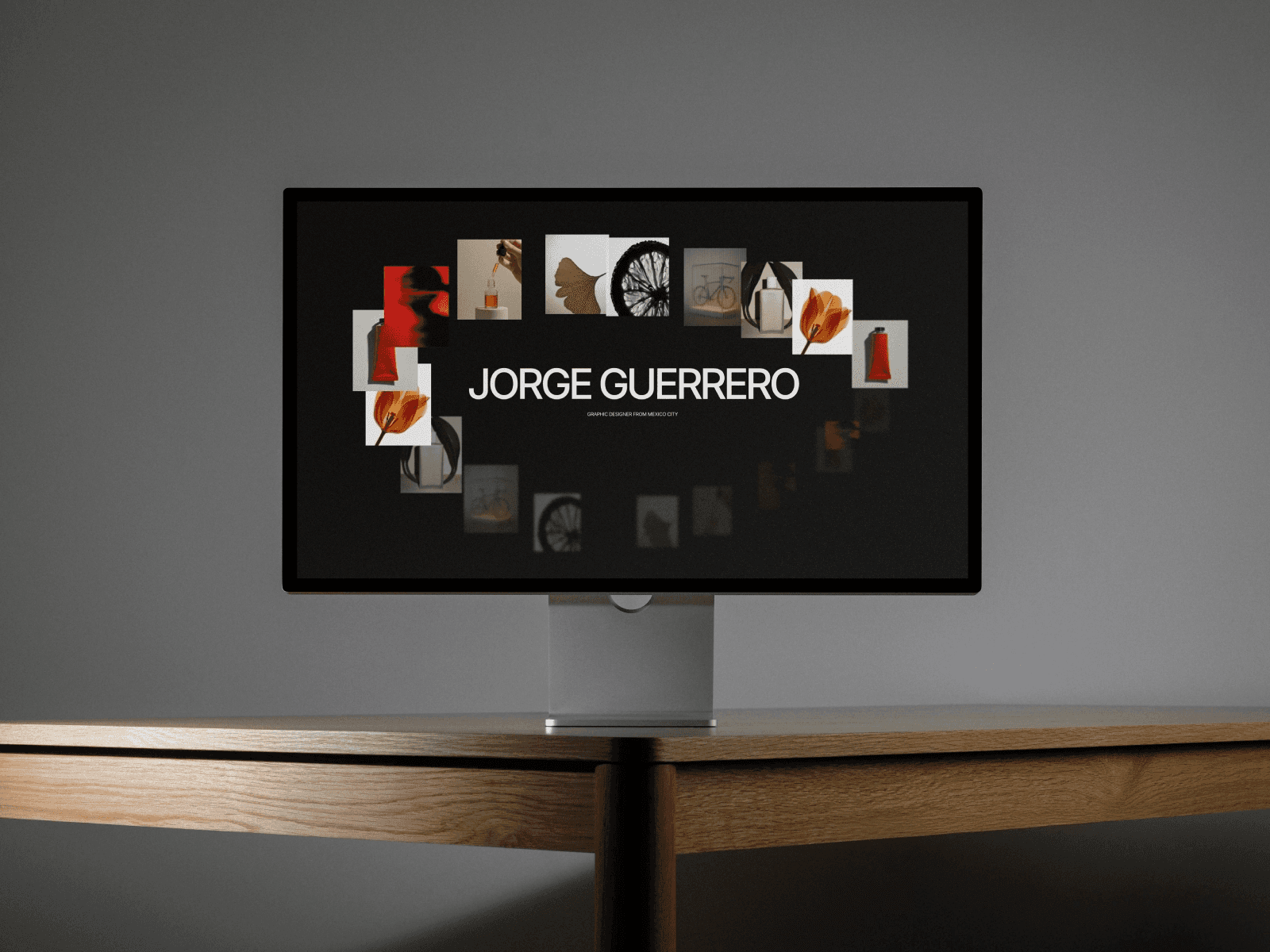
The Jorge Template is designed to deliver both high performance and simplicity. It features a responsive layout, an SEO-friendly framework, and easy customization - no coding skills needed - to help you create a polished, professional website.
Responsive Design
With Jorge, your website looks great on any device. Whether it's a smartphone, tablet, or desktop, the layout adjusts seamlessly to provide a consistent and user-friendly experience.
SEO-Ready Structure
Jorge is built with clean, efficient code that ensures fast loading times. This makes it easier for search engines to crawl and index your site, boosting its visibility.
No-Code Customization
Thanks to Framer's drag-and-drop visual editor, you can tweak everything from typography and color schemes to spacing and layout. It's all about making customization simple and intuitive.
Up next: explore the Lyniq Template, which offers a fresh take on showcasing portfolios.
10. Lyniq Template
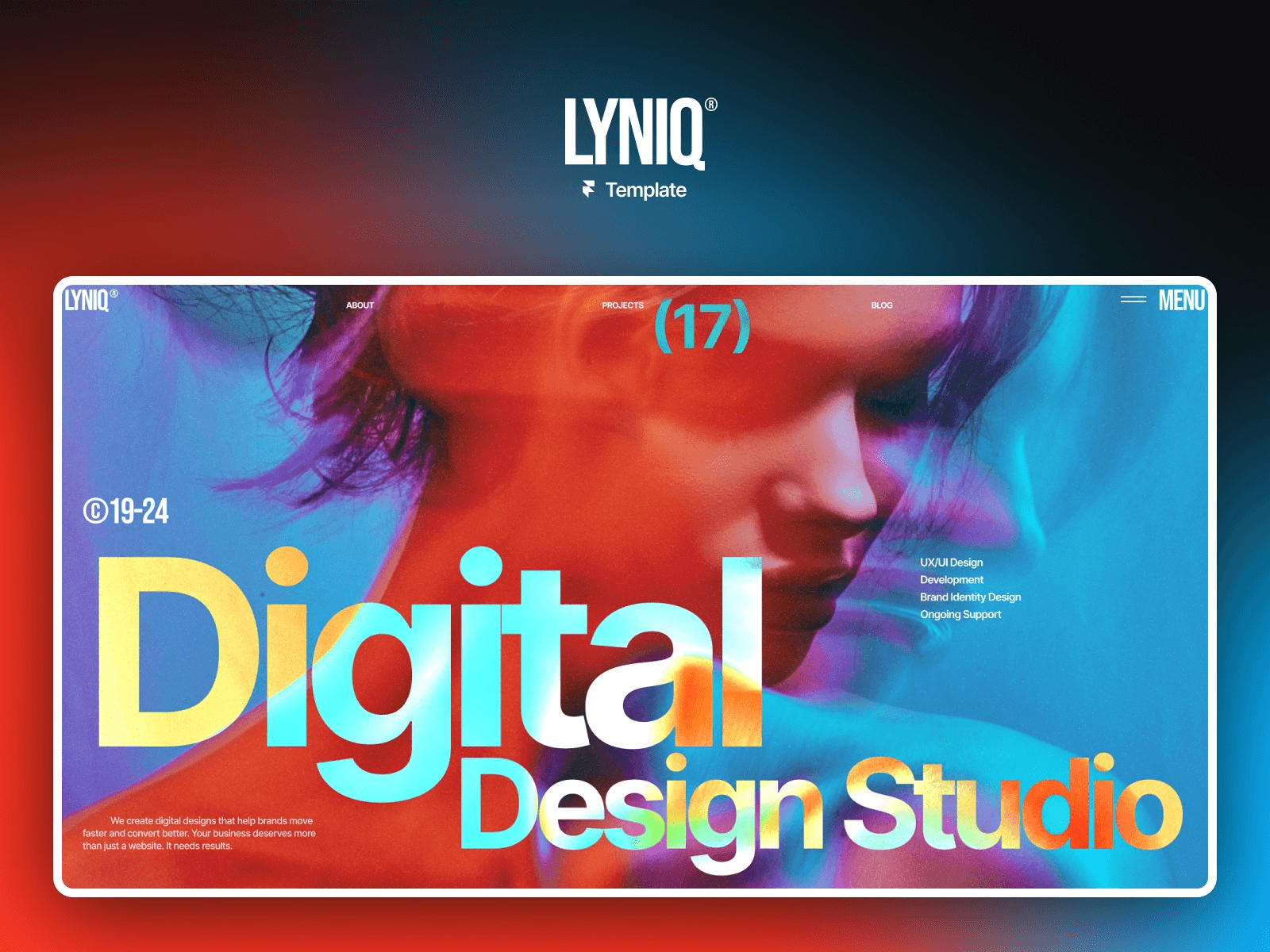
The Lyniq Template blends sleek design with practical tools, making it a great choice for professionals seeking premium website templates that are both stylish and efficient. It's tailored for those who need a site that not only looks polished but also performs seamlessly.
Responsive Design
Lyniq automatically adapts to any device - whether it's a smartphone, tablet, or desktop. This ensures your site looks sharp and functions smoothly, no matter how users access it.
CMS Integration
Updating your site is a breeze with Lyniq's built-in CMS. You can easily manage text, images, and other content without any technical hassle.
SEO-Ready Structure
With clean coding and SEO-friendly practices, Lyniq helps your site load quickly, rank higher on search engines, and deliver a better experience for visitors.
No-Code Customization
Using Framer's drag-and-drop editor, you can tweak colors, fonts, spacing, and layouts in real-time. This makes it easy to fine-tune your site until it matches your vision perfectly.
Next, check out the Viper Template, crafted for bold and high-impact websites.
11. Viper Template
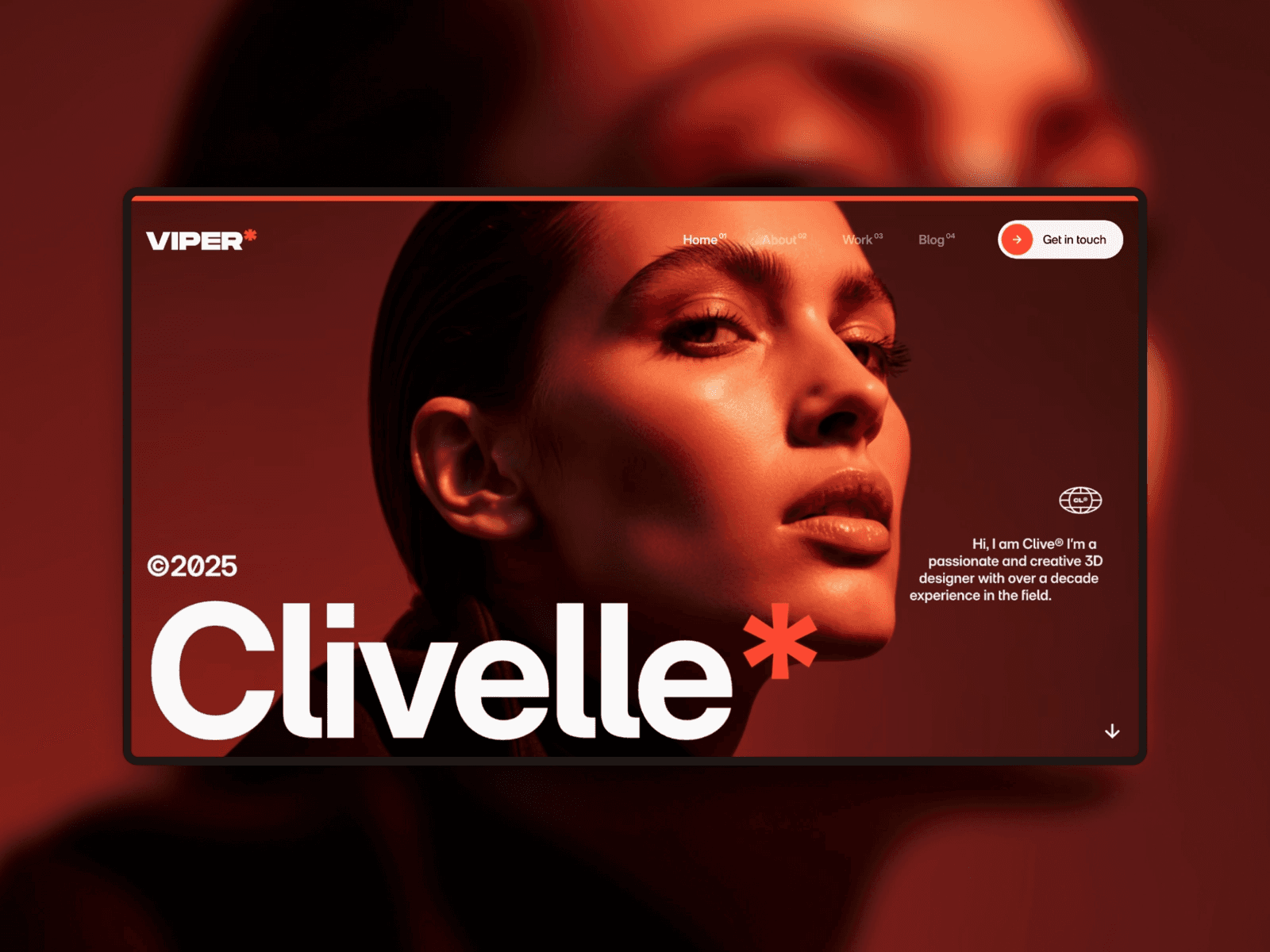
The Viper Template is perfect for creatives who want their work to shine. With its bold design and smooth motion effects, this template is specifically crafted to showcase creative projects. It’s part of a curated collection of standout website templates from the Framer Marketplace. Like the others in this selection, Viper blends striking visuals with high performance.
Responsive Design
Viper's layout adjusts seamlessly across all devices, ensuring your content looks stunning no matter the screen size. Features like sticky scrolling and smooth animations work effortlessly, keeping your projects front and center on any platform.
CMS Integration
Managing your portfolio or blog is simple with Viper's CMS. You can easily update, add, or remove content - no coding required.
SEO-Ready Structure
Viper is designed with built-in SEO tools and a WCAG-conscious structure, making it easier for your site to rank well on search engines while remaining accessible to all users. Plus, its clean, lightweight code ensures fast load times, which is a win for both visitors and search engines.
No-Code Customization
With Viper, you can tweak colors, fonts, and layouts using an intuitive visual editor. Adjust how your site looks across different devices with visual breakpoints, and preview changes instantly to ensure everything looks just right.
Up next is the Trifecta Template, a versatile option for business websites that need both flexibility and style.
12. Trifecta Template
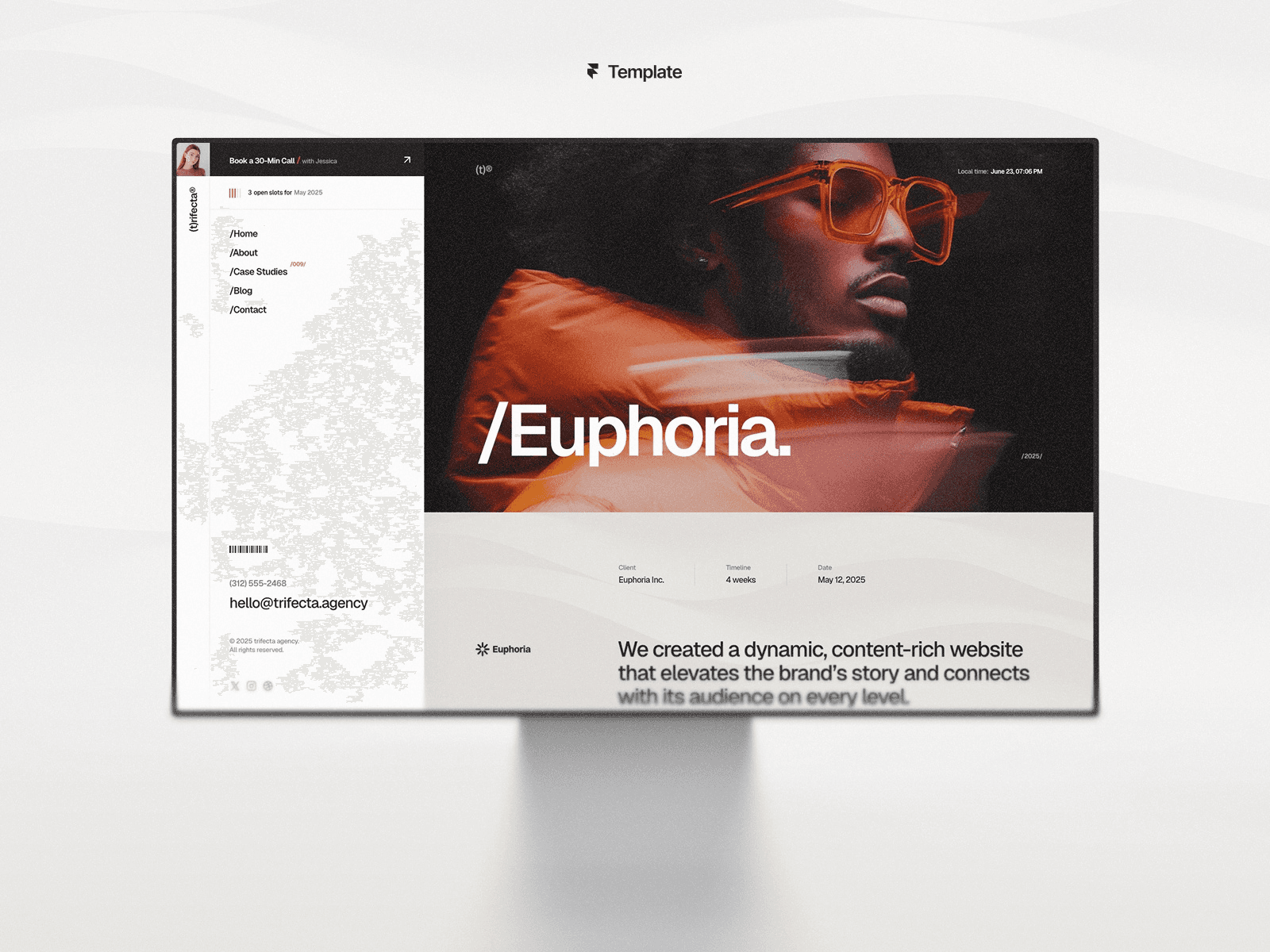
The Trifecta Template is a no-code website template you can find on the Framer Marketplace. It strikes a great balance between performance and flexibility, making it a solid choice for building modern websites. With responsive design, an SEO-friendly setup, and easy no-code customization, it covers the essentials.
Responsive Design
Trifecta adjusts seamlessly to different screen sizes, whether it's a desktop, tablet, or smartphone. Thanks to Framer's built-in optimizations, your site will perform smoothly and look consistent across all devices, ensuring your content remains easy to access and read.
SEO-Ready Structure
This template is designed with clean code and optimized performance, which means faster load times and better visibility on search engines.
No-Code Customization
One standout feature is its Global Style Variables, which let you tweak colors, fonts, spacing, and shadows for your entire site from one control panel. This makes it simple to keep your design cohesive and aligned with your brand. This efficient approach also sets the stage for the minimalist design philosophy seen in the Kanso Template, which comes next.
Up next is the Kanso Template, a minimalist design that proves sometimes less is more.
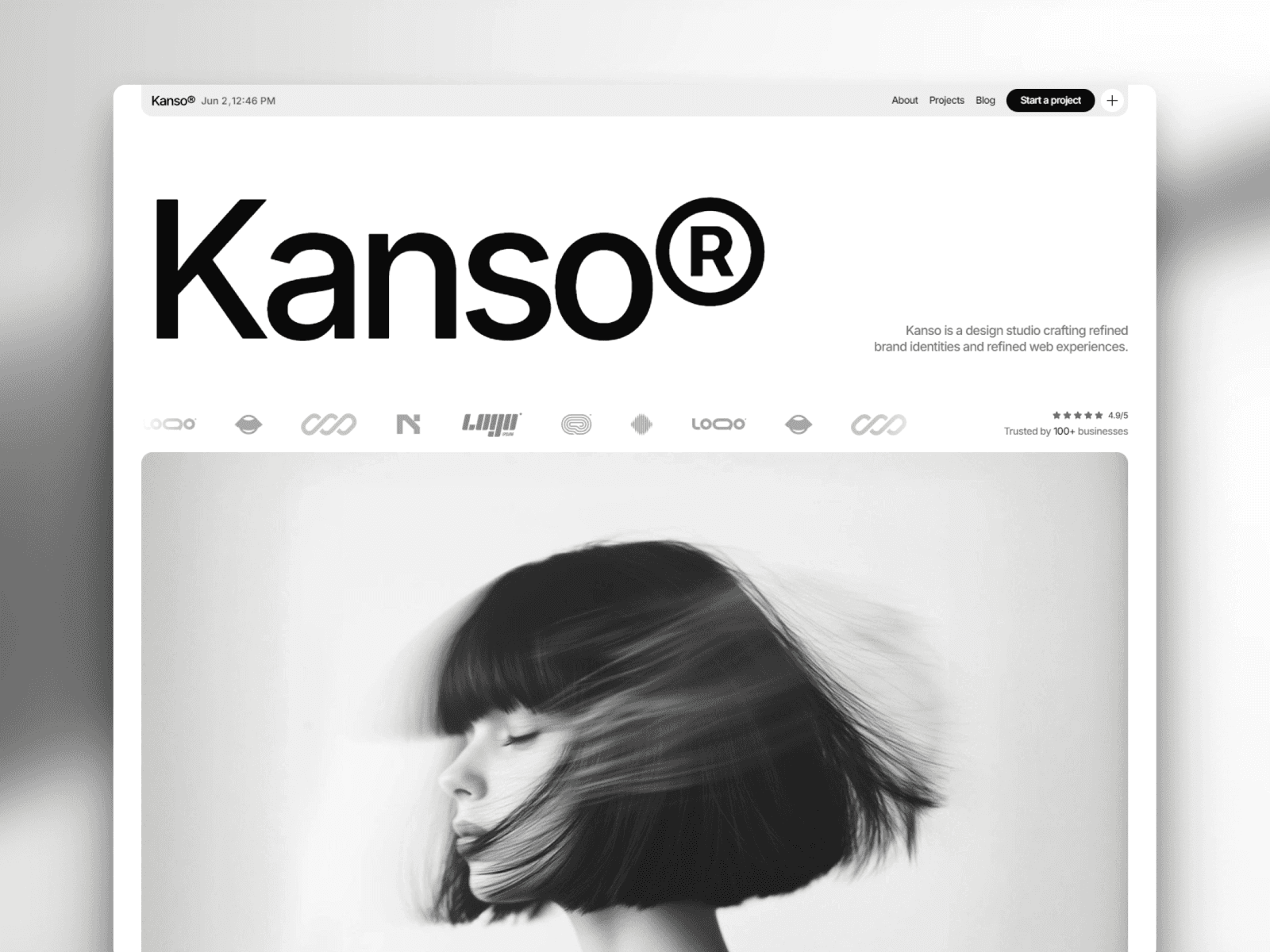
13. Kanso Template
The Kanso Template offers a clean, pixel-perfect design that works flawlessly on any device. It combines visual accuracy with strong technical performance, making it ideal for modern websites.
Responsive Design
Kanso ensures your site looks great on desktops, tablets, and smartphones. Its responsive layout keeps everything visually consistent while focusing on speed and usability.
SEO-Ready Structure
Built with a mobile-first approach and clean code, Kanso helps improve your site's visibility on search engines.
No-Code Customization
Designed for long-term compatibility, Kanso allows for easy customization without needing coding skills. Plus, it sets the stage for even more advanced flexibility in future templates.
Up next: Check out the Pearl Template for a sleek and creative design solution.
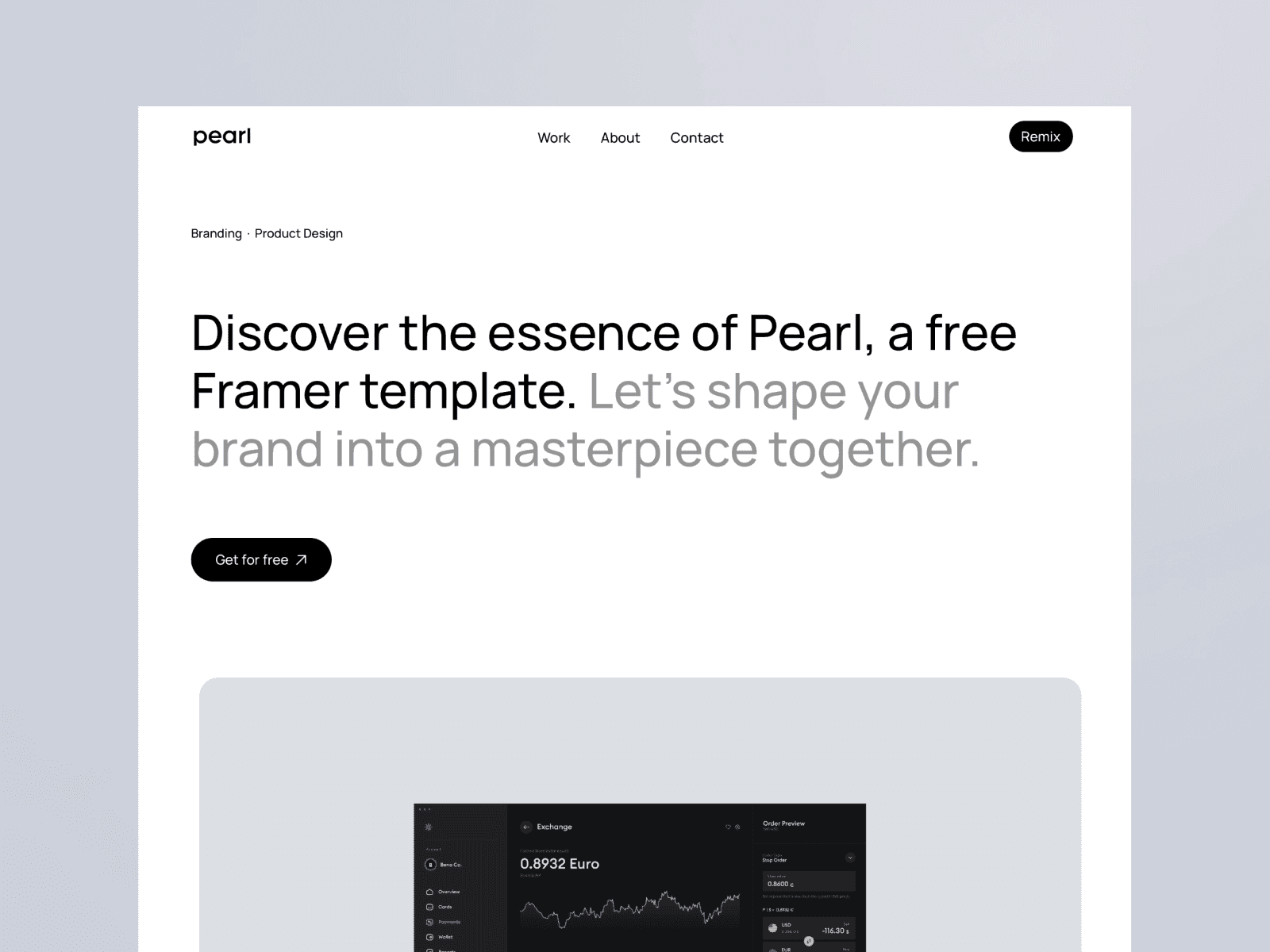
14. Pearl Template
Pearl is a free, professional-grade template created by Dawid Pietrasiak. It's perfect for startups, freelancers, and small businesses looking to launch quickly with a polished design.
Responsive Design
Pearl's design uses visual breakpoints to ensure your site looks great on desktops, tablets, and mobile devices. This responsiveness makes it easier to manage your content effectively across different platforms.
CMS Integration
Built on Framer, Pearl comes with an integrated Content Management System (CMS). This allows you to update and manage your site's content without needing to write any code.
"Framer templates generally include a content management system (CMS) to manage content across your site, reusable visual properties for your text such as font sizes and colors, breakpoints to help you create a mobile-responsive design, and visual effects such as scrolling and animation." - Marketer Milk Team
This CMS integration pairs well with Pearl's flexible design features.
No-Code Customization
Pearl offers no-code customization through an easy-to-use drag-and-drop interface. You can tweak colors, typography, and layouts without any technical skills, giving you creative control while keeping the template's structure intact.
Template Comparison Table
Here’s a quick overview of all our Framer templates, designed to help you find the right fit for your project. This table breaks down the essentials like price, target audience, and standout features.
Template | Price | Ideal For | Main Features |
|---|---|---|---|
Kanva | Premium | Creative agencies, design studios | Sleek layouts, portfolio showcases, CMS integration, mobile-friendly design |
Fabrica | Premium | Product-focused businesses, startups | Interactive e-commerce displays, optimized for mobile |
Palmer | Premium | Professional services, consultancies | Clean design, service sections, contact forms, SEO-friendly setup |
Effica | Premium | SaaS companies, tech startups | Pricing tables, testimonials, feature highlights, conversion-oriented |
Aperture | Premium | Photographers, visual artists | Full-screen visuals, image galleries, minimalistic portfolio grids |
Viral | Premium | Marketing agencies, social media brands | Bold designs, social proof elements, case studies, dynamic animations |
Claura | Premium | Fashion brands, lifestyle businesses | Stylish aesthetics, product catalogs, brand storytelling, visual emphasis |
Porto | Premium | Architects, interior designers | Professional project showcases, grid layouts |
Jorge | Premium | Personal brands, freelancers | About sections, service highlights, blog integration, contact tools |
Lyniq | Premium | Tech companies, digital products | Modern UI, product demos, feature sections, conversion-focused design |
Viper | Premium | Fitness brands, wellness businesses | High-energy visuals, class schedules, membership options |
Trifecta | Premium | Multi-service agencies, consultancies | Versatile layouts, team sections, case study templates |
Kanso | Premium | Minimalist brands, clean businesses | Simple, whitespace-focused design, typography-driven, distraction-free interface |
Pearl | Free | Startups, freelancers, small businesses | Drag-and-drop editor, CMS integration, responsive design breakpoints |
Among these, Pearl is the only free option, making it a great choice for beginners or those experimenting with Framer. While the premium templates cater to specific industries with more advanced features, Pearl offers a versatile starting point for various projects without any upfront cost.
When choosing a template, think about your budget, the nature of your business, and the design features you need. This comparison should help you zero in on the best match for your website.
Conclusion
Picking the right website template starts with knowing your audience and defining your goals. The 14 templates mentioned earlier cater to a variety of needs - whether you’re showcasing bold visuals for a portfolio, driving conversions for a startup or SaaS business, or opting for clean, minimalist designs perfect for freelancers or dynamic brands.
Beyond these options, the Framer Marketplace offers an extensive selection, featuring over 3,000 business templates, 1,700 creative designs, and more than 1,400 free templates. This means you can create a professional website without spending a fortune - Pearl even lets you get started completely free.
These templates simplify the process with responsive layouts, SEO-friendly code, and seamless CMS integration. Tasks that might take weeks with custom development can now be completed in just a few hours, turning what used to be a lengthy process into an efficient setup.
To get started, head to the Framer Marketplace, browse by category, and pick a template that aligns with your project’s needs. With these tools, you can quickly establish a polished, professional online presence.
For high-quality, no-code solutions with sleek, modern designs, check out Gola Templates. They’re built for agencies, startups, and creators who want to craft standout websites effortlessly.
FAQs
Which of these are the best website templates for my goal?
When choosing the best website templates, it all comes down to what you need. For clean, modern designs, options like Aerra (perfect for photography portfolios) or Nova App (ideal for showcasing apps) are excellent picks. If you're into dark-themed, stylish layouts, Jorge and Landio offer sleek, customizable designs. Opting for templates from curated lists ensures you'll get a responsive and SEO-friendly design that aligns with your goals.
What’s the difference between a free and premium template?
Free templates typically provide simple designs with minimal customization options. On the other hand, premium templates come packed with advanced features, more flexibility, and perks such as regular updates and dedicated customer support. If you're aiming for a polished and professional finish with enhanced functionality, premium templates are the way to go.
How hard is it to customize these templates without code?
These templates are built to be incredibly easy to customize, no coding skills needed. With user-friendly no-code tools and drag-and-drop interfaces, you can tweak layouts, change colors, and update content effortlessly. It’s a straightforward way for anyone to design a personalized website in no time.
Share article
$249
$3601
All Access
Save with our all access bundle - get access to all premium Framer templates.
38
+
Framer Templates
51
+