Feb 7, 2026

Pawel Gola
Framer & Webflow Expert
Your portfolio is your chance to make a strong first impression, and using pre-designed templates can save time while ensuring a professional look. Here are 14 portfolio templates, each offering features like mobile-friendly designs, no-code customization, and SEO tools to help you stand out. Whether you’re freelancing or job hunting, these templates can showcase your skills effectively.
Highlights:
Free Options: Norden, Arik, and Sawad offer polished designs at no cost.
Advanced Features: Dashfolio includes CMS support, dark mode, and Figma files.
Customization: All templates support drag-and-drop editing, making them easy to personalize.
SEO Tools: Built-in features like clean URLs and meta tags improve visibility online.
Quick Comparison:
Template | Price | CMS Support | Dark Mode | Key Features |
|---|---|---|---|---|
Norden | Free | No | Yes | Nordic design, responsive layout |
Arik | Free | No | Yes | Bold visuals, modular grid |
Dashfolio | Free | Yes | Yes | Dashboard style, CMS, dark mode |
Tywin | $49 | Yes | – | Simple design, responsive |
Fermo | Free | Yes | Yes | Modern layout, mobile-friendly |
Aster | Free | Yes | Yes | Accessibility focus |
Sawad | Free | Yes | Yes | Professional design, responsive |
Circuit | $59 | Yes | – | Tech-forward style |
Brooks | $43 | Yes | – | Polished, modular design |
Showoff | Free | Yes | Yes | Sleek, bold presentation |
Aiden | Free | Yes | – | Modern, easy customization |
Bluren | $44 | Yes | – | Fast performance, responsive |
Lofi | $99 | Yes | – | Retro-futuristic visuals |
Elitefolio | Free | Yes | Yes | Professional, CMS integration |
These templates simplify the process of creating a portfolio, so you can focus on showcasing your work. Look for features like mobile optimization, SEO tools, and CMS integration to ensure your portfolio performs well and leaves a lasting impression.
6 Portfolio Templates for Webflow & Framer (Free & Paid)
1. Norden
Norden brings a touch of Nordic minimalism to your portfolio. With its Scandinavian-inspired design, it combines neutral tones, generous white space, and a polished layout to highlight your work. Plus, it’s completely free, making it a great choice whether you’re building your first portfolio or looking for a fresh, clean update.
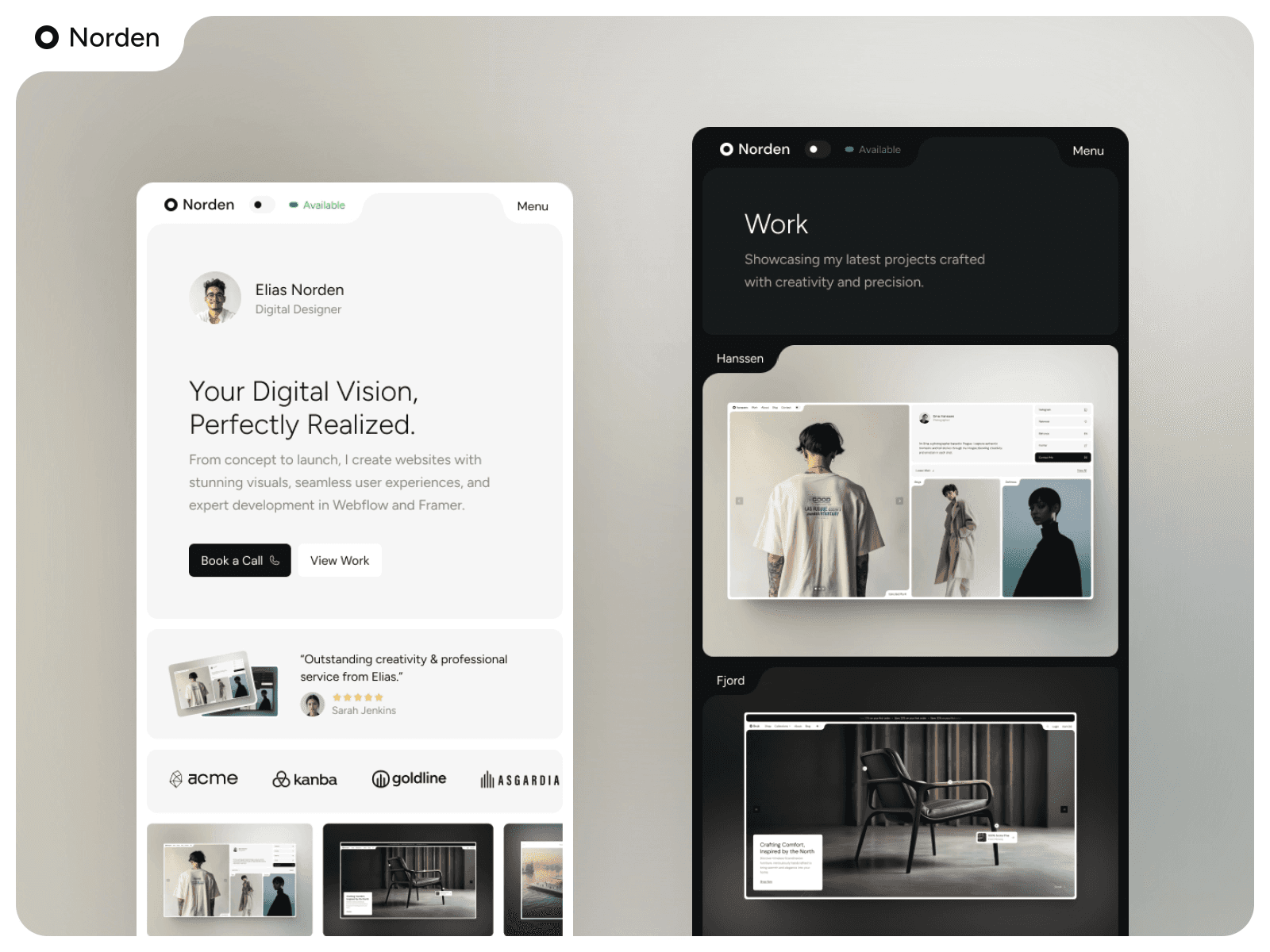
Here’s what Norden offers:
Responsiveness
This template is designed to be fully responsive, ensuring your portfolio looks great on any device. Its mobile-first approach guarantees that your projects shine, even on smaller screens.
CMS Integration
Norden works seamlessly with Framer CMS, making updates a breeze - no coding required. You can easily add new case studies, swap images, or tweak descriptions through a user-friendly interface. This feature is perfect for keeping your portfolio up-to-date without hassle.
Customization Options
While Norden’s minimalist design is its hallmark, it’s also highly adaptable. You can tweak colors, adjust spacing, and rearrange layouts using Framer’s drag-and-drop editor. Its simplicity means fewer complications during customization, so you can personalize your portfolio without worrying about disrupting the design.
SEO Features
Norden is built with SEO in mind. Clean URLs and meta tag support help search engines index your portfolio effectively, increasing your visibility to recruiters searching for developers with your skills. The clean code also ensures faster loading times, which can boost your rankings in search results.
2. Arik
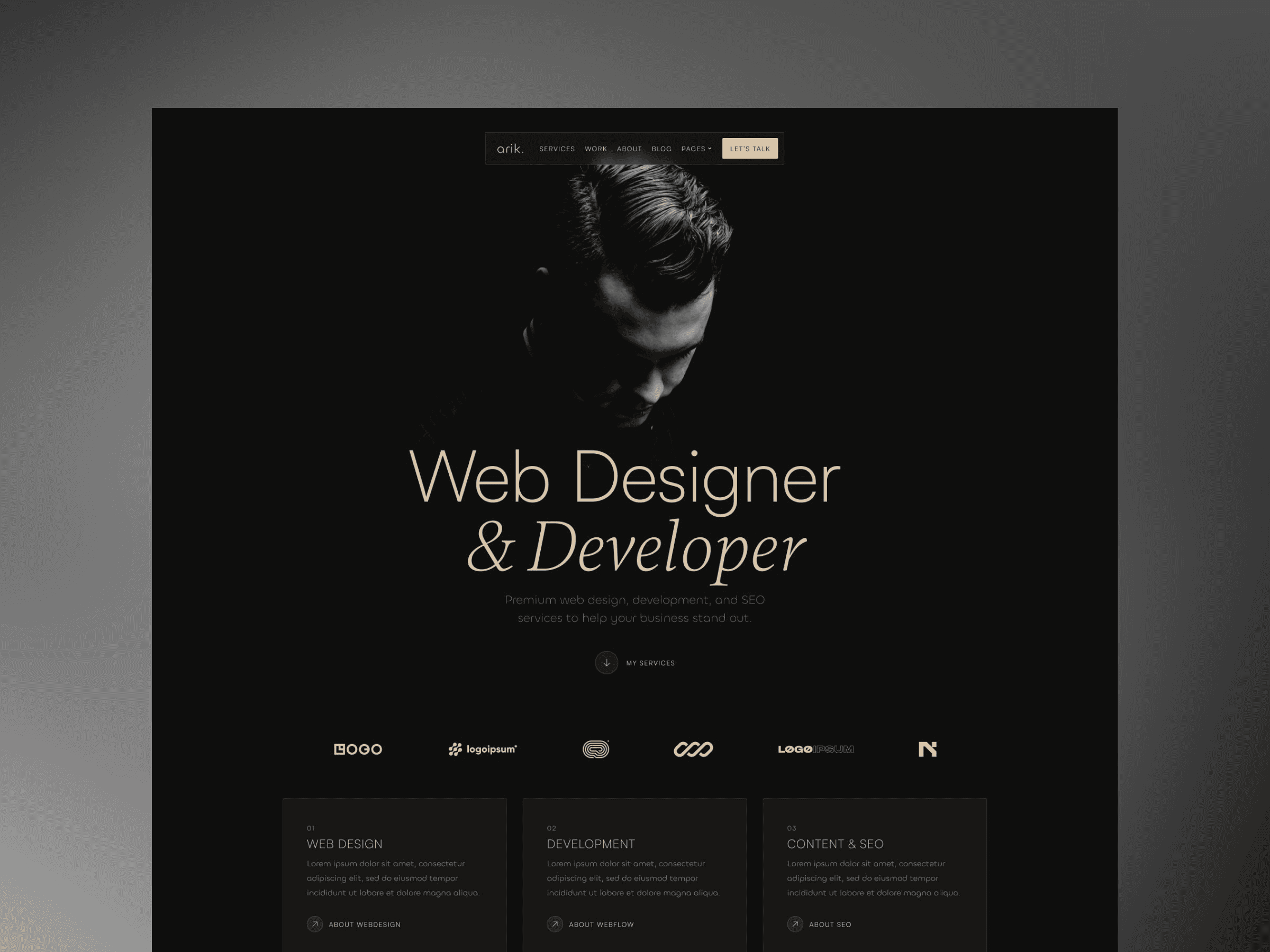
Arik grabs attention with bold typography and striking visuals, making it easy to showcase your projects. This free template features a modular grid system, giving you the freedom to arrange content the way you want. Large images paired with hover effects ensure visitors stay engaged. Let’s dive into its standout features.
Responsiveness
Arik is built with a mobile-first, responsive design, ensuring your portfolio looks great on any device - whether it’s a desktop, tablet, or smartphone. Layouts and image sizes adjust automatically, delivering a polished and user-friendly experience everywhere.
CMS Integration
With Framer CMS, managing your portfolio is a breeze. You can update projects, tweak descriptions, or swap out images through an intuitive interface - no coding required. The template’s component-based layout makes updates quick and efficient.
Customization Options
Arik provides drag-and-drop editing along with options to tweak fonts and colors. You can easily tailor your portfolio to reflect your personal brand. Its modular design lets you rearrange sections, fine-tune spacing, and adjust the visual flow to make your best work stand out.
SEO Features
Arik is designed with an SEO-friendly structure to help your portfolio rank higher in search results. It includes editable meta tags, clean URLs, and alt text options for images. Fast loading speeds also improve your visibility and ensure visitors stick around to explore your work instead of leaving prematurely.
3. Dashfolio
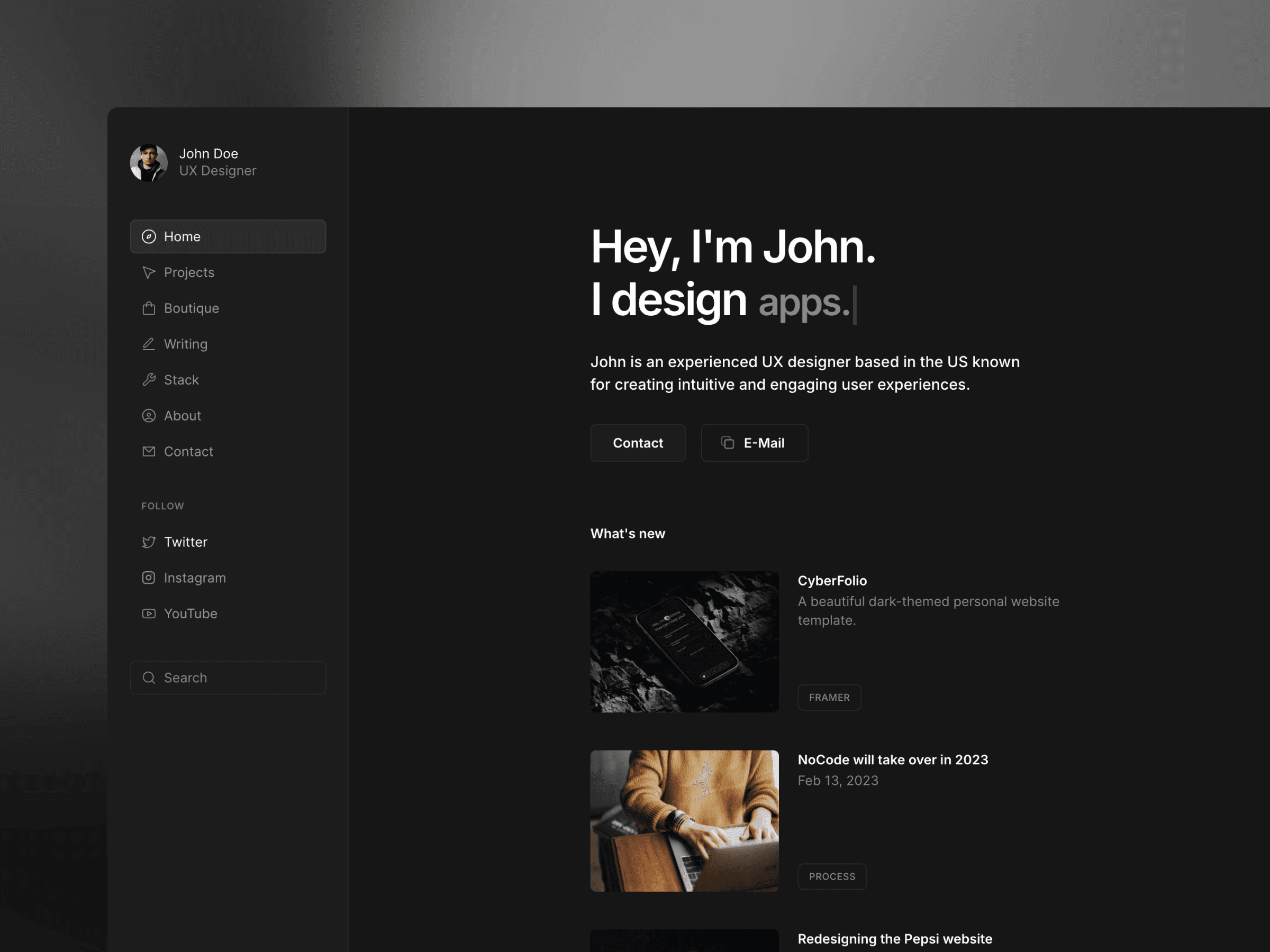
Dashfolio combines a sleek dashboard design with powerful features, making it an ideal choice for developers looking to present their technical skills with a polished, professional look. Its user-friendly, no-code interface allows you to tweak layouts, colors, and content effortlessly to reflect your brand. Here's what it has to offer:
Responsiveness
Dashfolio is designed to be fully responsive, featuring a collapsible sidebar and mobile-friendly navigation. This ensures a clean and functional user experience across all device sizes, from desktops to smartphones.
CMS Integration
Easily manage your content with Dashfolio's CMS. Organize project case studies, technical blog posts, service details, product showcases, FAQs, tech stacks, and tool feeds. Use "stacks" or "case studies" to display your technical expertise in an organized and impactful way.
Customization Options
Dashfolio offers a range of customization options to suit your style. Pick from light, dark, or themed modes to create the right look. You can also adjust keyboard shortcuts, enable or disable features like the news feed and search, and fine-tune the overall appearance to align with your brand.
SEO Features
The built-in search functionality not only enhances navigation but also supports SEO efforts by improving user engagement. For even more features, Dashfolio Plus ($199.00) includes membership capabilities and extended CMS integration.
4. Tywin
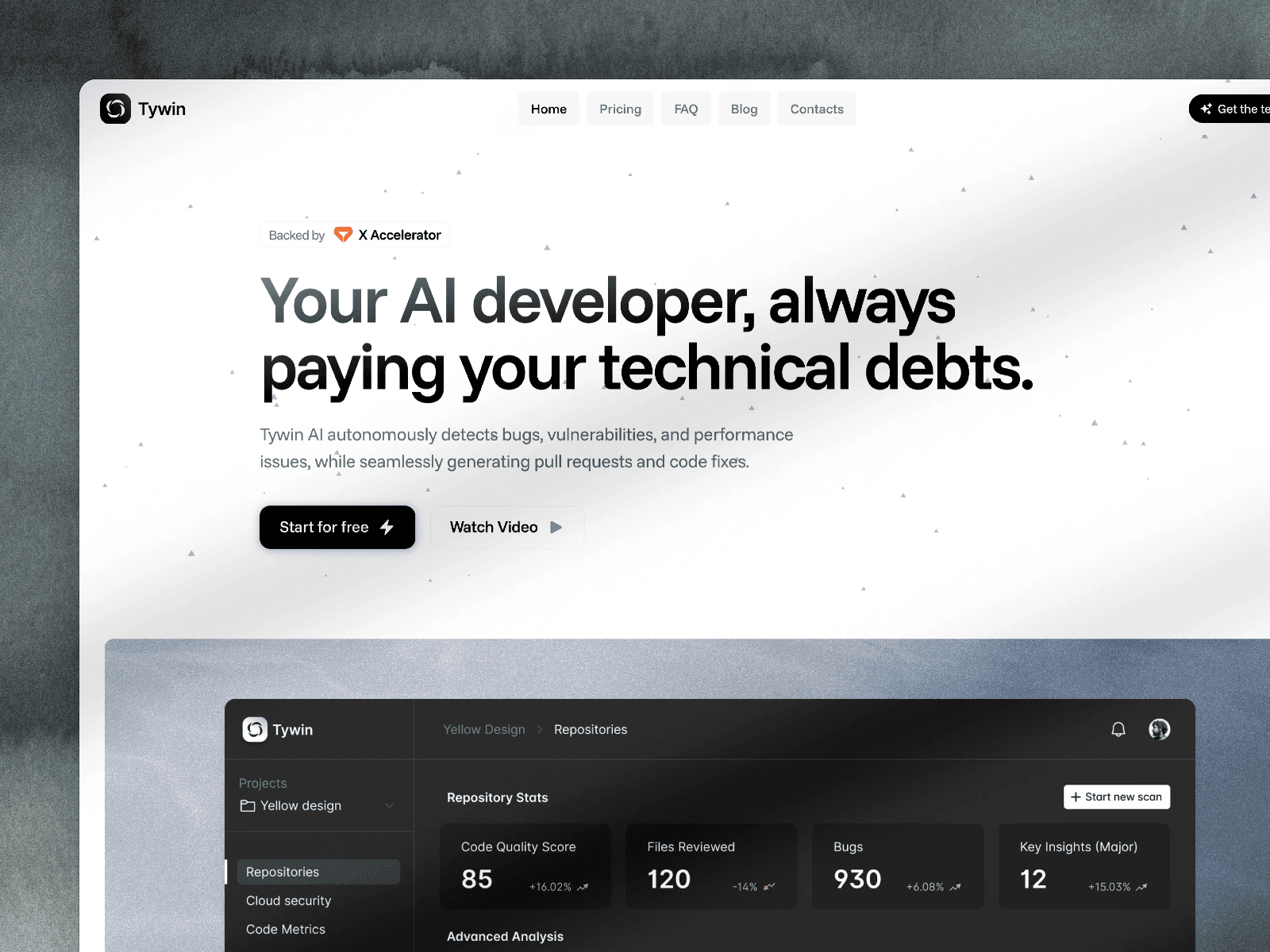
Tywin is a portfolio template designed for web developers, combining straightforward design with powerful features.
Responsiveness
Tywin ensures a responsive layout, featuring interactive elements and smooth navigation tailored for smaller screens. This adaptability makes it easy to tweak and personalize.
Customization Options
Built with modular UI components and grid systems, Tywin allows you to reorganize sections or introduce new elements as your portfolio grows and changes.
SEO Features
With its fast loading speeds and strong performance, Tywin aligns well with search engine optimization standards, helping your portfolio stand out.
5. Fermo
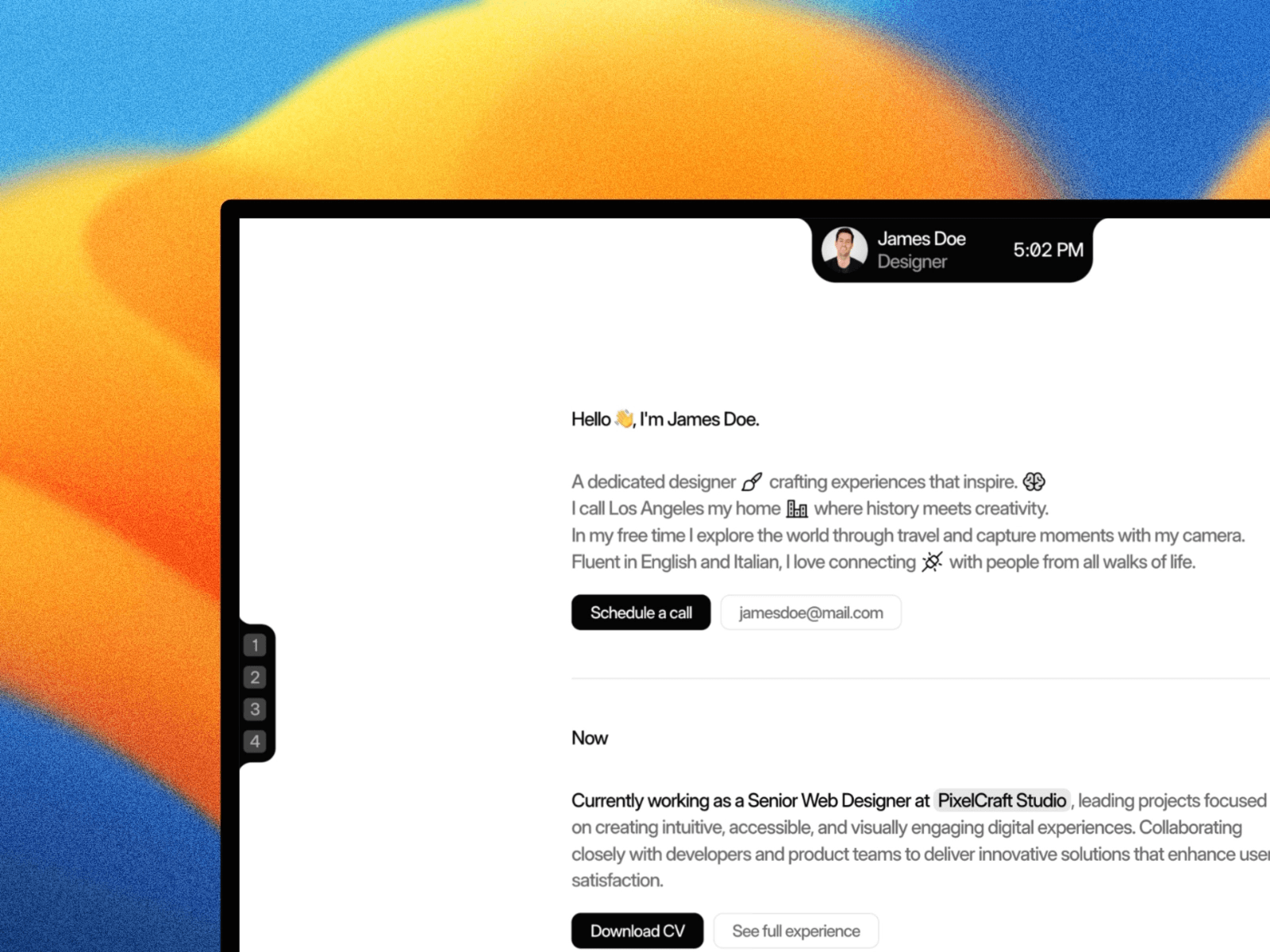
Fermo combines sleek, modern design with practical features, making it a solid choice for developers looking to showcase their work.
Responsiveness
With its mobile-first design, Fermo ensures your portfolio looks polished and professional on any device, from smartphones to desktops.
Customization Options
Fermo comes with comprehensive style guides, allowing you to tweak colors, typography, and spacing to align perfectly with your personal or professional brand.
SEO Features
Optimized for speed, Fermo ensures fast loading times, which can help improve your site's visibility in search engine rankings.
6. Aster
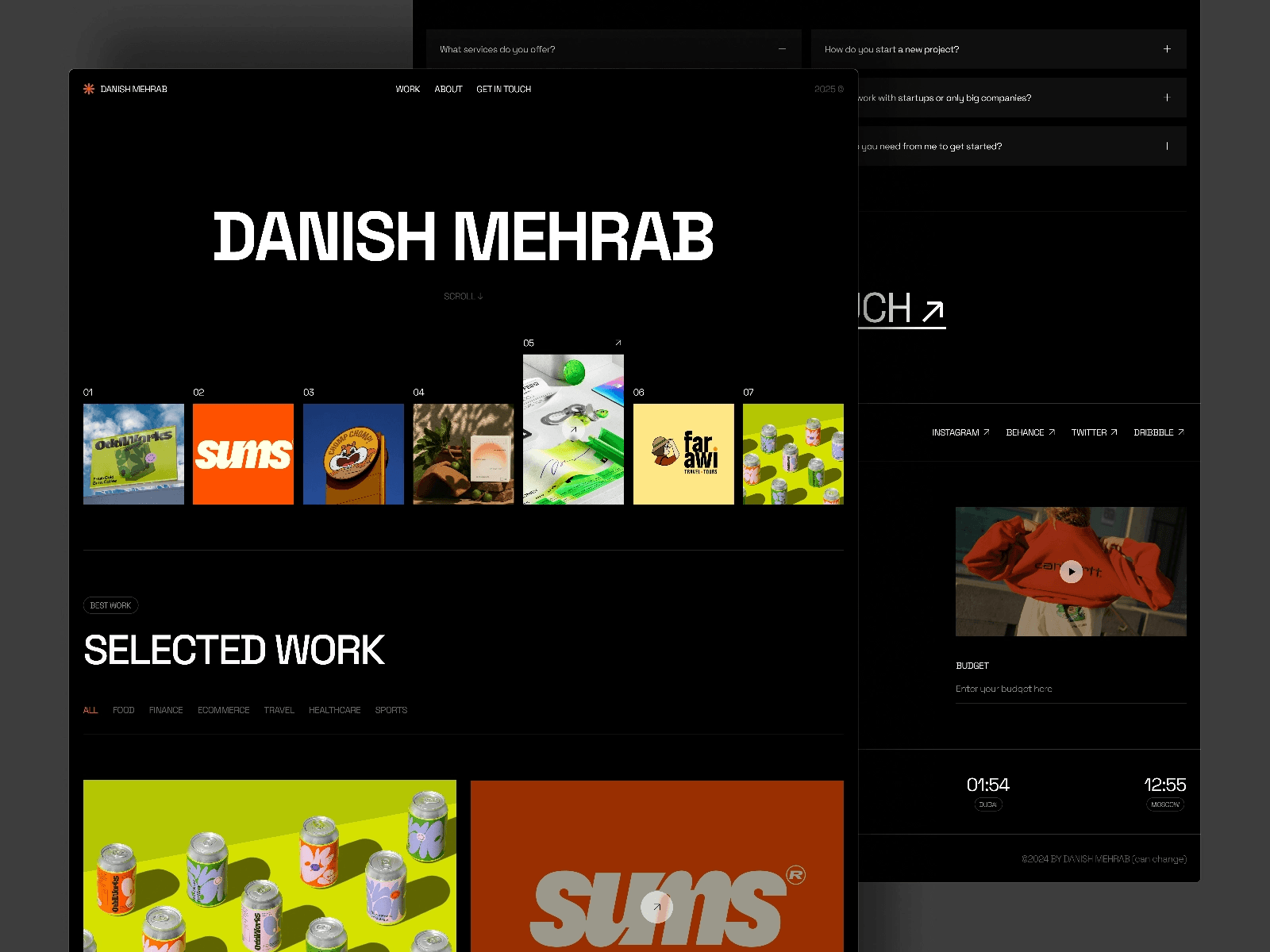
Aster combines a sleek, professional look with a focus on accessibility and modern design. It strikes a balance between style and functionality, ensuring your portfolio stands out.
Responsiveness
This template is built with mobile optimization in mind, delivering a smooth experience across all devices. Whether viewed on a smartphone or desktop, the text stays easy to read, and navigation remains straightforward. The robust technical setup also contributes to better search engine performance.
SEO Features
Aster incorporates semantic HTML and carefully optimized typography to enhance your site's quality for search engines. These features help boost your portfolio's ranking and make it more visible online.
7. Sawad
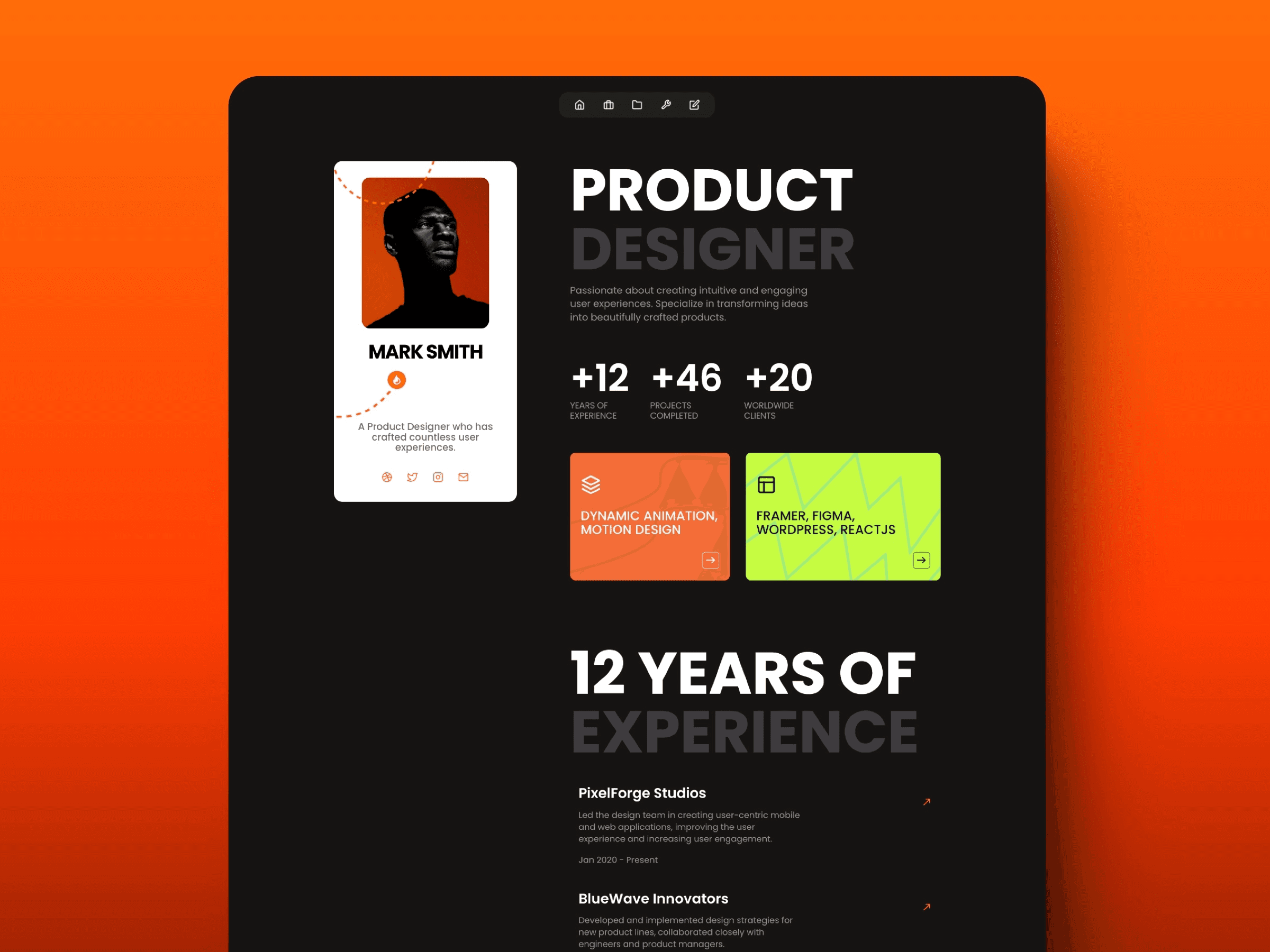
Sawad is a free portfolio template available on the Framer platform. It’s designed for web developers who want to showcase their work with a visually engaging, professional presentation. Whether you’re building a personal website or a portfolio, Sawad offers the flexibility to suit your needs.
Responsive Design
Built as a Framer Marketplace template, Sawad ensures your site looks great on any device. Its responsive HTML design adjusts seamlessly to smartphones, tablets, and desktops, maintaining a polished appearance across the board.
Easy Customization
Sawad works within Framer's no-code environment, making it easy to tailor the template to your style. With its drag-and-drop interface, you can tweak colors, typography, layouts, and content effortlessly - no coding skills required. This lets you create a portfolio that reflects your personal brand while ensuring smooth performance.
Built-In SEO Support
The template leverages Framer's SEO-friendly structure and fast loading speeds to improve your site's visibility in search engines. Its clean coding and quick performance give your portfolio a better chance of ranking higher in search results.
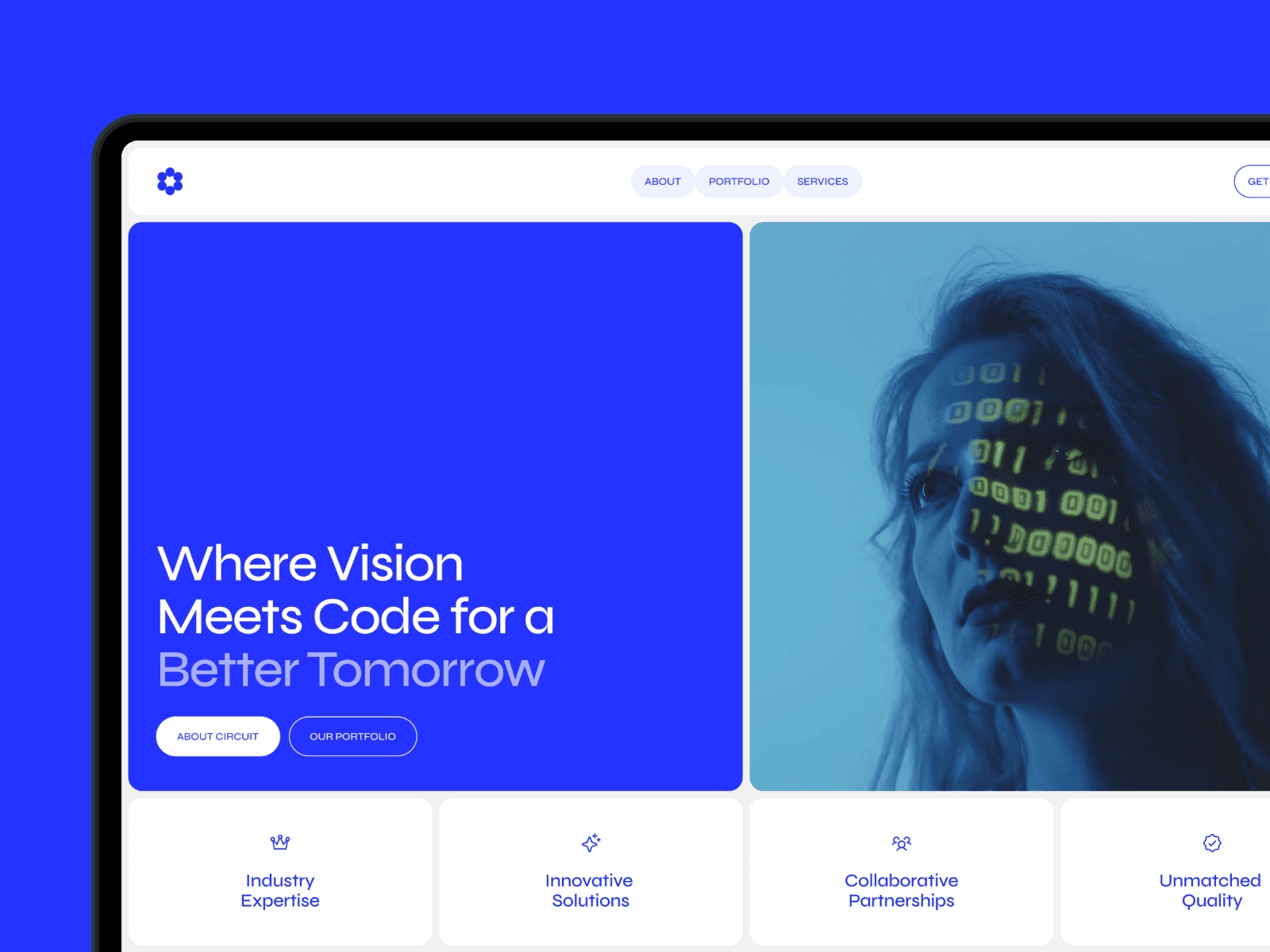
8. Circuit
Circuit is a template available on the Framer Marketplace, designed to bring a sleek, tech-forward style to portfolios that highlight coding skills and projects. It’s part of a lineup of templates aimed at simplifying portfolio creation while ensuring a polished and functional design.
Responsiveness
Circuit prioritizes both usability and performance, adapting seamlessly to any screen size. Whether someone is browsing on a large desktop monitor or a smartphone, the template maintains its clean, professional appearance and functionality. This responsive design ensures your portfolio looks sharp across all devices.
Customization Options
With Framer's intuitive drag-and-drop interface, Circuit allows you to fully personalize your portfolio. Change colors, tweak layouts, and update content to align with your personal brand. Its modular setup also makes it easy to add or remove components, giving you the flexibility to craft a portfolio that fits your style perfectly.
SEO Features
Circuit is built with SEO in mind, offering features like structured headings, clean URLs, and semantic HTML. You can adjust meta tags for individual pages and take advantage of fast load speeds to improve search engine rankings. This ensures your portfolio not only looks great but also performs well online.
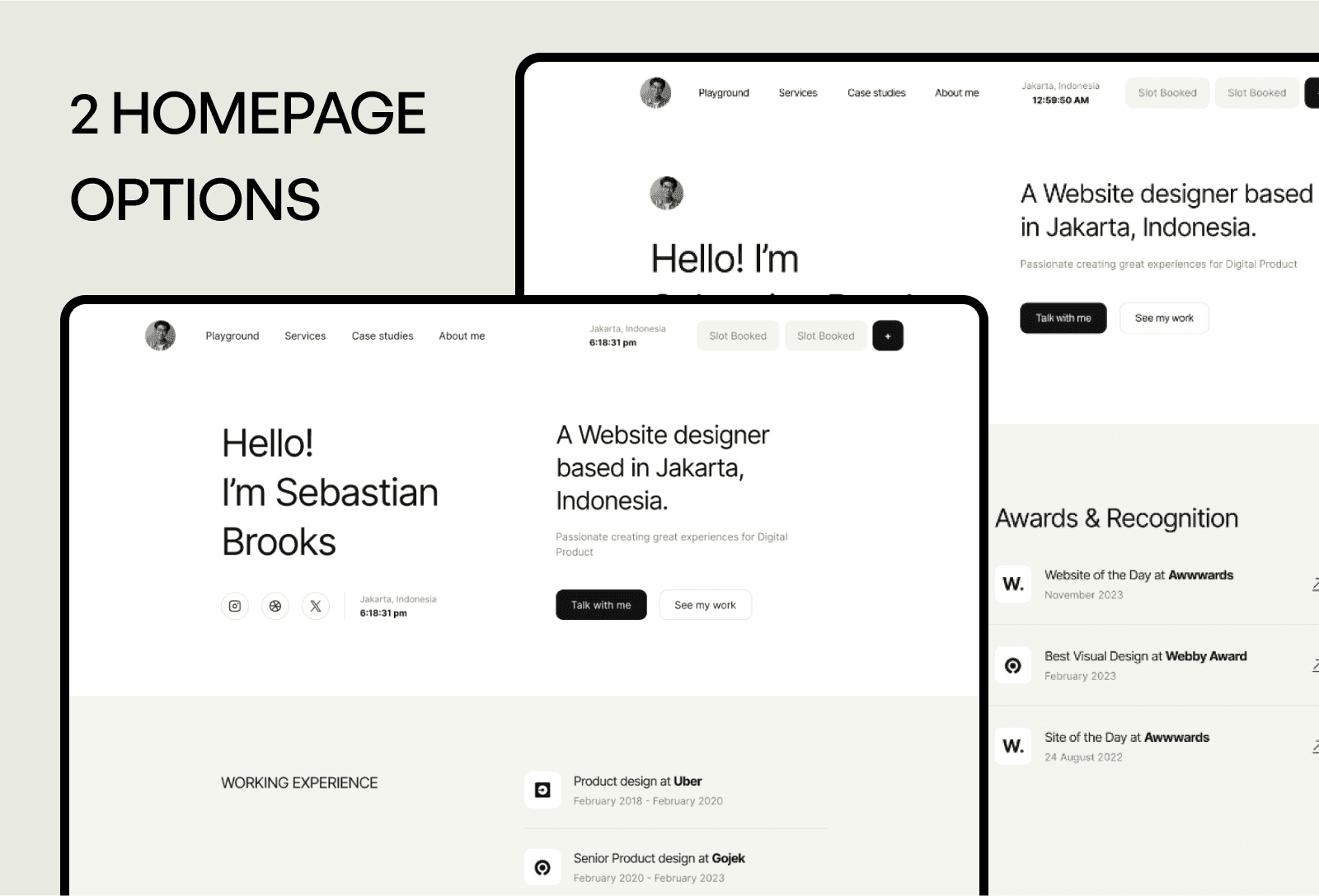
9. Brooks - Website Designer and Developer Portfolio
Brooks is a web developer portfolio template available on the Framer Marketplace, designed to showcase your work with a polished, professional touch. It strikes a balance between aesthetics and functionality, making it easier for you to stand out.
Brooks doesn't just look good - it performs well in key areas too.
Responsiveness
Every detail, from visuals to navigation and text, is optimized to look sharp and function smoothly across all devices.
Customization Options
With Framer's drag-and-drop system, tweaking the template to match your brand is a breeze. You can easily adjust colors, typography, and layouts, or even add and remove sections thanks to its modular design.
SEO Features
Brooks comes equipped with essential SEO tools, including structured headings, clean URLs, and editable meta tags, helping you improve your online presence.
10. Showoff
The next template in the spotlight is Showoff, a portfolio design that exudes confidence and style.
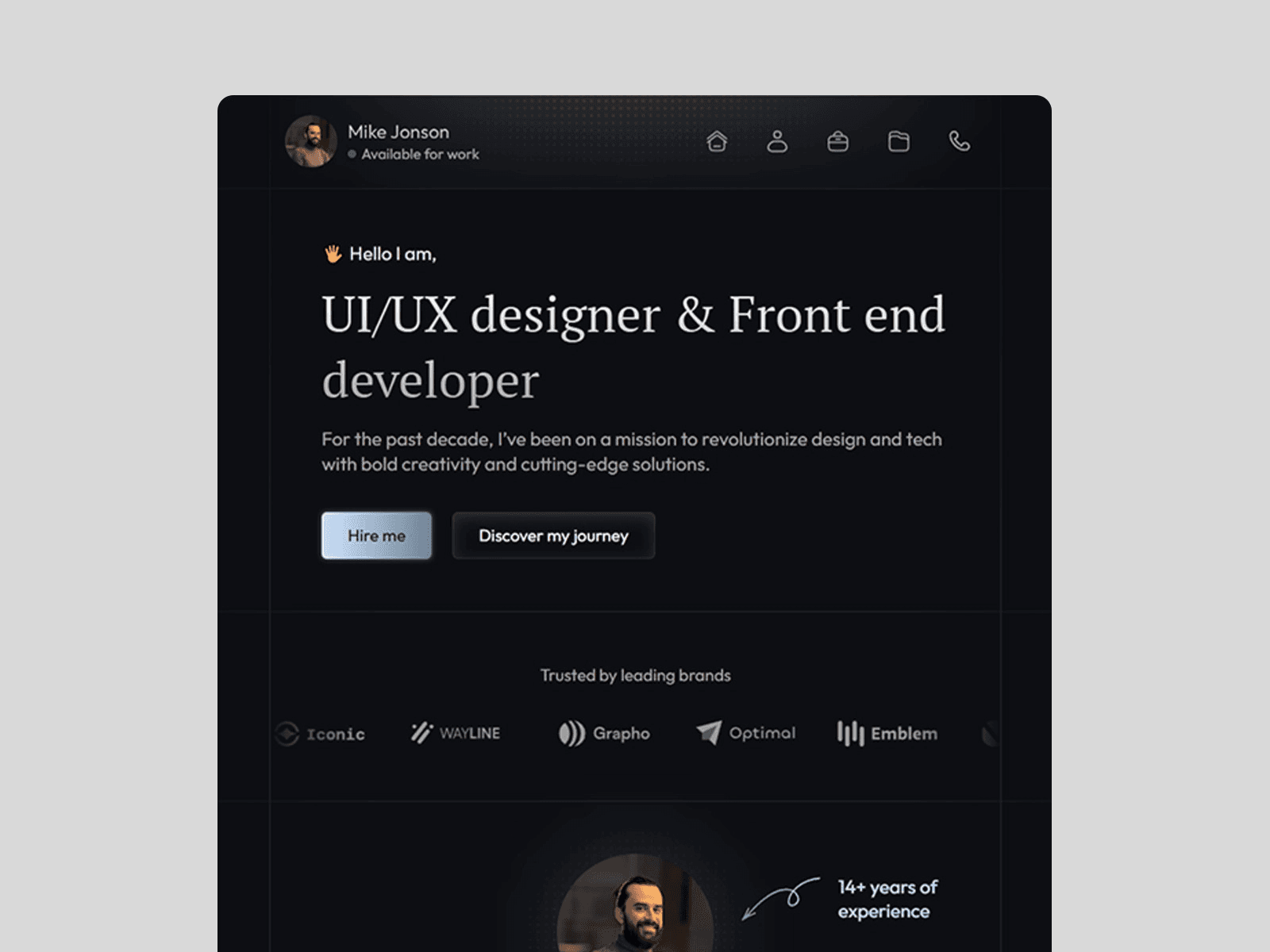
Showoff is a web developer portfolio template available on the Framer Marketplace. It combines sleek design with practical tools to help your work stand out and make a lasting impression.
Responsiveness
Showoff ensures your portfolio looks great on any device, whether it's a desktop, tablet, or smartphone. With fast loading times and optimized media, it delivers a smooth user experience across all screen sizes. The layout and elements automatically adjust to maintain sharp visuals, no matter the platform.
Customization Options
This template offers a no-code approach to customization, letting you tweak colors, fonts, and layouts with ease. Its drag-and-drop interface allows you to rearrange sections, replace content blocks, and craft a portfolio that reflects your personal style - all without touching a single line of code.
SEO Features
Showoff is built with features to improve search engine visibility. It includes structured headings, clean URLs, and editable meta tags, making it easier for clients or employers to discover your portfolio when they're searching for web developers. These tools ensure your work gets the attention it deserves.
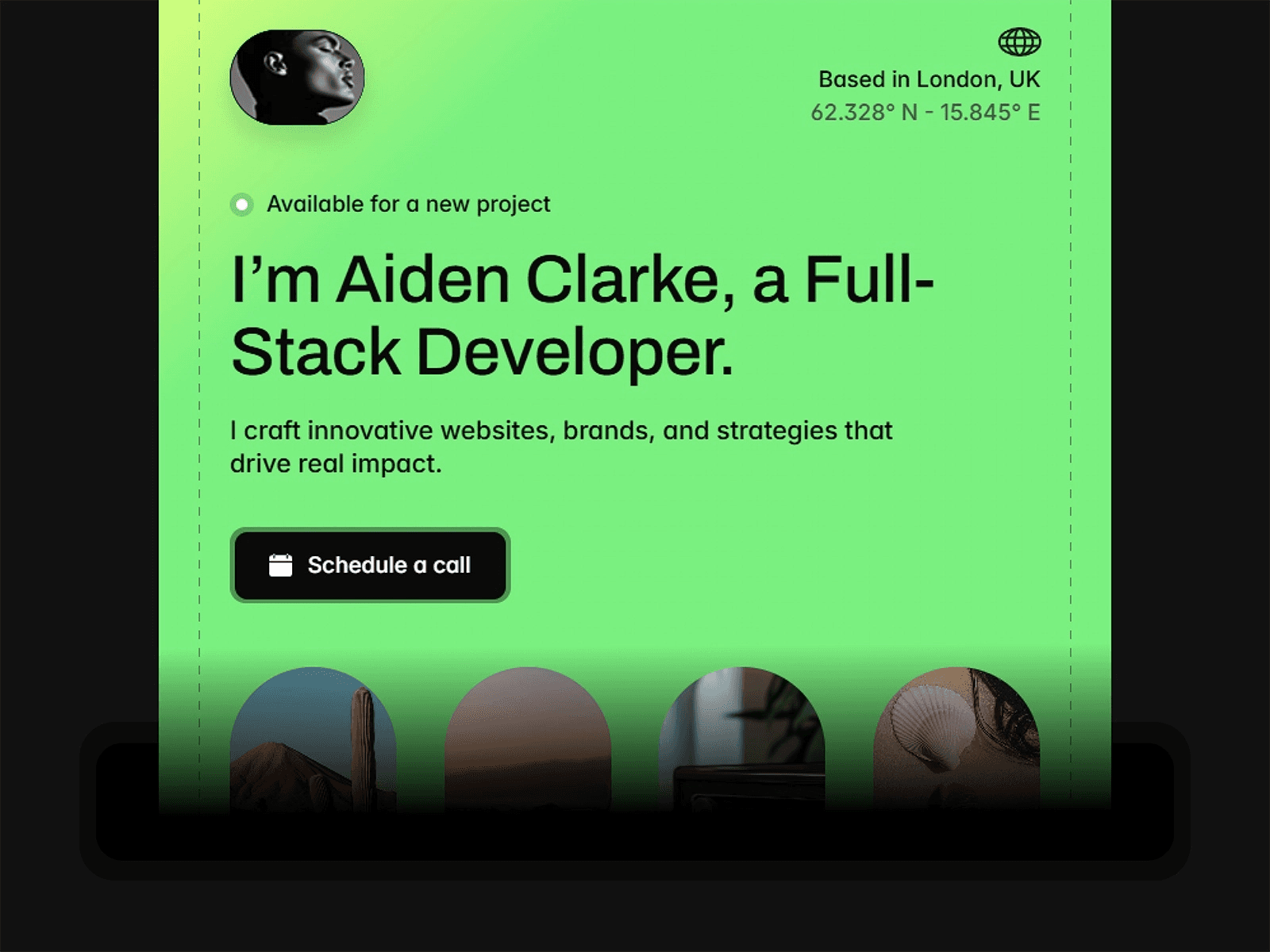
11. Aiden
Aiden is a sleek portfolio template available in the Framer Marketplace, perfect for presenting your work with a polished and modern look.
Responsiveness
Aiden’s responsive design ensures your portfolio shines on any device - whether it’s a desktop, tablet, or smartphone. The layout, images, and load times are optimized to deliver a smooth experience across the board.
Customization Options
What sets Aiden apart is how easy it is to make it your own. Its drag-and-drop interface simplifies the process of personalizing your portfolio. You can tweak colors, fonts, and layouts effortlessly, while the built-in style guide keeps everything looking cohesive and professional.
SEO Features
Aiden doesn’t just focus on looks - it’s built with SEO in mind. Features like editable meta tags, clean URLs, and well-structured headings make it easier for your portfolio to stand out in search results, without requiring advanced technical skills.
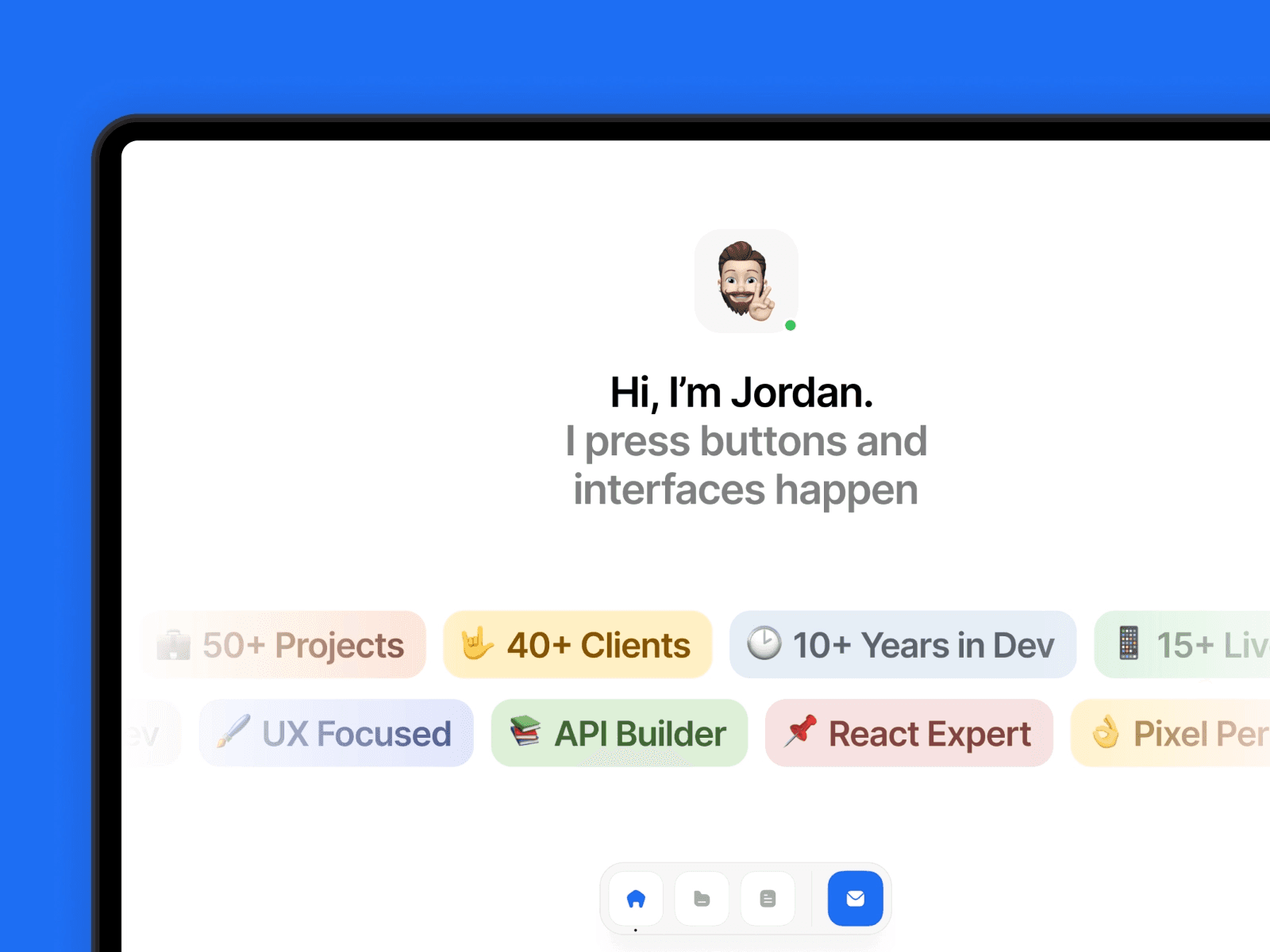
12. Bluren
Bluren is a portfolio template for web developers, available in the Framer Marketplace. It’s built to present your work effectively, combining a versatile layout with fast performance to improve visibility on search engines. Here’s a closer look at what makes Bluren stand out:
Responsiveness
Bluren’s adaptable layout ensures your portfolio looks polished and works smoothly on any device, whether it’s a smartphone, tablet, or desktop.
SEO Features
With its focus on speed, Bluren minimizes load times - an essential factor for improving your search engine rankings and keeping visitors engaged.
13. Lofi
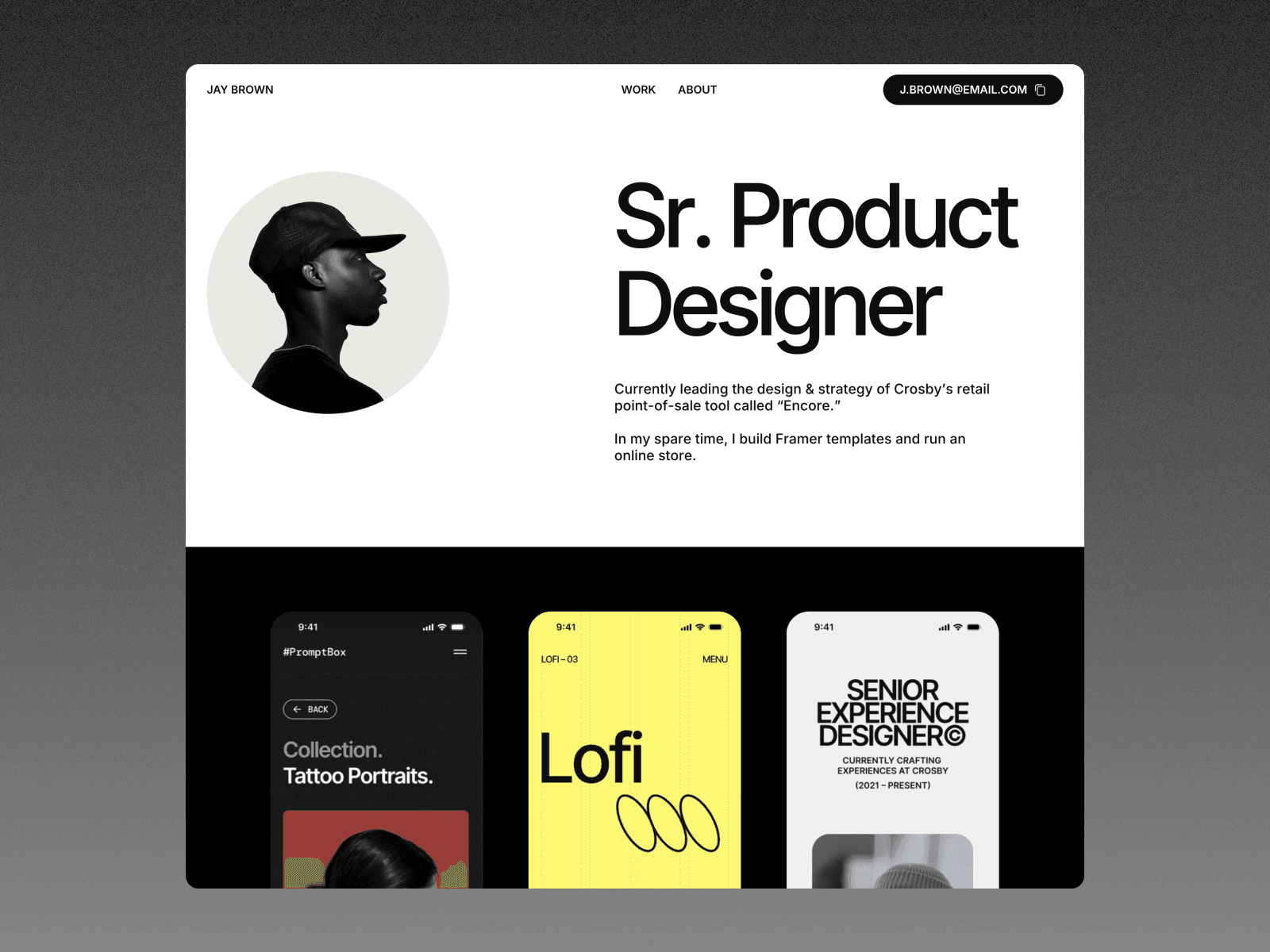
Lofi blends 90s-inspired retro themes with futuristic, space-oriented visuals, creating a unique mix of nostalgia and modern design. It’s perfect for showcasing your creativity and technical skills. Let’s dive into its responsive design, customization options, and SEO-friendly structure.
Responsiveness
Lofi is designed to work seamlessly across all devices. Its interactive features - like navigation menus and buttons - are optimized for touchscreens, ensuring smooth browsing on phones, tablets, or desktops. This makes it easy for potential clients to explore your portfolio, no matter how they access it.
Customization Options
You can make Lofi truly your own with its no-code drag-and-drop editor. Tweak typography, play with retro color palettes, and add motion effects to match your personal style or brand. The modular design also allows you to rearrange sections effortlessly, all without needing to write any code.
SEO Features
Lofi is built for speed and visibility. Its optimized code ensures fast load times, which is critical for better search rankings. Plus, its clean structure makes it easier for search engines to index your portfolio, helping more people discover your work.
14. Elitefolio
Elitefolio offers a sleek, professional design that’s perfect for showcasing your work. It strikes a great balance between style and usability, allowing you to present your projects and skills with impact.
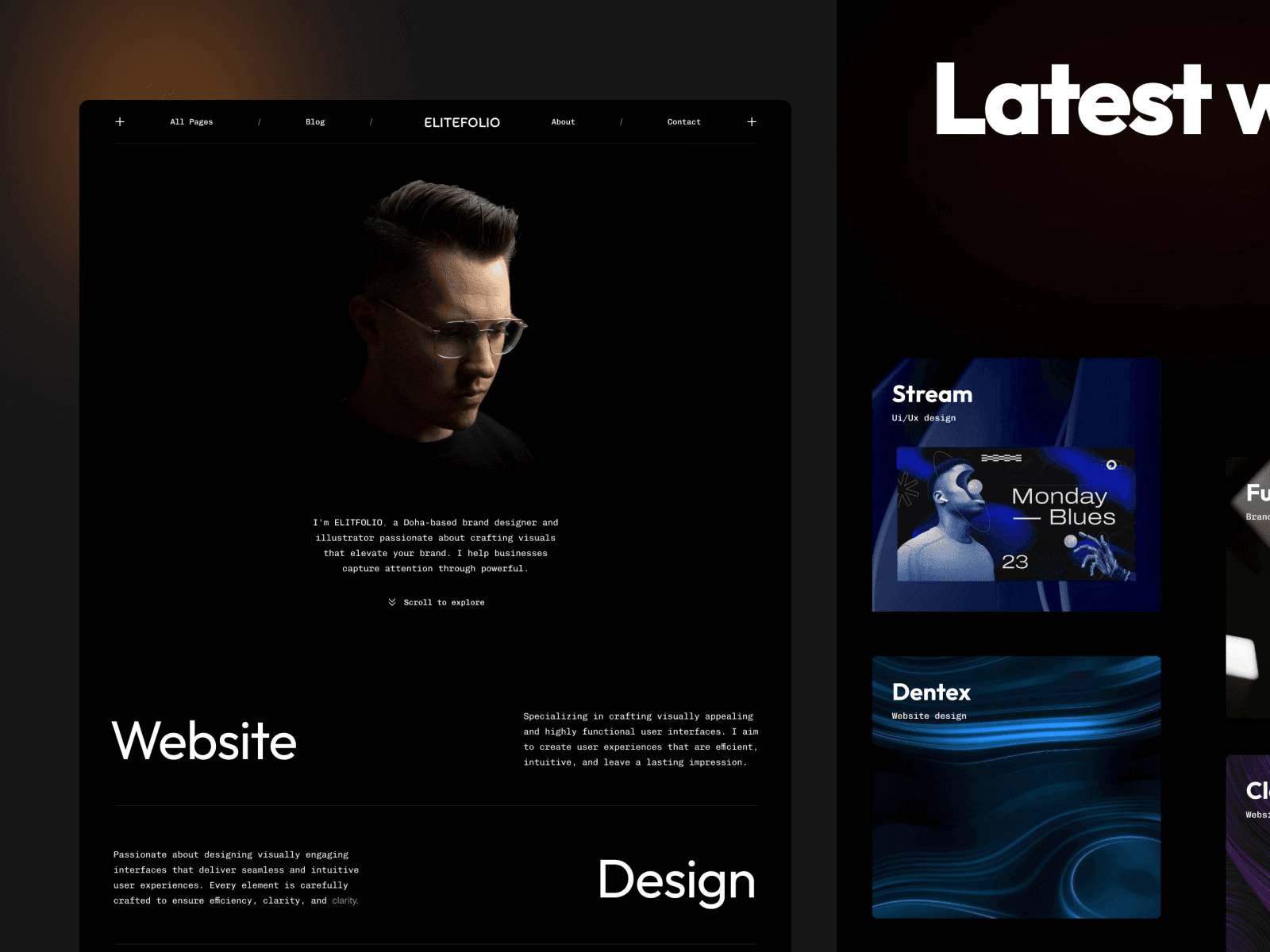
Take a look at some of Elitefolio's standout features below to see how it combines elegance and practicality.
Responsiveness
Elitefolio works effortlessly across all devices. Its design ensures optimized performance, which helps keep visitors engaged whether they're browsing on a phone, tablet, or desktop. From navigation menus to project galleries, every element adjusts smoothly for a consistent experience.
CMS Integration
With its built-in CMS, you can easily update your portfolio. Adding new projects, case studies, or other content is straightforward, thanks to an intuitive interface. This makes it simple to keep your portfolio current as your work evolves.
Customization Options
Elitefolio offers plenty of ways to make your portfolio your own. You can tweak colors, fonts, and layouts to reflect your personal brand. The drag-and-drop editor makes rearranging sections a breeze, while adjustable spacing and animations let you fine-tune the look and feel - no coding skills required.
SEO Features
The template includes automatic image optimization, converting files to modern formats like WebP and AVIF. This reduces file sizes while maintaining quality, helping search engines like Google index your content more effectively.
Template Comparison
Picking the right web developer portfolio template involves balancing your needs and budget. To help you decide, the table below summarizes the main features of 14 templates, offering a side-by-side view of what each one brings to the table.
For those looking to start with no cost, Norden, Arik, and Sawad are solid free options. However, if you're after more advanced features, Dashfolio stands out. Priced at $99, it includes CMS support, dark mode, and Figma files. These extras make it easier to customize your portfolio, update content without coding, and offer a better user experience with dark mode for low-light environments.
This comparison gives you a clear snapshot of what's available, helping you choose a template that simplifies your portfolio creation process while meeting your specific needs.
Conclusion
Creating a portfolio from scratch can be a daunting task, especially when it comes to coding and design. Using ready-made web developer portfolio templates takes that stress off your plate. These templates provide professional layouts and animations right out of the box, so you can focus on showcasing your skills and projects instead of tackling complex coding tasks.
They’re designed to be user-friendly, offering no-code customization options, quick loading times, and SEO-friendly frameworks. Features like structured headings, clean URLs, and editable meta tags make it easier to keep your content fresh and optimized.
When choosing a template, look for one that works seamlessly on mobile devices, offers strong SEO capabilities, and fits the type of content you plan to share. This way, you’ll have a portfolio that not only looks great but also performs well.
FAQs
What are the advantages of using web developer portfolio templates?
Using a web developer portfolio template offers several perks that can boost your professional image. For starters, templates let you showcase your skills, projects, and accomplishments in a way that's visually appealing and well-organized. This makes it easier for potential clients or employers to quickly see what you bring to the table. A sleek, polished portfolio can leave a lasting impression and help you stand out in a competitive field.
Another advantage is the time and effort you save compared to creating a portfolio from scratch. Templates come with pre-designed layouts that are often fully responsive, ensuring your portfolio looks sharp on any device. Many also include useful features like built-in contact forms, customizable sections, and easy-to-edit designs. This means you can focus on tailoring the content to reflect your unique style and expertise, without getting bogged down in design or coding complexities.
In short, using a portfolio template is a practical way to present your work professionally, grab attention, and make a strong case for yourself as a web developer.
How do these web developer portfolio templates help improve my site's SEO and visibility?
These web developer portfolio templates are built with SEO principles to improve your chances of ranking higher in search engine results. They include features like clean, semantic HTML code and a well-structured layout, making it easier for search engines to crawl and index your site. Plus, with fast loading speeds, mobile-friendly designs, and proper use of header tags, your portfolio gets an extra boost in visibility.
Using these SEO-focused features helps your portfolio become more noticeable to potential clients or employers. This means more organic traffic and a stronger online presence, giving you an edge in a crowded digital space.
What is the best web developer portfolio template for beginners who want easy customization?
For those new to web development and searching for a portfolio template that's easy to tweak, Praxis is a solid pick. It provides a completely no-code editing experience, so you can adjust the design to fit your style without needing any programming skills. This makes it a fantastic option for beginners aiming for a polished portfolio with minimal hassle.
Another option worth considering is Aiko, which stands out with its sleek, modern layout. It's designed with simplicity in mind, offering user-friendly customization tools and integration with a built-in content management system. This makes it straightforward to update and manage your portfolio. Both templates are great for beginners who want a professional look without a steep learning curve.
Share article
$249
$3601
All Access
Save with our all access bundle - get access to all premium Framer templates.
38
+
Framer Templates
51
+