Feb 28, 2026

Pawel Gola
Framer & Webflow Expert
Your portfolio is your first impression. A no-code template saves time, cuts costs, and delivers professional results without coding skills. Here’s a quick rundown of 15 portfolio templates available in the Framer Marketplace, ranging from free to $129. These templates are optimized for all devices, offer CMS integration for easy updates, and include SEO tools to boost visibility. Whether you're a freelancer or an agency, there's a template here to match your style and needs.
Key Highlights:
Kajo: $129, black-and-white design, 8 pages, CMS ready.
Oliv: $79, 14 pages, responsive and customizable.
Trifecta: $129, SEO-focused with polished design.
Halo Studio: Responsive, versatile, and SEO-ready.
Lyniq: $129, 11 pages, strong SEO tools.
Viral: $129, bold visuals with built-in SEO.
Viper: Modular design, SEO tools, responsive.
Mugen: $129, modern design, SEO-focused.
Captured: For photographers, customizable galleries.
EchelonST: Flexible sections, SEO features.
Fabrica: $129, monochrome design, 9 pages.
Amelie: Minimalist style, mobile-first.
Aperture: For visual creatives, SEO-optimized.
Yuya: Free, simple and stylish.
Palmer: Free, dark-themed, dynamic updates.
Quick Comparison:
Template | Price | Pages | Best For | SEO Features | CMS Ready |
|---|---|---|---|---|---|
Kajo | $129 | 8 | Designers, Agencies | Yes | Yes |
Oliv | $79 | 14 | Freelancers, Agencies | Yes | Yes |
Trifecta | $129 | 9 | Businesses | Yes | Yes |
Halo Studio | Free | 8 | Agencies, Studios | Yes | Yes |
Lyniq | $129 | 11 | Agencies, Professionals | Yes | Yes |
Viral | $129 | 8 | Bold Designs | Yes | Yes |
Viper | Free | 8 | Businesses | Yes | Yes |
Mugen | $129 | 8 | Professionals | Yes | Yes |
Captured | $129 | 6 | Photographers | Yes | Yes |
EchelonST | $99 | 5 | Businesses | Yes | Yes |
Fabrica | $129 | 9 | Studios, Agencies | Yes | Yes |
Amelie | Free | 7 | Photographers, Designers | Yes | Yes |
Aperture | $129 | 8 | Visual Creatives | Yes | Yes |
Yuya | Free | 6 | Simple Portfolios | Yes | Yes |
Palmer | Free | 7 | Agencies, Freelancers | Yes | Yes |
Pick a template that aligns with your goals, and you’ll have a polished portfolio ready in no time.
6 Portfolio Templates for Webflow & Framer (Free & Paid)
1. Kajo
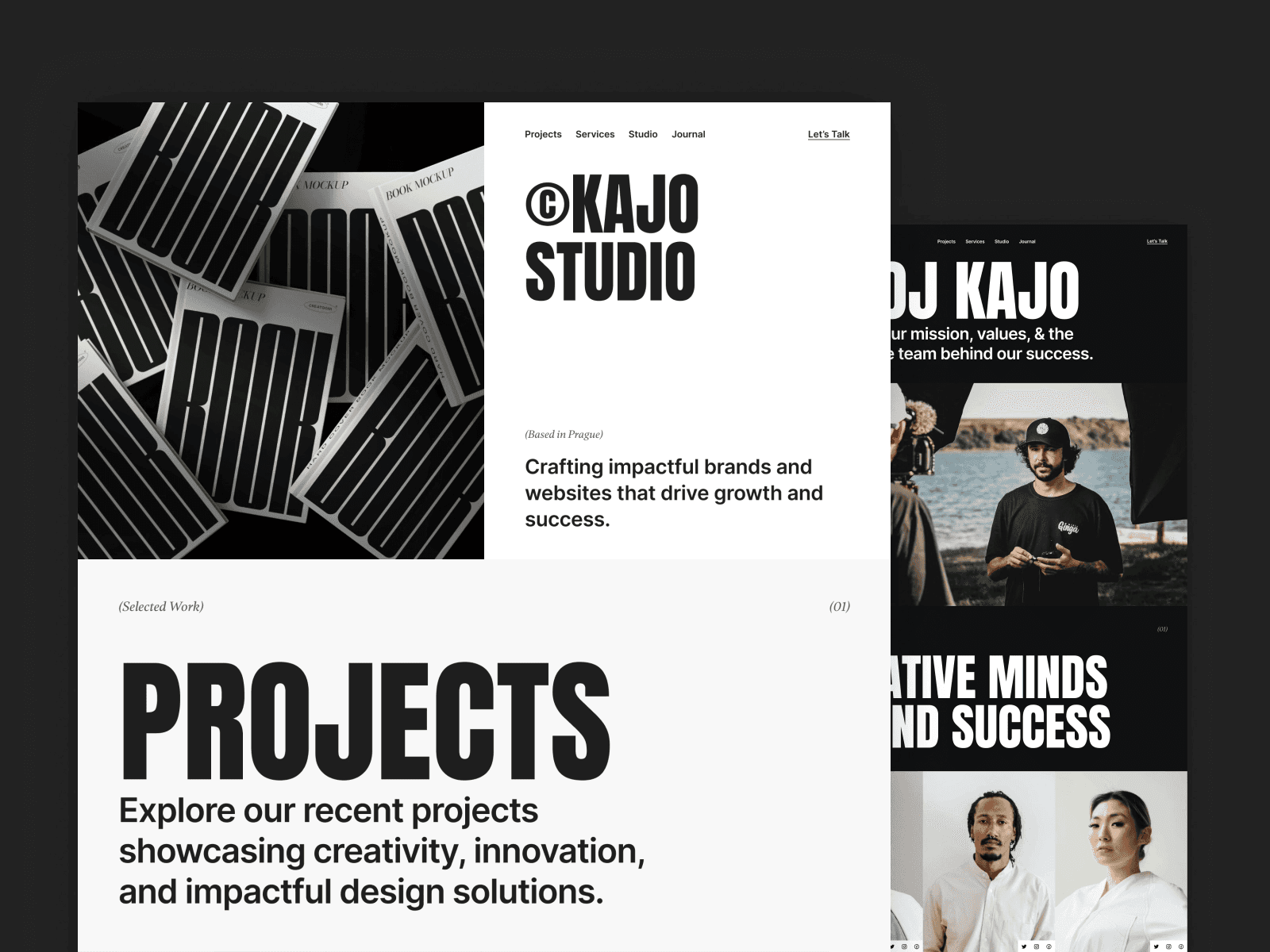
Kajo offers a sleek black-and-white design that keeps the focus on your work, free from unnecessary distractions. With 8 essential pages - Home, About, Service, Work, Work Single, Blog, Blog Single, and Contact - it provides all the tools you need to create a standout portfolio. This clean and modern aesthetic is ideal for photographers, designers, and creative agencies who want their projects to take center stage. Let’s dive into how Kajo makes building a portfolio easier.
Designed for All Devices
Kajo ensures your portfolio looks great on any device with its responsive layouts and defined breakpoints. Whether viewed on a desktop, tablet, or smartphone, your pages will maintain their sharp appearance. Plus, Framer's editor lets you preview and tweak how your site looks on different screen sizes, ensuring a seamless experience for users browsing on the go.
Easy Customization for Your Brand
Using reusable components, Kajo offers a quick, code-free way to personalize your portfolio. Framer's drag-and-drop interface allows you to adjust colors, fonts, spacing, and layouts to reflect your brand. You can duplicate and adapt these modular components across pages, keeping your design consistent while tailoring each section to your specific needs.
Dynamic Content Management Made Simple
Kajo is fully Framer CMS ready, making it easy to manage dynamic content for both projects and blogs. Whether you're adding new portfolio pieces or updating blog posts, the CMS automatically formats your content, saving you time and effort. As your portfolio grows, this feature ensures you can keep everything up-to-date without the hassle of repetitive edits.
2. Oliv
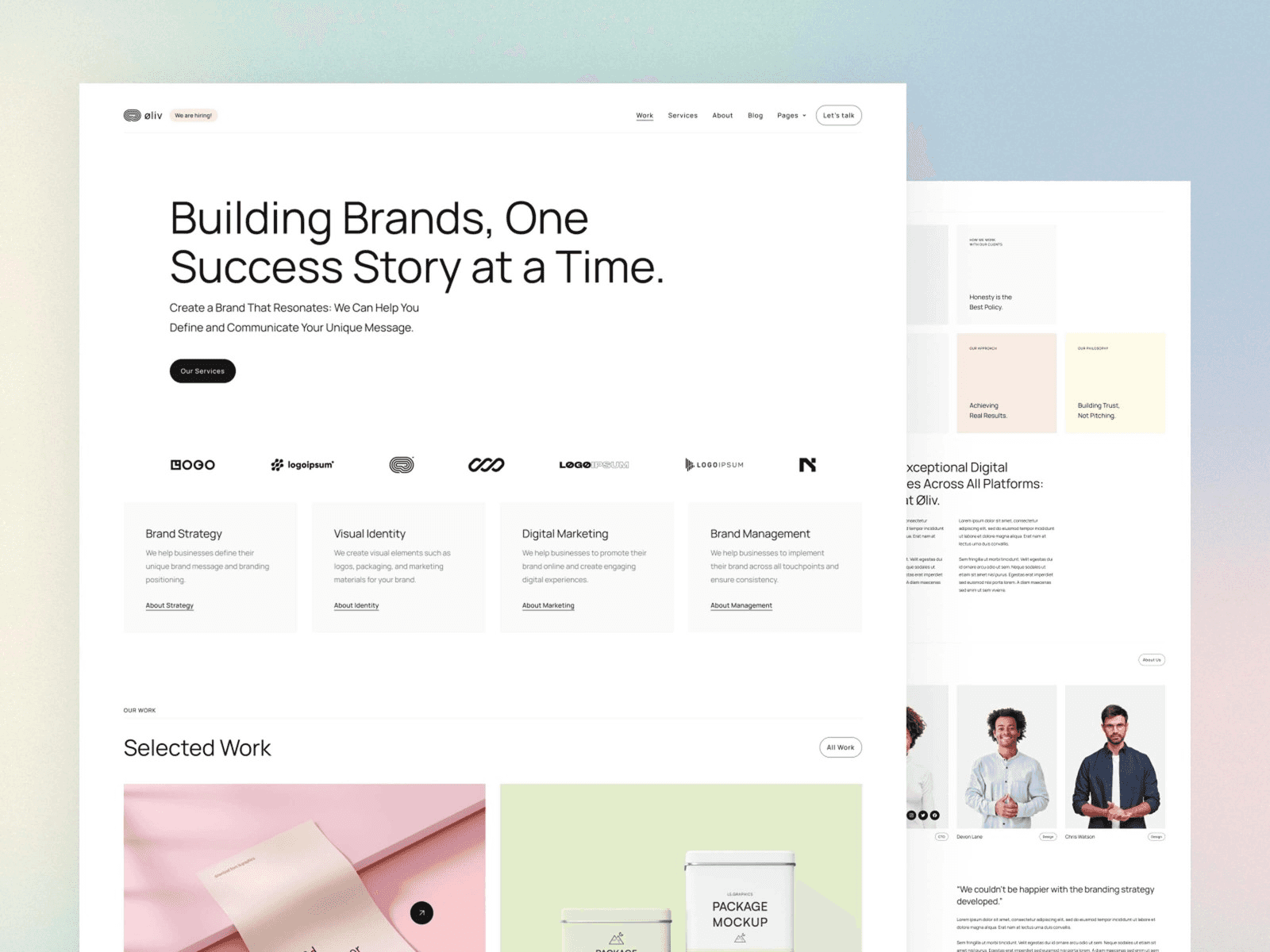
Oliv brings a clean, polished look to your portfolio with 14 distinct pages, covering essentials like Home, About, Services, and Jobs. Designed by Pawel Gola, this template has garnered over 16,300 views on the Framer Marketplace and is available for $79. Its component-based structure allows you to create a professional portfolio without touching a single line of code.
Responsive Layouts for Every Device
Oliv is built with responsive components that adjust seamlessly to any screen size. Whether someone views your portfolio on a desktop, tablet, or smartphone, it retains its sleek, professional design. This accessibility-focused approach ensures a smooth and consistent experience for all users.
Flexible Sections Tailored to Your Brand
Thanks to its component-based setup, Oliv makes it easy to customize interactive elements and sections to fit your business. Framer's drag-and-drop editor lets you tweak layouts, gradients, typography, and more - no coding skills needed. You can align every detail with your brand while keeping the overall design cohesive and visually appealing.
On top of its design adaptability, Oliv simplifies how you manage and update your content.
CMS Integration for Effortless Updates
With Framer CMS integration, managing dynamic content becomes a breeze. Whether you're showcasing new projects or adding job listings, the CMS allows you to organize and update your portfolio effortlessly as your business evolves. This feature ensures your content stays fresh and relevant without extra hassle.
3. Trifecta
Trifecta is a premium portfolio template priced at $129, created by Anatolii Dmitrienko. Designed with a polished aesthetic and packed with powerful features, it’s perfect for businesses looking to showcase their work in style.
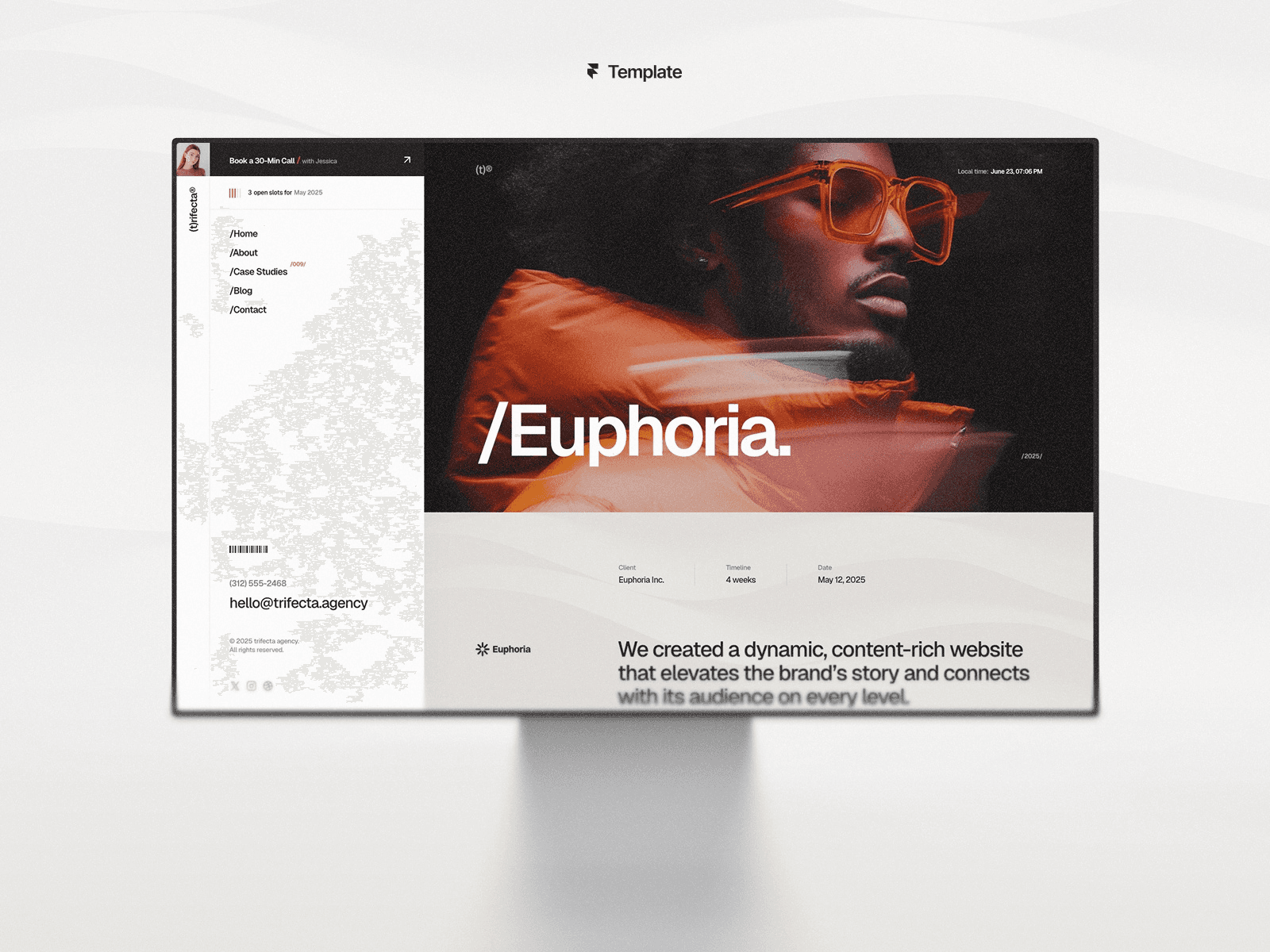
Building on the success of templates like Kajo and Oliv, Trifecta takes things further with a sleek design and added SEO perks.
Responsive Layouts for Every Device
No matter the screen size, Trifecta ensures your portfolio looks sharp and professional. Its responsive design adjusts spacing, typography, and image sizes seamlessly, maintaining a clean visual hierarchy and readability. This means every visitor gets a top-notch experience, whether they’re on a phone, tablet, or desktop.
SEO-Optimized for Better Search Performance
Trifecta is built with search engines in mind. It features clean, easy-to-read URL structures and supports customizable meta tags, including titles and descriptions. These tools let you fine-tune your metadata to target specific keywords, helping improve your site’s visibility and click-through rates on search engines.
CMS Integration for Easy Updates
With CMS integration, Trifecta makes managing your content a breeze. You can effortlessly add new projects, update case studies, or tweak service offerings - all without touching a single line of code. It’s designed to keep your portfolio dynamic and up-to-date.
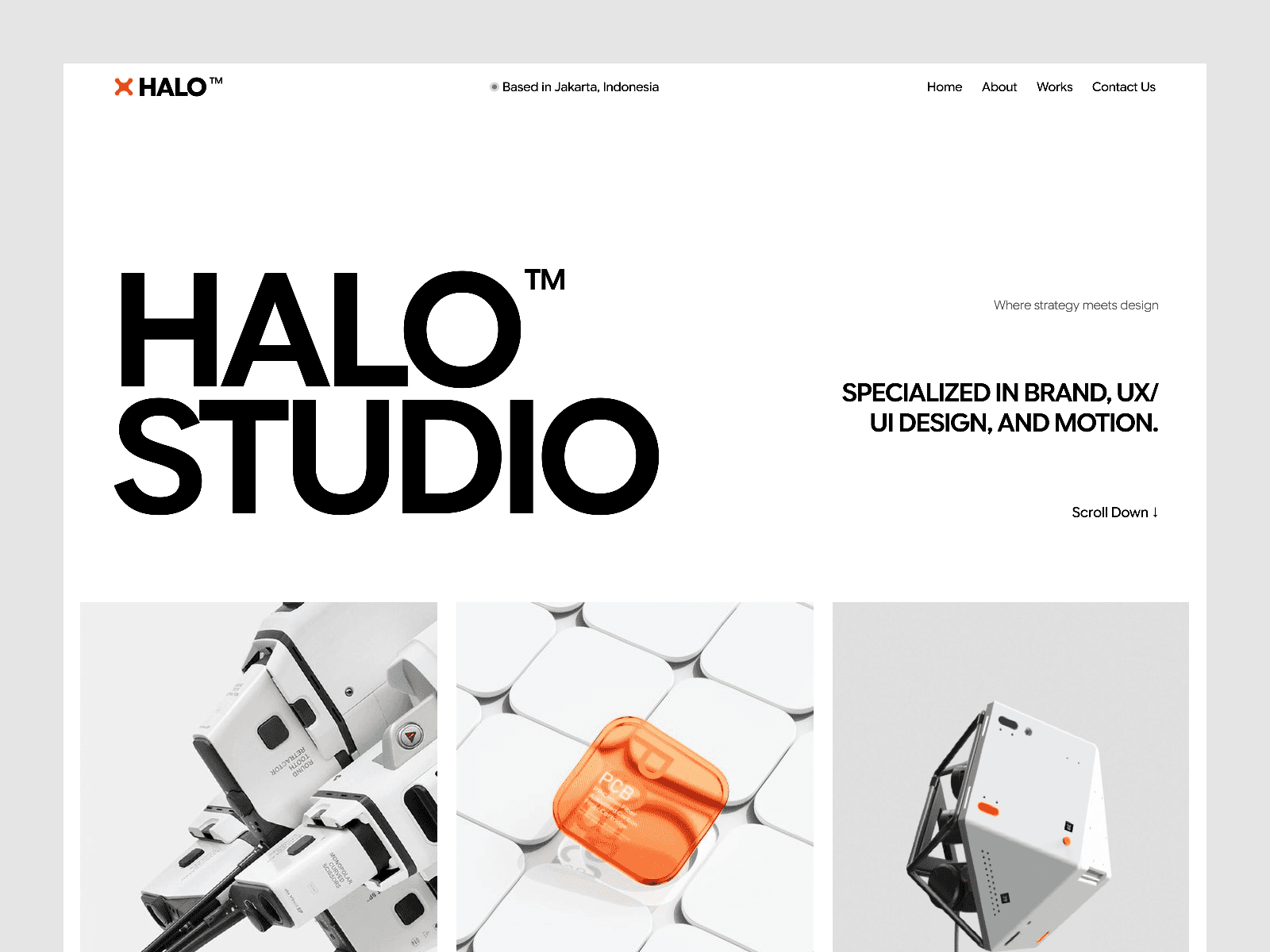
4. Halo Studio
Halo Studio is a sleek portfolio template crafted for agencies, studios, and creative professionals looking to make an impact.
Built for Every Screen
With its responsive design, Halo Studio ensures your portfolio looks sharp and functions seamlessly on any device - whether it’s a smartphone, tablet, or desktop.
Versatile and Customizable
The design is flexible enough to accommodate various content types, making it perfect for highlighting projects, introducing team members, or detailing services.
Optimized for Search Engines
Halo Studio is equipped with semantic HTML and quick load times, helping your portfolio rank better in search results.
Up next, explore how Lyniq is shaping the future of functional design.
5. Lyniq
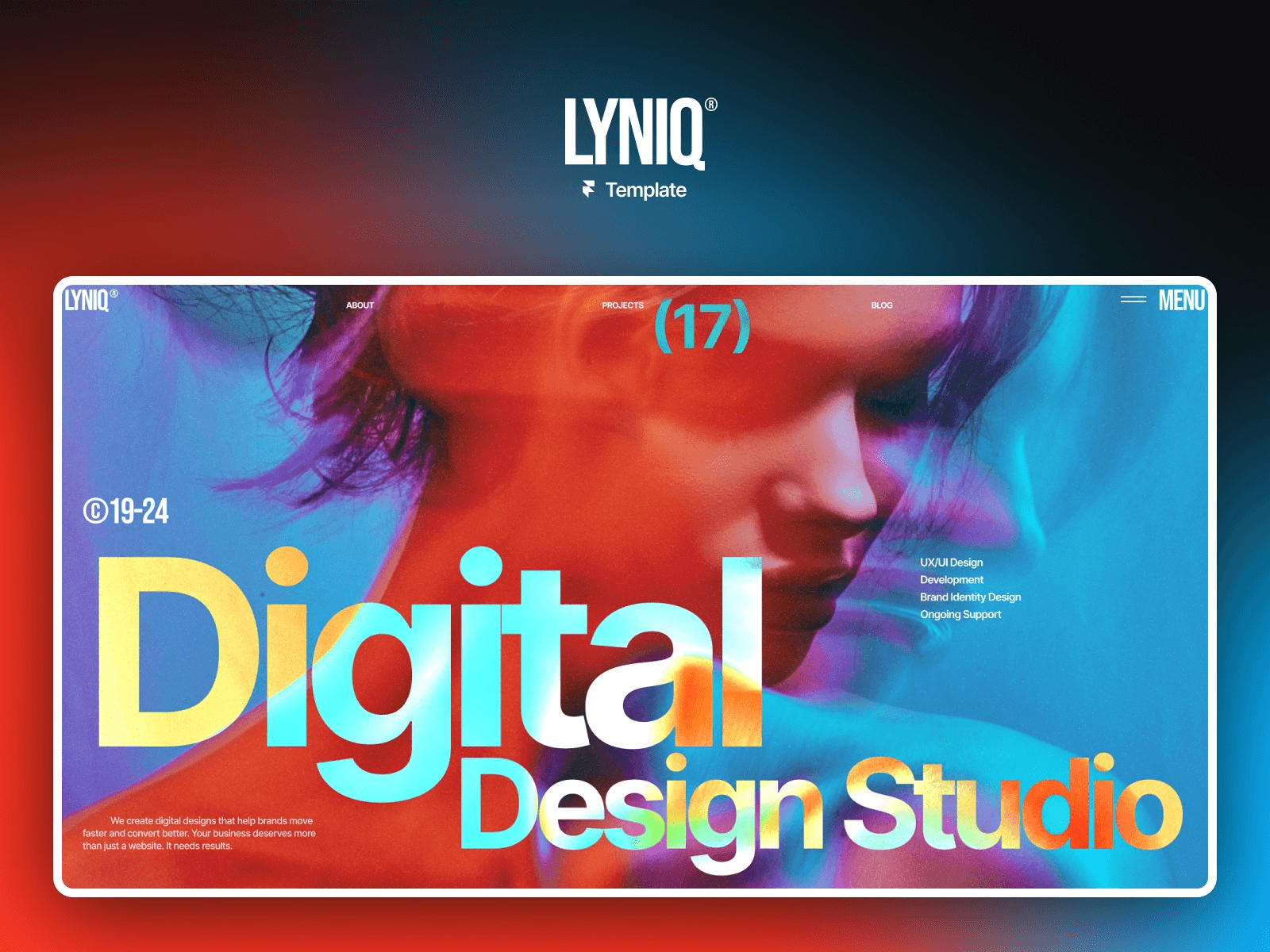
Lyniq blends sleek design with strong functionality. At $129, it offers 11 pages tailored for showcasing projects, publishing blog posts, and more - a solid choice for creative professionals and agencies.
Responsive Design for Any Device
This template works seamlessly across smartphones, tablets, and desktops. It’s fine-tuned for Safari and mobile browsers.
Flexible Sections for Business Needs
With sections dedicated to services, case studies, testimonials, and performance metrics, Lyniq helps you highlight client achievements and your team’s expertise.
Built for SEO Success
Lyniq features semantic HTML, clean URL structures, and customizable meta tags to improve search engine rankings.
CMS Integration for Effortless Updates
The template connects with CMS, enabling dynamic content for projects and blog posts. Updates are automatically reflected, making content management a breeze.
Next up: Viral - where bold design meets impactful performance.
6. Viral
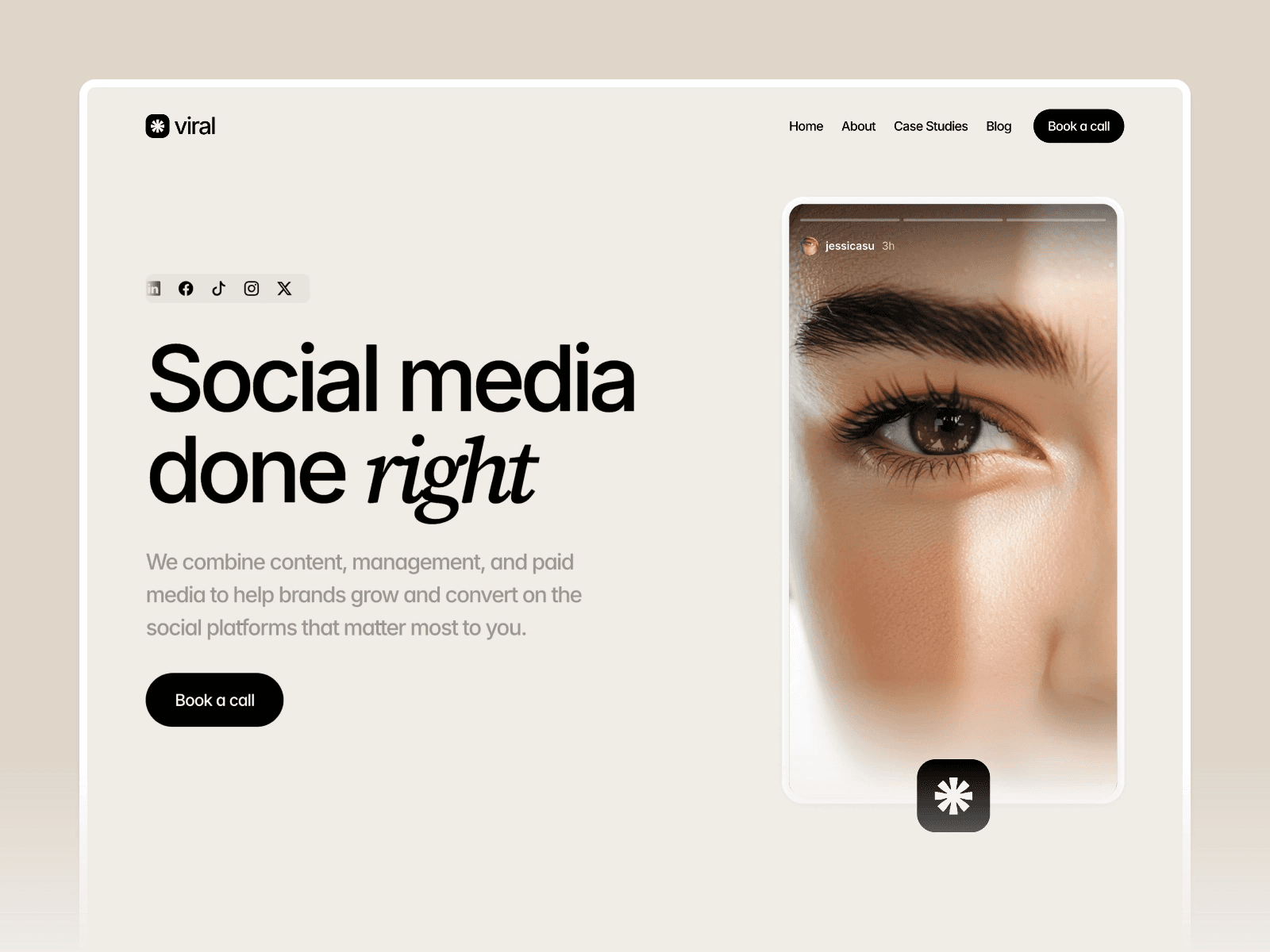
Viral, available for $129, comes from the creative mind of Hamza Ehsan, who also designed Aperture and Whenevr. This template combines striking visuals with excellent performance.
Ready for Any Device
Viral ensures your site looks great on any screen. As Pentaclay explains, "Microsoft, Mac, and Tablet Users will be pleased as all Framer sites are responsive to any type of device". Whether it's a smartphone, tablet, or desktop, the layout adjusts automatically for the best viewing experience.
Built-In SEO Features
Viral is designed to help your site get noticed. It includes essential SEO tools like custom meta tags and image alt text to boost organic visibility. Plus, hosting on AWS ensures quick load times, which can further improve your search rankings.
Check out Viper if you're looking for even more speed and visual impact.
7. Viper
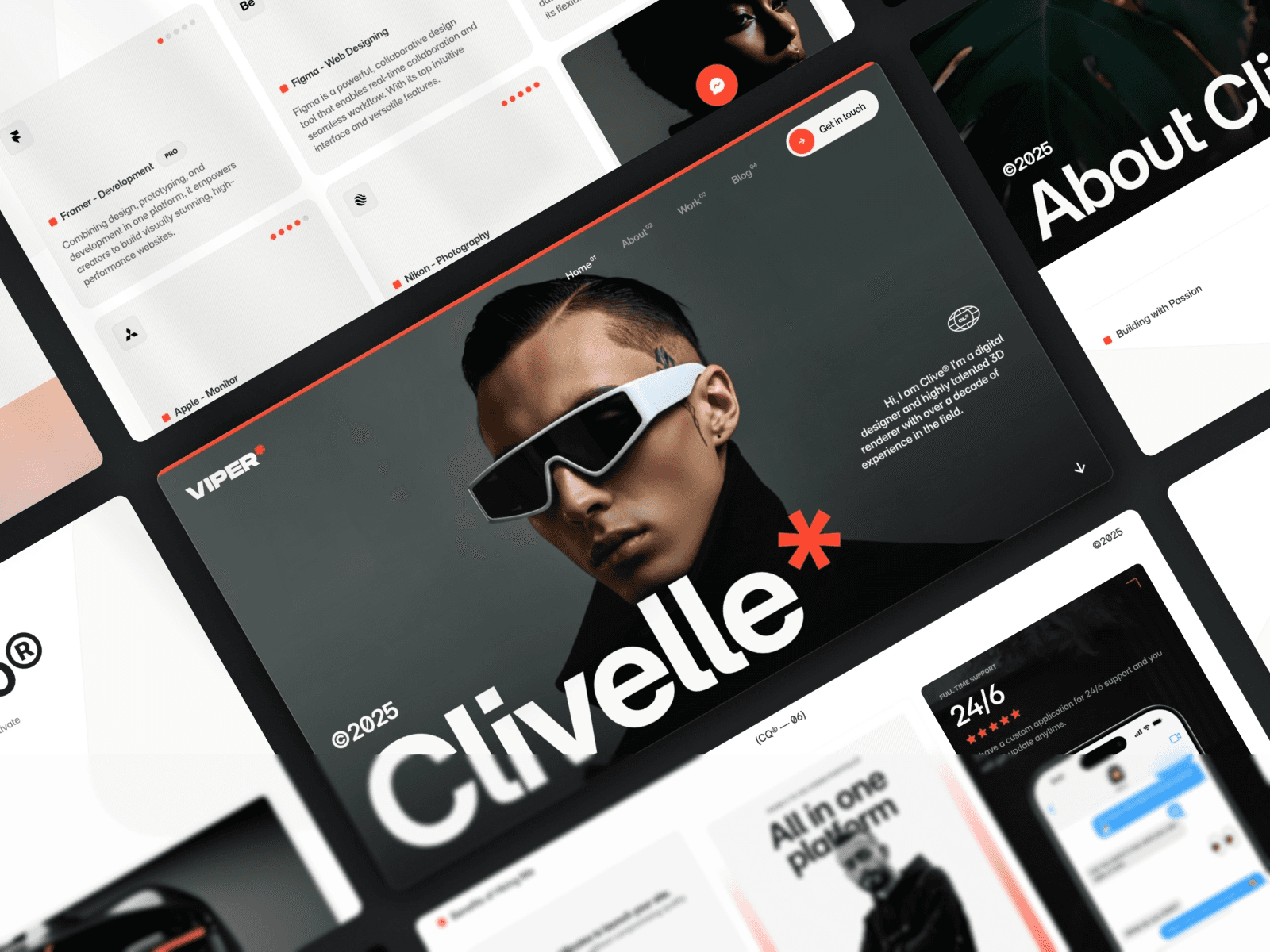
Viper combines a striking design with technical finesse, ensuring your portfolio grabs attention right away.
Responsive Layouts for Every Device
Viper's fluid grid system stands out by automatically adjusting content to fit the width of any device. Whether someone is browsing on an iPhone, iPad, or desktop, the layout ensures everything stays crisp and easy to read. Plus, its modular design makes customization effortless.
Tailored Sections for Your Business
With Viper, you get modular blocks designed for various needs - think project showcases, client testimonials, team bios, and service overviews. You can tweak colors, fonts, and spacing to match your brand, all without touching a single line of code. These adaptable sections set the stage for its built-in SEO benefits.
Built-In SEO Tools for Improved Rankings
Viper is equipped with features that help boost your site's visibility. It includes a logical heading hierarchy, clean URL structures, and options to add custom meta descriptions, title tags, and alt text for images. These tools make it easier for search engines to understand and rank your content effectively.
8. Mugen
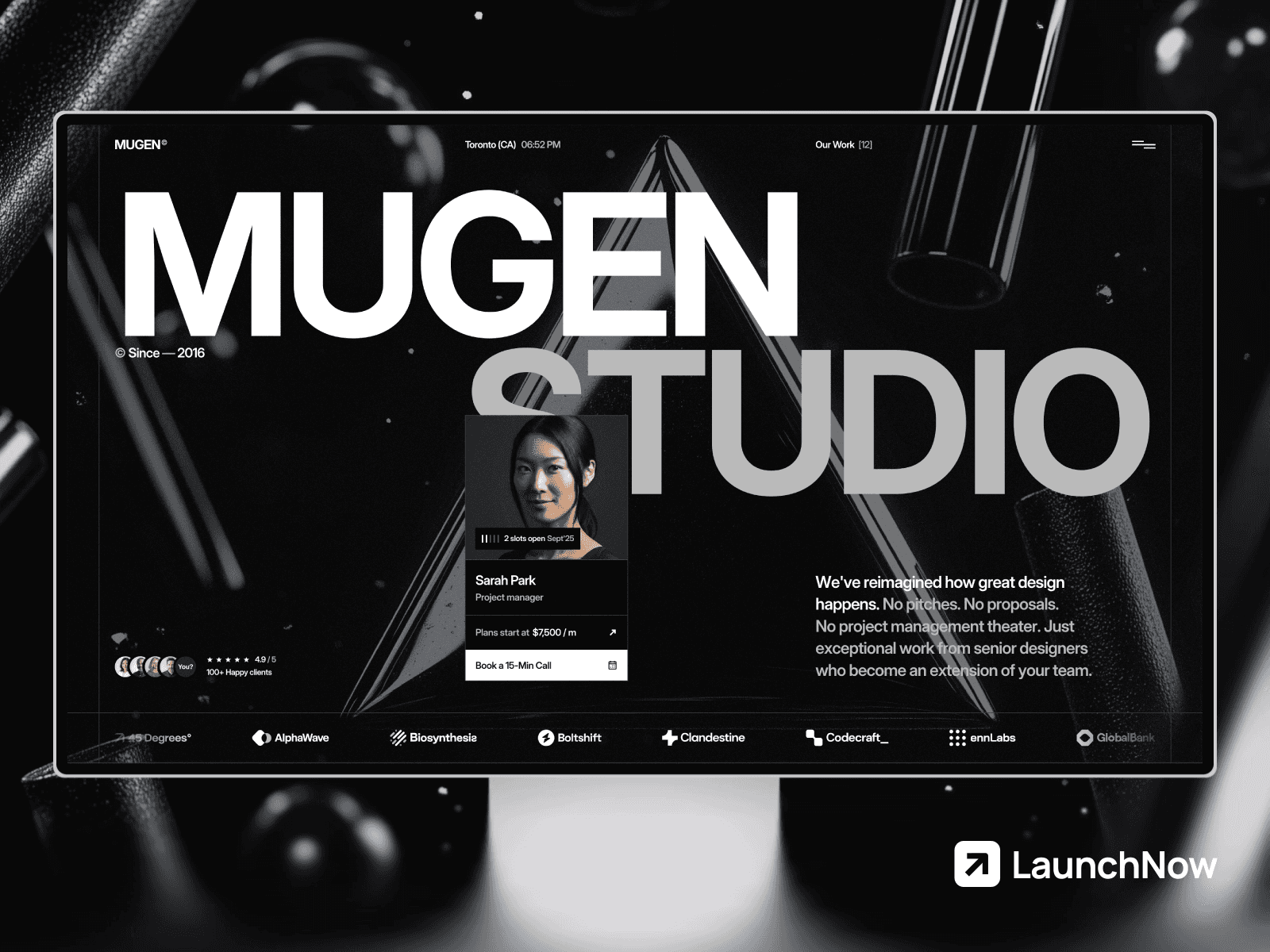
Mugen is a high-end portfolio template designed by Joseph Alexander, available for $129 on the Framer Marketplace (or get every template for one price). Its sleek, modern design ensures your portfolio looks professional on any device. Let’s dive into what makes Mugen stand out.
Designed for Any Device
Mugen’s responsive layout ensures your portfolio looks great, whether viewed on a phone, tablet, or desktop. It automatically adjusts to fit different screen sizes, delivering a seamless browsing experience.
Fully Customizable
This template makes it simple to personalize your portfolio. You can highlight key projects and accomplishments, tailoring the layout to reflect your unique style and goals. It’s all about making your work shine.
Built with SEO in Mind
Mugen is structured to help search engines easily index your content. This means better visibility online, making it easier for potential clients or employers to discover your portfolio.
9. Captured
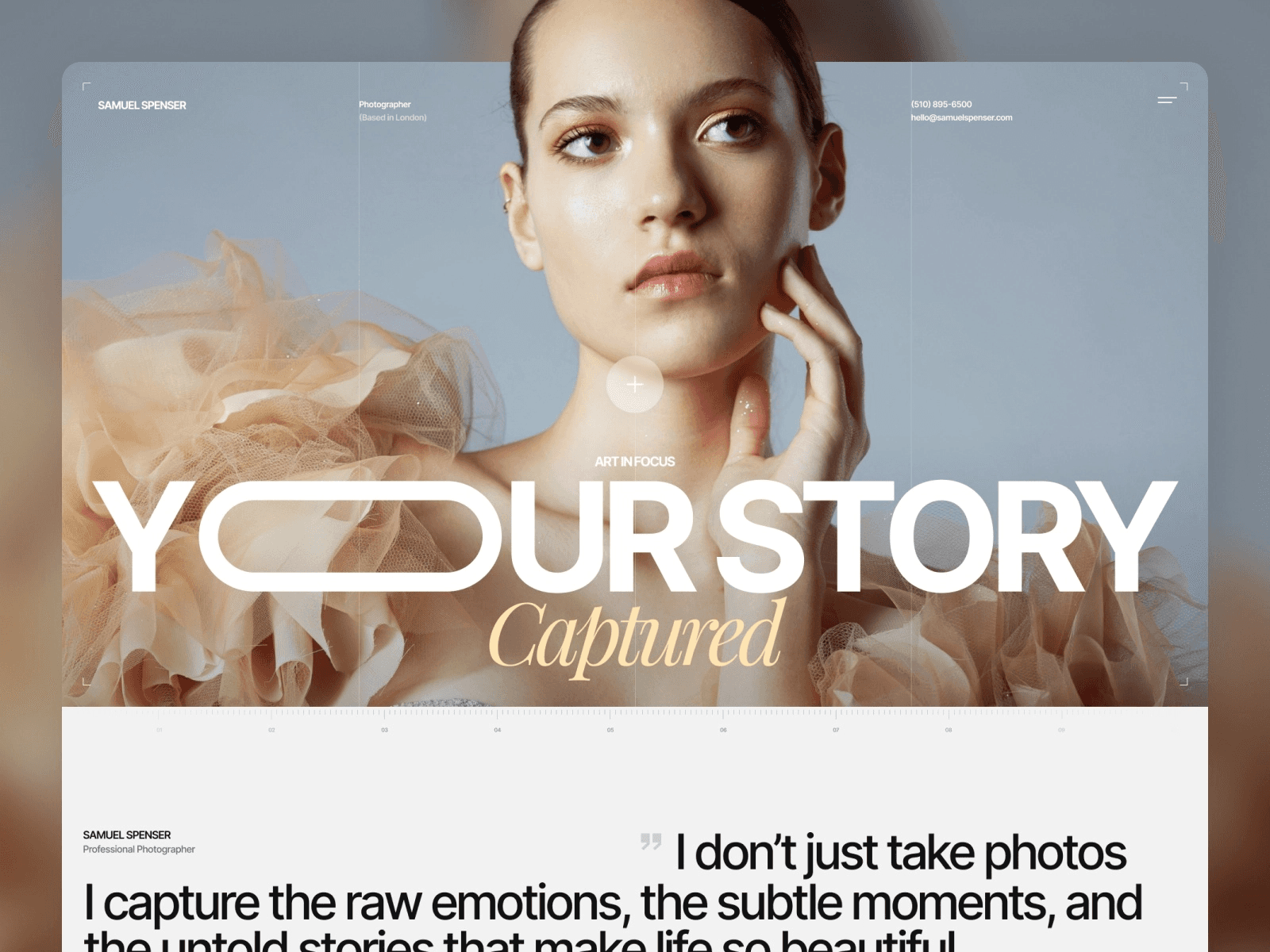
Captured is a portfolio template designed with photographers and creatives in mind. It focuses on showcasing high-quality visuals through a sleek, modern design that keeps your work at the center of attention. If you're looking for a way to let your photos speak for themselves, this template delivers.
Looks Stunning on Any Device
Whether viewed on a desktop, tablet, or smartphone, Captured ensures your images look flawless. The responsive layout adjusts seamlessly to different screen sizes, keeping navigation smooth and text easy to read. Mobile users get the same polished experience, making your portfolio accessible and engaging no matter how it's viewed.
Tailored to Fit Your Style and Needs
With customizable photo galleries, Captured gives you the freedom to arrange and present your work in a way that reflects your artistic vision. It also includes sections for showcasing your services, helping you highlight what you offer alongside your portfolio. And the best part? You can make these changes effortlessly using a no-code visual editor.
Easy Updates with CMS Integration
Keeping your portfolio fresh is simple with CMS integration. Add new projects, update service details, or refresh your galleries whenever inspiration strikes. The content management system makes it easy to keep your site looking current and professional without the need for technical expertise. Ready to take your portfolio up another level? Stay tuned for how Echelonst can make that happen.
10. EchelonST
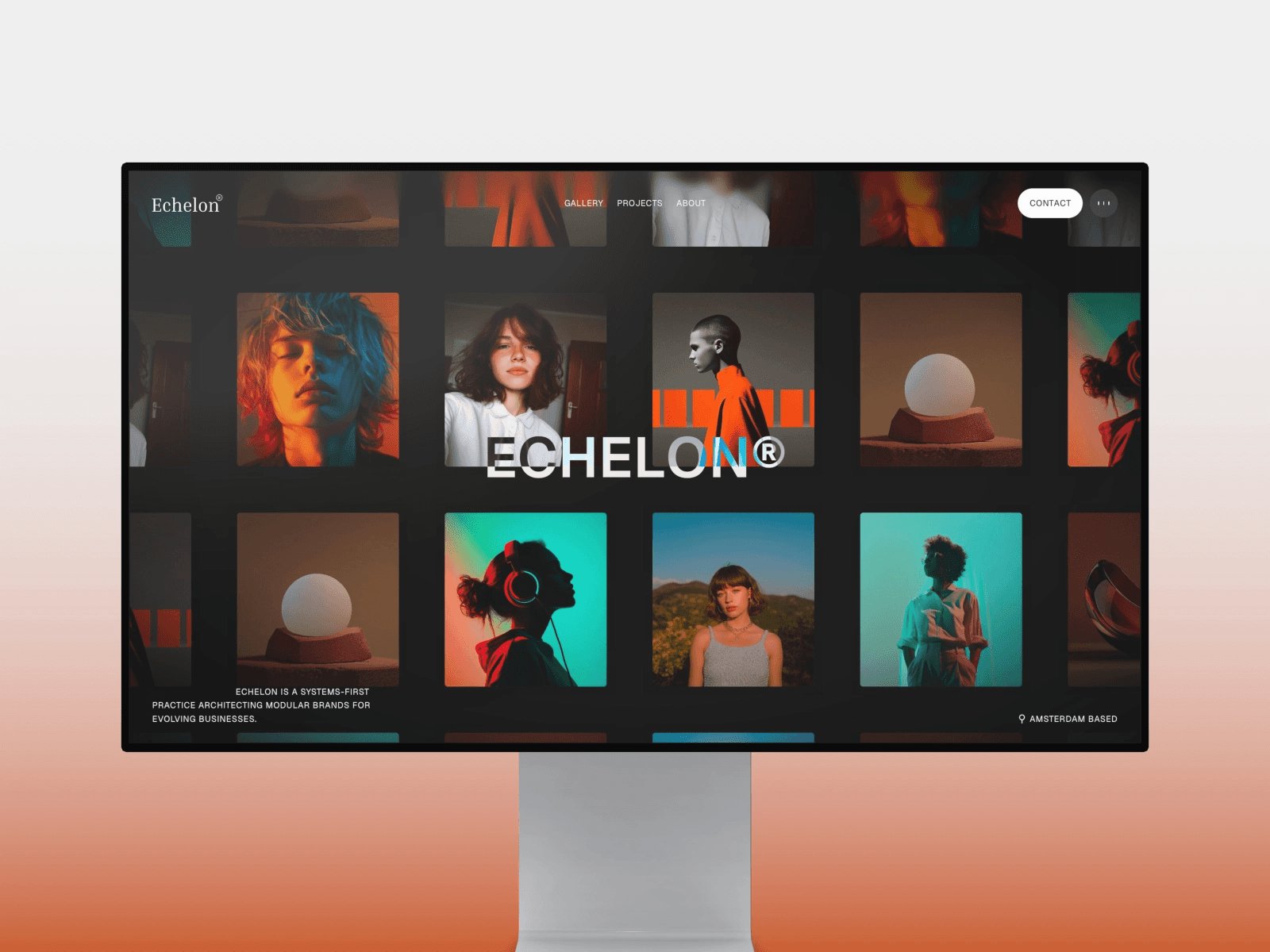
EchelonST is one of the top free Framer templates designed for businesses aiming to create a polished, professional online presence. It combines a sleek design with functional features to highlight your work and build connections with clients.
Adjusts Seamlessly to Any Device
EchelonST's layout adapts effortlessly to different screen sizes, from mobile phones to desktops. This means your images stay crisp, text remains easy to read, and navigation feels smooth - ensuring your site looks great and functions well, no matter how visitors access it.
Flexible Sections to Fit Your Brand
The template offers customizable sections that let you shape your content to match your business needs. Whether it’s showcasing services, sharing case studies, introducing your team, or adding client testimonials, EchelonST helps you present your brand effectively.
Built-In Features for Better Search Rankings
EchelonST is equipped with tools like image alt text and essential SEO elements to help boost your site’s visibility. These features give you a strong starting point for climbing up those search engine results.
If you prefer working with different platforms, you might also explore the best portfolio Webflow templates. Up next: Fabrica.
11. Fabrica
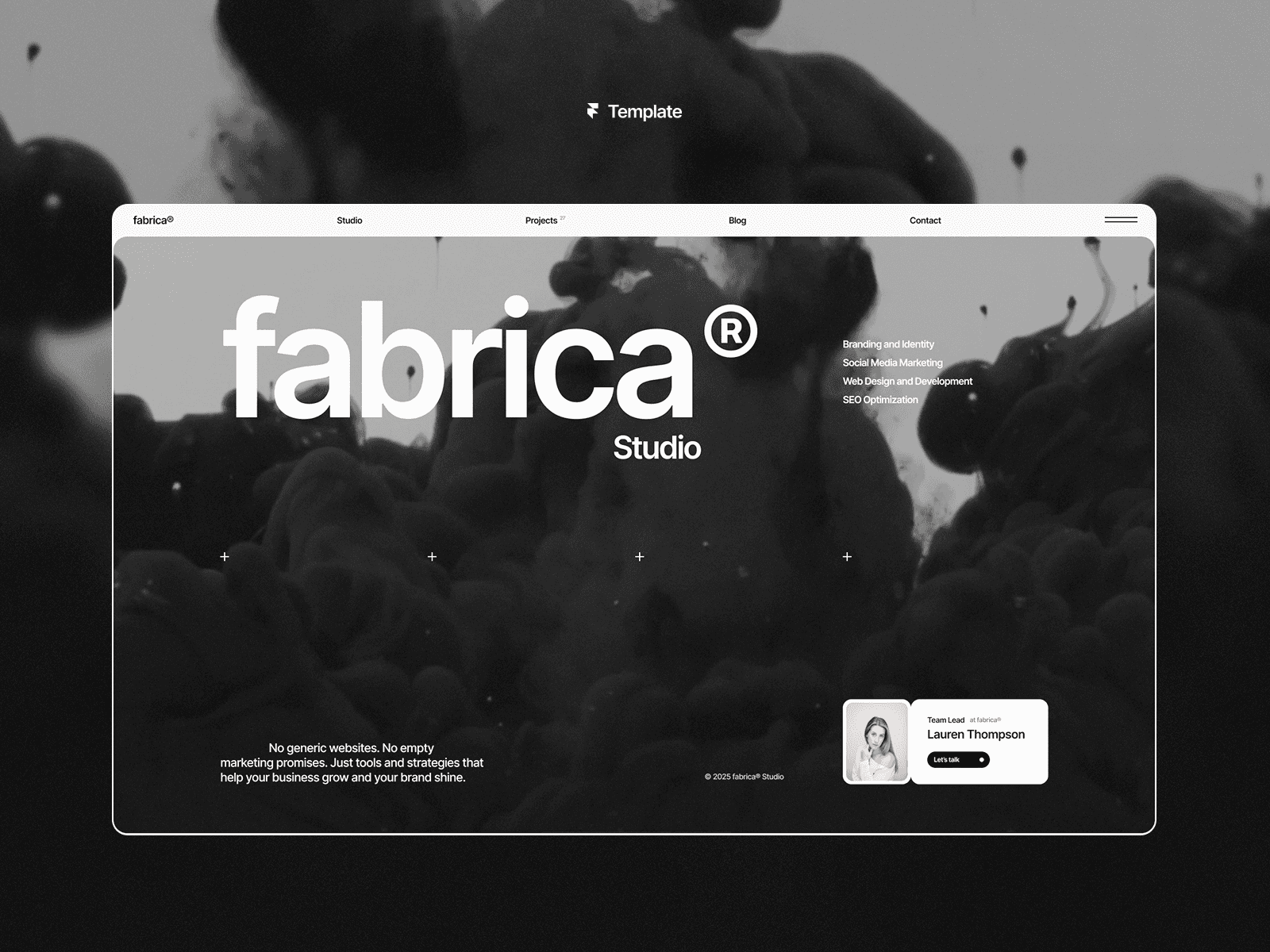
Fabrica is a sleek portfolio template designed for creative studios and agencies. Its bold monochrome, high-contrast design ensures your work takes center stage. Priced at $129 on the Framer Marketplace, it offers a polished and professional framework.
Responsive Layouts for Every Screen
Whether viewed on a desktop, tablet, or smartphone, Fabrica’s structured layout adapts effortlessly. Its high-contrast aesthetic remains sharp and professional, ensuring your portfolio looks great no matter the device.
Flexible Sections to Suit Your Brand
Fabrica includes 9 pre-designed pages - such as Home, Blog, Projects, Studio, Contact, Legal, and even a 404 page - giving you a complete starting point. You can tweak the monochrome color scheme and typography to align with your brand identity. Plus, the "Fit image" feature allows you to replace visuals while maintaining perfect proportions.
Built for SEO and Smooth Performance
With Lenis smooth scrolling, optimized video backgrounds for quick loading, and a clean layout that search engines can easily index, Fabrica is designed to boost your online visibility. Its appeal is evident, boasting over 81,800 views on the Framer Marketplace.
Dynamic Content Management with CMS
Fabrica integrates seamlessly with Framer CMS, making it easy to manage dynamic content like projects, blog posts, and legal pages. You can customize fields directly on the canvas, add sorting options, and even include search functionality to enhance user experience. The "Fit image" feature ensures your visuals always look their best, while dynamic updates for pages like Legal and 404 simplify maintenance. These features make Fabrica a strong choice for professionals - setting the stage for other sleek portfolio templates like Amelie.
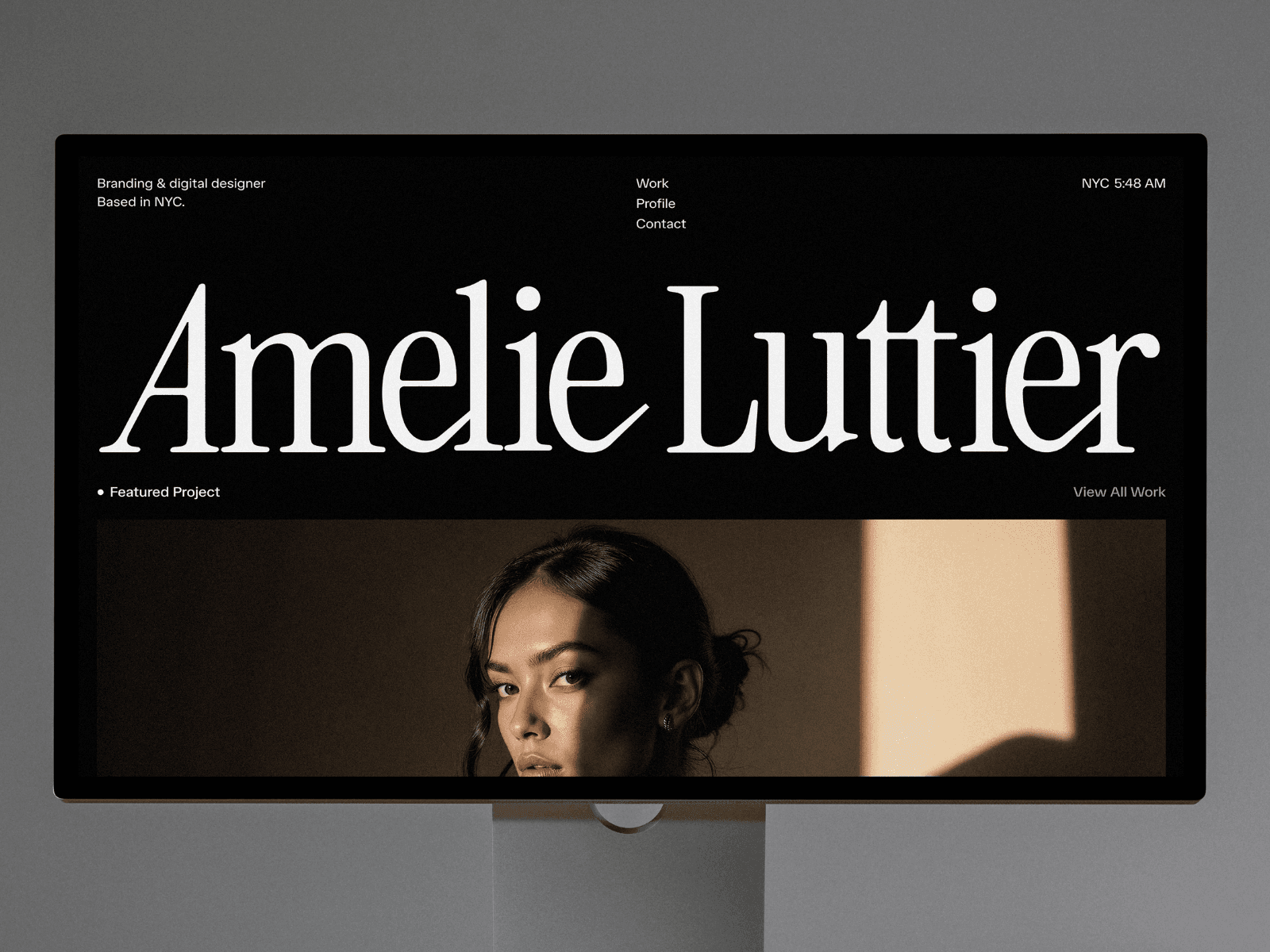
12. Amelie
Amelie stands out with its sleek, minimalist design, making it a solid choice for photographers, designers, and other creative professionals. Available on the Framer Marketplace, this template combines clean visuals with practical features to showcase your work effectively.
Designed for All Devices
With a mobile-first approach, Amelie ensures your content looks polished on any screen - whether it's a smartphone, tablet, or desktop. The layout adjusts seamlessly to maintain a clear and organized presentation across devices.
Easy Customization for Your Brand
Amelie offers a drag-and-drop, no-code interface, letting you tailor sections to fit your brand's identity. This makes it a flexible option that can evolve with your business needs.
Built for Better Search Visibility
The template uses semantic HTML, helping search engines better understand your content structure. Features like customizable meta tags for titles and descriptions give you control over how your portfolio appears in search results. Plus, its clean URL setup further boosts search performance. Up next, take a look at another template that pushes the boundaries of no-code design.
13. Aperture
Let’s take a closer look at Aperture, a portfolio template designed specifically for photographers and other visual creatives, available on the Framer Marketplace.

Works Beautifully on Any Device
Aperture is built to look great everywhere - whether someone views your portfolio on a phone, tablet, or desktop, the layout adjusts seamlessly to maintain its visual appeal.
Tailor It to Your Style
With customizable content sections, you can tweak Aperture to highlight your work exactly the way you want. It’s all about showcasing your creativity.
Built with Search Engines in Mind
Aperture’s structure is optimized for SEO, helping your portfolio rank better in search results. It’s designed to not only make your work stand out visually but also ensure it’s easy to find online.
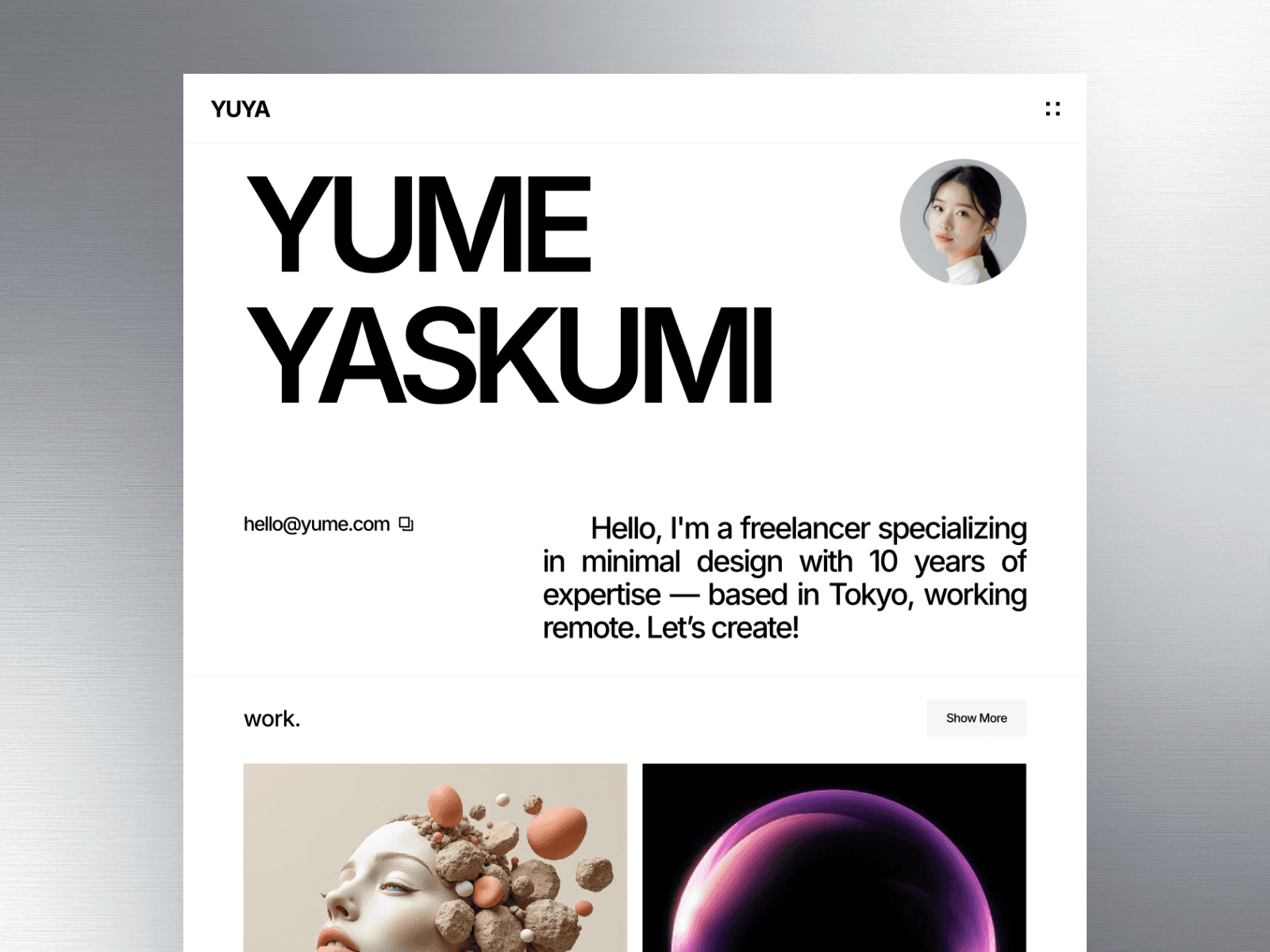
14. Yuya
Yuya is a free portfolio template created by Peter Hodak, available on the Framer Marketplace. It provides an easy and stylish way to display your work online.
15. Palmer
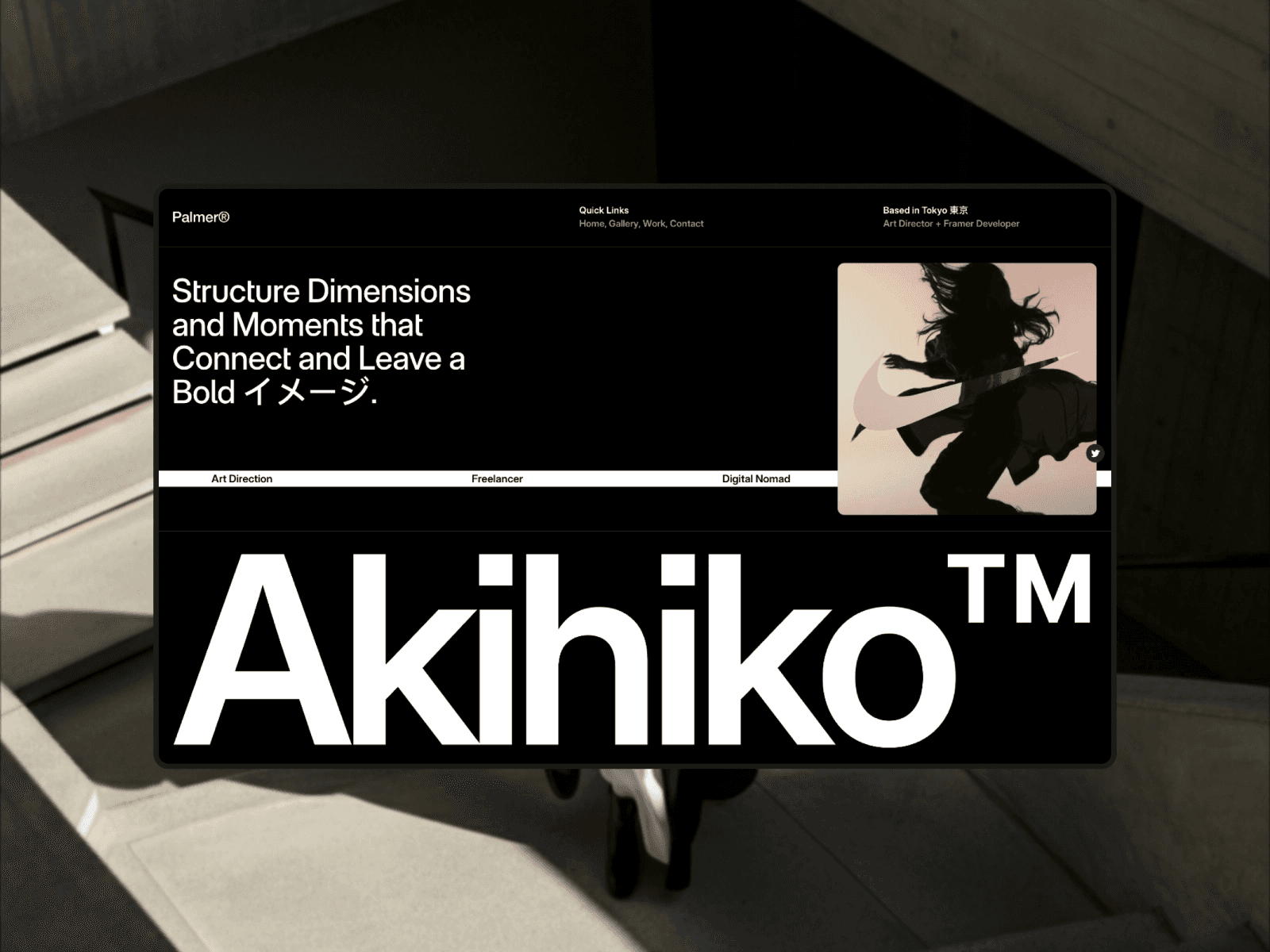
Palmer is a free portfolio template crafted by Westhill Studio, tailored for creative agencies, digital studios, freelancers, and photographers. Its sleek, dark-themed design, bold typography, and full-width imagery ensure your work takes center stage. Let’s dive into its standout features, starting with its responsive design.
Responsive Layouts for Any Device
Palmer is built with responsive components and visual breakpoints, meaning it seamlessly adjusts to desktops, laptops, tablets, and smartphones. No need to manually modify layouts - Palmer takes care of that for you. Its generous use of whitespace and stunning full-width imagery ensures your portfolio looks polished and impactful, even on smaller screens.
Flexible Sections to Fit Your Needs
This template offers seven pre-designed pages: Home, Work, Work Single, Gallery, Contact, Article Single, and a 404 error page. It also supports Framer CMS, allowing you to update projects and articles dynamically without altering the layout. Added touches like animations and sticky scrolling create a polished, professional experience for visitors.
Built-In SEO and Analytics
Palmer simplifies visibility with automated SEO features and integrated analytics. From the moment your site goes live, it’s optimized for search engines - no extra setup or tech skills required. The built-in analytics tools let you track performance and understand how visitors engage with your portfolio, helping you make informed decisions to showcase your work effectively.
Conclusion
These 15 portfolio templates make it easy to present your work professionally without the hassle of building something from the ground up. Each template is designed to be responsive, integrates seamlessly with CMS platforms, and is structured to support SEO - helping your portfolio look great on any device while making it easier for potential clients to discover you. Whether you're a freelance photographer, a creative agency, or a digital studio, there's something here for everyone, from bold, dark-themed layouts to minimalist, light designs with plenty of whitespace.
The Framer Marketplace streamlines your search by organizing templates into categories like "Personal", "Photography", and "Resume" styles. You’ll find both free and premium options, making it easier to pick something that fits your needs and budget.
For those looking for premium, no-code solutions, Gola Templates offers Framer templates with polished designs, modular UI components, and lifetime updates. Their bundles include unlimited licenses, making them a great choice for agencies juggling multiple client projects or individuals building multiple portfolios.
The right template can save you hours of design and development time while ensuring your portfolio looks polished and professional. Pick one that aligns with your brand, and you’ll have a stunning portfolio ready in no time.
FAQs
How do I choose the right portfolio template for my work?
To pick the best portfolio template, consider these three key aspects: design style, features, and budget. Choose a design that aligns with your personal or professional brand - whether that's clean and simple or more creative and bold. Pay attention to features like mobile responsiveness, easy drag-and-drop editing, and built-in SEO tools to ensure functionality. Lastly, decide between free or paid templates based on your specific requirements. Balancing these factors will help you create a portfolio that highlights your work and grabs attention.
Do these portfolio templates support CMS for projects and blogs?
Many of these portfolio templates come with CMS support, perfect for managing projects and blogs. They include features like built-in CMS tools, SEO-friendly design, and streamlined content management, making it simple to keep your site organized and up-to-date.
What SEO settings should I customize after launching my portfolio?
Once your portfolio is live, it’s time to fine-tune your SEO settings to make it stand out. Start by updating your page titles, meta descriptions, and URL structures - these elements tell search engines (and potential visitors) what your site is all about.
Next, ensure your site is mobile-friendly and loads quickly. These factors not only improve user experience but also help boost your visibility in search engine rankings. Small adjustments like these can make a big difference in how your portfolio performs online.
Share article
$249
$3601
All Access
Save with our all access bundle - get access to all premium Framer templates.
38
+
Framer Templates
51
+