Feb 5, 2026

Pawel Gola
Framer & Webflow Expert
Creating a personal website doesn’t have to be complicated. With pre-designed templates, you can build a professional online presence quickly and without coding. Below are 14 standout templates from the Framer Marketplace, catering to various needs and budgets. Whether you’re a freelancer, designer, developer, or consultant, these templates offer customizable layouts to showcase your portfolio and personal brand.
Key Highlights:
Hanssen: Minimalist design with light/dark modes, free on Framer or $49 on Webflow.
Aiko: No-code interface for complete customization, ideal for professionals.
Rick Brown: Simple, polished layout for personal branding.
Aperture: Visual storytelling focus, priced at $129.
Captured: Narrative-driven design for $129.
Portal: Futuristic design with interactive animations, free.
Echelonst: Flexible options for personal branding.
Callum Hayes: Free, sleek template for designers.
Yuya: Clean, no-frills design, free.
Pearl: Modern, typography-focused, free.
Potion: Dark mode with interactive features, $29.
Luzia: Elegant and clean, free.
Webstack: Storytelling-focused, free.
Devis Rogers: Easy-to-use and free.
Pricing ranges from free options to premium templates up to $129. Some include CMS integration for easy updates, while others focus on static content. Choose based on your design preferences, budget, and whether you need advanced features like dynamic content or SEO optimization.
Here’s a quick breakdown of the templates to help you pick the best fit for your needs.
Build Your Personal Website With My Framer Template
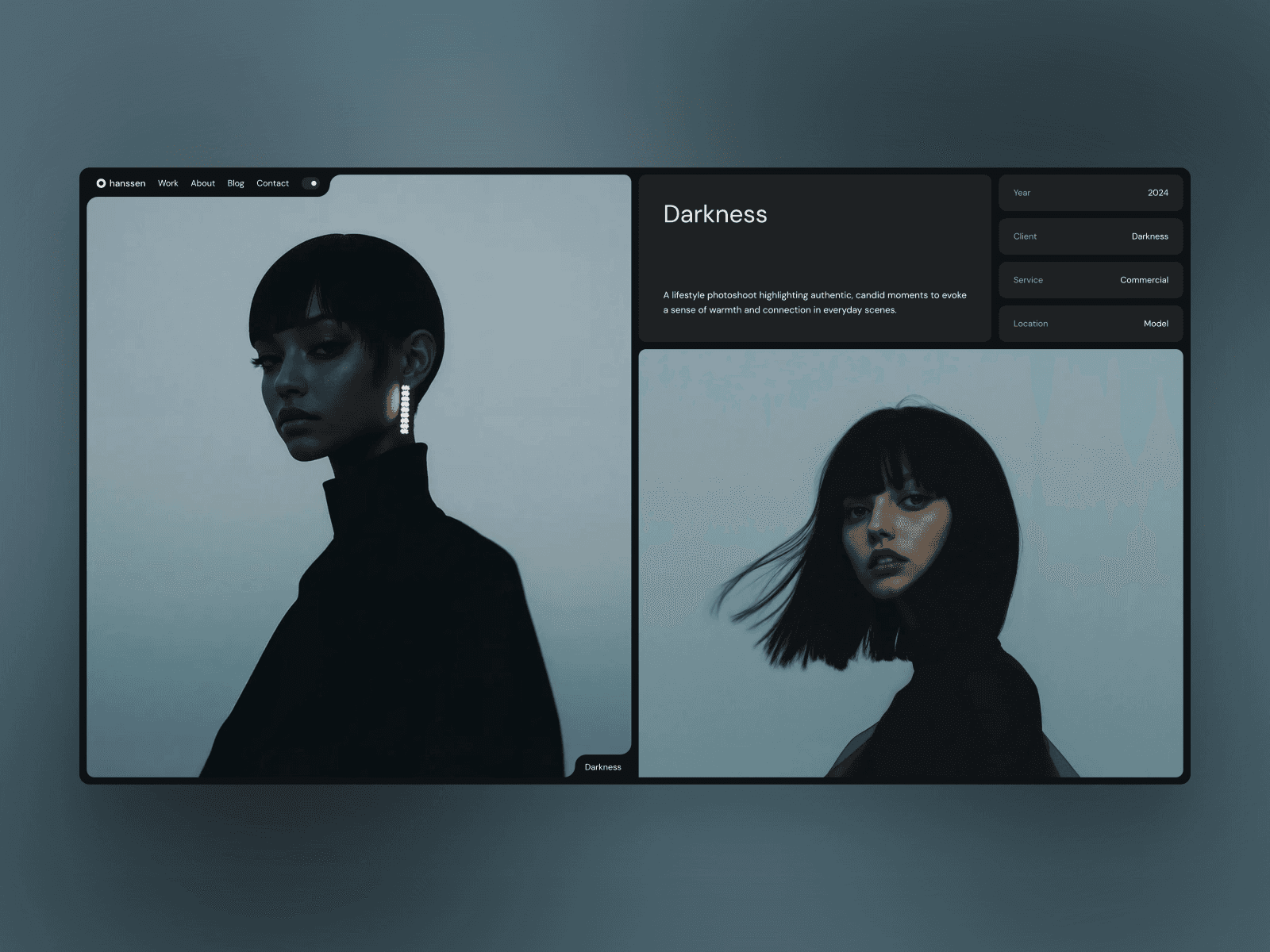
1. Hanssen
Hanssen combines sleek, minimalist design with bold typography and light/dark mode options, making it a favorite among over 17,240 creators. Its flexibility allows you to tailor it to your personal brand's style. Let’s break down what makes this template stand out.
Design Aesthetic
Hanssen ditches the cookie-cutter approach with layouts that feel fresh and modern. Dmitriy Salynin captured it perfectly:
"Great template, very creative usage of typography and layouts. Out of the box thinking".
It’s crafted to look flawless across all devices - whether someone’s viewing your portfolio on a phone, tablet, or desktop, it will maintain a professional, polished appearance.
Customization Options
Hanssen is built for ease of use. Its modular UI components and flexible blocks make customization straightforward. Michelle Badejo shared her experience:
"This Framer template is incredibly well-organized, not just visually but also in structure. Everything is intuitive, making customization a breeze. A solid choice for a polished and efficient design!".
You can also use editable Figma files to experiment with layouts before going live, ensuring the final design matches your vision.
CMS Integration
Managing dynamic content like portfolio projects or blog posts is simple with Hanssen’s smart CMS integration, designed specifically for Framer and Webflow. Plus, it’s SEO-ready, with clean HTML, proper metadata, and fast loading speeds to give your site a visibility boost.
Best Use Cases
Hanssen is perfect for creatives, freelancers, and consultants looking to showcase their portfolios. While it’s free on Framer, the Webflow version is $49 and includes a Figma file, lifetime updates, and premium email support.
2. Aiko
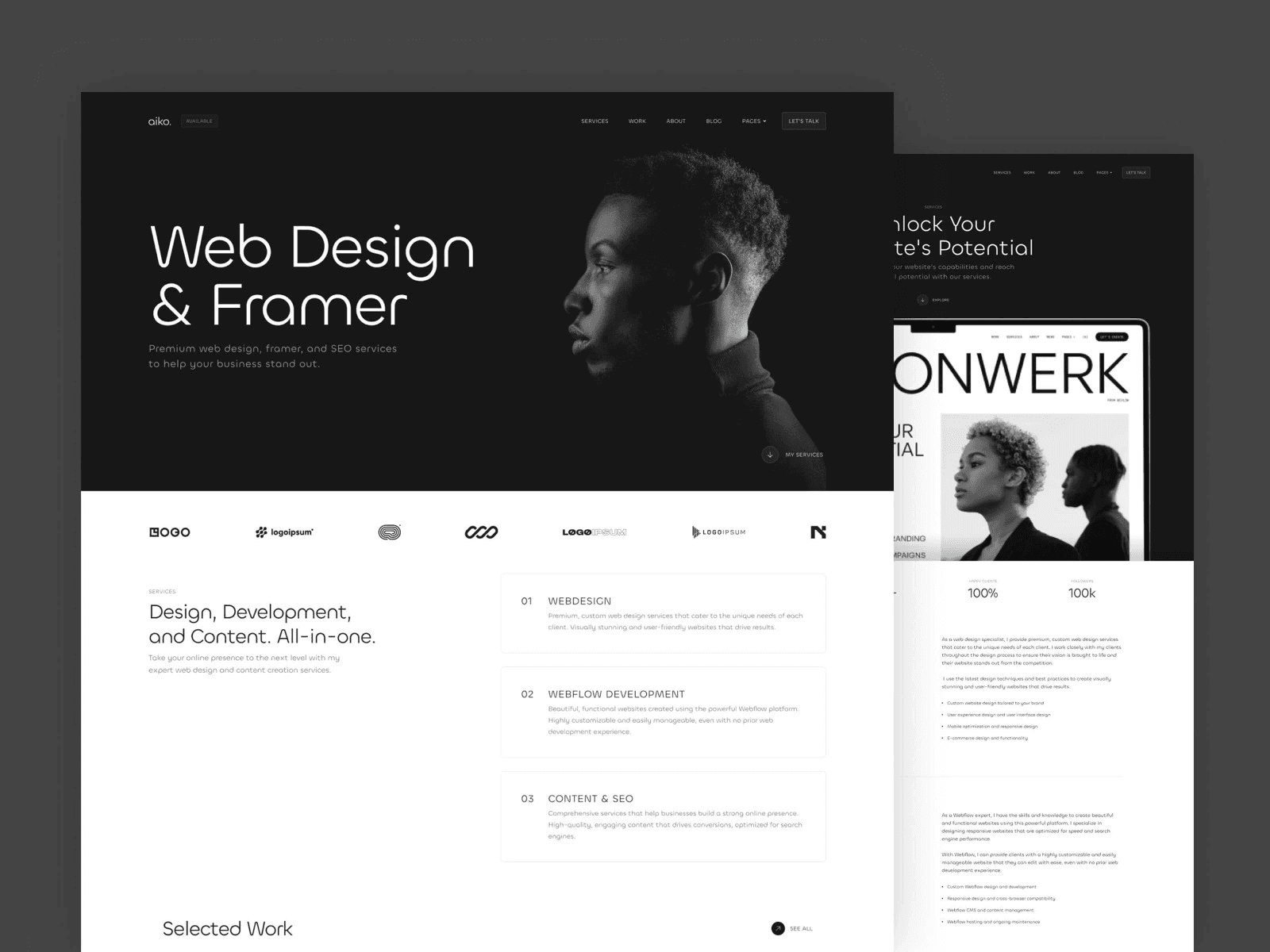
Aiko steps in after Hanssen as a code-free solution for creating a standout personal website. Its no-code interface allows for complete customization, making it a perfect fit for those who want a polished online presence without needing any programming knowledge.
Design Aesthetic
Aiko is built with responsive design in mind, ensuring your site looks great on any device. All elements automatically adjust, providing a seamless experience whether viewed on a phone, tablet, or desktop.
Customization Options
With Aiko's visual canvas, organizing components and managing layers is a breeze. You can easily adjust layouts, colors, and animations with simple drag-and-drop actions. Plus, the platform supports plugins, giving you the flexibility to add more features as your needs evolve. This ease of use makes Aiko a standout option in the lineup.
Best Use Cases
Aiko is a fantastic choice for freelancers, consultants, and creative professionals. Whether you’re showcasing your portfolio, sharing your story, or connecting with potential clients, Aiko provides a straightforward and efficient way to make it happen.
3. Rick Brown
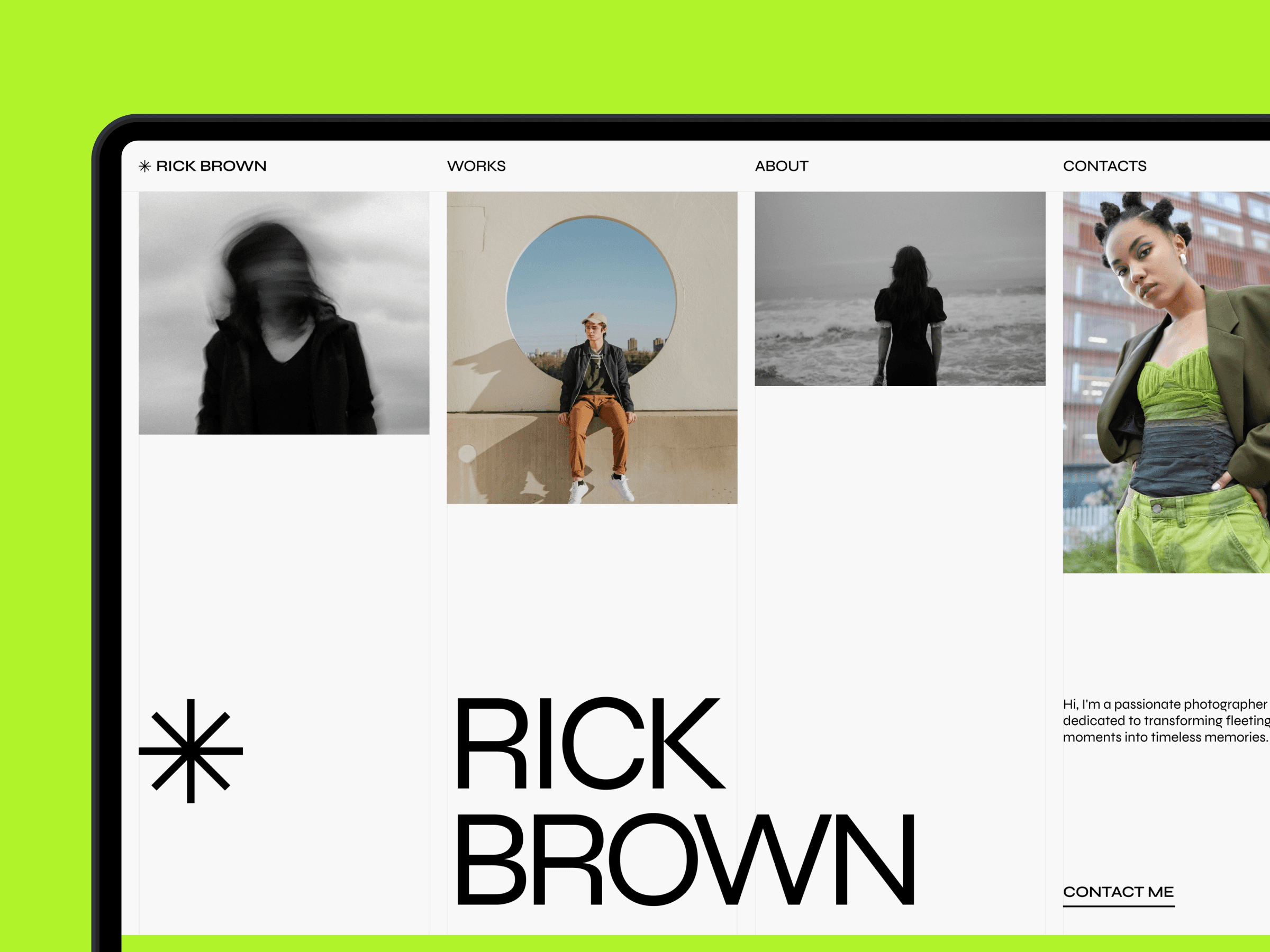
Rick Brown stands out as a template that combines ease of use with adaptability, making it a great choice for professionals looking to establish a polished online presence. Its straightforward design ensures that anyone can build a professional site without diving into complicated coding.
Design Aesthetic
This template features a sleek, modern look that’s perfect for professionals aiming to leave a lasting impression. Thanks to its responsive design, your site will look great on any device - whether it’s viewed on a desktop during a meeting or on a smartphone while someone’s on the go.
Customization Options
With Rick Brown, you have the freedom to tailor your site’s appearance to align with your personal brand. Adjust layouts, tweak colors, and update content easily using an intuitive interface. You can rearrange sections or add new ones to make your site uniquely yours, all while ensuring it’s optimized for mobile viewing. These tools make it an excellent option for building a strong, memorable online identity.
Best Use Cases
This template is a smart pick for professionals focused on personal branding. Whether you’re a consultant aiming to establish authority or a creative professional showcasing your portfolio, Rick Brown helps you present your work and message effectively. Its clean layout ensures that your content takes center stage, leaving a professional and lasting impression.
4. Aperture
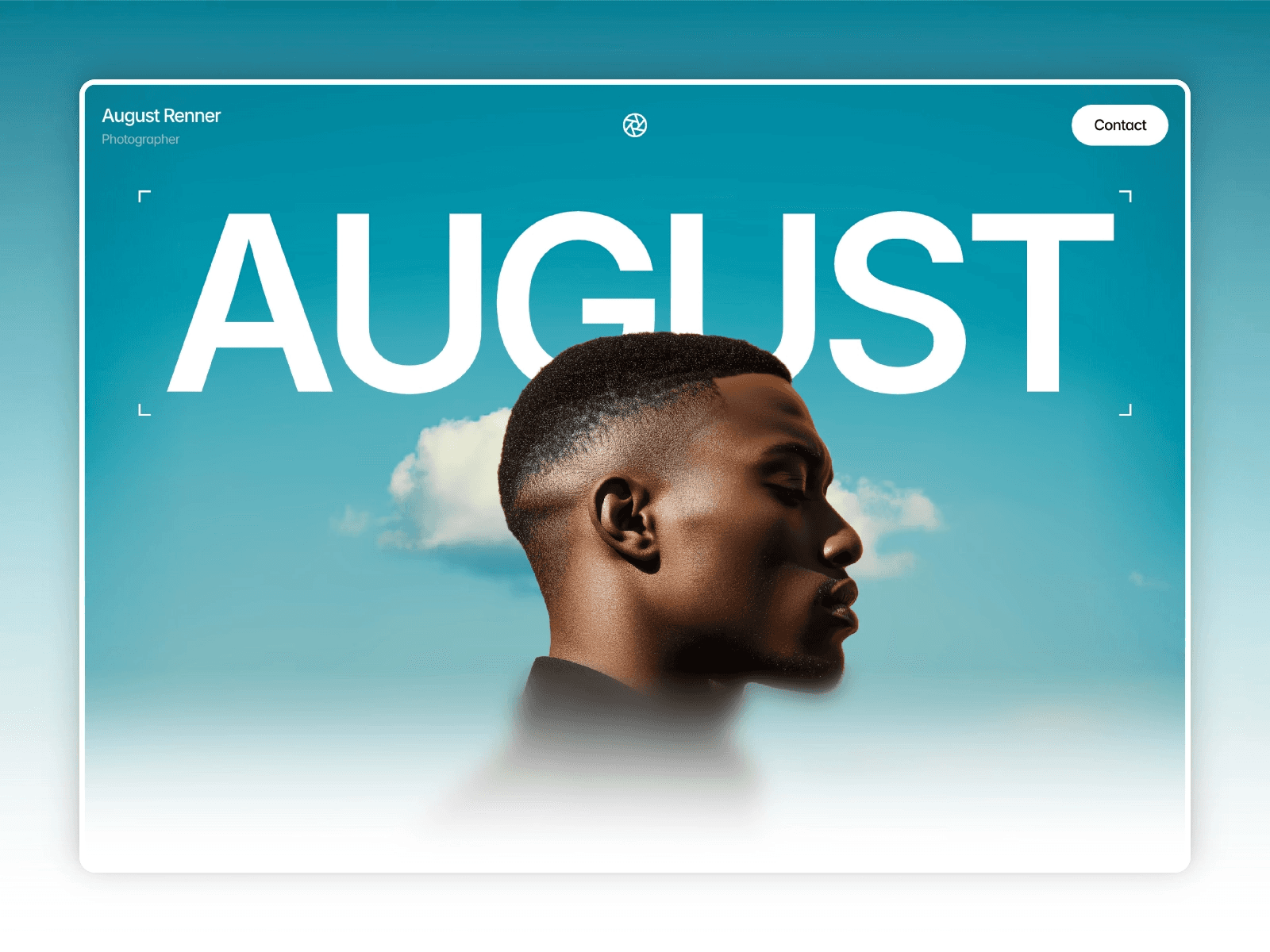
Aperture stands out by focusing on visual storytelling, making it a go-to choice for showcasing creative work. Its minimalist design highlights visuals with bold typography and a light color scheme, creating an image-first experience that commands attention. This template prioritizes simplicity and confidence, ensuring your portfolio shines.
Design Aesthetic
The design leans into clean, modern aesthetics, with generous white space and sleek lines. Masonry grids and full-bleed layouts provide a refined way to present your projects. Whether viewed on a desktop or a smartphone, the site maintains a polished and professional appearance across all devices.
Customization Options
Aperture is built using the Framer no-code platform, making it incredibly easy to personalize. You can swap out content and tweak styles without needing any coding skills. It includes eight pre-designed pages - such as Home, Portfolio, Blog, and About - giving you a strong starting point. A helpful video guide simplifies the customization process. Additionally, the template supports dynamic content through dedicated Portfolio and Blog pages, so updating your site is quick and hassle-free.
Best Use Cases
This template is perfect for portrait photographers, editorial artists, and creative freelancers who want to showcase their work effectively. Its image-focused design is ideal for building portfolios that attract more bookings. Plus, with optimization for speed and search engines, your site won’t just look great - it’ll perform well, too. Priced at $129, Aperture comes with three months of Framer Pro and lifetime updates. Created by Hamza Ehsan, who has served over 10,000 customers, the template has already garnered 27,900 views on the marketplace. Aperture combines style and functionality, making it a strong addition to any creative’s toolkit.
5. Captured
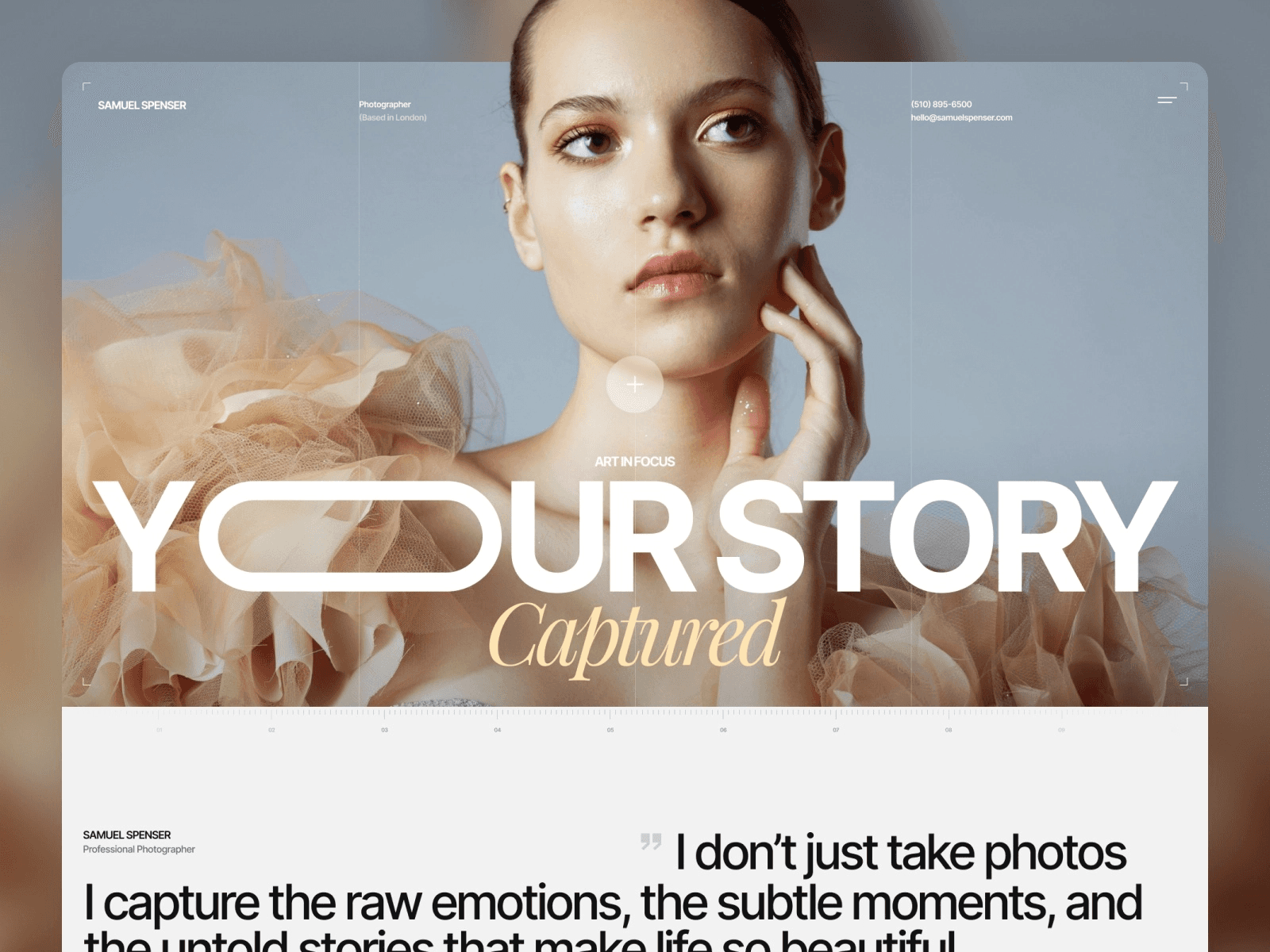
Captured takes a storytelling-first approach to website design, creating an online presence that feels personal and relatable. Developed by Anatolii Dmitrienko, this template is crafted for those who want to blend their personal identity with their professional achievements. Priced at $129, it stands out as a premium choice for personal branding. Like other top-tier templates, Captured strikes a fine balance between visual appeal and usability.
Design Aesthetic
What sets Captured apart is its ability to weave your story into your professional accomplishments. The template uses a narrative-driven structure to highlight your journey and expertise, giving visitors a sense of who you are beyond just your work. This design approach makes it easier to share your passions and achievements in a way that feels natural and engaging, rather than overly promotional.
Customization Options
Captured is built on Framer's no-code platform, offering an easy drag-and-drop interface to customize layouts, colors, and animations. It’s fully responsive, adapting beautifully to various devices, and optimized for search engine visibility, which can help boost your online presence. Once your site is ready, you can publish it directly with Framer’s hosting and connect a custom domain for a polished finish.
Best Use Cases
Captured delivers a premium experience for individuals or brands looking to build deeper connections with their audience. It’s especially suited for creative professionals, consultants, or entrepreneurs aiming to showcase their unique story. The storytelling framework is particularly effective for those who need to build trust and rapport with their audience before they engage with your services or offerings. Whether you're highlighting your creative work or professional expertise, Captured helps you present it with authenticity and style.
6. Portal
Portal brings a fresh twist to personal website templates with its futuristic design. This free template elevates your online presence through interactive scroll effects and dynamic animations. If you're aiming to stand out rather than blend in, Portal delivers a sleek, high-tech experience that demands attention. Here's a closer look at what makes Portal unique.
Design Aesthetic
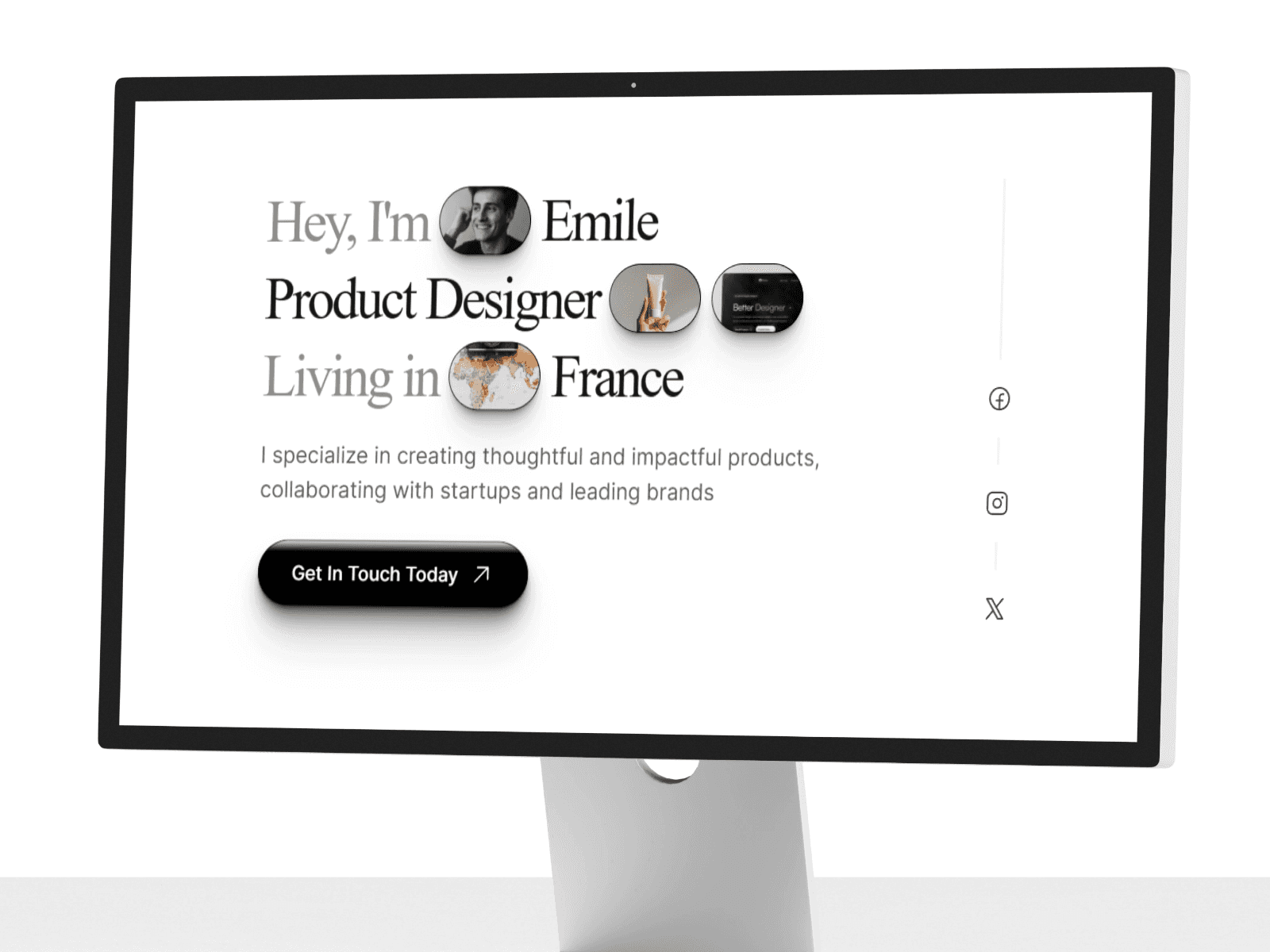
Portal's design feels more like navigating a digital interface than scrolling through a standard website. With motion effects and scroll-triggered animations, it guides visitors seamlessly through your story. The high-tech visuals and interactive elements make every visit unforgettable, showcasing both creativity and technical sophistication.
Customization Options
While its visuals are impressive, Portal also makes managing your site incredibly straightforward. Its modular components allow you to tweak animation speeds, adjust colors, and rearrange layouts - all without touching a single line of code. Plus, it includes built-in CMS tools, so updating your content is quick and hassle-free.
Best Use Cases
Portal is a perfect fit for digital creators, tech professionals, and innovators who want their website to reflect their forward-thinking approach. Whether you're a digital artist, a creative technologist, or someone in the tech industry, this template lets your technical skills shine through its interactive and modern design.
7. EchelonST
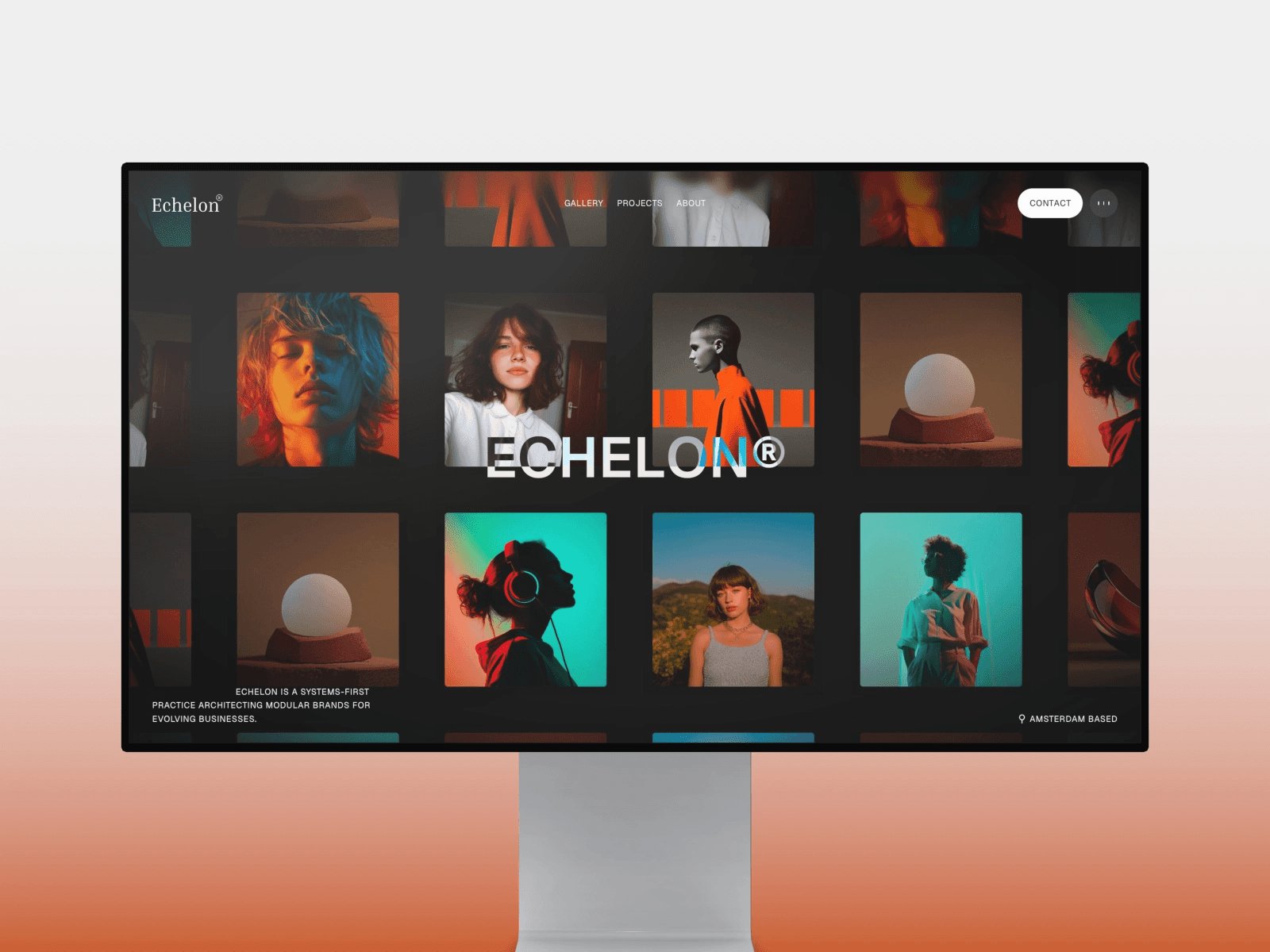
EchelonST offers a dynamic way to create personal websites, giving users full control over every visual detail to highlight their personal brand. Built on Framer's no-code platform, it combines ease of use with powerful customization. Its drag-and-drop interface makes tweaking layouts, colors, and animations a breeze. Plus, the built-in design system, featuring pre-set colors and typography, simplifies site-wide updates - allowing you to remix and tailor your site directly within Framer.
8. Callum Hayes
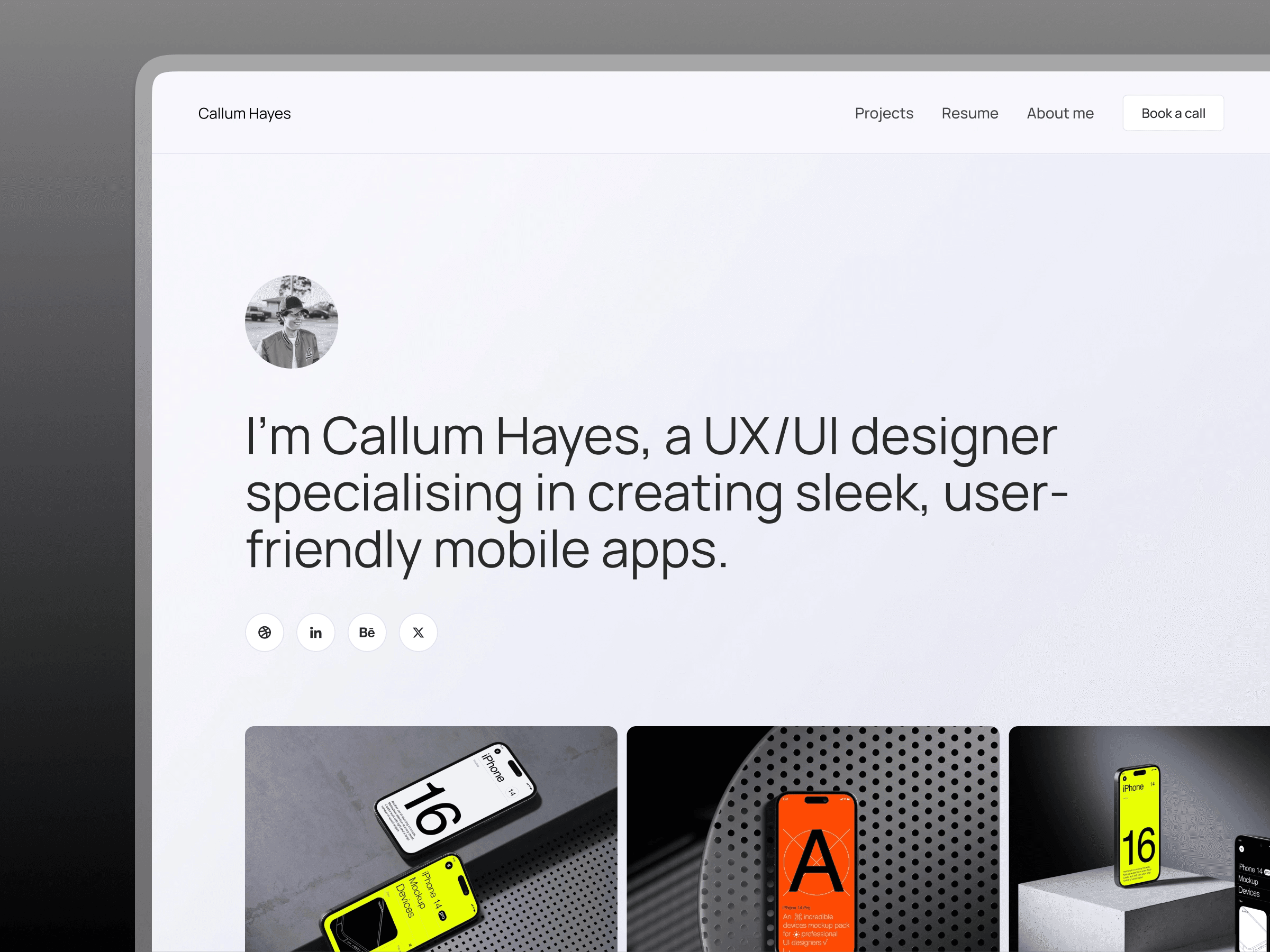
Callum Hayes is a personal website templates crafted specifically for designers looking to establish their online portfolios. With more than 71,700 views on the Framer Marketplace, it’s a popular choice among creatives seeking a professional layout to showcase their work effectively.
Design Aesthetic
This template delivers a sleek, minimal design that keeps the spotlight on your work. Its polished layout is perfect for graphic artists, illustrators, and web developers aiming to make a strong first impression. The clean structure ensures your creativity takes center stage.
Customization Options
Powered by Framer, Callum Hayes comes with six pre-designed pages, including Home, Projects, Resume, and About, offering a full professional profile right out of the box. The template is also highly customizable, making adjustments simple and intuitive. As described on the Framer Marketplace:
"Ideal for new designers, this easy-to-use, customizable template lets you quickly adapt and showcase your work stylishly."
This flexibility makes it easy to create a polished online presence without getting bogged down in technical details.
Best Use Cases
Callum Hayes is a great fit for graphic artists, illustrators, and web developers who want to quickly launch a professional portfolio. With its dedicated Projects and Resume pages, it doubles as both a portfolio and a CV, allowing you to focus on your creative work while presenting a comprehensive professional profile.
9. Yuya
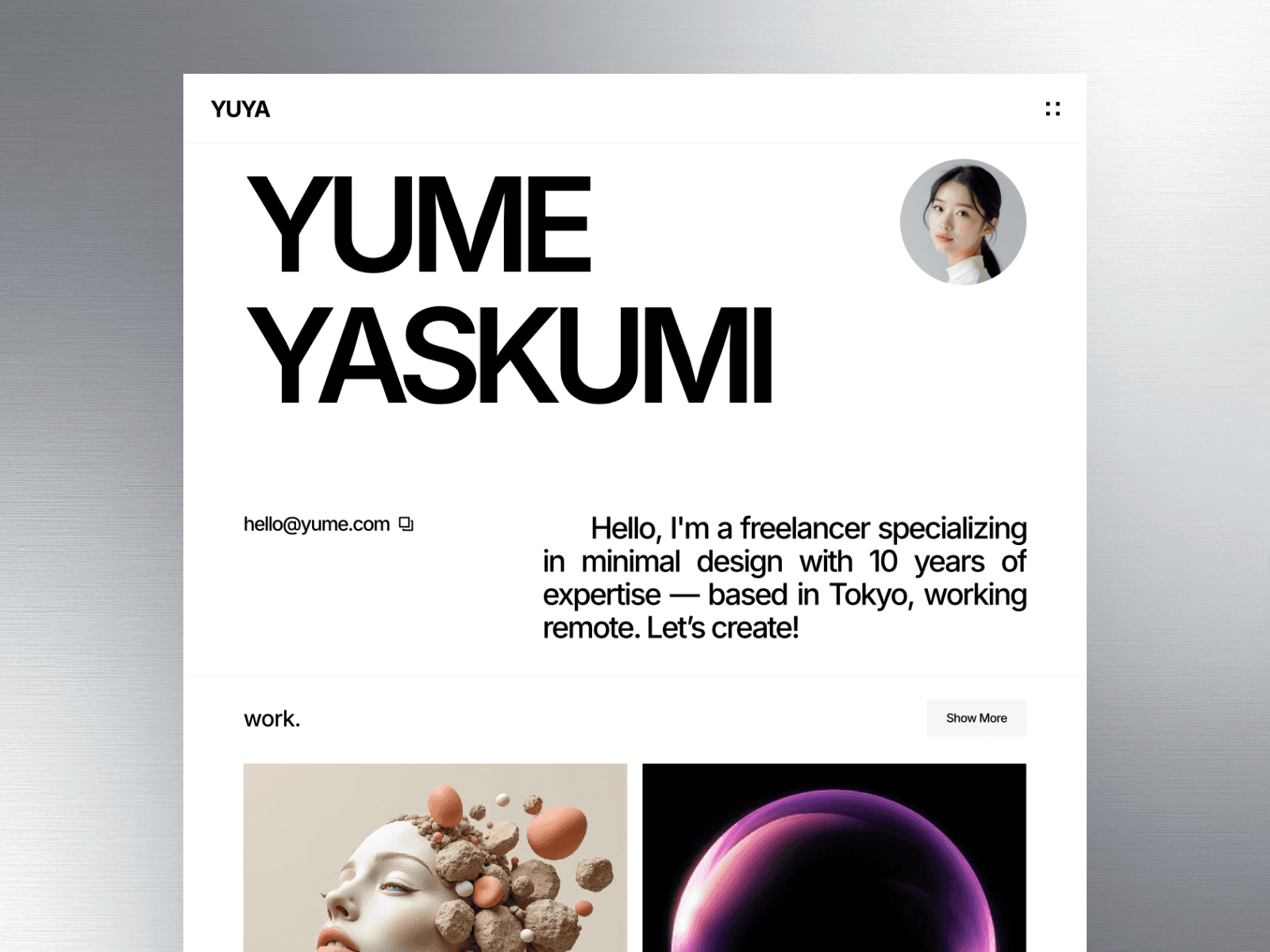
Yuya is a free personal website template created by Peter Hodak. It's designed for creatives, designers, developers, and professionals who want a clean, no-frills design that emphasizes their work.
Design Aesthetic
Yuya focuses on simplicity and clarity, making it a standout choice among personal website templates. Its minimalist layout ensures your portfolio takes center stage without distractions. Plus, the responsive design guarantees your site will look polished and professional on any device.
Customization Options
With Yuya, you can launch your site in no time. It allows for quick adjustments to colors, fonts, and layouts, making it easy to align with your personal brand. The template includes six key pages - Home, Work, Work Detail, About, and Contact - covering all the essentials for a complete online presence. The Work Detail page is particularly useful for showcasing projects with crisp visuals and organized content.
Best Use Cases
Perfect for professionals looking to create a portfolio or establish their personal brand, Yuya's straightforward design keeps the focus on your achievements. Its built-in SEO features also help improve your online visibility, making it easier to connect with potential clients or collaborators.
10. Pearl
Pearl is a free personal website template created by Dawid Pietrasiak that combines a sleek, modern aesthetic with a focus on typography and monochromatic design. Its clean and uncluttered layout ensures that your work takes center stage.
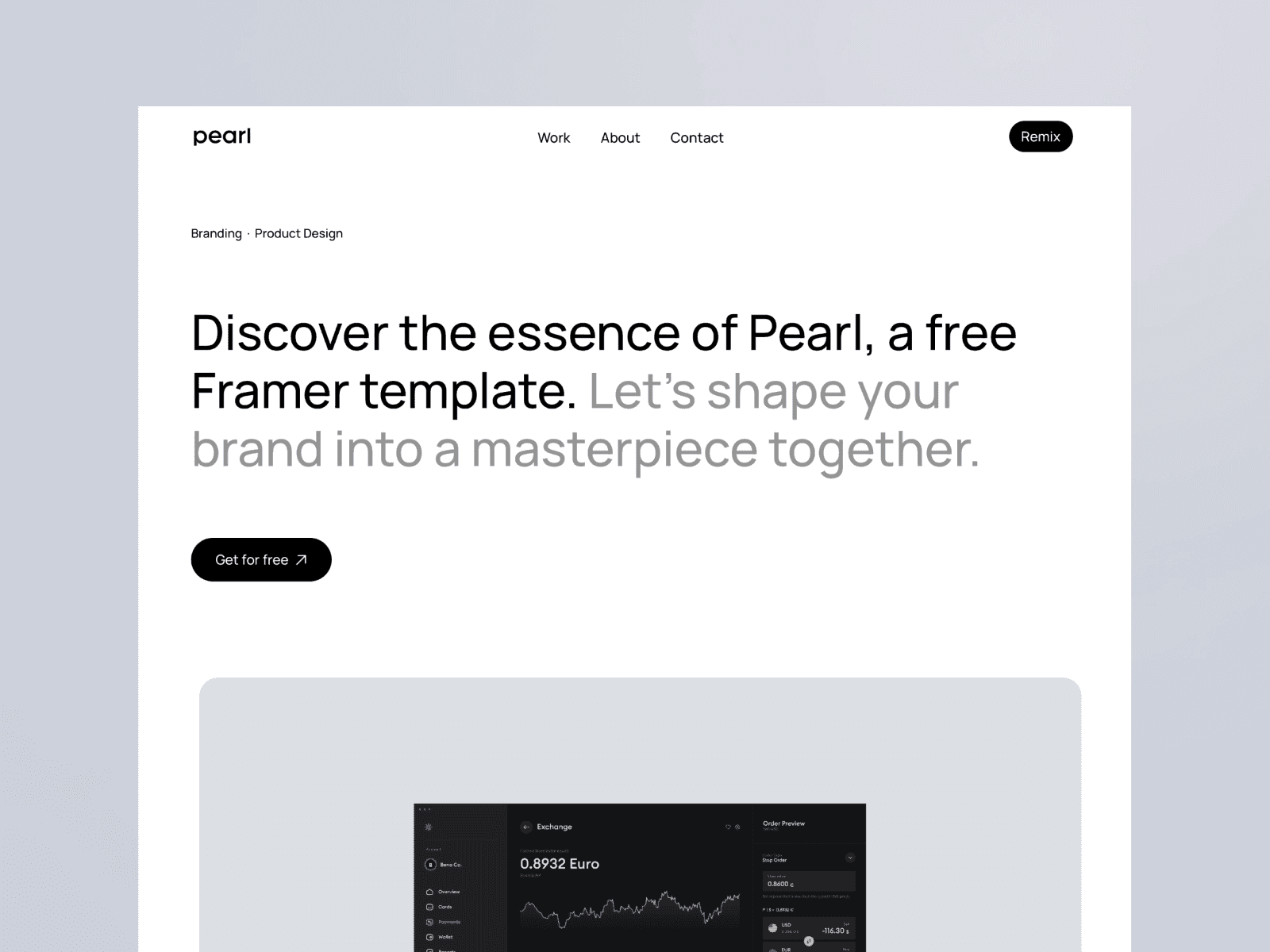
The template also incorporates smooth scroll effects and interactive elements to bring your portfolio to life. As Dawid Pietrasiak describes it:
"With a clean, minimal design, Pearl is perfect for designers, photographers, and artists looking to make a strong visual impact."
Customization Options
Pearl isn't just visually striking - it's also incredibly easy to customize. Built on Framer, this template requires no coding, allowing you to tweak text, colors, scroll effects, and layouts directly through Framer's visual editor. It comes preloaded with four key pages - Home, About, Work, and Work Detail - offering everything you need for a polished online presence. Plus, its responsive design ensures your portfolio looks great on desktops, tablets, and smartphones.
CMS Integration
Thanks to its built-in CMS, managing your portfolio is a breeze. You can easily update project details or add new work without making manual adjustments, saving you time and effort while keeping your site fresh and current.
Best Use Cases
Pearl is an excellent choice for creatives who want to showcase their work in a professional and visually appealing way. Whether you're a freelance photographer sharing your latest shoots, a designer presenting detailed case studies, or an artist curating your portfolio, Pearl's minimalist design ensures your work remains the focal point.
11. Potion
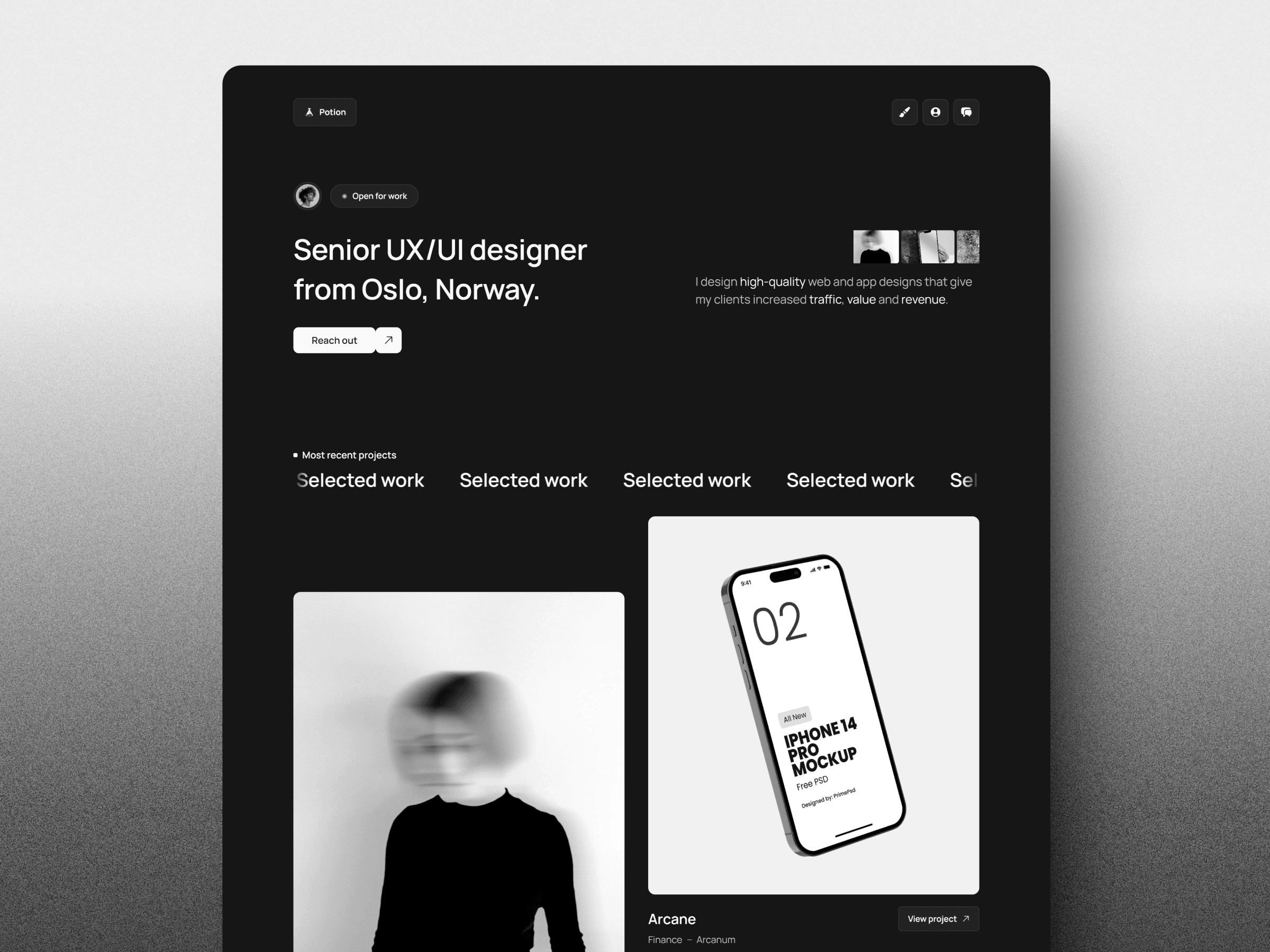
Potion is a $29 template by Trym Foss that has drawn attention on the Framer Marketplace, racking up 5,300 views. Its sleek dark mode design and interactive features make it a standout choice for creative professionals looking to showcase their work effectively.
Design Aesthetic
Potion is built around a dark-themed interface that exudes a polished and professional vibe. What makes it pop are its interactive elements - smooth animations and dynamic cursor effects breathe life into every page. As Trym Foss explains:
"With smooth animations and engaging cursor effects, Potion adds an interactive touch to every page."
The template emphasizes visual storytelling with high-quality images and seamless transitions, ensuring that creative projects are presented in the best light. It’s also fully responsive, meaning it looks great whether viewed on a desktop, tablet, or smartphone.
Customization Options
Potion is designed for ease of use, leveraging Framer's no-code platform. This means you can tweak layouts, colors, and animations using a simple drag-and-drop editor - no coding skills needed. The template comes with five pre-designed pages: Home, About, Projects, Contact (complete with a submission form), and a custom 404 page. You can easily adjust typography, images, and spacing directly in Framer’s visual editor, all while ensuring the layout remains responsive on mobile and tablet devices.
CMS Integration
Potion works seamlessly with Framer's built-in CMS, making it easy to manage dynamic content like project listings without altering the overall design. The Projects page is specifically structured to support this functionality, simplifying updates to your portfolio.
Best Use Cases
This template is a perfect fit for designers, photographers, and other creative professionals aiming to build a striking portfolio. Its modern design and interactive features help convey a sophisticated and high-impact brand identity.
12. Luzia
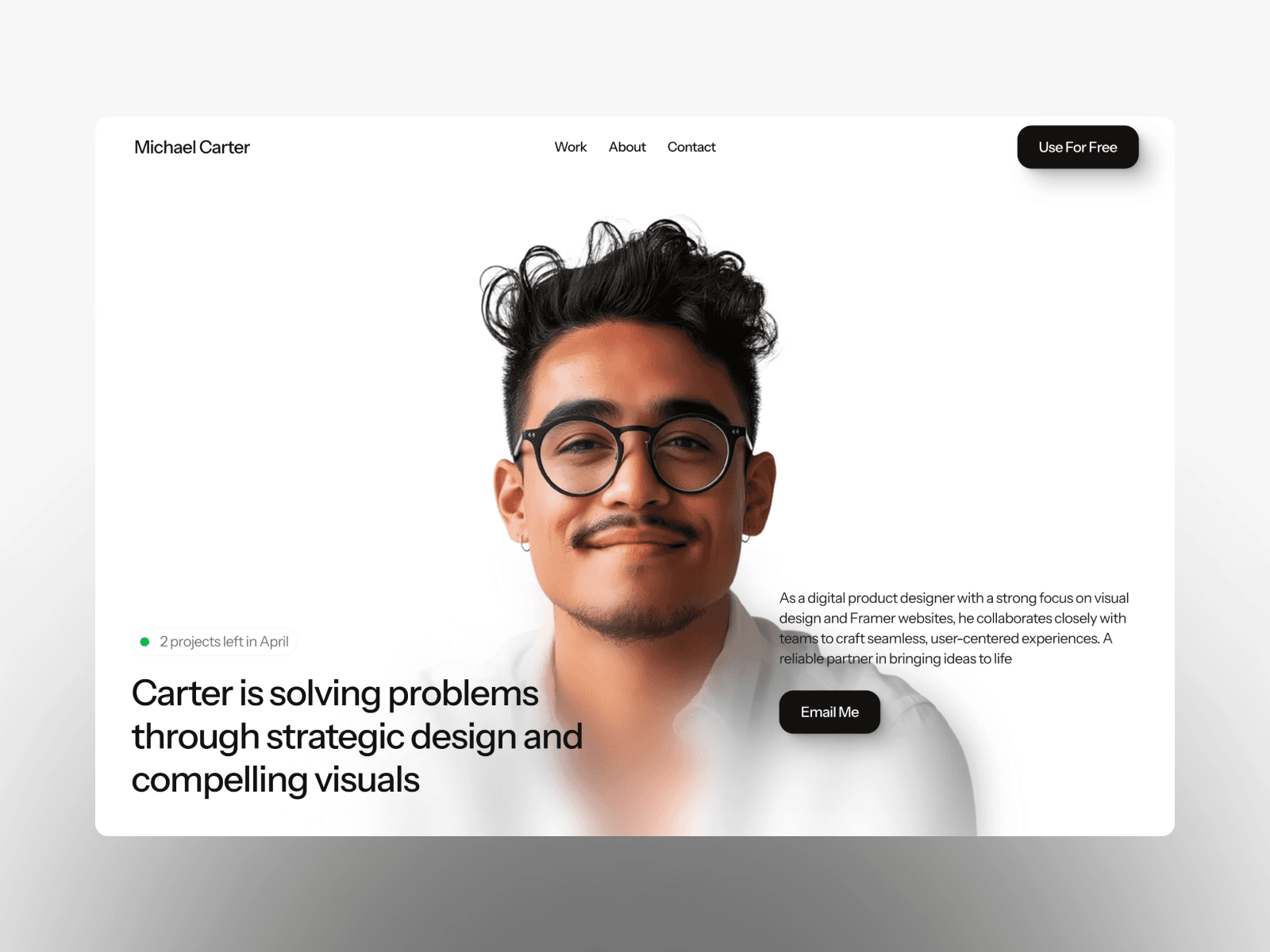
Luzia, much like Potion's interactive approach, focuses on simplicity and elegance in design. This free template, created by designer Qoim, has garnered impressive attention with 74,900 views on the Framer Marketplace. It's tailored for creatives looking to showcase their work while building a memorable personal brand.
Design Aesthetic
Luzia stands out for its clean, modern design and generous use of white space, ensuring your work takes center stage. As highlighted on the Framer Marketplace:
"A sleek and modern portfolio website template designed for creatives to showcase their work with elegance and clarity"
The template includes five key pages - Home, Works, About, Contact, and an additional customizable page. It’s also optimized for mobile, ensuring a seamless and polished look on desktops, tablets, and smartphones alike.
Customization Options
Built on Framer's no-code platform, Luzia offers an intuitive drag-and-drop interface for easy customization. You can tweak layouts, adjust colors, and modify content effortlessly. Rearrange sections, fine-tune visual styles, or add components to align with your personal brand. Its modular design allows you to highlight the elements that matter most to your creative field.
Best Use Cases
Luzia is an excellent choice for designers, photographers, and visual artists seeking a professional way to showcase their portfolios. Its emphasis on visual storytelling and clean structure makes it perfect for personal branding, allowing you to present a cohesive narrative through thoughtfully designed pages.
13. Webstack
Webstack is a free personal website template designed by Anatolii Dmitrienko for the Framer platform. It’s tailored to help you build a professional online presence that highlights your personal story, work, and passions in a way that feels genuine and engaging.

Design Aesthetic
This template stands out with its clean layout and focus on storytelling. It’s designed to put your identity and professional journey front and center. Plus, its responsive design ensures your site looks sharp on any device while improving loading speed and SEO performance.
Customization Options
Webstack uses a no-code, drag-and-drop interface that makes customization simple. You can quickly update headlines, tweak calls-to-action, adjust typography, and swap out images to align with your personal brand. For added functionality, you can pull in modular components from the Framer Marketplace, such as typewriter effects, interactive carousels, animated gradients, and particle effects.
Best Use Cases
This template is a great fit for creative professionals and freelancers seeking an affordable yet impactful way to connect with potential clients. Whether you’re a designer, developer, or artist, Webstack allows you to showcase your portfolio while sharing the story behind your work. It’s an ideal tool for highlighting your skills and attracting the right opportunities. Up next, discover another template to inspire your personal website design journey.
14. Devis Rogers
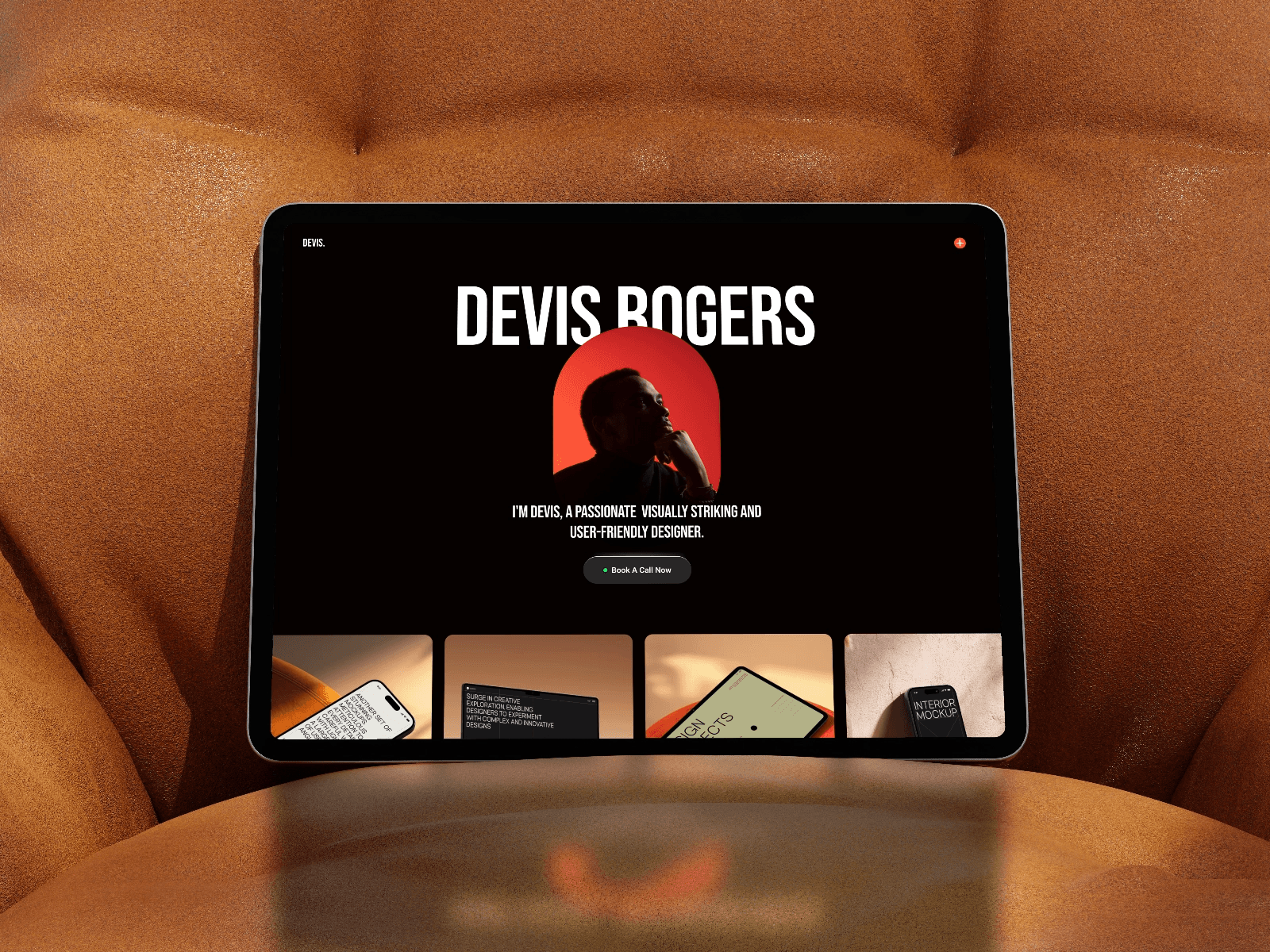
Devis Rogers is a free personal website template designed by EV Studio for the Framer platform. It offers a way to build an online presence that shares your story, highlights your work, and connects you with your audience.
Design Aesthetic
This template emphasizes storytelling and personal connection. It’s designed to showcase your identity and professional journey in a way that’s easy for visitors to grasp. Plus, its responsive, mobile-friendly design ensures your site looks great on any device.
Customization Options
Devis Rogers is built using Framer's no-code tools, making it simple to customize without any coding knowledge. You can tweak layouts, adjust colors, and update content effortlessly. Rewrite headlines, upload your own high-quality images, and personalize each section to match your brand. Rearrange sections, change fonts, or refine the overall look - all directly within the Framer editor. This flexibility makes it suitable for a variety of professional needs.
Best Use Cases
This template works well for freelancers, creatives, and professionals looking to showcase their portfolio or personal story. Its free price tag makes it especially appealing for students, beginners, or anyone creating their first professional website. Additionally, built-in SEO tools help improve your visibility in search results.
Template Comparison
Choosing the right personal website template depends on your needs, budget, and design preferences. While all templates allow no-code customization with Framer's drag-and-drop editor, they differ in pricing, design, and functionality. Here's a closer look at these differences.
Pricing spans a broad range. Some templates, like Devis Rogers and Pearl, are completely free, offering quick-to-publish layouts with basic "about-work-contact" pages. However, they might require manual upgrades if you need to showcase detailed case studies. On the other hand, premium options like Captured, priced at $129, or Aperture provide multi-page setups and complete kits, delivering a more polished and feature-rich experience compared to the simpler free templates.
Design styles cater to different audiences. If you're a photographer or visual artist, gallery-focused templates with image-centric layouts and interactive hover effects might be the perfect fit. For writers, consultants, or professionals looking to highlight their narrative, minimalist, text-driven designs offer a clean and focused approach.
CMS support also varies across the templates. Some include built-in blog pages and seamless CMS integration, making them ideal for dynamic content updates. Others stick to static content, which you'll need to update manually. This distinction can be crucial depending on whether you plan to run a blog or prefer a simpler, static website.
When selecting a template, consider your customization needs, the importance of blogging capabilities, and your preferred design aesthetic. Premium templates often justify their higher price by offering additional pages and more advanced features, making them worth the investment for a more comprehensive website setup.
Conclusion
These templates give you the tools to create a personal brand that genuinely stands out. With 14 highlighted options, the Framer Marketplace showcases everything from sleek, minimal layouts to dynamic, interactive designs. And with thousands of templates available, there’s something to match any style.
Framer’s no-code, drag-and-drop editor lets you get your site live in no time. Plus, the marketplace includes plugins and components that add features like background removal and CMS integration, ensuring your site is as functional as it is visually appealing.
There’s a solution for every budget, too. You’ll find everything from free templates to premium designs packed with advanced features. Style filters make it simple to search for a layout that fits your vision perfectly.
Dive into the Framer Marketplace to launch your online presence. With responsive layouts, polished designs, and step-by-step tutorials, you’ll have all the tools you need to showcase your work and share your story.
FAQs
What should I look for when choosing a personal website template?
When picking a personal website template, there are a few key things to keep in mind to make sure it matches what you’re looking for. Start with the design style - this should showcase your personality or brand. Whether you prefer something clean and simple, bold and trendy, or more artistic, the design sets the tone for your site.
Next, think about the features the template provides. Look for essentials like mobile responsiveness, easy customization options, or built-in tools like a content management system (CMS) that can make updates easier.
Consider the purpose of your website. Is it for a portfolio, a blog, or a personal hub? The layout should align with your goals and provide the right structure for your content. Also, evaluate the template’s usability based on your technical expertise. If coding isn’t your thing, go for something straightforward and user-friendly.
Lastly, don’t forget to factor in the cost. Make sure the template fits your budget while still meeting your needs. By focusing on these elements, you can choose a template that helps you build a site that leaves a strong impression.
What are the differences between free and premium personal website templates?
Free personal website templates are an excellent option if you're looking to build a simple, attractive website without spending a dime. These templates often come with essential features like responsive design and basic customization options, making them perfect for portfolios, blogs, or personal branding projects.
On the other hand, premium templates take things up a notch. They typically include advanced features like enhanced animations, built-in SEO tools, and more design flexibility. These templates are ideal for users who want a highly professional and tailored online presence, often including options for integrations and custom interactions. While free templates are great for experimenting or smaller projects, premium templates deliver a more refined and scalable solution for those with specific goals and a budget to match.
Are these personal website templates compatible with CMS and SEO features?
These personal website templates are built to integrate effortlessly with CMS platforms and include SEO-friendly features. They simplify content updates while offering tools to enhance your online visibility. This setup makes it easier to manage your site and improve its performance on search engines.
Share article
$249
$3601
All Access
Save with our all access bundle - get access to all premium Framer templates.
38
+
Framer Templates
51
+