Feb 26, 2026

Pawel Gola
Framer & Webflow Expert
Your portfolio website is often the first thing potential clients or employers see. It needs to look professional, load quickly, and showcase your work effectively. Building one from scratch can be time-consuming and costly, especially if you lack coding skills. That’s where free templates come in.
Here’s a list of 12 free portfolio website templates from the Framer Marketplace, designed to help you create a polished website without coding. These templates include features like drag-and-drop editors, responsive layouts, and built-in CMS tools. Whether you’re a designer, photographer, or freelancer, there’s something here to fit your style.
Highlights:
Aerra: Clean, minimalist design with hover effects.
Halo Studio: Modern layout with smooth scrolling.
Trifold: Grid-based design for easy navigation.
Vanza: Simple yet flexible for detailed project pages.
Noora: Bold, lively design for visual impact.
Moka X: Sleek design for showcasing diverse work.
Fuel: Organized sections with CMS support.
Gibson: Dark design with 3D cube covers.
Lou: Straightforward layout with smooth transitions.
TDSenri: Mobile-first design with elegant animations.
Jorge: Monochromatic, type-focused template.
Hoffen: Simple, responsive design for all devices.
Each template is fully responsive and includes tools to make managing your site easy. Choose the one that suits your needs, customize it, and launch your portfolio today to start attracting opportunities.
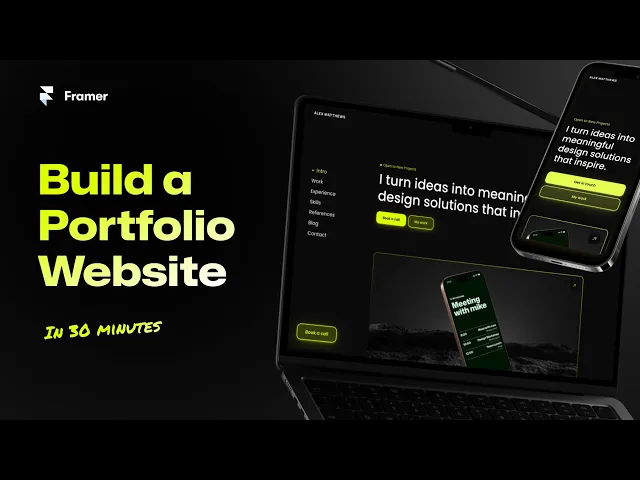
Build a Portfolio Website in 2025 | Free Framer Template Included
1. Aerra
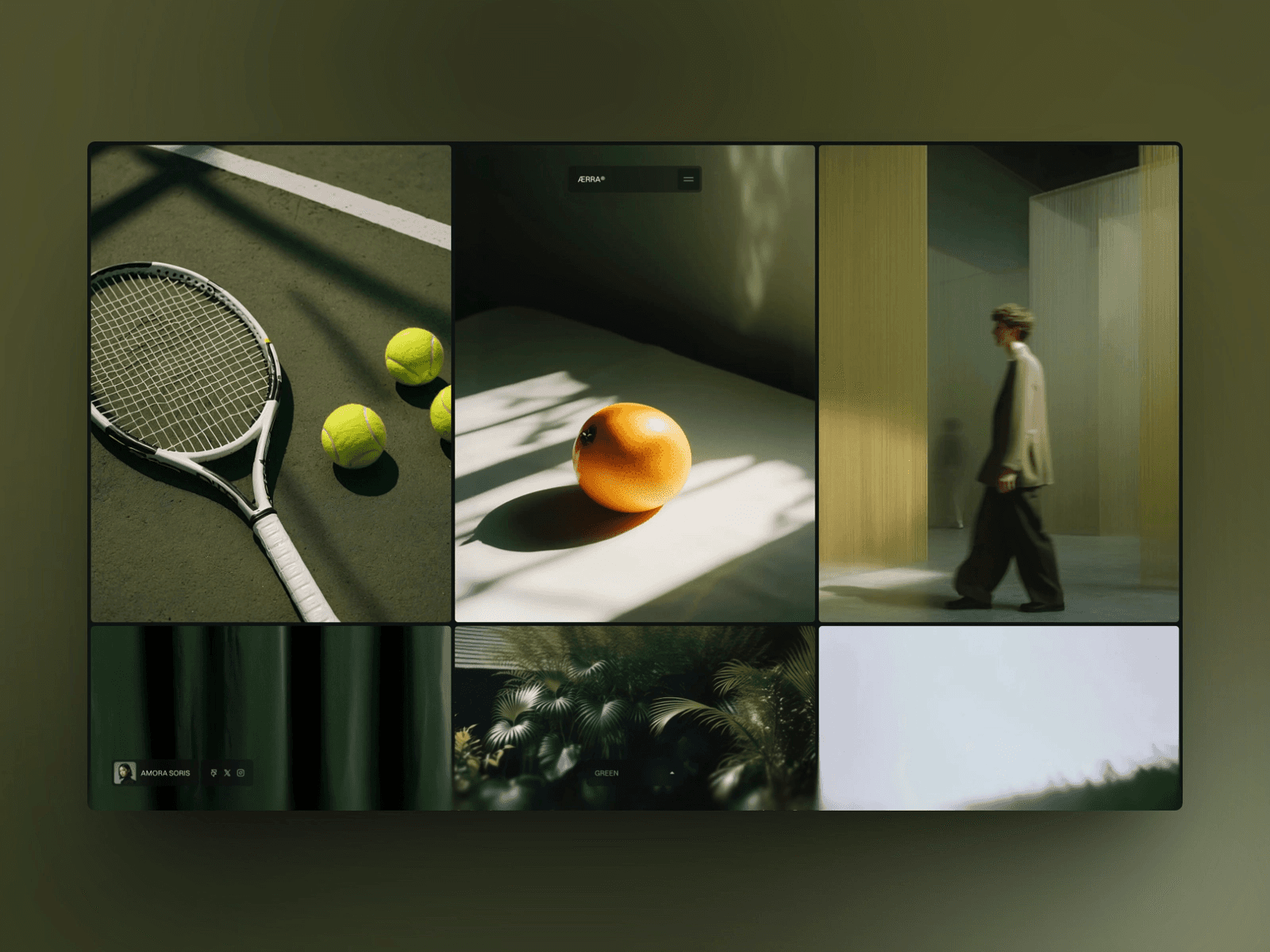
Aerra offers a sleek, minimalist design that keeps the spotlight on your work. With its focus on clean lines and generous white space, it delivers a polished aesthetic suited for various creative professionals.
Page Types and Layouts
Aerra includes the essentials: a home page to feature your standout projects, an about page, and dedicated project pages. These are laid out in a clear grid format, ensuring easy navigation and a streamlined user experience.
Animations and Interactivity
Aerra incorporates subtle hover effects on project thumbnails and navigation elements, adding a touch of elegance without being overwhelming. These refined details enhance interactivity while maintaining the design's simplicity.
Best Use Cases
Aerra shines as a choice for freelancers and creatives who want a clean, distraction-free way to showcase their visual work. It’s perfect for those aiming to present their portfolio with clarity and make client interactions straightforward.
2. Halo Studio
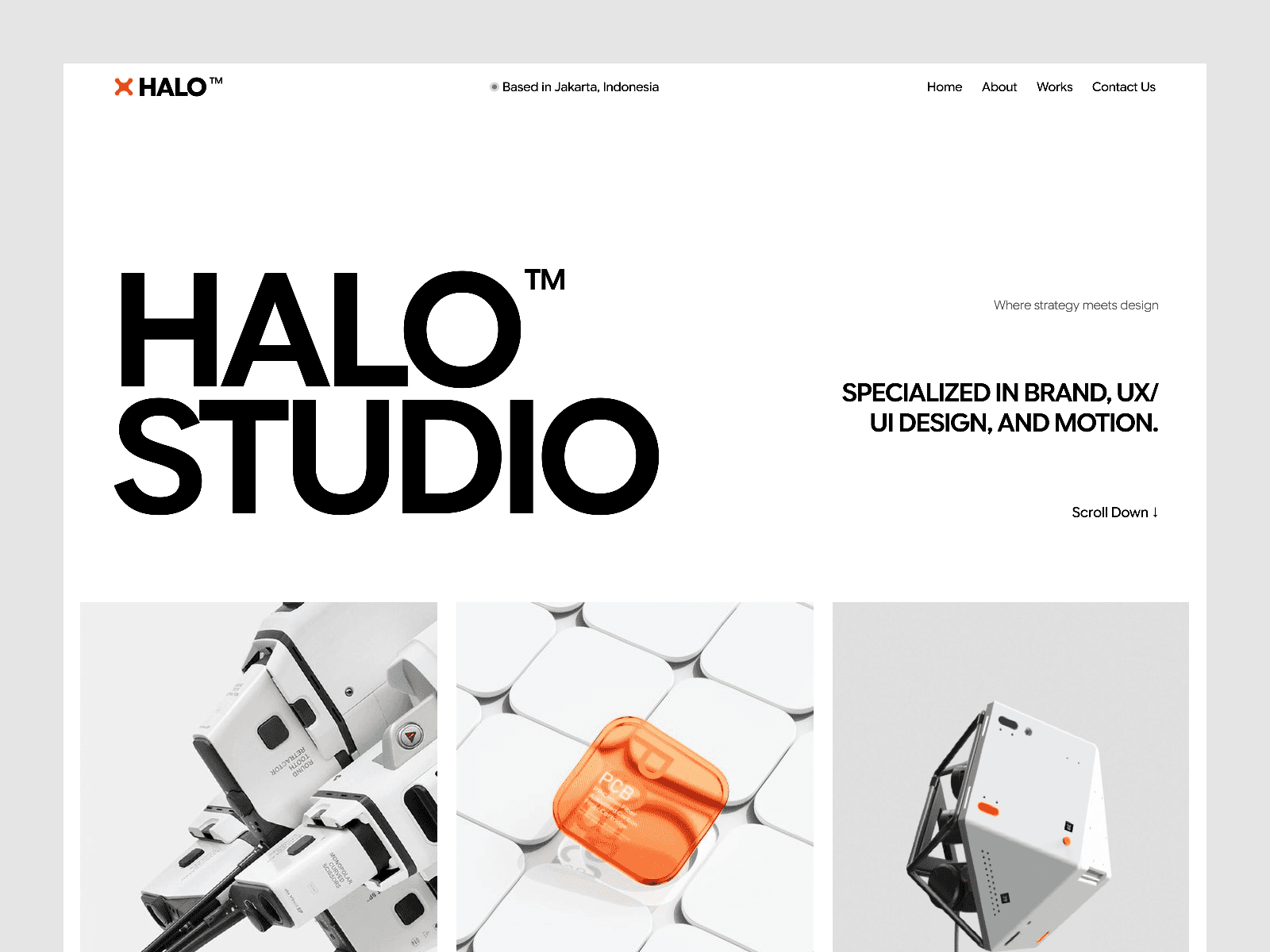
Halo Studio is a free portfolio website template designed with a sleek, modern aesthetic and a focus on visual storytelling. Available on the Framer Marketplace, it comes with all the essentials: a home page, an about page, project showcases, and a contact page.
Page Types and Layouts
This template strikes a balance between clean organization and artistic flair by blending structured grids with more dynamic, asymmetrical elements. The result? A layout that feels both polished and visually engaging. Its design naturally complements interactive features, creating a layout that stands out without overwhelming the content.
Animations and Interactivity
Halo Studio incorporates smooth scrolling effects and subtle transitions to make browsing feel effortless. These animations are understated yet effective, drawing attention to your work while maintaining a fast and responsive experience.
Best Use Cases
Halo Studio works perfectly for creative professionals - whether you're an independent designer or part of an agency. It’s an excellent choice for showcasing everything from digital projects to artwork. This template offers a polished and functional platform to shine a spotlight on your portfolio, making it a fantastic option for those who want their work to take center stage.
3. Trifold
Trifold is a free portfolio website template available on the Framer Marketplace. It offers a sleek, modern design that's perfect for professionals looking to showcase their work.
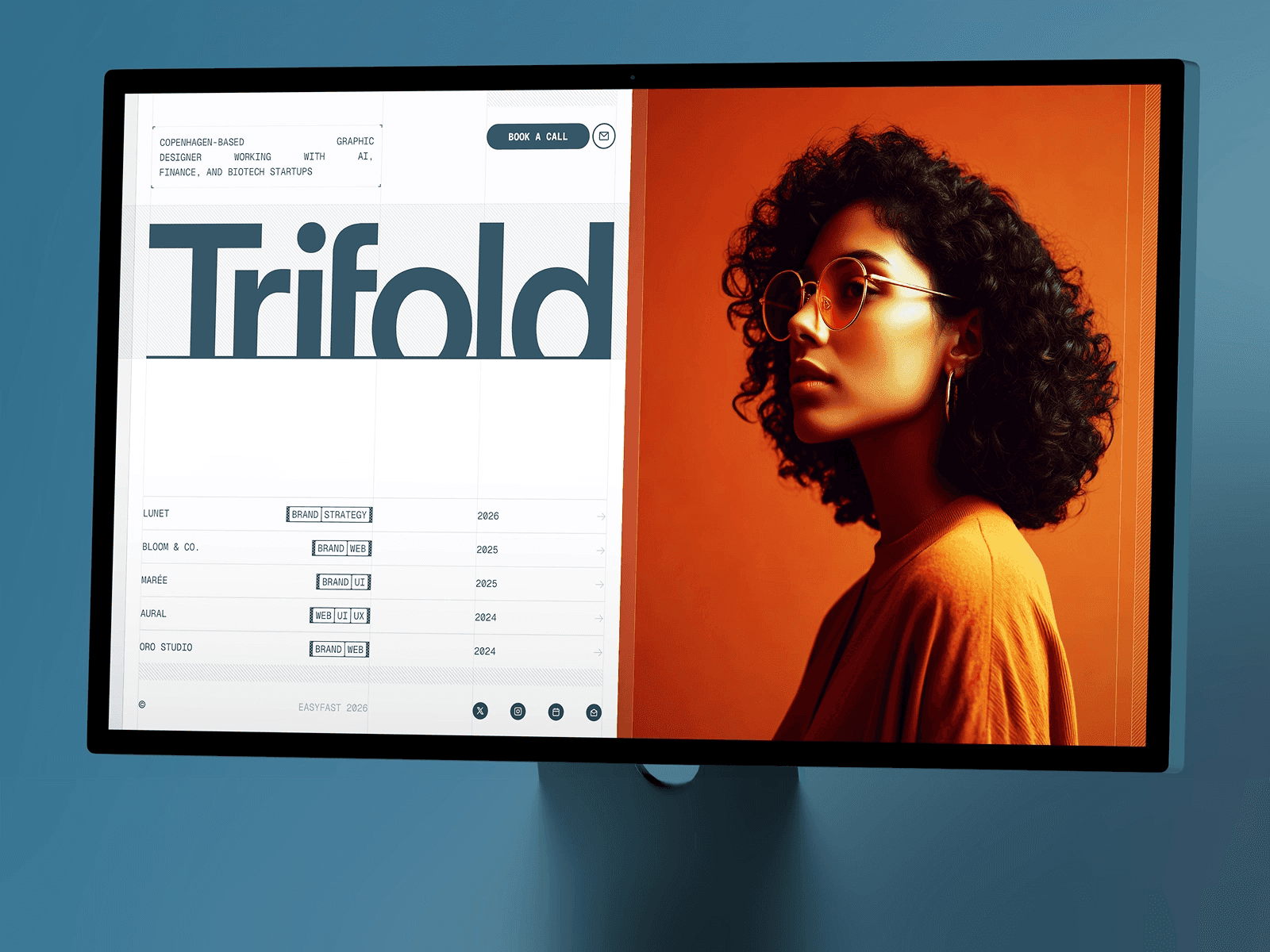
While specific details about its layout, interactions, and potential applications aren't extensively outlined, it still serves as a dependable option for presenting a polished portfolio. For more information, check out its page on the Framer Marketplace.
Much like the other templates featured here, Trifold makes building a professional, visually appealing portfolio straightforward and accessible. If you're looking for more options, you can explore other top free Framer templates available this year.
4. Vanza
Vanza is a free portfolio template available on the Framer Marketplace. It combines a clean, modern design with practical features to showcase your work in a way that's both elegant and user-friendly.
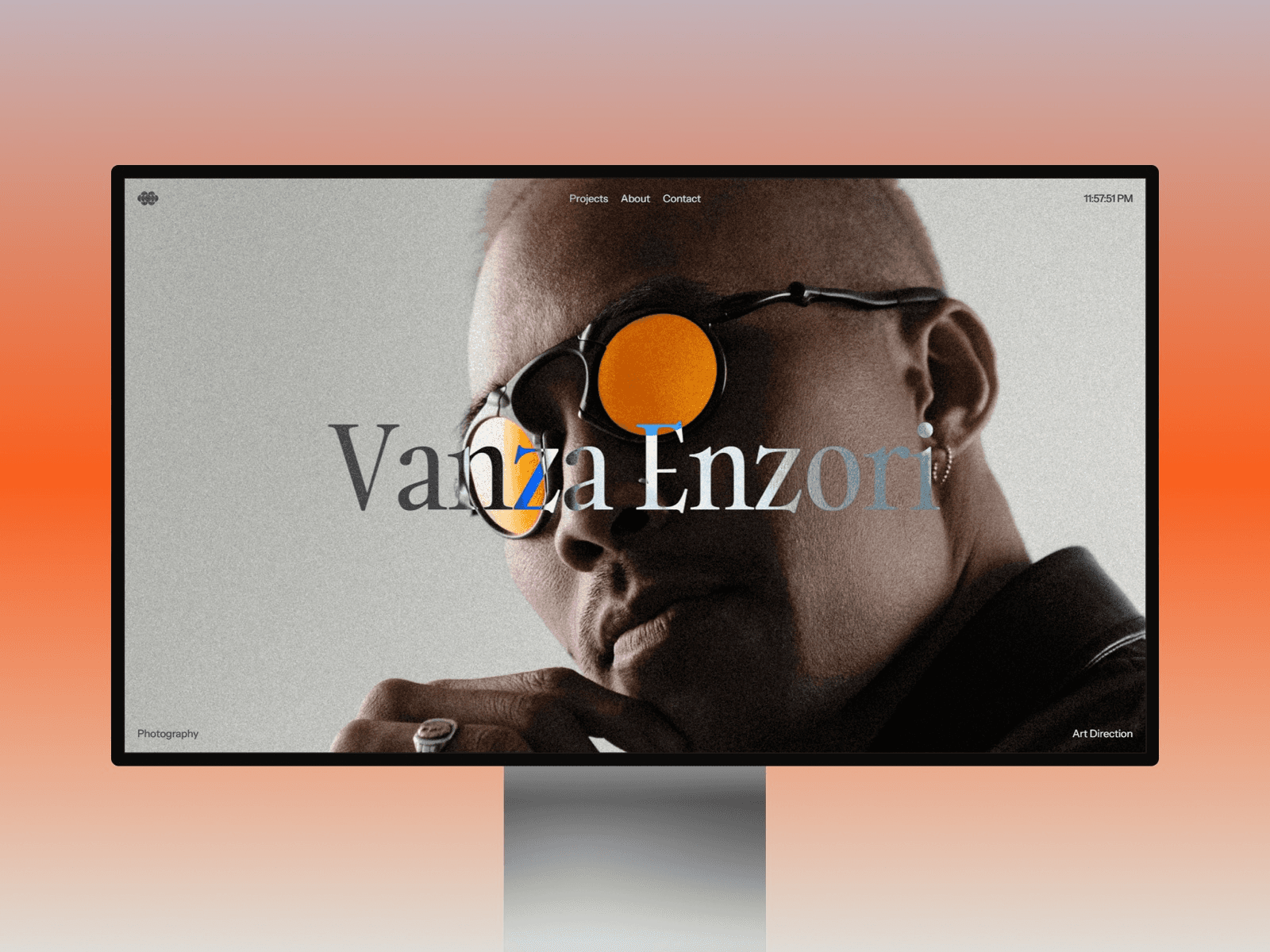
The template includes all the must-have pages: a home page, about page, contact page, and dedicated project pages. It also offers specialized layouts for detailed case studies, giving you the tools to highlight individual projects in depth. What sets Vanza apart is its ability to balance simplicity with the flexibility to present more detailed project insights. This makes it a great option for professionals who want a portfolio that’s as functional as it is visually appealing.
Best Use Cases
Vanza is perfect for freelancers and creatives who need a straightforward, effective portfolio. Its minimalist design ensures your work remains the center of attention.
Whether you're a designer, photographer, or consultant, this template helps you quickly build an online presence. Plus, with Framer's no-code interface, you can easily adjust colors, fonts, and layouts to align with your personal brand.
5. Noora
While Vanza leans into simplicity, Noora takes a different route with its bold and lively design.
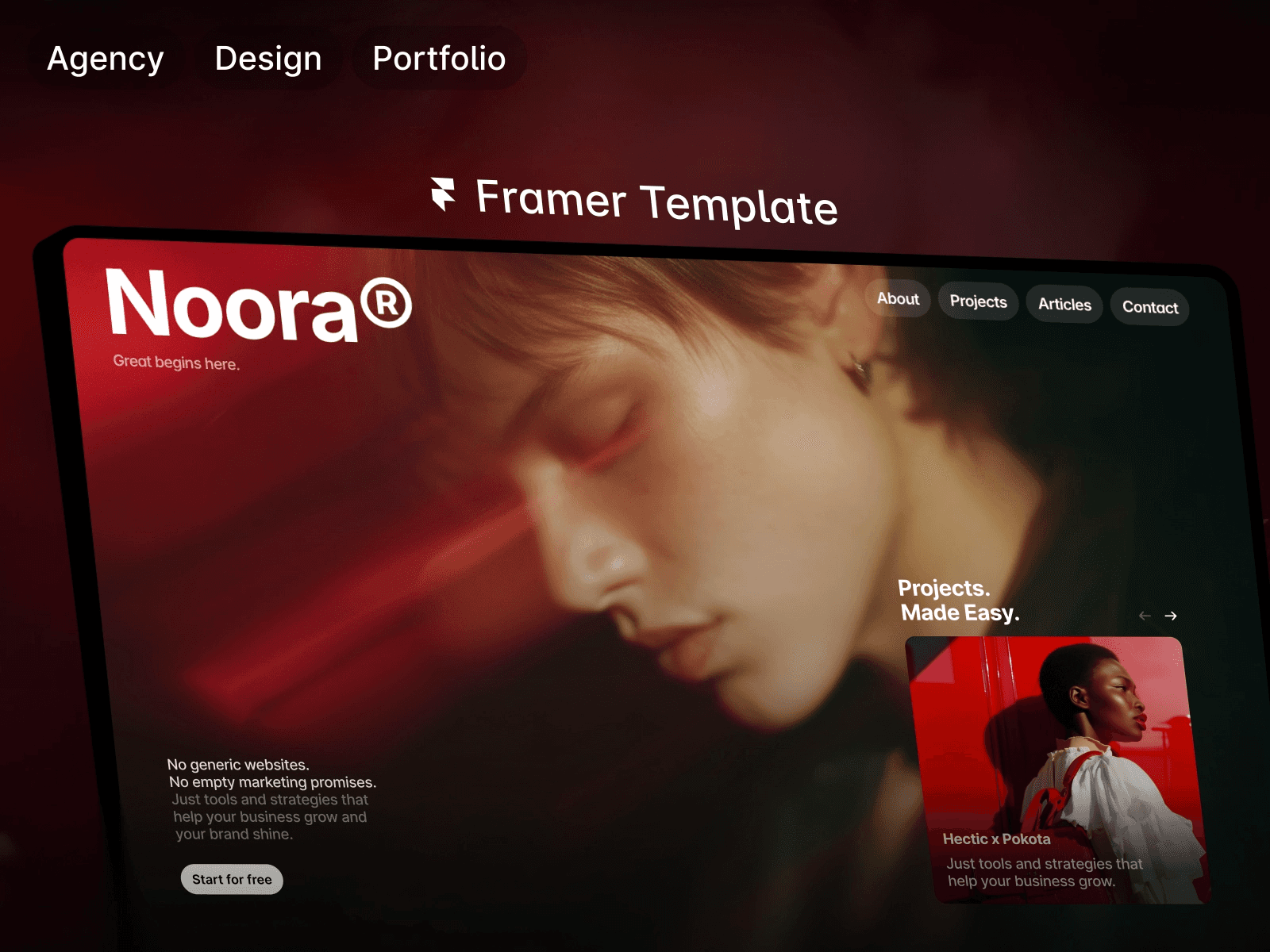
It brings a fresh, modern aesthetic that stands out from typical minimalist styles. This multi-page template is specifically crafted for portfolios and agencies, offering plenty of ways to present your work in a dynamic and engaging manner.
Best Use Cases
Noora is perfect for creative professionals like graphic designers, illustrators, and creative directors. Its vibrant and contemporary vibe ensures your portfolio leaves a lasting impression.
6. Moka X
Next up is Moka X, a free portfolio website template available on the Framer Marketplace.
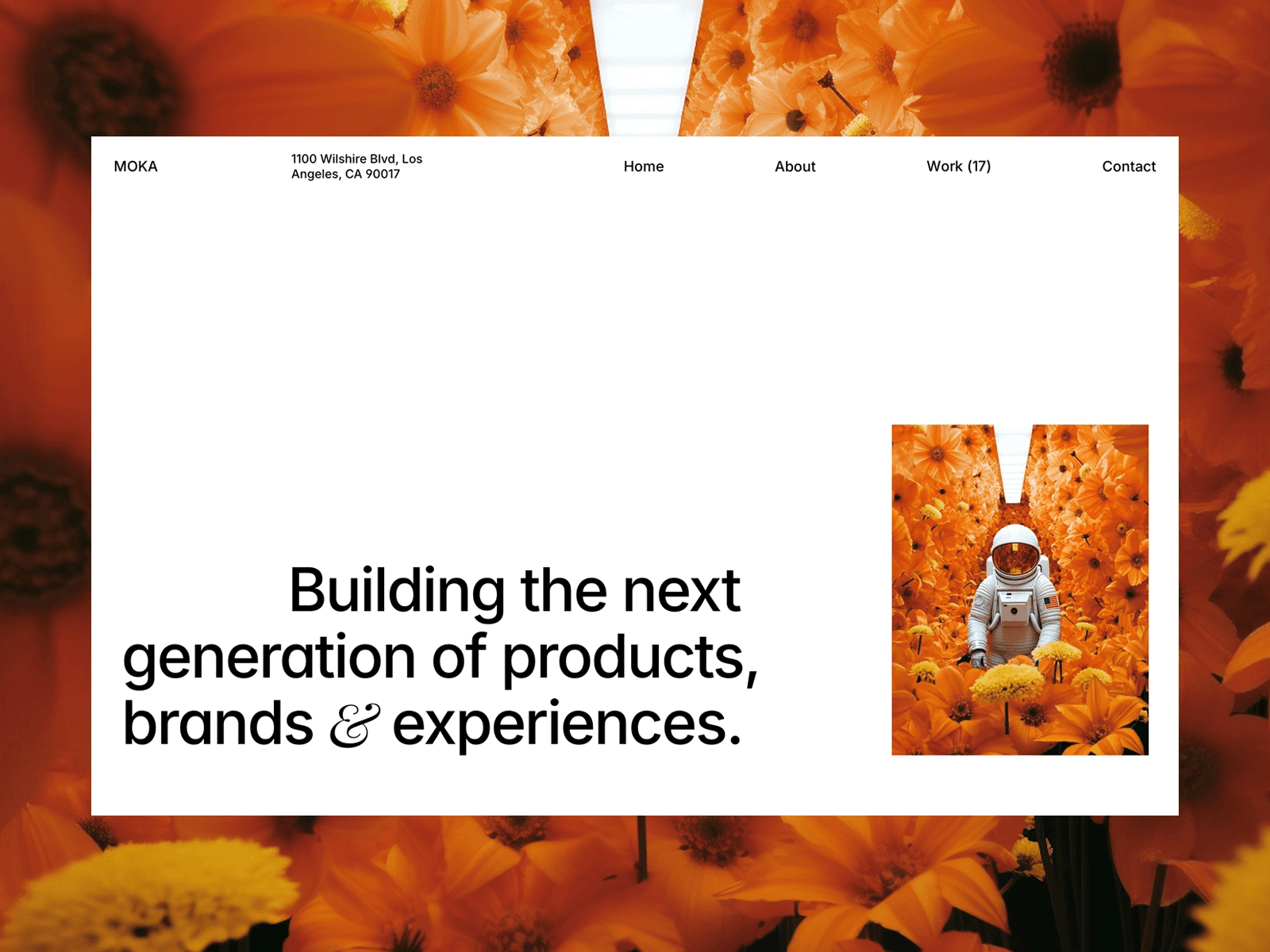
While the specific features of this template aren't outlined, it's designed to help creatives present their work effectively. For more information, check out the Moka X page on the Framer Marketplace.
7. Fuel
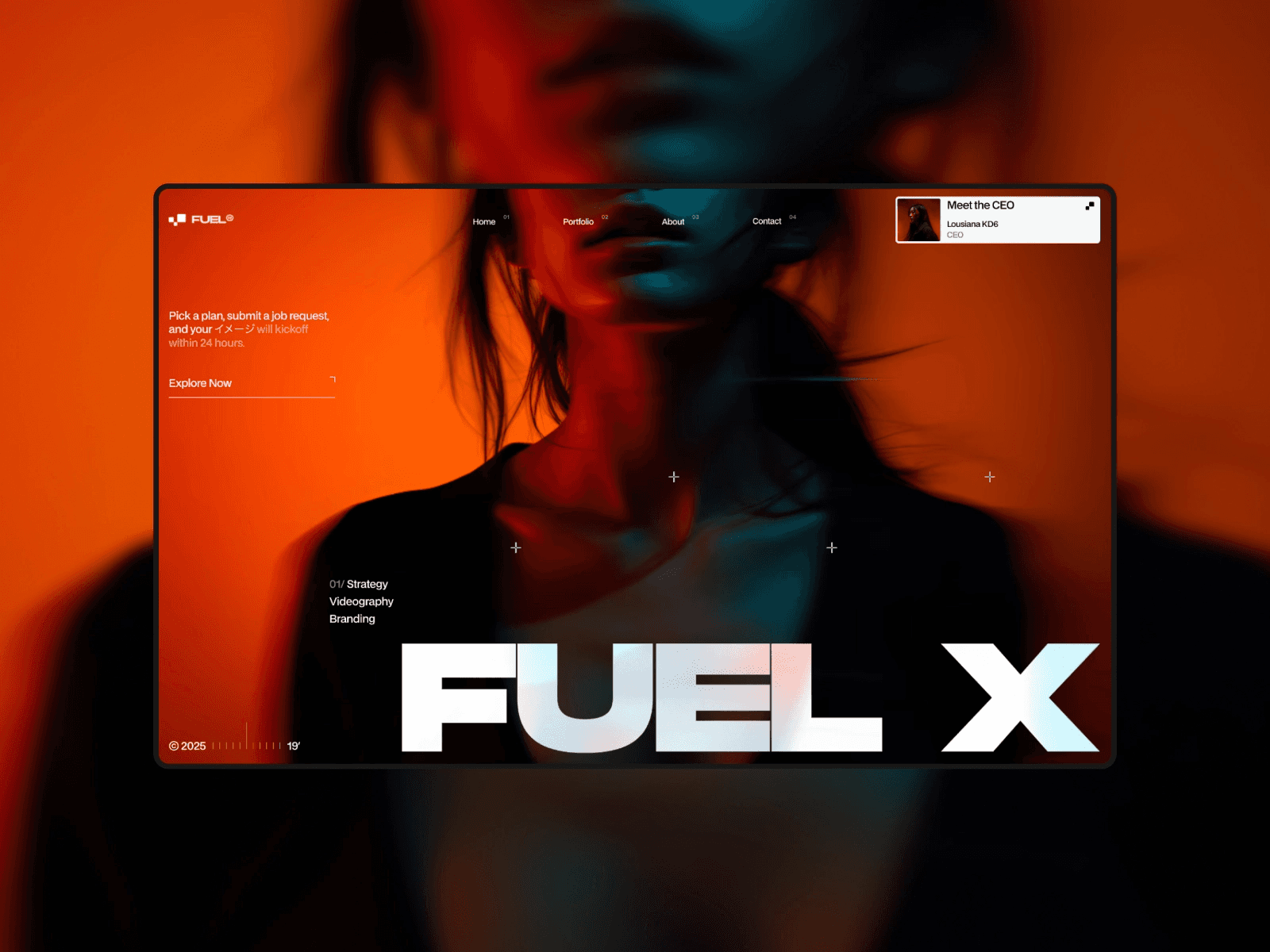
Fuel is a free portfolio website template available on the Framer Marketplace, designed specifically for freelancers and agencies. Its clean and organized sections make it easy to highlight your skills and work process.
Page Types and Layouts
Fuel comes with flexible, pre-designed layouts that give your portfolio a polished and professional look. It also includes advanced tools for managing content effectively.
CMS Collection and Integration
With built-in CMS support, updating your site becomes a breeze. You can visually manage your content while maintaining a consistent and cohesive design.
Best Use Cases
Fuel is perfect for freelancers and agencies looking to showcase not just their projects but also the workflow behind them. Its structured layout helps visitors quickly grasp your expertise and decide if your services are the right match.
8. Gibson
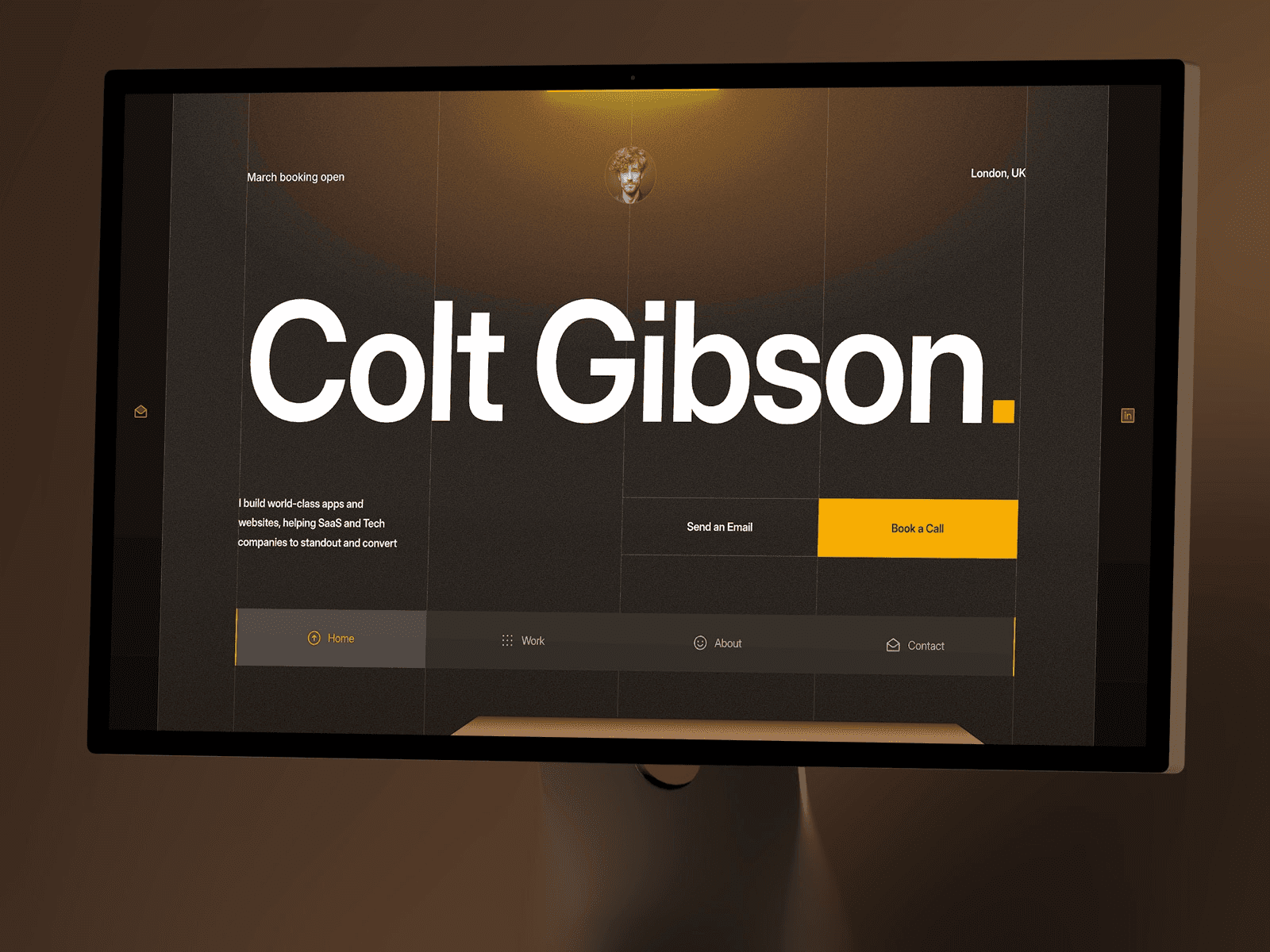
Gibson stands out among the free portfolio website templates available in the Framer Marketplace. With its dark, type-focused design and clean grid layout, it’s a template that makes a bold visual impact while keeping your work front and center.
Page Types and Layouts
This template uses a grid layout to showcase projects in a visually dynamic way. One of its most eye-catching features is the 3D cube project covers, which add a sense of depth and dimension to your portfolio. A sticky navigation bar ensures visitors can easily explore your site without losing their place, and a modern lightbox offers a distraction-free way to view project images in detail.
CMS Collection and Integration
Powered entirely by Framer CMS, Gibson simplifies managing your portfolio. You can control all your projects and media in one centralized place. A standout feature is the ability to assign unique colors to each project directly within the CMS, which pairs beautifully with the 3D cube covers to create a visually cohesive yet varied portfolio. Additionally, the Assets panel includes tools for quickly adjusting accent colors, allowing you to align the site with your branding in just minutes.
Animations and Interactivity
Gibson incorporates parallax scrolling effects to give project previews a sense of motion as users navigate the site. The interactive 3D cube covers respond to user actions, delivering an engaging experience that feels polished and professional without detracting from your work.
Best Use Cases
This template is ideal for product designers, brand designers, and UI designers looking for a visually striking portfolio that’s quick to set up. It’s especially useful for freelancers who need a professional online presence fast, as it’s optimized for deployment in as little as one day. The structured grid layout is perfect for showcasing digital interfaces, product designs, and branding projects in a sleek, organized way.
9. Lou
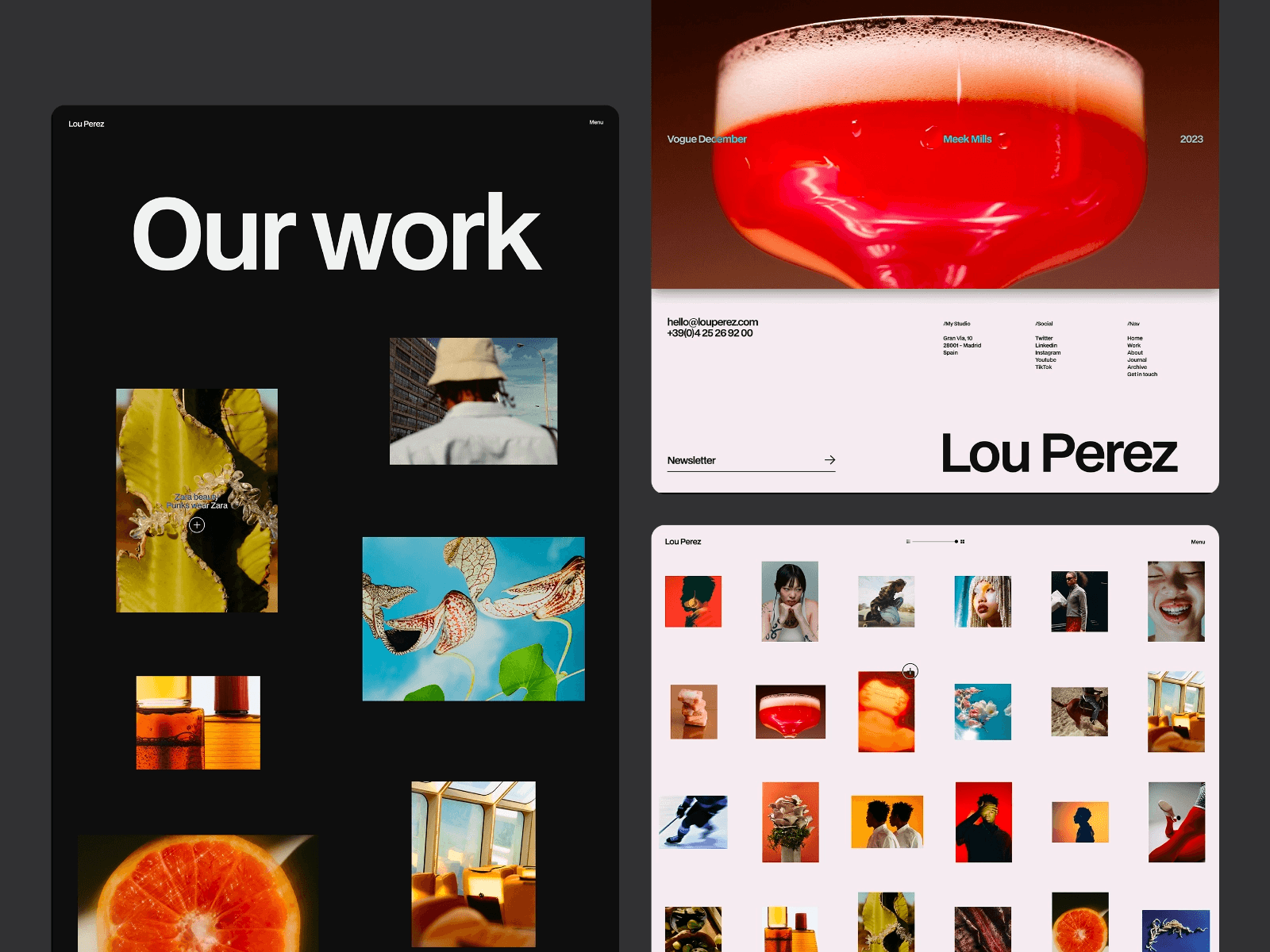
Lou is a free portfolio website template designed by Kevin Bhagat and available on the Framer Marketplace. It’s all about simplicity, with a clean and straightforward design that keeps the focus on your work.
Page Types and Layouts
The layout is intentionally simple, with plenty of white space and clear typography to ensure your projects take center stage. The structure is easy to navigate, making it effortless for visitors to explore your portfolio without unnecessary distractions.
Animations and Interactivity
Lou features subtle, smooth transitions that add a polished touch to the user experience. These animations are carefully designed to enhance the browsing experience without overwhelming visitors. The interactions feel natural and are purposefully understated, keeping in line with the minimalist design.
Best Use Cases
This template is ideal for photographers, illustrators, and visual artists who want their work to shine without competing with elaborate design elements. It’s also a great fit for freelancers looking for a simple yet professional way to showcase their portfolio. If you appreciate the "less is more" approach, Lou helps ensure your projects remain the star of the show.
10. TDSenri
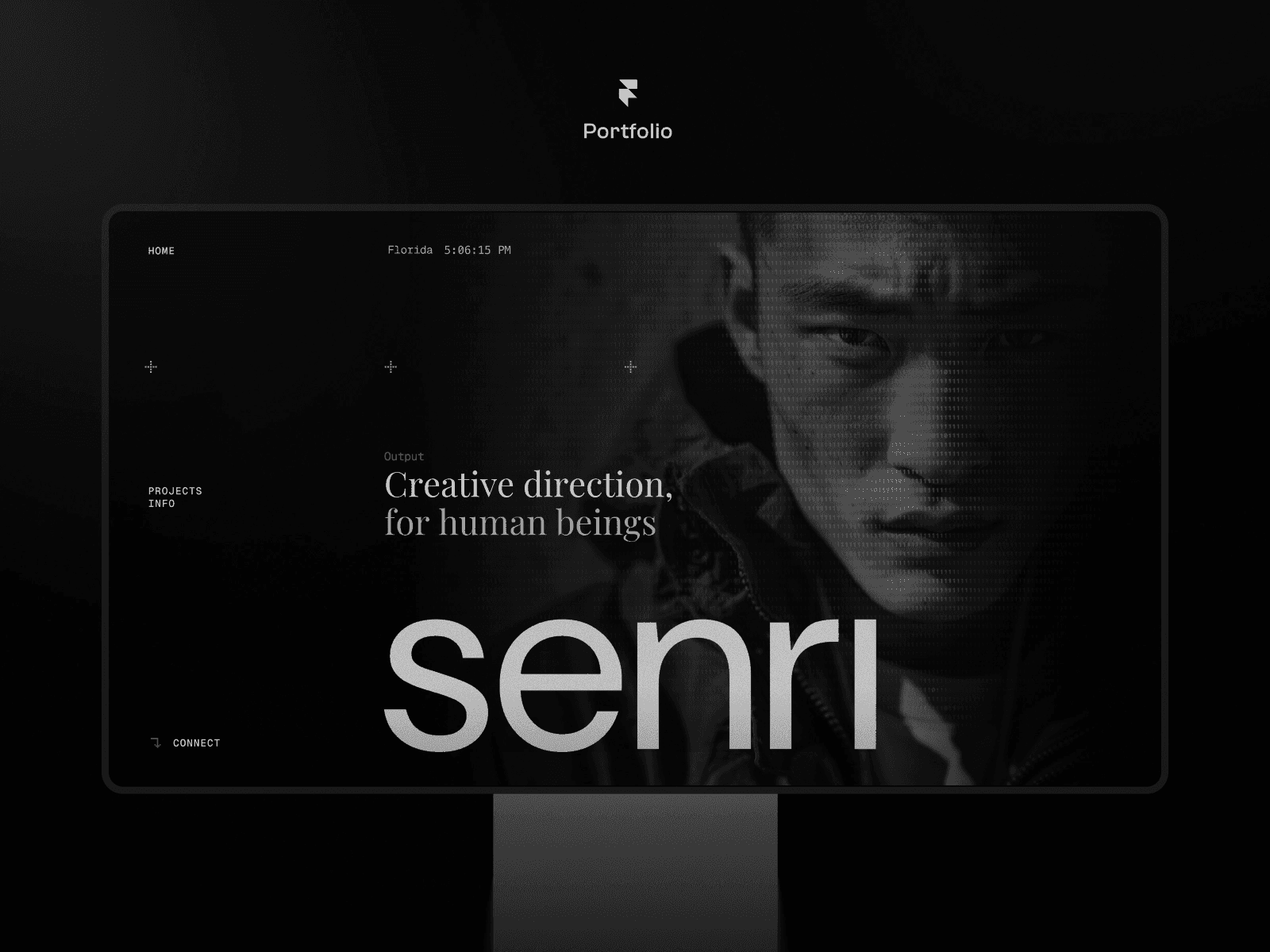
TDSenri is a free portfolio website template available on the Framer Marketplace, designed with creative professionals in mind. Its sleek, modern design makes it an excellent choice for showcasing work.
Page Types and Layouts
Built with a mobile-first approach, TDSenri ensures your portfolio looks great on any device - whether it's a smartphone, tablet, or desktop. The clean and minimal layout prioritizes user experience, making navigation smooth and intuitive.
Animations and Interactivity
The template includes subtle animations and straightforward interactive elements. These features add a touch of sophistication while keeping the focus on your content, avoiding unnecessary distractions.
Best Use Cases
TDSenri is perfect for freelancers and creative professionals such as designers, developers, and digital creators. If you're looking for a polished, mobile-friendly portfolio to present your work professionally, this template delivers exactly that.
11. Jorge
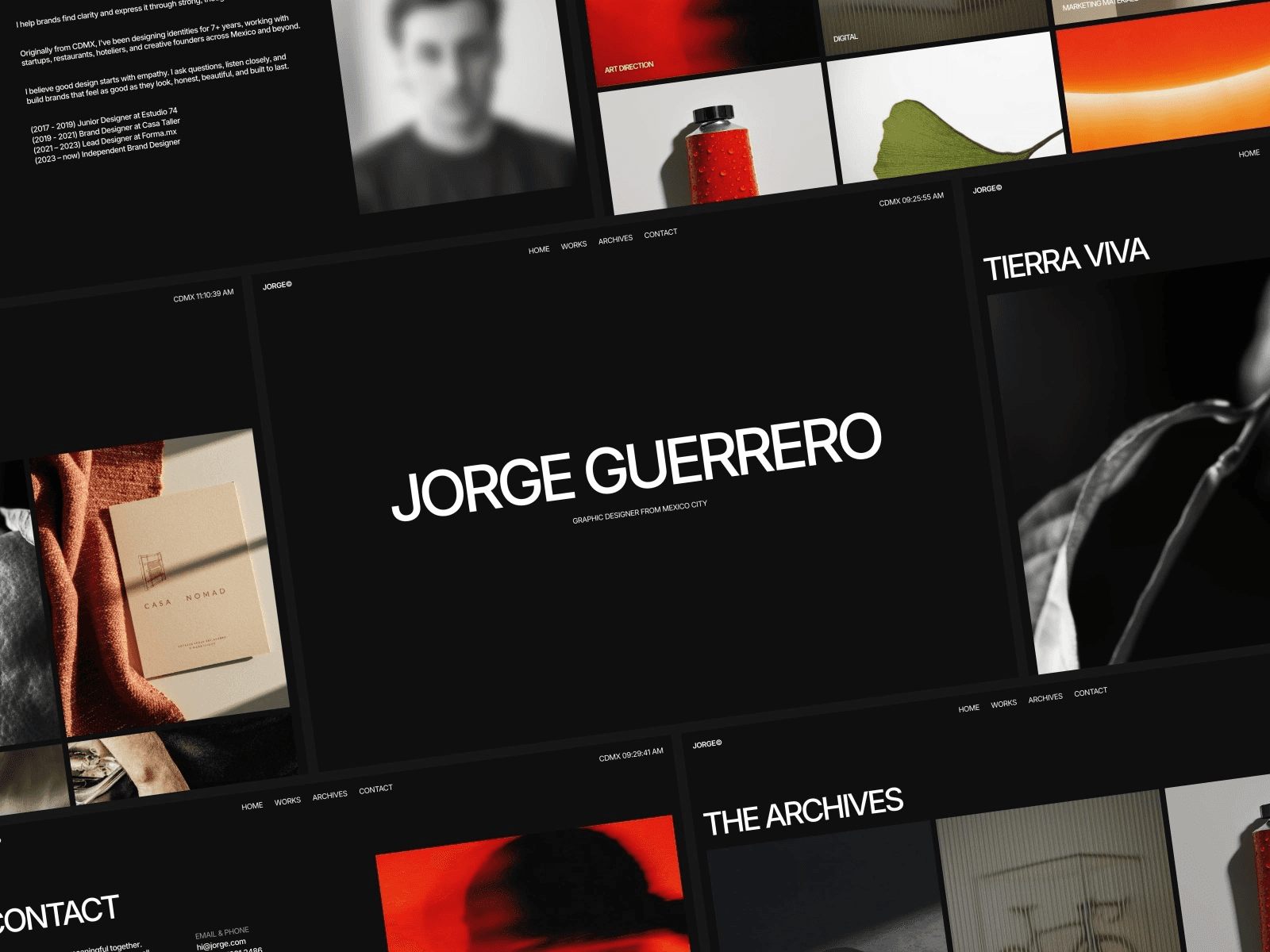
Jorge is a free portfolio website template available on the Framer Marketplace, created by Ludovic Losco. With its monochromatic palette and dark design, it offers a sleek and polished look, perfect for creatives who want their work to take center stage.
Page Types and Layouts
This template includes a well-rounded 7-page set: Home, Works, Work Page, Services, Archives, Contact, and a 404 error page. Its minimalist, type-focused design with dark accents ensures that your content remains the star of the show. Plus, every page is fully responsive, so your portfolio will look great on any device.
CMS Collection and Integration
Jorge is built to work seamlessly with Framer CMS, featuring 2 collections to organize your content. It uses layout templates and project styles to simplify the process of adding new projects. You won’t need to mess with code - just upload your work through the CMS, and the template takes care of the rest.
Animations and Interactivity
The template incorporates smooth transitions and subtle animations that enhance the user experience without distracting from your work. These understated motion effects add a touch of professionalism while maintaining the clean and refined aesthetic.
Best Use Cases
Jorge is ideal for designers, freelancers, and visual creatives who want an elegant, no-frills portfolio. Whether you're creating a personal site or a professional showcase, this template keeps the focus on your work rather than flashy design elements. Its monochromatic style and type-driven layout are particularly effective for highlighting visual projects, allowing your content to truly stand out. Next, we’ll dive into the final template on our list.
12. Hoffen
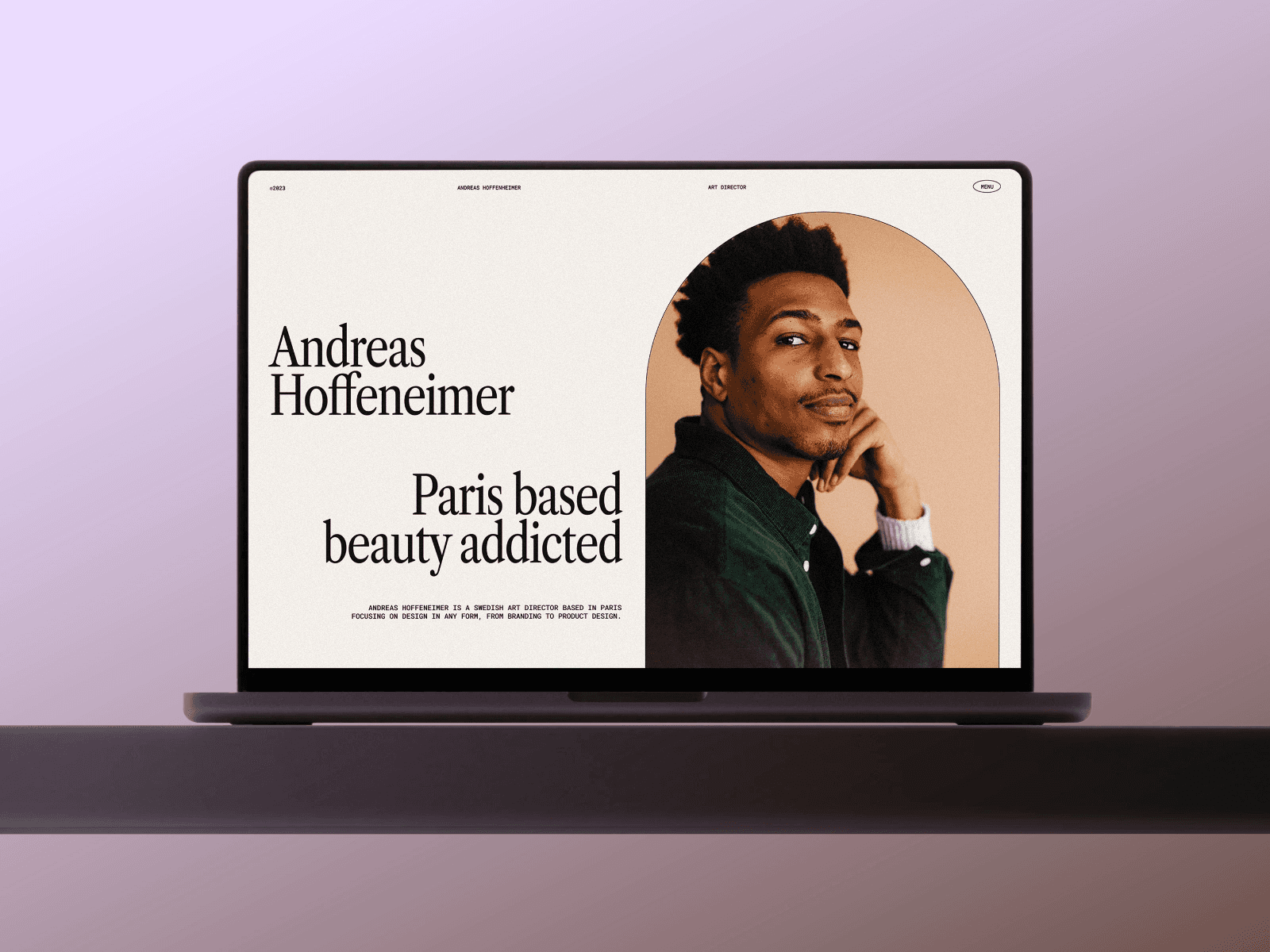
Hoffen wraps up our selection of free portfolio website templates from the Framer Marketplace. It features a clean and simple design, perfect for creatives looking to showcase their work effectively.
Page Types and Layouts
This template includes all the essential elements you'd expect in a portfolio website. Its layout ensures that your projects are displayed clearly and works seamlessly across desktop, tablet, and mobile devices.
CMS Collection and Integration
Hoffen, like other no-code templates on Framer, comes with built-in CMS tools. It also includes reusable components and layout templates, making it easy to manage and customize your content.
Best Use Cases
Hoffen is a great fit for freelancers, designers, and other creative professionals. Whether you're just starting your career or need a simple, no-fuss setup to highlight your work, this template provides a solid foundation. With its balance of minimal design and practical features, Hoffen offers a dependable option for building your portfolio.
Template Comparison Table
Here's a quick side-by-side comparison of 13 free portfolio website templates to help you pinpoint the best fit for your needs. The table highlights key features and recommended use cases for each template.
Template | Page Types | CMS Support | Animation Features | Recommended Use Case |
|---|---|---|---|---|
Aerra | Home, About, Projects, Contact | Yes | Smooth transitions, hover effects | Creative agencies, design studios |
Halo Studio | Home, Portfolio, Services, Contact | Yes | Parallax scrolling, fade-ins | Photography studios, visual artists |
Trifold | Home, Work, About, Blog | Yes | Animated grids and card effects | Freelance designers, developers |
Vanza | Home, Projects, About, Contact | Yes | Minimal transitions | Minimalist creatives, architects |
Noora | Home, Portfolio, About, Contact | Yes | Subtle hover effects | Fashion designers, stylists |
Moka X | Home, Projects, About, Blog | Yes | Dynamic grid layouts | Multi-disciplinary creatives |
Fuel | Home, Portfolio, Contact | Yes | Dynamic transitions | Startups, tech companies |
Gibson | Home, Work, About, Contact | Yes | Smooth scrolling | Photographers, videographers |
Lou | Home, Projects, Services, Contact | Yes | Interactive elements | UX/UI designers, product designers |
TDSenri | Home, Portfolio, About, Contact | Yes | Elegant animations | Illustrators, graphic designers |
Jorge | Home, Work, About, Contact | Yes | Clean transitions | Writers, content creators |
Hoffen | Home, Projects, About, Contact | Yes | Minimal effects | Freelancers, early-career creatives |
All templates are fully responsive, ensuring your portfolio looks sharp on desktops, tablets, and mobile devices.
The main differences lie in their design styles and animation complexity. Templates like Halo Studio and Kirro feature bold animations, perfect for creating dynamic visuals. On the other hand, simpler designs such as Vanza and Hoffen keep the focus on your work, making them ideal for photographers, writers, or anyone who prefers a minimalist approach. Choose the one that aligns with your personal brand and showcases your work effectively.
Conclusion
Creating a free portfolio website doesn’t have to be complicated or expensive. With the 13 free portfolio website templates from the Framer Marketplace, you get access to professional designs that include responsive layouts, built-in CMS support, and smooth animations. Plus, Framer offers free hosting, so you can publish your site without spending a single dollar.
The key is making it your own. A template is just the foundation. Personalize it by adjusting colors, fonts, and layouts to align with your brand. Add your projects, fine-tune meta tags for better search performance, and refine interactive elements to guide visitors through your work.
Before launching, make sure to test your site across desktops, tablets, and smartphones to ensure it looks and works perfectly on all devices. The built-in CMS makes it easy to keep your portfolio updated without needing to rebuild pages.
Pick a template that matches your vision - whether it’s the bold animations of Halo Studio or the minimal elegance of Vanza - customize it to showcase your style, and publish your portfolio to attract potential clients. Take the first step today and turn your portfolio into new opportunities. For those looking to scale, you can also get unlimited template access to jumpstart any future project.
FAQs
Which free portfolio website template is best for my work?
When it comes to free portfolio website templates, the best choice really depends on your personal style and what you need. For a clean black-and-white aesthetic, Hanssen is a standout option. If you prefer a simple and uncluttered look, Villo offers a minimalist layout. And for those who want to make a statement with bold typography, Jorge is a great pick. These templates are some of the top free options available on Framer and cater to a range of creative tastes.
Do these free portfolio website templates include a CMS?
Some free portfolio website templates for Framer come with CMS features. For instance, VYZN, Jorge, and Landio include content and blog capabilities. Meanwhile, templates like Perform and VYZN are also free but don't specifically highlight CMS functionality.
How do I customize and publish a free portfolio website in Framer?
Getting started with a free portfolio website in Framer is simple and straightforward. Begin by choosing a free template from the Framer Marketplace. Once you've picked a design you like, open it in the Framer editor.
From there, use Framer's drag-and-drop tools to personalize the template. You can adjust images, modify text, and tweak layouts to reflect your unique style and preferences. When you're happy with how everything looks, preview your site to ensure it meets your expectations.
Finally, publish your portfolio directly through Framer. You can choose to use a custom domain or stick with a Framer-provided URL - whichever works best for you!
Share article
$249
$3601
All Access
Save with our all access bundle - get access to all premium Framer templates.
38
+
Framer Templates
51
+